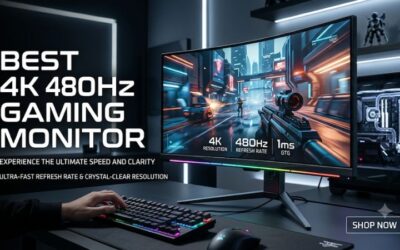
A 4K monitor used to mean choosing between crisp resolution and smooth motion, but in 2026 that trade-off has largely disappeared. Mainstream 4K panels now ship with 120Hz refresh rates, wide color coverage, and adaptive sync as standard, which means you can enjoy razor-sharp text for work and fluid frames for gaming on the same screen. Whether you are editing photos, running spreadsheets across a huge canvas, or diving into the latest open-world release, the pixel density of a good 4K display is hard to give up once you have lived with it.
The tricky part is that the 4K category spans everything from affordable 27-inch office screens to large 32-inch entertainment hubs, and the specs that matter change depending on how you use the monitor. In this guide we lay out what to prioritize when shopping, then review five of the best 4K monitors of 2026 across a range of sizes and budgets so you can find the one that fits your desk and your workflow.
As an Amazon Associate we earn from qualifying purchases at no extra cost to you.




⚡ Save on Your Next PC — Amazon Prime
Prime members get fast free shipping on the systems above, plus early access to Prime Day & Black Friday PC deals. New members get a 30-day free trial.
Watch: Best 4K Monitor 2026 — Video Review
How to Choose a 4K Monitor
- Panel technology: IPS panels give you the widest viewing angles and most accurate color, while VA offers deeper contrast for movies and darker rooms. Pick IPS for creative work and mixed use, VA for cinematic contrast.
- Refresh rate: 60Hz is fine for pure productivity, but 120Hz makes gaming and even desktop scrolling noticeably smoother. In 2026 there is little reason to settle for 60Hz unless budget is very tight.
- Size and viewing distance: 27 inches keeps 4K text sharp without scaling headaches, while 32 inches gives a more immersive canvas that benefits from sitting slightly farther back. Match the size to your desk depth.
- Color accuracy: Look for high sRGB or DCI-P3 coverage if you edit photos or video. Factory-calibrated panels save you time and guesswork when color fidelity matters.
- HDR and brightness: Entry HDR400 adds a mild pop, but true HDR impact needs higher peak brightness and local dimming. Treat HDR as a bonus rather than the deciding factor at this price tier.
The Best 4K Monitors Reviewed
Dell S2725QS
Dell’s 27-inch S2725QS is the do-everything pick, combining a sharp 4K IPS panel with a 120Hz refresh rate and FreeSync Premium for tear-free gaming. It nails the fundamentals with clean color, solid ergonomics, and a reliable stand, making it the easiest recommendation for anyone who wants one screen for work and play.
Dell S3225QS
Stepping up to 32 inches, the S3225QS uses a VA panel to deliver deeper blacks and a more cinematic feel, which suits movie nights and atmospheric games. It keeps the 120Hz refresh and FreeSync support while adding Dell’s eye-comfort features, so long sessions stay easy on the eyes.
Samsung ViewFinity S7 (S70H)
Samsung’s ViewFinity S7 leans into productivity with a clean, high-resolution 4K panel aimed at professionals who want plenty of workspace. Its accurate color and understated design make it a natural fit for a tidy home office, and it handles casual gaming and streaming without complaint.
LG UltraFine 27UP650K-W
The 27-inch UltraFine 27UP650K-W is built for creators, with DisplayHDR 400, wide color coverage, and a fully adjustable tilt, height, and pivot stand in a clean white finish. Reader Mode and Flicker Safe make it comfortable for long editing or writing sessions where accuracy and eye comfort come first.
LG UltraFine 32UR500K-B
For a big-screen 4K experience on a budget, the 32-inch 32UR500K-B delivers HDR10, built-in speakers, and a near-borderless design that looks great as a living-room or dorm centerpiece. It is a value-focused way to get a large, sharp panel for streaming, browsing, and casual gaming.
Frequently Asked Questions
Is 27 or 32 inches better for 4K?
27 inches offers the highest pixel density and razor-sharp text without needing display scaling, ideal for close desk use. 32 inches trades a little sharpness for a more immersive canvas and works best when you sit slightly farther back.
Do I need 120Hz on a 4K monitor?
If you only work in documents and browsers, 60Hz is adequate, but 120Hz makes gaming, video, and even everyday scrolling feel noticeably smoother. In 2026 many 4K panels include 120Hz at little extra cost, so it is worth having.
What GPU do I need for 4K gaming?
Driving 4K at high frame rates in demanding titles requires a high-end graphics card. For lighter or older games, or if you are happy using upscaling, a strong midrange GPU can still deliver a smooth experience at 4K.
Is HDR worth it at this price?
Entry-level HDR400 adds a subtle boost but cannot match the impact of premium displays with high peak brightness and local dimming. Treat HDR as a nice extra rather than the main reason to choose a monitor in this range.
Final Thoughts
The right 4K monitor depends on your priorities. For a balanced 27-inch all-rounder the Dell S2725QS is the safe bet, creators will appreciate the color and ergonomics of LG’s UltraFine 27UP650K-W, and anyone chasing a large screen will find the 32-inch Dell S3225QS or LG 32UR500K-B compelling. Whatever your budget, 2026’s 4K panels finally deliver sharpness and smooth motion without forcing you to pick just one.