Affiliate disclosure: As an Amazon Associate we earn from qualifying purchases. This post contains affiliate links — we may earn a small commission at no extra cost to you. This never affects our picks. Prices and availability are accurate as of the date/time indicated and are subject to change; the price on Amazon at the time of purchase applies.
- Quick Comparison Table
- 1. ASUS Dual RTX 5060 Ti 8GB: Best for 1440p ambitions
- 2. ASUS Prime RTX 5060 8GB: Best for balanced 1080p and 1440p
- 3. Gigabyte RTX 4060 WINDFORCE OC 8G: Best for compact, efficient builds
- 4. Gigabyte RTX 3060 WINDFORCE OC 12G: Best for extra video memory
- 5. Intel Arc A750 Limited Edition 8GB: Best for a lean 1080p build
- How to Choose
- Frequently Asked Questions
- About the Author
- Related Articles
Quick answer: For the best GPUs under 700, the ASUS Dual RTX 5060 Ti 8GB is the strongest pick here. The ASUS Prime RTX 5060 suits tighter builds, the Gigabyte RTX 4060 fits older PSUs, the RTX 3060 12GB suits VRAM-hungry textures, and the Intel Arc A750 suits a frugal 1080p rig.
This guide compares five graphics cards that sit comfortably inside a 700 budget cap, from current-generation GDDR7 boards to older but still capable 1080p cards. Every comparison uses each listing’s published specs: memory size, memory type, bus width, slot width and interface. We did not run our own benchmarks, so performance statements describe the general class of each GPU rather than frame-rate results.
Quick Comparison Table
| # | Model | Key specs (per listing) | Best for |
|---|---|---|---|
| 1 | ASUS Dual GeForce RTX 5060 Ti 8GB OC | 8GB GDDR7, PCIe 5.0, 2.5-slot, Dual BIOS | Best step-up pick for 1440p |
| 2 | ASUS Prime GeForce RTX 5060 8GB OC | 8GB GDDR7, PCIe 5.0, 2.5-slot, Dual BIOS | Balanced 1080p to 1440p |
| 3 | Gigabyte GeForce RTX 4060 WINDFORCE OC 8G | 8GB GDDR6, 128-bit, 2 fans | Compact, efficient builds |
| 4 | Gigabyte GeForce RTX 3060 WINDFORCE OC 12G | 12GB GDDR6, 192-bit, 2 fans | VRAM headroom at 1080p |
| 5 | Intel Arc A750 Limited Edition 8GB | 8GB, PCIe 4.0 | Lowest-spend 1080p gaming |
1. ASUS Dual RTX 5060 Ti 8GB: Best for 1440p ambitions
Specs per the listing: GeForce RTX 5060 Ti, 8GB GDDR7, OC Edition, PCIe 5.0, HDMI 2.1b, DisplayPort 2.1b, 2.5-slot cooler, Axial-tech fans, 0dB technology, Dual BIOS.
This is the most capable card in the group and the one to buy if you want headroom. Cards in the RTX 5060 Ti class are aimed at high-refresh 1080p and many 1440p games, and the GDDR7 memory gives the 8GB pool more bandwidth than older GDDR6 boards. The 0dB feature stops the fans at idle, which suits quiet desktops. The honest caveat is the 8GB capacity: texture-heavy titles at high settings can fill it, so plan to lower texture quality in the newest releases.
- Pros: newest architecture in the roundup; GDDR7 memory; fan-stop at idle; Dual BIOS switch
- Cons: 8GB is tight for maxed-out textures; 2.5-slot width needs case clearance

ASUS Dual GeForce RTX 5060 Ti 8GB GDDR7 OC Edition Gaming Graphics Card | PCIe 5.0, HDMI 2.1b, DisplayPort 2.1b, 2.5-slot, Axial-tech Fans, 0dB Technology, Dual BIOS
Included for 'Best GPUs Under 700: Five Graphics Cards for 1080p and 1440p' as a representative home product in this roundup; selection reflects the product set returned for this topic.
View on Amazon2. ASUS Prime RTX 5060 8GB: Best for balanced 1080p and 1440p
Specs per the listing: GeForce RTX 5060, 8GB GDDR7, OC Edition, PCIe 5.0, HDMI/DP 2.1, 2.5-slot design, Axial-tech fans, Dual BIOS.
The Prime RTX 5060 trims a tier from the Ti above but keeps the same memory type and cooler format. For a 1080p monitor at 144Hz or a 1440p panel where you are happy to tune settings, this class of card is a sensible middle. Because it shares the 2.5-slot footprint with the Ti model, the choice comes down to how much performance you want for the extra spend. The listing does not state board power, so check the maker page for the recommended power supply before ordering.
- Pros: GDDR7 on a mainstream card; PCIe 5.0 interface; Dual BIOS; clean, plain design
- Cons: 8GB limits future-proofing; power connector details not listed

ASUS Prime GeForce RTX 5060 8GB GDDR7 OC Edition Gaming Graphics Card | PCIe 5.0, HDMI/DP 2.1, 2.5-slot, Axial-tech Fans, Dual BIOS
Included for 'Best GPUs Under 700: Five Graphics Cards for 1080p and 1440p' as a representative home product in this roundup; selection reflects the product set returned for this topic.
View on Amazon3. Gigabyte RTX 4060 WINDFORCE OC 8G: Best for compact, efficient builds
Specs per the listing: GeForce RTX 4060, 8GB 128-bit GDDR6, two WINDFORCE fans, factory OC.
The RTX 4060 class has a reputation for modest power draw, which helps in small cases and with older power supplies. The dual-fan WINDFORCE cooler is a straightforward design rather than a premium one, and the 128-bit bus is typical of this tier. It targets 1080p comfortably and can handle 1440p with moderated settings. If a current-generation card is not essential to you, this one fits neatly into a first build or an upgrade from a GTX-era GPU.
- Pros: efficient class; two-fan cooler; widely compatible; sensible 1080p target
- Cons: GDDR6 rather than GDDR7; 128-bit bus limits bandwidth

Gigabyte GeForce RTX 4060 WINDFORCE OC 8G Graphics Card, 2X WINDFORCE Fans, 8GB 128-bit GDDR6, GV-N4060WF2OC-8GD Video Card
Included for 'Best GPUs Under 700: Five Graphics Cards for 1080p and 1440p' as a representative home product in this roundup; selection reflects the product set returned for this topic.
View on Amazon4. Gigabyte RTX 3060 WINDFORCE OC 12G: Best for extra video memory
Specs per the listing: GeForce RTX 3060, 12GB 192-bit GDDR6, two WINDFORCE fans, rev. 2.0 board.
This is the odd one out: an older architecture but the largest memory pool in the roundup. Twelve gigabytes on a 192-bit bus can help in games that load large textures, and in some creative apps that need VRAM more than raw speed. Newer RTX 4060 and 5060 cards will generally outpace it, and it lacks the newest upscaling and frame-generation features of later generations. Pick it when capacity matters more than newer features.
- Pros: 12GB VRAM; 192-bit memory bus; simple two-fan cooler
- Cons: older architecture; lacks newer-generation features

GIGABYTE GeForce RTX 3060 WINDFORCE OC 12G (rev. 2.0) Graphics Card, 2X WINDFORCE Fans, 12GB 192-bit GDDR6, GV-N3060WF2OC-12GD Rev2.0 Video Card
Included for 'Best GPUs Under 700: Five Graphics Cards for 1080p and 1440p' as a representative home product in this roundup; selection reflects the product set returned for this topic.
View on Amazon5. Intel Arc A750 Limited Edition 8GB: Best for a lean 1080p build
Specs per the listing: Intel Arc A750 Limited Edition, 8GB, PCI Express 4.0. Cooler details and board power are not listed.
Arc cards offer a different route into 1080p gaming and can be attractive when you want to keep total spend low. Intel’s driver support has matured, but older titles and some engines can still behave less predictably than on GeForce cards. Arc also benefits from Resizable BAR support, so confirm that your motherboard and BIOS enable it. Treat this as a value-minded choice for a patient tinkerer rather than a plug-and-forget option.
- Pros: low-spend entry to 1080p; 8GB memory; PCIe 4.0 interface
- Cons: driver behaviour varies by game; platform setup matters; fewer feature extras

Intel Arc A750 Limited Edition 8GB PCI Express 4.0 Graphics Card
Included for 'Best GPUs Under 700: Five Graphics Cards for 1080p and 1440p' as a representative home product in this roundup; selection reflects the product set returned for this topic.
View on AmazonHow to Choose
Match the card to your monitor
Start with resolution and refresh rate. A 1080p monitor at 144Hz asks little of any card here, so the RTX 4060 or RTX 3060 is plenty. A 1440p monitor, especially at 165Hz or above, pushes you toward the RTX 5060 or 5060 Ti class. Buying more GPU than your display can use wastes budget, while buying too little leaves you lowering settings on day one.
Treat VRAM as a ceiling, not a score
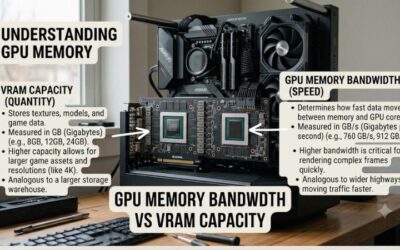
Eight gigabytes is enough for most current games at 1080p and for many at 1440p with high rather than ultra textures. If you mod games, run high-resolution texture packs or edit video, the 12GB RTX 3060 gives more room even though it is slower. Memory type matters less than capacity until you hit the limit, after which frame times suffer sharply.
Check case and power supply before you click
Two of these cards use 2.5-slot coolers, so measure the clear space beside your motherboard and the card length your case allows. For power, look at the maker page for the recommended supply wattage and the required connector, because the listings here do not state them. A quality 550W to 650W unit with a spare PCIe power cable covers most cards in this class, but verify rather than assume.
Know what to skip
Skip cards whose listing does not name the exact GPU or memory size. Be cautious with older used or refurbished stock where warranty terms are unclear, and avoid pairing a modern card with a very old CPU, which can leave performance unused. Finally, make sure your motherboard has a full-length PCIe x16 slot, since that is where every card here belongs.
Frequently Asked Questions
Is 8GB of VRAM still enough?
For 1080p and most 1440p gaming with sensible texture settings, yes. The newest, heaviest titles can exceed it at ultra settings, so lowering textures one notch is the usual fix. If you want more room, the 12GB RTX 3060 is the option here.
Do I need PCIe 5.0 for these cards?
No. PCIe 5.0 cards work in PCIe 4.0 or 3.0 slots, and cards in this class rarely saturate the link. Check your motherboard manual if you run a very old platform, but compatibility is generally broad.
Which card suits an older power supply?
The RTX 4060 class is known for modest power draw, making it the easiest fit. The listings here do not give board power, so confirm the recommended wattage and connector on the maker’s page before installing.
Is the Intel Arc A750 a safe pick?
It can be a good value for 1080p, but results depend on the game and on Resizable BAR being enabled. If you want the fewest surprises, a GeForce card is the more predictable choice.
Should I buy the Ti or the standard RTX 5060?
Choose the Ti if you play at 1440p or want longer life before upgrading. Choose the standard card if you game at 1080p and prefer to spend less. Both share the same memory size and cooler format.