🛒 Best Price Today on Amazon
Prime members get fast, free shipping on everything above, plus member-only deals. New members get a 30-day free trial — cancel anytime.

CORSAIR RM750e (2025) Fully Modular Low-Noise ATX Power Supply with 12V-2x6 Cable – ATX 3.1 & PCIe 5.1 Compliant, Cybenetics Gold Efficiency, 105°C-Rated Capacitors, Modern Standby Mode – Black
Included for 'What power supply do you need for a new GPU: Clear Guide' because the listing specifies ATX 3.1 & PCIe 5.1 Compliant and Cybenetics Gold Efficiency, details this guide uses to compare options.
View on Amazon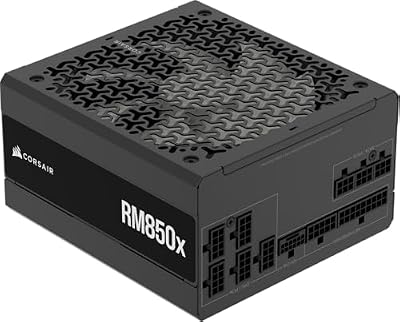
CORSAIR RM850x ATX 3.1 PCIe 5.1 Ready Fully Modular 850W Power Supply – Low-Noise, Cybenetics Gold Efficiency, Native 12V-2x6 Connector – Black
Included for 'What power supply do you need for a new GPU: Clear Guide' because the listing specifies Low-Noise and Cybenetics Gold Efficiency, details this guide uses to compare options.
View on AmazonIf you are asking what power supply do you need for a new GPU, start with the exact card maker’s system-power recommendation, then check connectors and the rest of the PC. NVIDIA lists 1,000W for the RTX 5090 and 850W for the RTX 5080, while AMD lists 750W for the RX 9070 XT.
Quick answer: Our top pick in 2026 is the Setting — our #1 rated choice. See the full ranked comparison, alternatives and buying advice below.
What This PSU Question Really Comes Down To
The short answer to what power supply do you need for a new GPU is that there is no single wattage for every upgrade. The GPU’s required system power, CPU, storage, cooling, and connector design all matter. Manufacturer recommendations are a starting point, not a replacement for checking the complete configuration before installation.
Start With the GPU’s Published Requirement
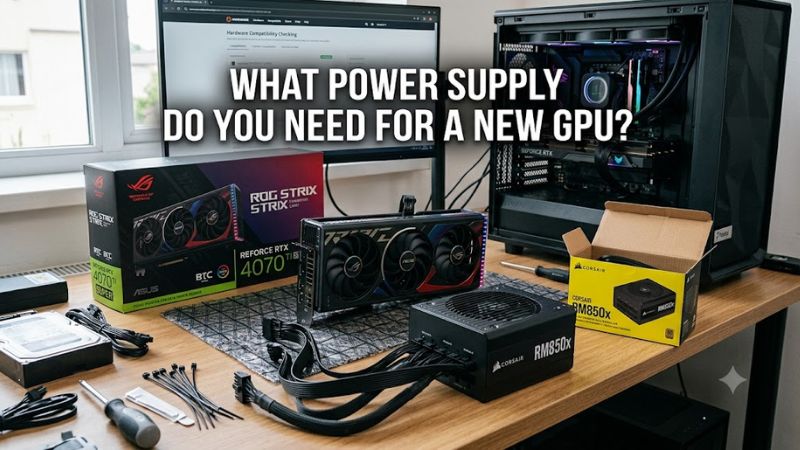
For what power supply do you need for a new GPU, use the manufacturer’s required system power before applying a generic wattage rule. NVIDIA currently lists 1,000W for the RTX 5090, 850W for the RTX 5080, 750W for the RTX 5070 Ti, and 650W for the RTX 5070. These figures are system-level recommendations, not the GPU’s own board power.
AMD’s current Radeon guidance shows the same principle. The RX 9070 XT has 304W typical board power with a 750W minimum PSU recommendation, while the RX 9070 has 220W and a 650W minimum. The RX 9060 XT is listed at 450W minimum PSU recommendation despite its lower 150W or 160W board-power variants.
Separate GPU Power From Total System Power
A GPU’s board-power figure does not tell you the correct PSU size by itself. The power supply also feeds the CPU, motherboard, memory, drives, fans, pumps, USB devices, and other hardware. NVIDIA’s published figures explicitly depend on the wider system configuration, so copying the GPU wattage into a PSU purchase can understate the requirement.
For example, NVIDIA’s RTX 5090 specification lists 575W total graphics power but 1,000W required system power. The difference is not spare GPU power; it reflects the complete PC configuration used for the recommendation. The RTX 5080 similarly lists 360W total graphics power alongside an 850W system-power recommendation.
Check the Power Connector Before Buying
When asking what power supply do you need for a new GPU, connector compatibility deserves its own check. NVIDIA specifies a 600W PCIe Gen 5 cable or the supplied adapter configuration for the RTX 5090, while the RTX 5080 uses a 450W-or-greater PCIe Gen 5 cable or its specified adapter arrangement. The exact add-in-board model can differ.
A PSU can therefore have enough advertised wattage and still be inconvenient for a particular graphics card if it lacks the required cable arrangement. For a new high-power GPU, check whether the PSU has the connector specified by the card maker, rather than assuming an older modular cable or an available adapter is interchangeable with every PSU platform.
Leave Room for the Rest of the Build
A useful way to approach what power supply do you need for a new GPU is to treat the manufacturer’s recommendation as the baseline, then consider the rest of the hardware. Seasonic advises adding roughly 20% to 30% reserve to calculated system consumption, especially where heavier workloads, future upgrades, or overclocking are part of the plan.
That does not mean every PC needs a PSU 30% above its manufacturer’s stated requirement. NVIDIA’s 1,000W RTX 5090 recommendation already accounts for a specified system configuration, while AMD publishes its own minimum values. Extra capacity is a planning choice; the exact requirement remains dependent on the complete build and graphics-card model.
How to Choose the Right PSU: Step by Step
The practical method for what power supply do you need for a new GPU starts with the exact GPU model and its official recommendation, then checks the connector, CPU and other system hardware, and finally considers PSU headroom. This avoids treating a broad GPU family as though every board-partner card has identical electrical requirements.
| Setting | Where | Effect | Risk |
| 1. GPU requirement | GPU manufacturer specification | Establishes the published system-power baseline | Using a family-level figure can miss a specific model’s requirement; undo by checking the exact card |
| 2. System configuration | CPU and complete PC parts list | Accounts for processor and other component load | Ignoring the CPU or additional hardware can leave less practical capacity; undo by recalculating the full system |
| 3. PSU connector | PSU and GPU specifications | Confirms the physical power connection is supported | Wrong cable or unsupported adapter arrangement can create compatibility problems; undo by using the PSU’s supplied cable |
| 4. PSU replacement | New compatible PSU | Provides the required capacity and connector platform | Buying substantially more capacity than the build needs raises cost; undo by choosing capacity from the verified requirement |
Step 1: Identify the Exact Graphics Card
Before deciding what power supply do you need for a new GPU, record the exact model and manufacturer, not simply “RTX 5080” or “RX 9070 XT.” NVIDIA notes that specifications can vary between add-in-card manufacturers, and the shipping card can therefore have different requirements from a reference specification.
This matters particularly for factory-overclocked or custom-cooled boards. Check the product page for required PSU capacity and power connectors, then compare those requirements with your current unit’s label and documentation. If the card maker provides a higher requirement than the GPU family reference, use the card-specific figure for the purchase decision.
Step 2: Check Your CPU and Existing Hardware
Next, look beyond the graphics card. The PSU powers the CPU and the rest of the platform, so a configuration with a high-power processor has a different power budget from one using a lower-power chip. NVIDIA’s published RTX 5090 and RTX 5080 minimums are based on a specified processor configuration, showing why the GPU number is not an isolated PSU calculation.
Also account for several drives, liquid-cooling pumps, numerous case fans, expansion cards, and planned upgrades. You do not need to assign an exact wattage to every small device when the GPU maker already provides a complete-system recommendation, but unusual configurations deserve more capacity than a basic gaming PC built around the same graphics card.
Step 3: Match the PSU Platform and Cables
Modern high-power graphics cards increasingly use PCIe Gen 5 power connections, including 16-pin implementations such as 12V-2×6 on compatible hardware. MSI recommends modern ATX 3.1 and PCIe 5.1 PSU support for RTX 50 Series builds, while NVIDIA specifies the required PCIe Gen 5 cable capability for its higher-end cards.
The important distinction is that wattage and connector support are separate checks. A 1,000W PSU is not automatically appropriate for every 1,000W-class configuration if its cable arrangement does not match the graphics card. Use the PSU manufacturer’s supplied cables for that unit and follow the GPU manufacturer’s stated connector requirements.
Step 4: Replace the PSU Only When the Evidence Requires It
The final step is deciding whether your existing unit can remain. If its rated capacity meets the exact GPU manufacturer’s recommendation for your system, its connectors are compatible, and its platform is appropriate for the card, a GPU upgrade does not automatically require a new PSU. Seasonic similarly notes that an upgrade is not always necessary when the existing unit meets the required conditions.
Replacement becomes relevant when the current PSU falls below the stated requirement, lacks the necessary connector arrangement, or does not fit the electrical requirements of the new card. For a new high-power build, selecting a current ATX 3.x PSU with the appropriate PCIe power connection can simplify compatibility, but wattage should still follow the actual configuration.
FAQ: Four PSU Questions Answered
Do I Need a New PSU for a New GPU?
You need a new PSU when your existing unit does not meet the new GPU’s required system power or compatible connector requirements. If both conditions are satisfied, replacing the PSU solely because the graphics card is newer is not automatically necessary. NVIDIA specifically says system requirements can vary with the complete configuration.
Age alone should not be treated as a universal replacement rule. The more useful checks are the PSU’s rated capacity, available manufacturer-supplied cables, platform specifications, and the graphics card’s exact requirements. A current PSU that satisfies those conditions can remain part of an upgrade, subject to the manufacturer’s specifications.
What Power Supply Do You Need for a New GPU Like RTX 5090?
For what power supply do you need for a new GPU such as the RTX 5090, NVIDIA specifies 1,000W minimum system power for its Founders Edition specification and recommends a PCIe CEM 5.1-compliant PSU. The card has 575W total graphics power and requires either the specified four PCIe 8-pin adapter arrangement or a 600W PCIe Gen 5 cable.
That 1,000W figure is not a universal requirement for every RTX 5090 board. NVIDIA states that add-in-card specifications can vary, so the exact graphics card’s documentation remains important. A system using a different processor or other hardware can also have different power requirements from NVIDIA’s reference configuration.
Is 750W Enough for a New GPU?
A 750W PSU can be enough for several current GPUs, but whether it is sufficient depends on the exact model and complete system. NVIDIA lists 750W for the RTX 5070 Ti and 650W for the RTX 5070, while AMD lists 750W for the RX 9070 XT and 650W for the RX 9070.
Those figures should not be turned into a universal 750W rule. An RTX 5080 has an 850W NVIDIA system-power requirement, while an RTX 5090 has a 1,000W requirement. The processor, card-specific design, connector arrangement, and other hardware still need to be checked before carrying a 750W PSU into a new build.
Does a Higher-Wattage PSU Improve GPU Performance?
A higher-wattage PSU does not by itself increase GPU performance when the existing unit already meets the graphics card’s requirements. PSU capacity is about supplying the system’s electrical demand with appropriate margin and connections, while gaming performance is primarily determined by the GPU, CPU, settings, and workload.
Extra capacity can make sense when it corresponds to a documented requirement, a substantially different CPU configuration, or planned hardware upgrades. It is not a substitute for choosing the correct GPU or changing game settings. The useful target is a compatible PSU with sufficient rated capacity rather than the largest wattage available.
Final Thoughts
Knowing what power supply do you need for a new GPU comes down to the exact card, its published system-power requirement, the CPU and other hardware, and the correct power connector. Check those items together before buying; current NVIDIA and AMD specifications provide the clearest starting point.
Ready to decide? Our #1 pick for 2026 is the Setting.
Live price & availability on Amazon.