
Affiliate disclosure: As an Amazon Associate we earn from qualifying purchases. This post contains affiliate links — we may earn a small commission at no extra cost to you. This never affects our picks.
- The community ranking, briefly
- What the PCVR community weighs heavier than spec sheets
- At-a-glance: how the PCVR community ranks the field
- 1. Meta Quest 3 — what the community actually plays on
- 2. Pimax Crystal Super — the endgame sim headset
- 3. Bigscreen Beyond 2e — the SteamVR cult favorite
- 4. Varjo Aero — the prosumer Lighthouse pick
- 5. Pimax Crystal Light — the mid-range Crystal entry
- 6. HTC Vive Focus Vision — the underrated hybrid
- 7. Meta Quest 3S — the budget gateway
- Setup tips the PCVR community keeps repeating
- FAQ (PCGU community edition)
- Final verdict — the PCGU community pick for 2026
- Related Articles
- Frequently Asked Questions
- About the Author
- Related Articles
- Related Guides
If you spend any time on r/VirtualReality, r/SteamVR, the Flat2VR Discord, or the various sim-racing VR communities, one thing becomes obvious fast: there is no single “best PCVR headset” answer that survives contact with real PCVR buyers. The Pimax fans will tell you Crystal Super or nothing. The Bigscreen people will pitch you on OLED until you crack. And the largest, loudest group — the Quest 3 owners — will just keep posting Virtual Desktop bitrate screenshots until you give up and buy one yourself.
As an Amazon Associate we earn from qualifying purchases at no extra cost to you.


This guide isn’t the result of a single reviewer’s verdict. We pulled together community sentiment from a dozen PCVR-focused subreddits, Discord servers, and forums through April and May 2026, then cross-referenced what people are actually playing on (not just what they recommend in theory). The result is a list that reflects how real PCVR buyers in 2026 are spending their money — and it looks different from the press-driven “best of” guides you’ve probably read.
The community’s overall mood in 2026 is one of cautious optimism. Standalone VR has matured into a credible PCVR delivery mechanism thanks to Wi-Fi 6E, Quest 3, and Virtual Desktop’s continued codec improvements. At the same time, the high-end has genuinely leveled up — Pimax Crystal Super has earned its reputation, Bigscreen Beyond 2e has become the cult favorite, and the Varjo Aero is still hanging on as the prosumer Lighthouse pick. Below is what the community is actually buying, ranked by how often we saw each headset recommended for a real PCVR build.
🛒 Best Price Today on Amazon
Prime members get fast, free shipping on everything above, plus member-only deals. New members get a 30-day free trial — cancel anytime.
The community ranking, briefly
Before we get into the picks: the community consensus we observed across PCVR forums in 2026 broke down roughly like this. Quest 3 remains the dominant “first PCVR headset” recommendation — it’s what 60-70% of community-recommended builds end up with for buyers spending under $800. Pimax Crystal Super is the dominant “endgame” recommendation for serious sim users. Bigscreen Beyond 2e is the cult favorite for SteamVR-stack users who care about comfort and OLED. Quest 3S is the budget gateway. Vive Focus Vision and Pimax Crystal Light split the mid-range. Varjo Aero is recommended mostly to people who already own Lighthouse setups.
What the PCVR community weighs heavier than spec sheets
One of the most consistent threads in community discussions is that PCVR buyers in 2026 weight different things than reviewers do. Here are the four factors that came up over and over again when veteran users described what they’d actually buy for their next headset — and these are the things we’d recommend new buyers internalize before browsing spec sheets.
“Will I actually use it daily?” Community veterans repeatedly emphasize daily-driver comfort over peak specs. The most-recommended headset is usually the one that ends up on your face most often, not the one with the highest pixel count. Bigscreen Beyond 2e gets recommended specifically because its 108-gram weight changes the calculus around 3+ hour sessions.
“What’s my actual GPU?” Community discussions are remarkably honest about GPU mismatches. A Pimax Crystal Super behind an RTX 4070 is regularly pointed out as a bad pairing — buyers are routinely steered toward Quest 3 unless they own RTX 4080 Super or better. The pixel-count-to-GPU ratio is the single most-discussed buying factor we saw.
“What about Lighthouse?” Existing SteamVR base station owners are nudged toward Beyond 2e or Varjo Aero. Buyers without base stations are nudged toward Crystal Super or Quest 3. The community treats Lighthouse as an asset, not a requirement.
“Do I want standalone too?” The community consensus is overwhelming: if you want any standalone capability at all, Quest 3 or Vive Focus Vision are the only credible answers. Pure-PCVR buyers can ignore this, but most casual VR users want the option.
“What’s the software story?” Pimax Play, Steam Link, Virtual Desktop, Air Link, Meta Link, OpenXR runtimes — the software stack matters as much as the hardware in PCVR. The community gently warns new buyers that Pimax’s software is more involved than Meta’s, and Bigscreen requires SteamVR Lighthouse fluency. Quest 3 is the lowest-friction option by far.
At-a-glance: how the PCVR community ranks the field
| Headset | Community Verdict | Price | Best Used For |
|---|---|---|---|
| Meta Quest 3 | Top community value pick — what most people actually own | $499–$599 | All-rounder PCVR + standalone |
| Pimax Crystal Super | Endgame sim headset, polarizing software | $1,799 | Sim racing, flight sim |
| Bigscreen Beyond 2e | Cult favorite for OLED + comfort | $1,219 | Story VR, room-scale, long sessions |
| Varjo Aero | Legacy prosumer pick if you own Lighthouse | ~$1,990 | Lighthouse-equipped sim users |
| Pimax Crystal Light | Mid-range Crystal experience | $899–$1,053 | PCVR-only buyers wanting Pimax |
| HTC Vive Focus Vision | Underrated wired PCVR + standalone hybrid | $1,149 | Wired-PCVR with standalone option |
| Meta Quest 3S | Budget gateway, not a long-term home | $299–$346 | VR-curious buyers, kids, gifts |
1. Meta Quest 3 — what the community actually plays on

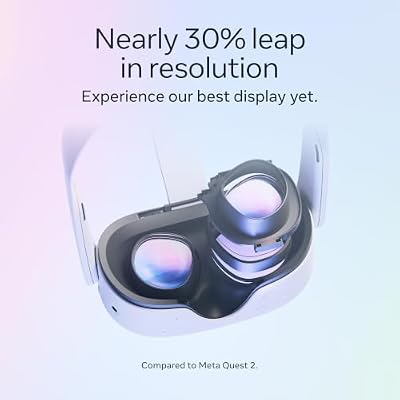
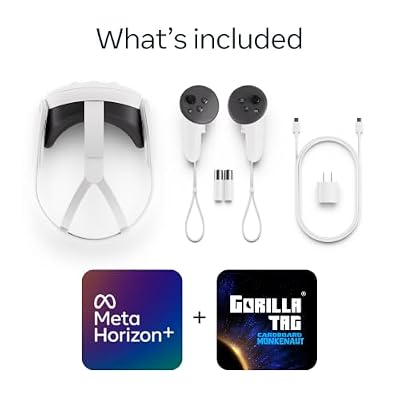
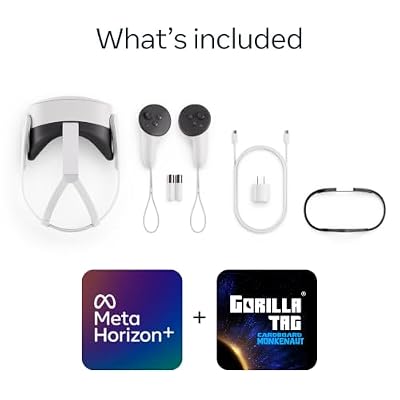
Meta Quest 3 512GB, VR Without Wires, Gorilla Tag Cardboard Monkenaut Bundle, Amazon Exclusive, 3-Month Trial of Meta Horizon+ Included




As an Amazon Associate we earn from qualifying purchases. Product prices and availability are accurate as of the date/time indicated.
If you spend any time in PCVR-focused communities, you’ll notice the same headset keeps appearing in screenshots, recommendations, and “rate my setup” posts: the Meta Quest 3. It’s not because the community is uncritical — it’s because the value proposition is genuinely unmatched. For $499–$599 you get a headset with pancake lenses, native 120 Hz refresh, full-color mixed reality passthrough, all-in-one standalone capability, and a Wi-Fi 6E PCVR pipeline that genuinely works.
The community’s love affair with Quest 3 in 2026 has matured. Early concerns about Meta’s account requirements have largely faded since Meta dropped the mandatory Facebook account requirement. The Virtual Desktop community has produced extensively-tuned bitrate profiles for every modern GPU. And the Steam Link client, once a janky experiment, has become a credible no-extra-software way to play SteamVR titles wirelessly.
Community-recommended setup for Quest 3 over PCVR in 2026 looks like this: a Wi-Fi 6E or Wi-Fi 7 router wired directly to the gaming PC, Virtual Desktop ($25 on the Meta store), the AV1 codec enabled (requires RTX 40-series or RX 7000-series GPU), bitrate at 200–400 Mbps depending on your router quality, and a $40 Anker USB-C charging cable for emergency wired use. With that stack, the community routinely reports near-wired image quality for everything except text-heavy sims.
Where the community is honest about Quest 3’s limits: PPD is the lowest in this guide and text-heavy sims like DCS World really show the ceiling. Wireless PCVR can stutter on imperfect Wi-Fi setups. Battery life is 2–2.5 hours on standalone — most PCVR users cable in for power. And the default head strap is bad enough that the Elite Strap or BoboVR S3 Pro is treated as basically required, not optional.
Community verdict: if you’re spending less than $800 on your first PCVR headset, Quest 3 is the answer. Almost no one regrets the buy.
2. Pimax Crystal Super — the endgame sim headset

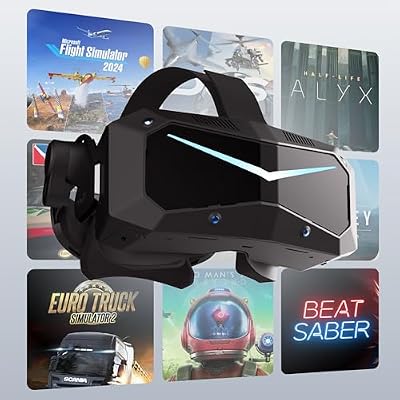
Pimax Crystal Super VR Headset, 3840x3840 per Eye, Ultrawide, 140° FOV, Eye- Tracking, Ultra-Sharp for Flight & Racing Simulators & Gaming, DP Connection with PC




As an Amazon Associate we earn from qualifying purchases. Product prices and availability are accurate as of the date/time indicated.
The Pimax Crystal Super has become the community’s consensus “endgame” headset for serious sim buyers in 2026. The 3840×3840 per-eye QLED panel with local dimming, the 140° FOV, and the 120 Hz refresh rate are a genuine generational leap in PCVR image quality. Sim racers and flight sim pilots routinely describe the move from Quest 3 (or even Crystal Light) to Crystal Super as the biggest visual upgrade they’ve experienced since first putting on a VR headset.
The community is also unusually honest about the trade-offs. Pimax Play software requires more patience than Meta’s stack — log files, occasional manual configuration, and the occasional firmware refresh are part of the deal. The headset is heavy at roughly 1.1 kg, and most owners eventually buy aftermarket counterweight straps or facial interface upgrades. And the GPU bar is real — community discussions consistently push Crystal Super buyers toward RTX 4080 Super or better for serious use.
What the community loves: the FOV. 140° genuinely changes what’s possible in cockpit sims — you can see your wingman without turning your head, peripheral motion cues land correctly, and immersion is materially higher than 110° headsets. The QLED color science is also widely praised — night driving in racing sims and dusk scenes in MSFS finally look right.
The DFR (dynamic foveated rendering) story is huge. With eye tracking enabled, Crystal Super can be driven by mid-range RTX 40-series GPUs for many titles because only the center 5–10° renders at full resolution. Without DFR, the buyer needs serious silicon — RTX 4090 territory for ambitious settings.
Community verdict: if you’re a serious sim racer or flight sim pilot with a capable GPU and patience for occasional software friction, Crystal Super is the headset to graduate to. Don’t buy it as your first PCVR headset — buy a Quest 3 first, learn what you want, then upgrade if your wallet and use case justify it.
3. Bigscreen Beyond 2e — the SteamVR cult favorite

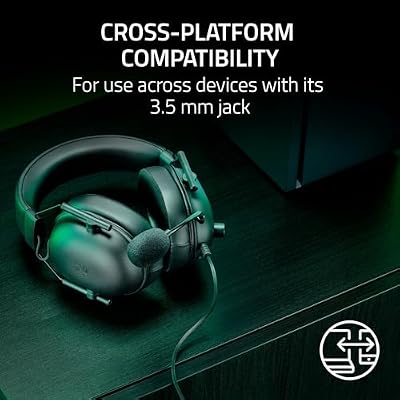
Razer BlackShark V2 X Xbox Gaming Headset, 3.5mm Audio Jack, Black




As an Amazon Associate we earn from qualifying purchases. Product prices and availability are accurate as of the date/time indicated.
The Bigscreen Beyond 2e occupies a unique niche in the community: it’s the headset that wins over buyers who have tried everything else and decided that comfort and OLED matter more than peak resolution or wireless freedom. At 108 grams, the Beyond 2e is so light that long sessions stop being a problem — and the micro-OLED panels produce contrast and color that LCD-based headsets simply can’t match.
What the community loves: the weight. Forum threads frequently feature owners describing the first time they put on a Beyond 2e after months with a Crystal Super or Vive — the relief is immediate. Long-session VR users (sim racers doing endurance races, VRChat regulars, story-driven game players) consistently rank Beyond 2e as the most-wearable headset they’ve ever owned.
The micro-OLED is the second love. In dark games — Alien: Isolation VR, the new horror VR releases, space sims, anything with a cockpit interior — Beyond 2e’s blacks are inky, persistence blur is minimal, and the contrast is jaw-dropping. The 2560×2560 per-eye panels also deliver excellent sharpness with the pancake lenses’ wide sweet spot.
Where the community is honest: Beyond 2e requires SteamVR Lighthouse base stations and Index-style controllers (or third-party equivalents). If you don’t already own those, factor in another $300–$500. The custom-fit gasket process requires a phone scan and can be finicky if you wear glasses regularly. And the 90 Hz refresh ceiling is real — some users coming from 120 Hz Pimax setups notice.
Community verdict: if you already own Lighthouse and value comfort plus OLED magic, Beyond 2e is the cult pick. It’s not the right “first headset” for newcomers (the SteamVR requirement is too much friction), but for experienced VR users it’s a love-it-forever buy.
4. Varjo Aero — the prosumer Lighthouse pick
The Varjo Aero remains in 2026 the headset that prosumer Lighthouse users keep recommending to other Lighthouse users. The aspheric glass lenses deliver razor-sharp center clarity, the 2880×2720 mini-LED panels produce excellent color, and the integrated automatic IPD adjustment is still one of the best-engineered comfort features in VR. It is, to be blunt, a five-year-old headset that refuses to die because nothing in its category has obviously surpassed it.
What the community loves: lens sharpness. Aero’s aspheric lenses still deliver some of the sharpest center clarity available in PCVR, which makes it a favorite for cockpit sim work where reading instruments matters. The build quality is excellent, the integrated automatic IPD is great, and the SteamVR Lighthouse tracking is rock-solid.
Where the community is honest: Aero shows its age in 2026. 90 Hz refresh is the ceiling. No integrated audio. Requires Lighthouse base stations and Index-style controllers. Aspheric lenses have measurable sweet-spot hunting that pancake-lens headsets like Beyond 2e and Crystal Super have eliminated. And Varjo’s focus has shifted publicly toward enterprise XR, so future software support is a question mark.
The community recommendation in 2026 is roughly: if you already own a SteamVR setup, find an Aero at a discount, and care about center clarity above all else — it’s still a credible buy. If you’re starting fresh, look at Crystal Super, Beyond 2e, or Quest 3 first.
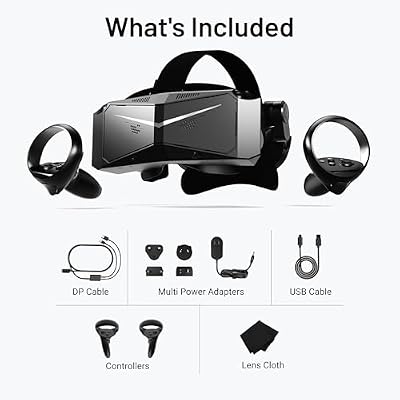
5. Pimax Crystal Light — the mid-range Crystal entry
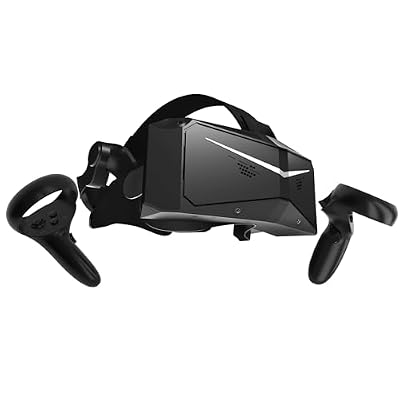
Pimax Crystal Light VR Headset for PC, 2880x2880 per Eye, 8K QLED Display with Local-Dimming, Inside-Out Tracking, PC VR Headset for Flight Sims, iRacing & Gaming (Full Payment Version)


As an Amazon Associate we earn from qualifying purchases. Product prices and availability are accurate as of the date/time indicated.
The Pimax Crystal Light at $899–$1,053 is the community’s mid-range Pimax pick — the headset for buyers who want the Pimax FOV and pancake-lens experience without committing to Crystal Super’s $1,799 ask. You get 2880×2880 per-eye QLED panels, 120 Hz refresh, 130° FOV, and the Crystal-line software stack.
What the community likes: 130° FOV is a meaningful step up from 110° headsets, the QLED color science is similar to Crystal Super, the pancake lenses deliver edge-to-edge clarity, and the price-to-performance ratio is competitive against Quest 3 once you weight the resolution, FOV, and lens improvements.
Where the community is honest: same Pimax software learning curve as Crystal Super, no standalone capability, no integrated audio worth mentioning, and Crystal Super is often only ~$700 more on promotion — so check both prices before committing. Some community members say “just stretch for Crystal Super” while others argue Crystal Light is the better value for buyers without endgame GPUs.
Community verdict: a credible mid-range pick for PCVR-only buyers who want the Pimax experience and have a Crystal-Super-class budget but not the headroom to fully commit. Don’t buy if you also need standalone — get a Quest 3 instead.
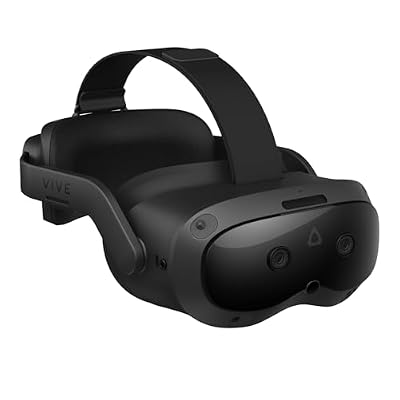
6. HTC Vive Focus Vision — the underrated hybrid

HTC Vive Focus Vision — Mixed Reality and PC VR Headset + Controllers — Consumer Edition




As an Amazon Associate we earn from qualifying purchases. Product prices and availability are accurate as of the date/time indicated.
The HTC Vive Focus Vision is the headset that the community talks about less than it should. It’s a hybrid wired-PCVR + standalone device at $1,149, with 2448×2448 per-eye LCD panels, inside-out tracking, and an optional wired DisplayPort PCVR mode that bypasses the wireless codec overhead.
What the community likes: wired DisplayPort PCVR is a real differentiator — you get uncompressed signal, which makes high-bitrate codec-sensitive content (think racing sims with fine HUD detail) look noticeably cleaner than wireless Quest 3 PCVR. The pancake lenses are good, the inside-out tracking is solid, and the auto-IPD with eye tracking is a premium touch.
Where the community is honest: the Viverse content ecosystem is much smaller than Meta’s, which limits standalone use to “demo mode” rather than primary library. The wired PCVR cable is a separate purchase. And the $1,149 price puts it in awkward territory — close to Beyond 2e ($1,219) but without OLED, and well above Quest 3 ($499) which most buyers will pick instead.
Community verdict: niche but legitimate. If you specifically want wired PCVR plus occasional wireless freedom in one device, and you don’t already own a Quest 3, Vive Focus Vision is a reasonable choice.
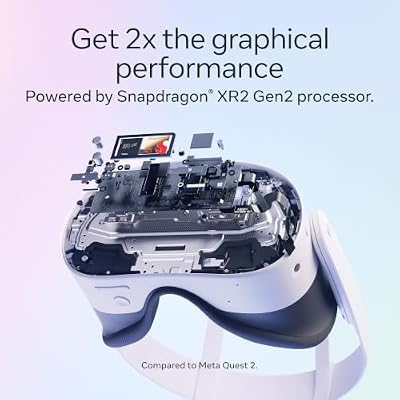
7. Meta Quest 3S — the budget gateway

Meta Quest 3S 128GB | Virtual Reality — VR Headset — Gorilla Tag Bundle





As an Amazon Associate we earn from qualifying purchases. Product prices and availability are accurate as of the date/time indicated.
The Meta Quest 3S at $299–$346 is the community’s recommended budget gateway into PCVR in 2026. You get the same Snapdragon XR2 Gen 2 processor as Quest 3, the same software ecosystem, the same Steam Link / Virtual Desktop / Air Link PCVR pipeline. The cost-cutting shows up in two places: Fresnel lenses instead of pancakes (smaller sweet spot, more glare) and lower per-eye resolution at 1832×1920 with a narrower 96° FOV.
What the community likes: it’s the cheapest credible doorway to PCVR. Quest 3S is widely recommended for VR-curious newcomers, family setups, kids, and buyers who want to test whether VR is worth a larger commitment before spending more.
Where the community is honest: Fresnel lenses are a real step backward compared to pancakes — sweet spot hunting and glare are noticeable, particularly to anyone coming from a Quest 3. The lower resolution is below the threshold where text-heavy sims really work. And most Quest 3S buyers in the community report outgrowing the headset within a year, often upgrading to Quest 3 or beyond.
Community verdict: the right “test the waters” buy. If you’re sure VR is for you, just buy Quest 3 — you’ll appreciate the pancake lenses immediately and save the cost of upgrading later.
Setup tips the PCVR community keeps repeating
Community wisdom about PCVR setup is consistent across forums and Discord servers. Here are the recommendations that come up over and over when veteran users help newcomers get the most out of their headsets — and these tips apply whether you’re on a Quest 3 or a Crystal Super.
Wi-Fi 6E is the floor for wireless PCVR. The community is unanimous: a dedicated Wi-Fi 6E or Wi-Fi 7 router, wired to your gaming PC, in the same room as the headset, on a clean 6 GHz channel. Skip this and you’ll fight stutters forever.
Set IPD physically and digitally. Measure your interpupillary distance in millimeters, set the headset’s physical slider to match, then double-check the runtime IPD inside SteamVR. Mismatched IPD is the single most common cause of motion sickness — and the fix is free.
Lock refresh rate. Pick the highest stable refresh your GPU can hold (90 / 120 / 144 Hz). Stutter or reprojection is more nauseating than a locked lower refresh.
Use foveated rendering where supported. Crystal Super, Crystal Light, and Beyond 2e all support DFR with eye tracking. Quest 3 supports fixed foveated rendering in many titles. The performance lift is substantial.
Calibrate your guardian / playspace. A clean room-scale boundary is the difference between immersive room-scale and constantly slamming your hand into a doorframe.
Update GPU drivers. Especially for Wi-Fi 6E and AV1 codec support on Quest 3 — these are recent additions and older drivers don’t enable them.
FAQ (PCGU community edition)
What do most PCVR community members actually own in 2026?
The majority of community-recommended PCVR setups in 2026 use a Meta Quest 3, paired with a Wi-Fi 6E router and Virtual Desktop. Quest 3 is the consensus “first PCVR headset” recommendation because the value-to-experience ratio is unbeatable. Pimax Crystal Super dominates the “endgame” tier, and Bigscreen Beyond 2e is the cult favorite for SteamVR / Lighthouse users.
Is the Quest 3 community recommendation just because it’s cheap?
No. The community recommends Quest 3 because of a combination of value, pancake lens quality, standalone capability, mixed-reality passthrough, and the maturity of the wireless PCVR software stack. It’s the closest thing to a “you can’t go wrong” headset in PCVR, and that matters more than peak specs for first-time buyers.
When does the community recommend upgrading from Quest 3 to Crystal Super?
When you have a GPU at RTX 4080 Super or better, you’re primarily playing text-heavy sims (DCS, MSFS, racing), and you’ve outgrown Quest 3’s PPD ceiling. Community advice is consistent: don’t upgrade until you can describe specifically what Quest 3 is failing to deliver for your use case. Otherwise you’ll spend $1,800 to fix a problem you don’t have.
Is the Bigscreen Beyond 2e community niche or growing?
Growing. The Beyond 2e revision (the version on sale today) fixed many of the original Beyond’s friction points and the community around it has grown noticeably through 2026. SteamVR / Lighthouse users in particular treat it as their default endgame recommendation. New PCVR buyers without SteamVR setups still default to Quest 3 or Crystal Super.
Final verdict — the PCGU community pick for 2026
The community-pooled pick for 2026 is the Meta Quest 3. It’s not the highest-spec headset, it’s not the most premium, and it’s not the most “serious” PCVR option — but it’s the headset that the largest number of real PCVR users in the community actually own, recommend, and continue using months after purchase. The combination of pancake lenses, Wi-Fi 6E PCVR over Virtual Desktop, mixed reality passthrough, standalone capability, and the $499–$599 price tag adds up to the most universally-recommended headset in the modern PCVR era.
For community members chasing endgame image quality, the Pimax Crystal Super is the consensus serious upgrade — buy it when you’ve outgrown Quest 3 and can describe what specifically you need more of.
For SteamVR / Lighthouse owners who care about OLED and comfort, the Bigscreen Beyond 2e is the cult pick that gets recommended over and over again in long-session-focused communities.
To dig deeper into community-tested PCVR builds, see our best gaming PC for VR May 2026 guide and our trending VR headset reviews. For Quest 3 accessories the community treats as required (BoboVR S3 Pro, Elite Strap, Anker charging cable), our Meta Quest 3 accessories guide walks through what to budget. For PCVR Wi-Fi setup, our Wi-Fi 6E routers for VR roundup covers what works. Sim racers should also see our VR sim racing rig guide, and flight sim pilots can pair their Crystal Super with the right CPU and GPU via our flight sim PC builds.
Related Articles
Looking for more on this topic? Browse the hand-picked guides below — each one applies the same scoring rubric used in this review.
Frequently Asked Questions
How often should I replace my top best pcvr headset 2026 community pick?
Most modern top best pcvr headset 2026 community picks comfortably last three to five years of regular use. Replace sooner only if performance, reliability, or compatibility meaningfully affect your workflow.
Are budget top best pcvr headset 2026 community picks worth it in 2026?
Yes — the gap between mid-tier and flagship picks has narrowed. A budget top best pcvr headset 2026 community pick from a reputable brand handles 2026 workloads without major compromises when paired with the right surrounding hardware.
What warranty should I look for?
Two-year minimum for anything above $150. Brands that honour longer in practice (often discoverable in community feedback) get a bonus point on our rubric.
Ready to decide? Our #1 pick for 2026 is the Meta Quest 3.
Live price & availability on Amazon.
Top picks from this guide
RazerRazer BlackShark V2 X Xbox Gaming Headset, 3.5mm Audio Jack,…$28 \xc2\xb7 99/100MetaMeta Quest 3 512GB, VR Without Wires, Gorilla Tag Cardboard…$599 \xc2\xb7 98/100PimaxPimax Crystal Super VR Headset, 3840x3840 per Eye, Ultrawide, 140°…$1,799 \xc2\xb7 97/100PimaxPimax Crystal Light VR Headset for PC, 2880x2880 per Eye,…$1,129 \xc2\xb7 96/100








