Affiliate disclosure: As an Amazon Associate we earn from qualifying purchases. This post contains affiliate links — we may earn a small commission at no extra cost to you. This never affects our picks. Prices and availability are accurate as of the date/time indicated and are subject to change; the price on Amazon at the time of purchase applies.
- Quick Comparison Table
- 1. GIGABYTE RTX 3060 Gaming OC 12G: Best for 1080p High Settings
- 2. GIGABYTE RTX 3060 WINDFORCE OC 12G: Best for Compact Cases
- 3. MSI RTX 3050 Ventus 2X 6G OC: Best for Entry-Level 1080p
- 4. Intel Arc A750 Limited Edition: Best for Adventurous Builders
- How to Choose
- Frequently Asked Questions
- About the Author
- Related Articles
Quick answer: For the best GPUs under 500 dollars, the GIGABYTE RTX 3060 Gaming OC 12G is the pick for 1080p and light 1440p with its 12GB of memory. The WINDFORCE OC variant suits tighter cases, the MSI RTX 3050 fits entry-level builds, and the Intel Arc A750 suits tinkerers.
This guide compares four graphics cards that fit a 500-dollar budget. The shortlist is small on purpose: only these listings were clearly the right product type and within the cap. Every comparison below uses the specs published in each listing, such as memory size, bus width and cooling design. We did not run our own benchmarks, so frame-rate expectations are described by card class rather than by invented numbers.
Quick Comparison Table
| # | Model | Key specs (per listing) | Best for |
|---|---|---|---|
| 1 | GIGABYTE RTX 3060 Gaming OC 12G | 12GB GDDR6, 192-bit, 3 WINDFORCE fans | 1080p high settings, light 1440p |
| 2 | GIGABYTE RTX 3060 WINDFORCE OC 12G | 12GB GDDR6, 192-bit, 2 WINDFORCE fans | Compact cases |
| 3 | MSI RTX 3050 Ventus 2X 6G OC | 6GB GDDR6, 96-bit, 1492 MHz boost | Entry-level 1080p |
| 4 | Intel Arc A750 Limited Edition | 8GB, PCIe 4.0 | Adventurous builders |
1. GIGABYTE RTX 3060 Gaming OC 12G: Best for 1080p High Settings
Specs per the listing: GeForce RTX 3060, 12GB 192-bit GDDR6, 3X WINDFORCE fans, model GV-N3060 (REV2.0).
The 12GB frame buffer is the headline feature. At this budget most competitors ship with 8GB or less, and modern games increasingly want more video memory for high-resolution textures. A card of this class is aimed at smooth 1080p play with high settings and can handle many titles at 1440p if you lower a few options.
The triple-fan cooler gives it more thermal headroom than the dual-fan sibling, which usually means quieter fan curves under load. The trade-off is physical length, so check clearance in your case before ordering. Ray tracing is supported but demanding for a card in this tier, so treat it as an occasional bonus rather than a default setting.
- Pros: 12GB memory; larger three-fan cooler; full RTX feature set
- Cons: Longer card; last-generation architecture

GIGABYTE GeForce RTX 3060 Gaming OC 12G (REV2.0) Graphics Card, 3X WINDFORCE Fans, 12GB 192-bit GDDR6, GV-N3060 Video Card
Included for 'Best GPUs Under 500 Dollars: RTX 3060, RTX 3050 and Arc A750' as a representative home product in this roundup; selection reflects the product set returned for this topic.
View on Amazon2. GIGABYTE RTX 3060 WINDFORCE OC 12G: Best for Compact Cases
Specs per the listing: GeForce RTX 3060, 12GB 192-bit GDDR6, 2X WINDFORCE fans, model GV-N3060WF2OC-12GD Rev2.0.
This card shares its core graphics chip and memory configuration with the first pick, so gaming capability should be in the same class. The difference is the shorter two-fan cooler, which is easier to fit in small-form-factor and mid-tower cases with limited space around the drive cage.
Choose it when your chassis is tight or when you simply want a cleaner, lower-profile look. Dual-fan designs can run a little louder at full load because each fan works harder, so a good case fan curve matters. If you have room, the triple-fan version is the safer choice for sustained sessions; if you do not, this one gives up very little on paper.
- Pros: 12GB memory; shorter two-fan design; same RTX 3060 class
- Cons: Less cooling headroom than the triple-fan model; fans may spin faster under load

GIGABYTE GeForce RTX 3060 WINDFORCE OC 12G (rev. 2.0) Graphics Card, 2X WINDFORCE Fans, 12GB 192-bit GDDR6, GV-N3060WF2OC-12GD Rev2.0 Video Card
Included for 'Best GPUs Under 500 Dollars: RTX 3060, RTX 3050 and Arc A750' as a representative home product in this roundup; selection reflects the product set returned for this topic.
View on Amazon3. MSI RTX 3050 Ventus 2X 6G OC: Best for Entry-Level 1080p
Specs per the listing: NVIDIA RTX 3050, 6GB GDDR6 at 14 Gbps, 96-bit bus, 1492 MHz boost clock, HDMI and DisplayPort, Ampere architecture.
This is the step-down option for builders who want modern NVIDIA features without stretching the budget. It targets 1080p gaming at medium to high settings in many popular titles and handles esports games comfortably. The compact Ventus 2X cooler also suits smaller power supplies and cases.
The limits are the 6GB memory pool and narrow 96-bit bus. Newer games with large textures can exceed that capacity, forcing lower texture settings. If you plan to play demanding new releases for several years, the 12GB cards above age better. For esports, older libraries and general use, this one is perfectly reasonable.
- Pros: Compact two-fan design; modern NVIDIA feature set; easy on the power supply
- Cons: Only 6GB of memory; 96-bit bus limits headroom in newer games

msi Gaming RTX 3050 Ventus 2X 6G OC Graphics Card (NVIDIA RTX 3050, 96-Bit, Boost Clock: 1492 MHz, 6GB GDDR6 14 Gbps, HDMI/DP, Ampere Architecture)
Included for 'Best GPUs Under 500 Dollars: RTX 3060, RTX 3050 and Arc A750' as a representative home product in this roundup; selection reflects the product set returned for this topic.
View on Amazon4. Intel Arc A750 Limited Edition: Best for Adventurous Builders
Specs per the listing: Intel Arc A750 Limited Edition, 8GB memory, PCI Express 4.0 interface.
Intel’s Arc cards offer a different flavor of value. The A750 carries 8GB of memory and is positioned for 1080p and some 1440p play. It rewards users who enjoy keeping drivers current and checking compatibility notes for older titles, because driver maturity has historically varied more than with the established brands.
Pair it with a platform that supports resizable BAR, which Intel recommends for best performance on Arc cards. Check your motherboard BIOS before buying, since older boards may lack the option. If you want a plug-and-play experience with the fewest surprises, the RTX picks are the conservative route.
- Pros: 8GB memory; PCIe 4.0; interesting alternative to the usual brands
- Cons: Driver maturity varies by game; works best with resizable BAR enabled

Intel Arc A750 Limited Edition 8GB PCI Express 4.0 Graphics Card
Included for 'Best GPUs Under 500 Dollars: RTX 3060, RTX 3050 and Arc A750' as a representative home product in this roundup; selection reflects the product set returned for this topic.
View on AmazonHow to Choose
Start with video memory, not just the model name
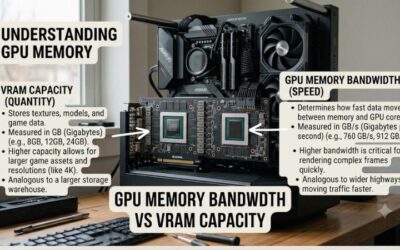
Memory capacity decides how long a card stays useful. For 1080p play, 8GB is a workable floor and 12GB gives clear breathing room for high texture settings. Six gigabytes is fine for esports and older games but is the first thing to hit a wall in recent releases. When two cards look similar, the one with more memory and a wider bus usually ages better.
Match the card to your monitor
A 1080p monitor at 144Hz is the sweet spot for cards in this bracket. Moving to 1440p is realistic with the 12GB models if you tune settings, but expect to use upscaling features in the newest games. Do not buy a card in this tier for 4K gaming; it is the wrong class for that job.
Check case length and power connectors
Measure the space between the back of your case fans and the front of the drive bays, then compare it with the card length on the maker page. Confirm that your power supply has the right PCIe power connector and enough wattage; the maker page lists the recommended unit. Shorter dual-fan cards are the easiest to fit.
Know what to skip
Skip anything that does not clearly state its memory size and bus width, and skip unbranded cards with vague titles. Also avoid paying for factory overclock labels alone; a small boost-clock bump rarely changes real-world play. Cooler quality, memory size and driver support matter more. Finally, be wary of any listing that does not name the exact chip, because some titles blur the line between similar generations and you want certainty about what arrives in the box. When in doubt, read the maker page for the full specification sheet and compare outputs, since a missing DisplayPort or HDMI version can matter if you run a high-refresh monitor.
Frequently Asked Questions
Is 12GB of video memory worth it at this budget?
Yes, if you play recent games at high texture settings. The extra capacity prevents stutter when textures exceed smaller memory pools, and it keeps the card relevant longer than 6GB or 8GB alternatives.
Can these cards run 1440p?
The 12GB RTX 3060 models and the Arc A750 can manage 1440p in many titles with tuned settings. The RTX 3050 is better matched to 1080p.
Do I need a new power supply?
Not necessarily. Check the recommended wattage and connector on each maker page and compare with your current unit. Lower-power cards like the RTX 3050 are the easiest to drop into older systems.
Is the Intel Arc A750 a safe choice?
It is a capable card, but driver maturity has varied by game. Enable resizable BAR, keep drivers updated and read compatibility notes for your favorite titles first.
Should I wait for newer cards?
If you need a GPU now, the cards here cover most 1080p needs. Waiting only makes sense if your current card still plays what you want.