Choosing a gaming mouse is not about finding the model with the biggest numbers on the box. It is about matching three things to the way you actually play: a sensor that tracks consistently at the settings you use, a shape your hand can hold without strain for a full session, and a connection that suits your desk and your games. A mouse that fits those needs will feel accurate and forgettable in the best way, while a poorly matched one will fight you every time you aim, turn, or reach for a side button.
This guide serves competitive shooter players who live on low sensitivity, MMO and MOBA players who rely on extra buttons, and casual players who share one desk between work and play. The guidance below is built from manufacturer specifications, published measurements of polling intervals and wireless latency, and established advice on hand measurement and grip styles, distilled into the decisions that genuinely change what you should buy.
As an Amazon Associate we earn from qualifying purchases
How to Choose
Work through the four decisions in this section in order, because each one narrows the next. Start with the sensor, since consistent tracking is the foundation everything else sits on. Then settle shape and size, because a mouse you cannot hold comfortably will never feel accurate no matter how good its sensor is. Next, pick a connection type based on your desk, your tolerance for charging, and the games you play. Finally, look at switches and buttons, where build quality separates mice that last for years from mice that develop faults within months. By the end, you should be able to describe your ideal mouse in one sentence: its size, its shape, its connection, and the few features you will actually use. That sentence is a far better shopping tool than any list of headline specifications, because it is built from your hand, your games, and your habits rather than from marketing copy written for everyone and therefore for no one in particular.
Start With the Sensor, Not the Maximum DPI
DPI, also called CPI, is simply how many counts the sensor reports for each inch the mouse moves. At 800 DPI, one inch of movement sends 800 counts; at 1600 DPI it sends twice as many, so the cursor travels twice as far. That makes DPI a sensitivity dial, not an accuracy rating. Most shooter players settle between 400 and 1600 DPI and adjust the rest with in-game sensitivity, so a huge maximum figure adds nothing they will use. What matters instead is consistency: the sensor should track without smoothing, acceleration, or angle snapping at your chosen setting, and its lift-off distance should stay low enough that repositioning the mouse does not move your aim.
Match Shape, Size and Grip to Your Hand
Measure your hand from the crease at the base of your wrist to the tip of your middle finger, then across the palm at its widest point. Hands under roughly 17 centimetres are small, 17 to 19 centimetres are medium, and above 19 centimetres are large. Then check your grip. Palm grip rests the whole hand on the shell and suits longer mice with a fuller hump. Claw grip touches only the rear of the palm with arched fingers and suits shorter shapes with a defined rear hump. Fingertip grip touches nothing but the fingertips and suits small, light shells. A mouse length around 55 to 70 percent of your hand length is a useful starting range.
Decide Between Wired and Wireless Honestly
Polling rate is how often the mouse reports its position: 1000 Hz means every 1 millisecond, 4000 Hz means every 0.25 milliseconds, and 8000 Hz means every 0.125 milliseconds. A good 2.4 GHz wireless mouse can come within a fraction of a millisecond of its own wired mode in independent end-to-end measurements, so wireless no longer means lag for serious play. Bluetooth is different, typically polling at 125 Hz or lower, and belongs on laptops and travel bags rather than in competitive matches. The real trade-offs are practical: wired mice never need charging but add cable drag, while wireless mice remove the cable but add battery weight, charging habits, and faster battery drain at higher polling rates.
Check Switches, Buttons and the Corners Cheaper Mice Cut
Mechanical switches close a pair of metal contacts with each click. Those contacts bounce, so firmware adds a short debounce delay, and over millions of clicks the contacts can wear and oxidise until a single press registers twice. Optical switches interrupt an infrared beam instead, so there is no metal contact to wear at the actuation point, no contact bounce to filter out, and makers commonly rate them for far more clicks. Beyond the main buttons, count the side buttons your games genuinely need, confirm the wheel feels stepped rather than loose, and be wary of corners cut on cheaper models: thin cables, scratchy feet, hollow shells, and software that must run constantly just to keep basic settings.
Which One Fits Your Situation
There is no single correct answer that suits every player, because the right mouse depends on the job it has to do each day. A shape that feels perfect for slow, sweeping aim in a tactical shooter can feel cramped and button-poor in a raid, and a feature-rich mouse that earns its keep in an MMO can feel heavy and distracting everywhere else. Use the situations below as a starting point rather than a verdict. Find the description closest to your own routine, note the priorities it sets, and then adjust for your hand measurements and grip from the section above. If you split your time evenly between two situations, favour the one where mistakes cost you most: a missed flick in a ranked match usually matters more than a slightly slower spreadsheet edit, while daily comfort during long work hours matters more than a polling figure you will never notice.
If You Play Competitive FPS Games
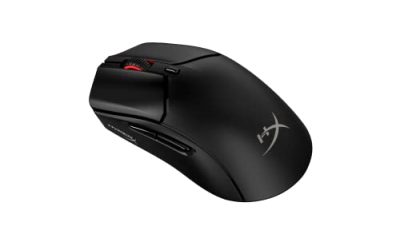
Prioritise a light, safe shape you can claw or fingertip, a sensor that stays consistent at 400 to 1600 DPI, and a 1000 Hz polling rate as your baseline. Choose 2.4 GHz wireless or a light wired cable, skip Bluetooth entirely, and keep side buttons minimal: two well-placed buttons you never hit by accident beat a cluster you fumble during a fight.
If You Play MMOs and MOBAs With Many Keybinds
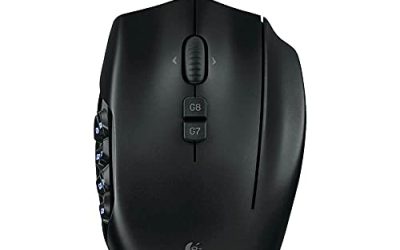
Button layout matters more than saving a few grams. Look for a thumb grid or a generous set of side buttons you can tell apart by touch, software that stores profiles on the mouse itself, and a shape that supports palm grip through long sessions. Sensor demands are lighter here, so spend your attention on button feel, spacing, and software that stays reliable.
If You Play Casually on One Desk Setup
Choose comfort and simplicity over peak specifications. A medium, ambidextrous or gently ergonomic shape, a 2.4 GHz connection you can leave plugged in, and a battery that lasts weeks at 1000 Hz will serve mixed gaming and everyday work well. One mouse that handles both jobs cleanly beats a specialised mouse that feels wrong for half of everything you do.
If You Have Large Hands or a Relaxed Palm Grip
Do not size down just because lighter, smaller mice dominate current fashion. Look for a shell longer than 130 millimetres with a tall hump that fills your palm, enough width that your ring finger and little finger rest rather than pinch, and buttons long enough to click comfortably with flat fingers instead of curled fingertips reaching forward.
Common Mistakes
Most disappointing purchases follow the same few patterns, and almost all of them happen because a shopper judged the mouse by a number, a photograph, or someone else’s hand instead of their own. A mouse is a physical object you will hold for thousands of hours, so small mismatches in length, hump position, or button placement compound into fatigue and inconsistent aim over time. The mistakes below are easy to avoid once you can name them. Before buying, measure your hand, identify your grip, list the buttons your games actually use, and decide how you feel about charging. Those four small steps, which take a few minutes at most, prevent nearly every regret listed here and cost nothing at all.
- Buying on maximum DPI alone. A headline figure in the tens of thousands says nothing about how consistently the sensor tracks at the 400 to 1600 DPI most players actually use, and it says nothing about shape, weight, or buttons. Judge consistency at your settings, not the ceiling on the box.
- Ignoring grip and hand size. A mouse that is too long forces fingertip control you never chose, while one that is too short leaves a palm grip unsupported and strained. Measure your hand, check your grip, and compare shell length before anything else, because no sensor can rescue a shape your hand dislikes.
- Paying for features your games never use. Extra weights, huge button grids, decorative lighting, and extreme polling rates all add cost, and some add weight or battery drain too. If your games need two side buttons and a steady 1000 Hz, paying for far more buys complexity rather than performance you can feel.
- Treating Bluetooth as a gaming connection. Bluetooth modes typically poll at 125 Hz or lower and add noticeable delay compared with a 2.4 GHz receiver or a cable. Bluetooth is handy for a laptop bag or a second computer, but it should not be the connection you rely on in a competitive match.
- Chasing the lightest mouse regardless of fit. Very light mice help fast, low-sensitivity aiming, but a shell that is too small or too flat for your hand can cause cramping and sloppy control that erase the benefit. Light is a preference with limits, not a score, and fit should win whenever the two conflict.
Frequently Asked Questions
These answers cover the questions that come up most often once the main decisions are made. Each one is deliberately short, so if an answer raises a follow-up about your own hand size, grip, or games, go back to the matching subsection above, where the full reasoning and the numbers behind it are set out in detail.
How Much DPI Do I Actually Need?
Most players need far less than the box suggests. Settings between 400 and 1600 DPI, paired with in-game sensitivity, cover the vast majority of shooters and strategy games, and many professionals stay in that range permanently. What matters is choosing one DPI, keeping it fixed, and building muscle memory around it, rather than switching settings constantly or chasing a higher number that changes nothing about sensor quality.
Is 1000 Hz Polling Enough, or Do I Need More?
For most players, 1000 Hz is enough. It reports every 1 millisecond, and moving to 4000 or 8000 Hz shortens that interval by less than a millisecond while adding CPU load and, on wireless mice, draining the battery much faster. Higher rates make the most sense alongside a high-refresh monitor and fast, flick-heavy play; on a standard setup, the difference is extremely hard to notice.
Can Wireless Mice Really Match Wired Ones?
Yes, when the wireless link is a proper 2.4 GHz receiver connection. Independent end-to-end measurements have found some models within about 0.2 milliseconds of their own wired mode at 1000 Hz, although other models show gaps of a few milliseconds, so the specific mouse matters. Bluetooth is the exception: it polls far more slowly and is not suited to competitive play.
How Long Should a Gaming Mouse Last?
A well-built mouse should handle several years of daily play. Mechanical switches are commonly rated from about 20 million clicks upward, while optical switches are often rated at 70 million or more because no metal contacts wear at the actuation point. In practice, wheels, feet, cables, and batteries often age first, so overall build quality matters as much as the switch rating.