🛒 Best Price Today on Amazon
Prime members get fast, free shipping on everything above, plus member-only deals. New members get a 30-day free trial — cancel anytime.
- Lane A: the balanced 1440p build
- Lane B: the high-refresh specialist
- Lane C: value without an entry-level compromise
- Lane D: Intel platform and mixed work
- What each resolution changes
- Platform cost: the part tier lists miss
- Power and thermal balance
- A bottleneck is a moving boundary
- Select a lane, then verify it
- Official specification links
- Top Pick: GIGABYTE Radeon™ RX 9070 XT Gaming OC ICE 16G Graphics Card (16GB GDDR6, 256-bit, PCIe 5.0, HDMI/DP 2.1, 2.7 Slot, Hawk Fan, Server-Grade Thermal Gel, Reinforced Structure)
- Best Value: ASUS Prime Radeon RX 9070 XT 16GB GDDR6 OC Edition Gaming Graphics Card
- Premium Choice: GIGABYTE Radeon RX 9070 XT Gaming OC 16G Graphics Card, PCIe 5.0, 16GB GDDR6, GV-R9070XTGAMING OC-16GD Video Card
CPU Pairing Guide for RX 9070 XT Builds
An RX 9070 XT build should be evaluated as a complete platform rather than a CPU ranking. A Ryzen 7 9700X provides an eight-core, 65W route for a balanced new system. A Ryzen 7 9850X3D is a higher-cost candidate for CPU-sensitive high-refresh play, while a Ryzen 5 9600X can preserve budget for the graphics card and monitor. Specifications support these scenario labels but cannot establish gaming winners.
Those recommendations are lanes, not rankings carved in stone. A competitive shooter at 1080p can care intensely about CPU performance. A visually dense 4K game can barely distinguish between two modern processors because the GPU is doing the longer job. Select the lane that resembles your actual play.
As an Amazon Associate we earn from qualifying purchases at no extra cost to you.


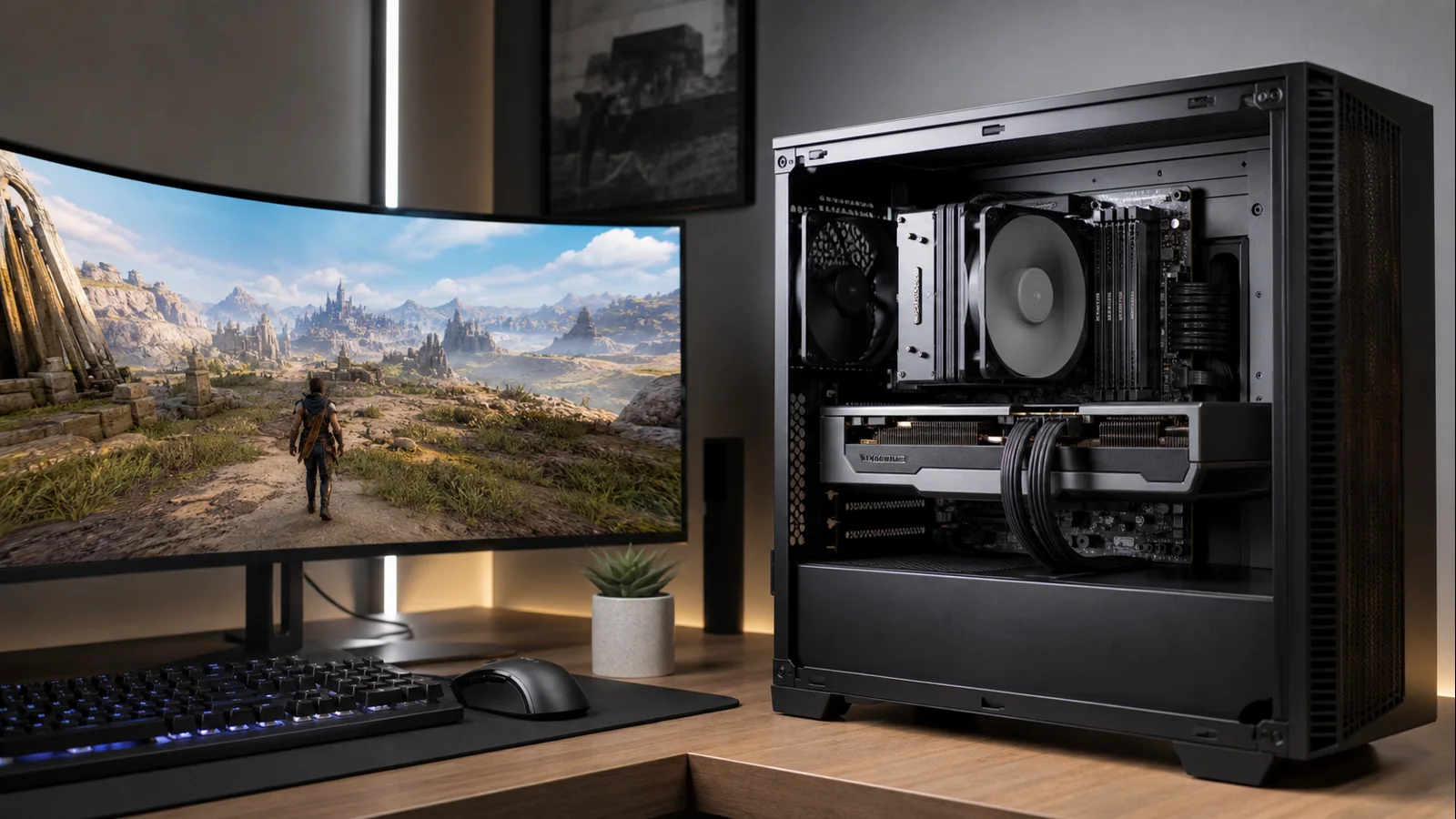
AI-created editorial illustration; not product photography or benchmark evidence.
Lane A: the balanced 1440p build
Ryzen 7 9700X
Start here if the RX 9070 XT is being purchased as a powerful 1440p card. AMD specifies the Ryzen 7 9700X with eight Zen 5 cores, 16 threads, a boost clock up to 5.5GHz, and a 65W default TDP. Eight fast cores provide room for game logic and background applications without the platform cost or cooling burden of a flagship.
The RX 9070 XT itself has 64 compute units, 16GB of GDDR6 memory on a 256-bit interface, and a 304W typical board power rating in AMD’s specification. At high image-quality settings, that GPU workload reduces the value of buying the very fastest gaming CPU. The 9700X consequently sits in the useful middle: fast enough to avoid an obvious mismatch, efficient enough to cool quietly, and on AM5 for a future processor change.
This lane suits 144Hz to 240Hz displays, modern AAA games, and people who keep chat, a browser, or capture tools open. It also leaves budget for a solid two-module DDR5 kit and a motherboard with the I/O you need. The goal is not to minimize CPU cost; it is to avoid paying for performance that the chosen resolution rarely reveals.
If you are still comparing graphics cards for this resolution, place the full build in context with our 1440p GPU guide. A small GPU-tier change can matter more than a large CPU-tier change when image quality is the priority.
Lane B: the high-refresh specialist
Ryzen 7 9850X3D
The Ryzen 7 9850X3D belongs in an RX 9070 XT build aimed at very high refresh rates or CPU-sensitive games. AMD lists eight cores, 16 threads, up to 5.6GHz boost, 96MB of L3 cache, and a 120W default TDP. The large 3D V-Cache pool can improve performance where an engine repeatedly accesses data that would otherwise travel farther through the memory hierarchy.
This is the best fit for 1080p competitive settings, fast 1440p esports, simulation, strategy, and large multiplayer matches. It can also help when FSR upscaling reduces the internal rendering resolution, allowing the GPU to finish frames sooner and shifting the limit toward the CPU.
Do not buy it to solve a fictional universal bottleneck. Cache sensitivity differs by game, and the RX 9070 XT can remain fully occupied by heavy ray tracing or maximum-quality 4K rendering. A monitor cap can also hide the extra throughput. Diminishing returns begin when the processor is already preparing frames faster than the GPU or display can use them.
AMD includes no thermal solution and recommends liquid cooling for optimal performance. That does not mean every build must use the same radiator, but it does mean cooler price, case compatibility, pump noise, and airflow belong in the comparison. A premium CPU plus premium cooler may cost far more than the gaming difference warrants.
Lane C: value without an entry-level compromise
Ryzen 5 9600X
The Ryzen 5 9600X is a strong cost-controlled match, especially at 1440p. AMD specifies six Zen 5 cores, 12 threads, up to a 5.4GHz boost clock, and 65W default TDP. Six cores are enough for most current games, while the modern architecture and high clocks avoid the weaknesses of truly low-end processors.
This lane fits players targeting around 144Hz, single-player games at high settings, and upgrades where total platform spend matters. Check our roundup of CPUs under $300 because street prices and motherboard bundles can shift the best value. Do not rely on a fixed launch price as a timeless recommendation.
The 9600X gives up capacity rather than basic competence. Heavy multitasking, CPU rendering, large simulation worlds, and future games that distribute work across more cores can make an eight-core model smoother. If you keep processors for many GPU generations, the 9700X is the safer long-term allocation. If the PC is mostly a game console with a browser attached, six strong cores may be exactly enough.
Lane D: Intel platform and mixed work
Core Ultra 5 250K Plus
Intel’s Core Ultra 5 250K Plus offers 18 total cores: six Performance-cores and 12 Efficient-cores. Intel lists 18 threads, up to a 5.3GHz maximum turbo frequency, 30MB Smart Cache, 125W processor base power, and 159W maximum turbo power. It uses an LGA1851 motherboard and DDR5.
Its appeal is mixed use. The E-cores can absorb background and threaded work while P-cores handle latency-sensitive tasks, and the integrated graphics on the K model can assist troubleshooting or supported media workflows. It is not fair to compare its 18 cores directly with 18 identical high-performance cores, and core count by itself cannot establish game speed.
Price the entire Intel platform. A favorable CPU-and-board bundle can make this lane competitive; an expensive motherboard and cooler can erase the nominal processor value. Also verify that the specific applications you use benefit from Intel’s media features or hybrid design. Brand preference is not a substitute for workload fit.
What each resolution changes
At 1080p, the RX 9070 XT can generate frames quickly, particularly when settings are lowered. The CPU must keep feeding it, so the 9850X3D makes the strongest case. The 9700X remains a good balanced option, but competitive players should examine independent one-percent-low results for their titles.
At 1440p, the 9700X becomes the default. The GPU has more pixels to shade, while the CPU still matters enough that an old or weak model can disrupt frame pacing. The 9600X fits value builds; the 9850X3D fits high-refresh ambition.
At 4K, the graphics card is more likely to set performance. The 9700X and even 9600X can be rational, while the X3D premium shrinks in many GPU-heavy games. However, resolution does not change simulation complexity, and upscaling lowers internal resolution, so game choice still overrides any broad rule.
Platform cost: the part tier lists miss
The CPU sticker is only one line in the cart. AM5 requires DDR5 and a compatible A620, B650, B850, X670, or X870-family board depending on the processor and firmware. For a gaming machine, a well-specified mainstream board usually provides enough performance; extra chipset features do not create frames by themselves.
LGA1851 also uses DDR5 and requires its own compatible board. Check rear I/O, M.2 lane sharing, network hardware, audio, front USB support, and BIOS recovery features. Paying for unused PCIe slots is poor value, but cutting the board until it lacks the ports you need is false economy.
Use two matched memory modules rather than filling four slots by default. Stable DDR5 at a sensible profile is preferable to an ambitious setting that produces rare game crashes. Confirm the motherboard’s processor support list and update firmware carefully when required.
Power and thermal balance
AMD lists 304W typical board power and a 750W minimum PSU recommendation for the RX 9070 XT reference specification. Board-partner designs can vary. The rest of the system also changes the correct capacity: a 65W-class Ryzen build and a tuned Intel build allowed to approach maximum turbo power are different loads.
Use our method for choosing PSU wattage, then check the exact card manufacturer’s connector and capacity requirements. The RX 9070 XT reference page lists two eight-pin additional power connectors, but a partner model’s manual is the final authority. Do not daisy-chain cables if the vendor requires separate leads.
Cooling is a system problem. A low-power processor still suffers if the GPU exhaust heats a sealed case. Favor open intake area, a direct path to the graphics card, and enough exhaust to prevent heat accumulation. Bigger fans at lower speed often achieve a better acoustic result than many small fans spinning rapidly.
A bottleneck is a moving boundary
“Will this CPU bottleneck the RX 9070 XT?” cannot be answered with one percentage. In a crowded strategy map, CPU simulation may set frame time. In a ray-traced action game, the GPU may be the limit. At a menu cap, neither component is fully used. Background downloads, shader compilation, memory instability, and thermal limits can further change behavior.
Look for evidence in the games you play: GPU utilization, per-core activity, frame-time graphs, and resolution scaling. If lowering resolution does not raise FPS, the limit may be CPU-side or imposed elsewhere. If reducing graphics settings immediately raises performance, the GPU was likely the main constraint. Diagnose the workload instead of assigning a permanent label to the pairing.
Select a lane, then verify it
Shortlist the Ryzen 7 9700X for a balanced platform, the Ryzen 7 9850X3D for competitive refresh targets or cache-sensitive simulation, the Ryzen 5 9600X when total platform cost matters, or the Core Ultra 5 250K Plus for relevant Intel features and mixed workloads. Confirm the decision with independent benchmarks for the actual game set.
The guide relies on current manufacturer specifications and workload reasoning, not claimed detailed research. Before ordering, compare recent independent benchmarks for the exact game versions, quality settings, and operating system you plan to use.
Official specification links
- AMD Radeon RX 9070 XT specifications
- AMD Ryzen 7 9850X3D specifications
- AMD Ryzen 9000 Series processor specifications
- Intel Core Ultra 5 250K Plus specifications