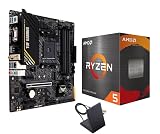
Picking a gaming CPU under $300 has quietly become the hardest decision in a modern build. The mid-range is crowded with chips that all look similar on a spec sheet — six cores here, eight cores there, boost clocks within a few hundred megahertz of each other — yet real-world frame rates between them can differ by 30% or more. Worse, the specs that matter most for gaming (cache size, memory latency, platform longevity) are rarely the ones printed on the box, so buyers routinely overpay for core counts they’ll never use in a game engine.
- Watch: Best CPU for Gaming Under $300 — Video Review
- How to Choose CPU for Gaming Under $300
- The Best Picks Reviewed
- What to Look For in a Gaming CPU at This Budget
- Which One Should You Buy?
- Common Mistakes When Buying a Gaming CPU
- How to Read CPU Benchmarks Without Being Misled
- Frequently Asked Questions
- Final Thoughts
- Related Articles
This guide cuts through that. We’ve focused on processors that deliver genuine 1080p and 1440p gaming performance without pushing you past the $300 mark, and we’ve weighed each one on the things that actually move frame rates: 3D V-Cache, single-thread speed, cooler inclusion, and how much life is left in the socket you’re buying into. Whether you’re building fresh on AM5 or squeezing one last upgrade out of an AM4 board, there’s a sensible pick below.
As an Amazon Associate we earn from qualifying purchases at no extra cost to you.





⚡ Save on Your Next PC — Amazon Prime
Prime members get fast free shipping on the systems above, plus early access to Prime Day & Black Friday PC deals. New members get a 30-day free trial.
Watch: Best CPU for Gaming Under $300 — Video Review
How to Choose CPU for Gaming Under $300
- Prioritize cache over core count: Games are far more sensitive to L3 cache than to thread count. AMD’s 3D V-Cache chips routinely beat processors with double the cores in gaming benchmarks, so an 8-core X3D part will outperform a 16-core non-X3D chip in almost every title.
- Match the socket to your upgrade horizon: AM5 is still receiving new CPUs and will accept future generations, making it the smarter long-term platform. AM4 is end-of-life but remains outstanding value if you already own a compatible motherboard and DDR4 memory.
- Pair sensibly with your GPU and resolution: At 4K, most modern CPUs perform within a few percent of each other because the GPU is the bottleneck. Spend more on the processor only if you’re targeting high-refresh 1080p or 1440p, or playing simulation and strategy titles that hammer the CPU.
The Best Picks Reviewed
AMD Ryzen 7 9800X3D
This remains the fastest gaming processor most people can realistically buy, combining second-generation 3D V-Cache with fully unlocked overclocking and clock speeds that no longer trail its non-X3D siblings. It sits at the very top of the budget here and often drifts above it, so buy it on a dip — but if you catch it in range, nothing else at this price touches its 1% lows.
AMD Ryzen 7 7800X3D
The chip that defined gaming value for two years is now comfortably within budget, and it still delivers roughly 90% of the 9800X3D’s frame rates for meaningfully less money. It runs cool, sips power under gaming loads, and drops into any AM5 board, making it arguably the smartest all-round buy on this list.
AMD Ryzen 7 5800X3D
For anyone sitting on an AM4 motherboard with DDR4 memory, this is the single most cost-effective upgrade available — a straight BIOS-update-and-swap that lifts an aging build into modern territory. It’s no longer competitive with AM5 in absolute terms, but as a way to avoid replacing a board, RAM, and CPU simultaneously, it’s unmatched.
AMD Ryzen 5 9600X
A lean, efficient six-core that punches well above its price in esports and lightly threaded titles, with strong single-thread performance and low thermals that work fine on a modest air cooler. It’s the sensible entry point to AM5 if you want a current-generation platform now and plan to drop in an X3D chip in a couple of years.
AMD Ryzen 5 5500
The genuine budget option, and the only one here that includes a Wraith Stealth cooler in the box, keeping total build cost impressively low. It won’t feed a high-end GPU at high refresh rates, but paired with a mid-tier card at 1080p it’s more than enough — and it leaves far more of your budget for graphics.
What to Look For in a Gaming CPU at This Budget
Cache Often Matters More Than Core Count
Games spend a large share of every frame waiting on memory, which is why stacked-cache chips behave differently from ordinary ones. According to AMD’s published specifications, the Ryzen 7 9800X3D, 7800X3D and 5800X3D each carry 96 MB of L3 cache, while the Ryzen 5 9600X has 32 MB and the Ryzen 5 5500 has 16 MB. When a game’s working data fits in cache, the processor avoids slower trips to system RAM. Owners commonly report the benefit shows up most in the 1% low frame rate, the figure that decides whether a game feels smooth or stuttery, rather than in the average. Confirm the exact cache figure on each listing before you buy.
The Platform Decides Your Upgrade Path
The five processors above split across two sockets. The 9800X3D, 7800X3D and 9600X use AM5, which accepts DDR5 memory only. The 5800X3D and 5500 use AM4, which accepts DDR4 only. A DDR4 kit and an AM4 board you already own can make the older chips the cheaper route, but AM4 is a finished platform with no newer processors coming. AM5 is the socket AMD continues to build on, so a board bought today leaves room for a later drop-in upgrade. If you plan to put a Ryzen 5000 chip in an older AM4 board, check the board maker’s CPU support list first, because some boards need a BIOS update before they will start.
Match the Processor to Your Graphics Card and Resolution
A processor only limits performance when it cannot prepare frames as fast as the graphics card can draw them. A quick way to judge this is frame time. A 144 Hz monitor allows about 6.9 ms per frame, and a 240 Hz monitor allows about 4.2 ms. If a particular game needs 8 ms of CPU work per frame, it tops out near 125 frames per second no matter how fast the graphics card is, because 1000 divided by 8 is 125. In practice, watch GPU utilization while you play. A card sitting at 95 to 99 percent means the graphics card is the limit and a faster CPU will add little. A card sitting at 60 percent while the frame rate stays flat points to the CPU.
Cooling, Power and Memory Details
AMD lists a 120 W default power rating for the 9800X3D and 7800X3D, 105 W for the 5800X3D, and 65 W for the 9600X and 5500. Boxed 9000-series and X3D chips generally ship without a cooler, so budget for one, and confirm what is in the box on the listing. AM5 sockets reuse AM4 cooler mounting holes, so many existing coolers carry over. For memory, DDR5-6000 with an EXPO profile is the commonly cited sweet spot on AM5, and DDR4-3600 plays the same role on AM4. The 5500 supports PCIe 3.0 only and has no integrated graphics, while the 9600X includes a basic iGPU that is useful for troubleshooting a build.
Which One Should You Buy?
| If you… | Choose… |
|---|---|
| Want the highest frame rates on a brand-new AM5 build and the listing fits your budget | AMD Ryzen 7 9800X3D |
| Want eight cores and 96 MB of cache on AM5 at a lower cost than the newest chip | AMD Ryzen 7 7800X3D |
| Already own an AM4 board and DDR4 and want the biggest gaming gain without a platform swap | AMD Ryzen 7 5800X3D |
| Want a modern AM5 base with low power draw for gaming plus everyday work | AMD Ryzen 5 9600X |
| Are upgrading an older AM4 system on a tight budget and play mostly at 1080p | AMD Ryzen 5 5500 |
Common Mistakes When Buying a Gaming CPU
- Counting only the processor. A new AM5 build also needs a board, DDR5 and often a cooler, so compare total platform cost rather than the chip alone.
- Leaving memory at its default speed. DDR5 kits often run at a slow base speed until you enable the EXPO or XMP profile in the BIOS, which quietly wastes part of what you paid for.
- Skipping the BIOS check. A Ryzen 5000 chip in an older board may not post without an update, so read the compatibility list before ordering.
- Buying cores you will not use. Most games respond better to cache and per-core speed than to extra threads, so an eight-core part is not automatically better than a six-core one for play.
- Judging by 1080p charts when you play at 4K. At higher resolutions the graphics card carries more of the load, and the gap between processors narrows.
- Forgetting the cooler. Some of these chips ship without one, and a build that sits waiting on a heatsink delays everything.
How to Read CPU Benchmarks Without Being Misled
Processor comparisons are usually run at 1080p with a very fast graphics card so the CPU is the limiting part, which is the right way to isolate it. The trap is applying those numbers to a different situation. Look for charts that report 1% lows as well as averages, confirm that every chip in the comparison used the same graphics card and the same memory speed, and note the game version, since patches change results. If you play at 1440p or 4K with a mid-range card, expect the gaps between processors to shrink, and spend the savings on the graphics card instead.
Frequently Asked Questions
Is 3D V-Cache actually worth paying extra for?
For gaming, yes — the additional L3 cache dramatically reduces memory latency, and X3D chips typically deliver 15–30% higher frame rates in CPU-bound titles compared to standard parts at similar clock speeds. The benefit is largest in simulation, strategy, and open-world games, and smallest in GPU-limited scenarios at 4K.
Do I need more than six cores for gaming in 2026?
Six fast cores remain sufficient for the vast majority of games, though eight is now the comfortable sweet spot if you stream, record, or keep browsers and Discord running alongside. Beyond eight cores, gaming gains flatten out sharply and the money is better spent on your GPU.
Should I build on AM4 or AM5?
Build on AM5 if you’re starting from scratch, since it supports DDR5 and will accept future processor generations. Choose AM4 only if you already own a compatible motherboard and DDR4 kit, in which case a drop-in upgrade delivers exceptional value for very little outlay.
Will these processors bottleneck a high-end graphics card?
At 1440p and 4K, the X3D chips here will keep pace with essentially any current GPU. The budget six-core options can limit very fast cards at 1080p, so match your processor tier to your resolution and target frame rate rather than buying the cheapest chip available.
Final Thoughts
If you want the best gaming performance available under $300, the Ryzen 7 7800X3D is the pick we’d hand to most builders — it’s fast, efficient, and drops into a platform with years of upgrades ahead of it. Stretch to the Ryzen 7 9800X3D if it dips into budget and you’re chasing maximum frame rates at high refresh rates, or take the Ryzen 7 5800X3D if you already own an AM4 board and want the largest possible performance jump for the smallest possible spend.