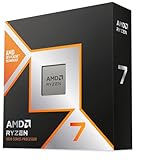
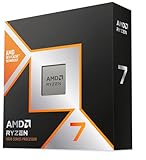
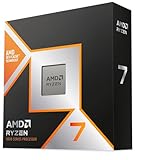
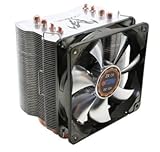
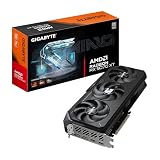
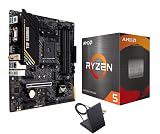
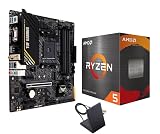
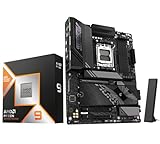
- Top Pick: AMD Ryzen 9 9950X3D 16-Core Processor
- Best Value: AMD Ryzen™ 9 9950X3D2 Dual Edition
- Premium Choice: AMD Ryzen™ 9 9950X 16-Core, 32-Thread Unlocked Desktop Processor
AMD’s 3D V-Cache processors have owned the gaming performance crown for three straight generations, and in 2026 the debate has narrowed to two chips that sit at opposite ends of the same technology. The Ryzen 9 9950X3D is the 16-core flagship that tries to be a gaming CPU and a workstation CPU simultaneously. The Ryzen 7 9800X3D is the focused 8-core specialist that has become the default recommendation for anyone who only cares about frame rates. Both use the same second-generation 3D V-Cache design, both drop into Socket AM5, and both will still be relevant when Zen 6 arrives.
The choice matters more now than it did at launch. GPUs have moved fast enough that CPU bottlenecks reappear even at 1440p in simulation and strategy titles, while AM5 has matured into a platform worth investing in for several years. Spending extra on cores you never use is wasted money that should have gone into a graphics card — but under-buying on a build that also renders, compiles, or streams is just as costly. Here’s how the two actually compare.
As an Amazon Associate we earn from qualifying purchases at no extra cost to you. Product prices and availability are accurate as of the date shown and are subject to change.





⚡ Save on Your Next PC — Amazon Prime
Prime members get fast free shipping on the systems above, plus early access to Prime Day & Black Friday PC deals. New members get a 30-day free trial.
Watch: Ryzen 9 9950X3D vs 9800X3D: 2026 Showdown — Video Review
Quick Verdict
If gaming is the primary job and everything else is secondary, the Ryzen 7 9800X3D is the smarter buy — it delivers effectively the same frame rates as the flagship for meaningfully less money, runs cooler, and is easier to cool and power. The Ryzen 9 9950X3D is the right call when your PC genuinely earns its keep: heavy multi-threaded rendering, code compilation, 4K video editing, or high-bitrate streaming alongside gaming. Buy the 16-core for the workload, not for the frame rates.
Key Differences
- Core count: The 9950X3D offers 16 cores and 32 threads across two CCDs; the 9800X3D has 8 cores and 16 threads on a single CCD.
- Cache layout: Both stack 64MB of 3D V-Cache, but only one of the 9950X3D’s two CCDs carries it — total L3 is 128MB versus 96MB, with the extra cache split across dies rather than pooled.
- Clock speeds: The 9950X3D boosts higher (up to 5.7GHz on its non-cache cores) while the 9800X3D tops out lower but sustains all-core clocks on the cache die more consistently.
- Scheduling behaviour: The 9950X3D relies on Windows and AMD’s chipset driver to park the non-cache cores during gaming. The 9800X3D has nothing to schedule around — every core has the cache.
- Power and thermals: 170W TDP versus 120W. The 16-core wants a high-end 360mm AIO or a top-tier air cooler under sustained load; the 8-core is comfortable on far less.
- Productivity throughput: In Blender, Handbrake, and large compile jobs, the 9950X3D is roughly twice as fast. In games, the gap is usually low single digits.
AMD Ryzen 9 9950X3D
The 9950X3D is the only AMD chip that refuses to compromise. Its cache-equipped CCD matches the 9800X3D almost exactly in games, while the second CCD adds eight full-speed Zen 5 cores for everything else. For streamers running x264 encoding on the CPU, editors scrubbing 4K timelines, or developers who hate waiting on builds, that second die is the entire justification for the price premium. It also includes a basic integrated GPU, which is genuinely useful for troubleshooting a build without a discrete card installed.
The caveats are real but manageable. You need current chipset drivers and a modern Windows install for core parking to behave, otherwise a game can land on the wrong CCD and lose performance. It runs hot under all-core load and deserves a serious cooler and a quality board. If you’d rather not source parts individually, the 9950X3D with Gigabyte X870E AORUS Elite and the Micro Center 9950X3D with MSI PRO X870E-P bundles pair the chip with boards that have the VRM headroom to feed it properly.
AMD Ryzen 7 9800X3D
The 9800X3D remains the most sensible high-end gaming CPU on the market. Moving the cache beneath the compute die let AMD unlock full overclocking and higher sustained clocks, which is why it beats older X3D parts outright rather than trading blows. In CPU-limited scenarios — competitive shooters at high refresh rates, large-scale strategy games, flight and racing sims, heavily modded open worlds — it lands within a frame or two of the flagship, and occasionally ahead of it thanks to zero scheduling ambiguity.
Eight cores is still plenty for gaming and light multitasking in 2026, and the lower power draw means a mid-range cooler and a solid B850 board are enough. Where it falls short is sustained professional work: heavy renders, long encodes, and large compiles take roughly twice as long. If those are occasional annoyances rather than daily tasks, the money saved is better spent on a faster GPU or more storage.
Which Should You Buy?
- For pure gaming at any resolution: pick the 9800X3D and put the savings toward your graphics card.
- For gaming plus streaming or content creation: pick the 9950X3D — the second CCD absorbs encoding and background work without touching frame rates.
- For a workstation that games occasionally: pick the 9950X3D, or consider the standard Ryzen 9 9950X if gaming genuinely isn’t a factor and you want to save money.
- For the simplest reliable build: pick a 9950X3D bundle with an X870E board, or a 9800X3D on a mid-range B850 — both skip compatibility guesswork.
- For maximum multi-core gaming consistency: the Ryzen 9 9950X3D2 Dual Edition, with V-Cache on both CCDs, removes the core-parking question entirely — at a premium most gamers don’t need to pay.
Frequently Asked Questions
Is the 9950X3D actually faster in games?
Marginally, and not always. Across large test suites the two are typically within 1–3% at 1080p and effectively identical at 1440p and 4K. Any advantage the flagship holds comes from higher clocks, not extra cache.
Do I need to configure anything for the 9950X3D?
Install AMD’s latest chipset driver and keep Windows updated so core parking works correctly. Most modern games handle it automatically; a handful benefit from setting affinity manually or using Game Mode in Ryzen Master.