Nearly every “best gaming CPU” list of the last three years has been topped by an AMD chip with 3D V-Cache, and in 2026 the argument has narrowed to two of them: the AMD Ryzen 7 9800X3D and the AMD Ryzen 7 7800X3D. Both are 8-core, 16-thread AM5 processors built around a huge stack of L3 cache that keeps game engines fed with data instead of forcing them out to system memory. That single design choice is why an 8-core part still outruns far more expensive 12- and 16-core CPUs in most games.
The decision matters more now than it did at launch. The 7800X3D has shifted into end-of-life territory, so availability is inconsistent and increasingly tied to bundles, while the 9800X3D has settled in as AMD’s mainstream gaming flagship with steady supply. Add GPUs that are fast enough to expose CPU bottlenecks at 1440p, and picking the right chip is a decision you will feel in your frame-time graph for years.
As an Amazon Associate we earn from qualifying purchases at no extra cost to you.







⚡ Save on Your Next PC — Amazon Prime
Prime members get fast free shipping on the systems above, plus early access to Prime Day & Black Friday PC deals. New members get a 30-day free trial.
Watch: Ryzen 7 9800X3D vs 7800X3D: Upgrade in 2026? — Video Review
Quick Verdict
Buy the Ryzen 7 9800X3D if you want the fastest 8-core gaming CPU available, meaningfully better productivity performance, and full overclocking support — it is the right default for a new build or a serious upgrade. Buy the Ryzen 7 7800X3D if you find it discounted or bundled, since it delivers roughly 85–90% of the gaming performance for noticeably less money, runs cooler, and slots into the same AM5 platform.
Key Differences
- Architecture: The 9800X3D uses Zen 5 cores with second-generation 3D V-Cache; the 7800X3D uses Zen 4 with the original cache implementation.
- Cache placement: AMD moved the 64MB stacked cache beneath the cores on the 9800X3D, improving heat transfer and allowing much higher sustained clocks. Both chips end up with 96MB of L3.
- Clock speeds: The 7800X3D runs 4.2GHz base and 5.0GHz boost; the 9800X3D climbs to roughly 4.7GHz base and 5.2GHz boost.
- Overclocking: The 9800X3D is fully unlocked — a first for an X3D part — while the 7800X3D is limited to Curve Optimizer undervolting and PBO tuning.
- Gaming performance: Expect around 8–15% higher average frame rates from the 9800X3D at 1080p, with the gap shrinking at 4K where the GPU dominates.
- Power and cooling: The 7800X3D is the efficiency champion, often sipping well under 90W in games. The 9800X3D pulls more power and wants a strong 240mm AIO or a high-end tower cooler.
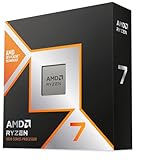
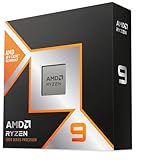
AMD Ryzen 7 9800X3D
The 9800X3D fixed the two things enthusiasts complained about with the previous generation. Flipping the cache under the compute die let AMD raise voltage and frequency limits without cooking the stacked silicon, so the chip no longer behaves like a clock-limited special case — it acts like a normal high-end Ryzen that happens to have an enormous cache. It is also the first X3D processor you can properly overclock, and it tolerates faster DDR5 kits more comfortably.
In practice, that means class-leading 1% lows in simulation-heavy and CPU-bound titles, plus a genuine improvement in productivity work where the 7800X3D’s lower clocks held it back. Compilation, rendering and streaming encodes all land closer to a standard Zen 5 part like the Ryzen 7 9700X, while gaming performance stays untouchable in this core count. If you are building around a current flagship GPU, or you play at high refresh rates in 1080p or 1440p, this is the chip to buy.
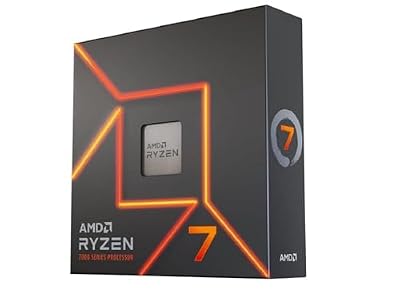
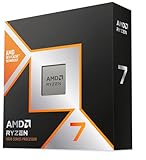
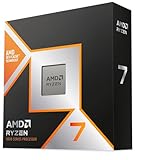
AMD Ryzen 7 7800X3D
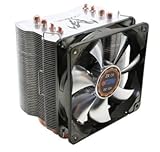
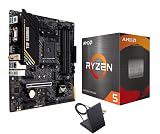
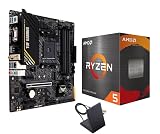
The 7800X3D is still an outstanding gaming processor, and the value argument is straightforward: it beats almost everything except its own successor. Because it is Zen 4, it is a natural pairing with cheaper B650 boards and slower DDR5 kits, and its low power draw makes it ideal for small-form-factor builds, quiet PCs, or anyone reusing a modest air cooler. Bundles such as the 7800X3D with Cooler Master Hyper Spectrum V3 air cooler exist precisely because the chip does not demand exotic cooling.
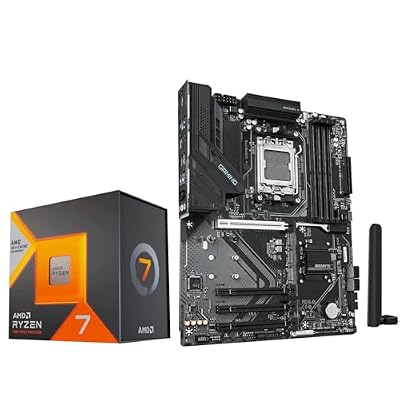
The caveat is supply. As stock thins out, the most reliable way to get one is often a kit like the Micro Center 7800X3D with GIGABYTE B850 Gaming WF motherboard, which also solves BIOS compatibility in one purchase. If a bundle brings the effective cost well below the 9800X3D, the performance-per-dollar case is easy to make — but do not pay near-9800X3D money for it.
Which Should You Buy?
- For a new high-refresh gaming build: pick the 9800X3D and spend what you save elsewhere on the GPU.
- For the best value per frame: pick the 7800X3D, ideally as part of a CPU-and-motherboard bundle.
- For small-form-factor or quiet builds: pick the 7800X3D for its lower power draw and easier cooling.
- For gaming plus streaming, editing or code: pick the 9800X3D, or consider the Ryzen 7 9700X if pure productivity matters more than frame rates.
- For a budget AM5 entry point: pick the Ryzen 7 7700X now and upgrade to an X3D chip later on the same board.
Frequently Asked Questions
Is the 9800X3D worth the upgrade from a 7800X3D?
Generally no. A single-digit to low-double-digit gain rarely justifies the swap unless you are chasing competitive frame rates at 1080p or pairing it with a top-tier GPU.
Do both CPUs use the same motherboard?
Yes. Both are AM5 and work in B650, X670, B850 and X870 boards, though older boards may need a BIOS update before the 9800X3D will post.
How much cooling do they need?
The 7800X3D is happy on a good 120mm tower cooler. The 9800X3D runs hotter under load and performs best with a large dual-tower air cooler or a 240–360mm AIO.