🛒 Best Price Today on Amazon
Prime members get fast, free shipping on everything above, plus member-only deals. New members get a 30-day free trial — cancel anytime.
Sim racing stresses CPU timing and GPU output, especially with crowded grids, triple monitors, or VR. The best gaming PC for sim racing should pair a fast modern processor with display-appropriate graphics, 32GB of DDR5, and enough USB and video connectivity for the cockpit instead of prioritizing one oversized specification.
How to Choose a Gaming PC for Sim Racing
Choosing the best gaming PC for sim racing starts with your display configuration and primary simulator. iRacing can become CPU-sensitive, while Assetto Corsa Competizione responds strongly to GPU performance. A single 1440p screen demands far less graphics throughput than triple 1440p panels or a high-resolution VR headset.
Prioritize CPU Performance for Race Grids
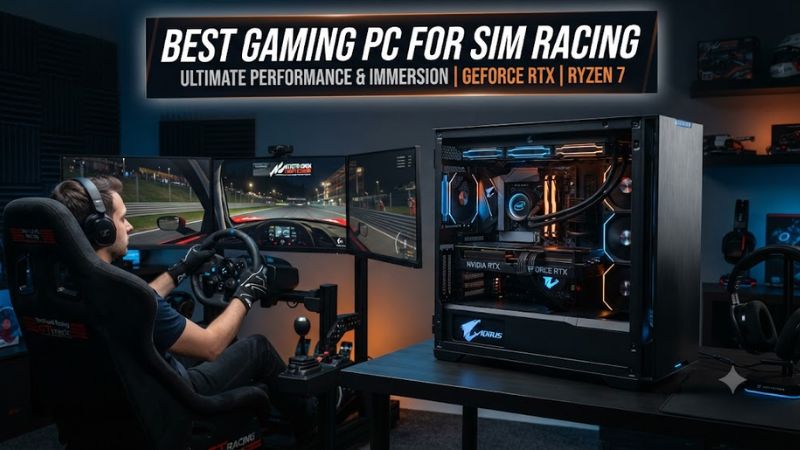
Prioritize gaming CPU performance because race grids, physics, mirrors, telemetry, and background software can expose processor limits before a powerful GPU is saturated. Current X3D chips are particularly attractive for gaming workloads. The MAINGEAR MG-1 Elite combines a Ryzen 7 9850X3D with an RTX 5080.
For the best gaming PC for sim racing, CPU choice matters most at high refresh rates or in processor-sensitive simulators. iRacing places eight-plus cores in its high-end tier and names Ryzen 7 9700X plus Core Ultra 7 and 9 as examples, so every selection here comfortably meets or exceeds that processor class.
Match GPU Power to Your Display Setup
Match GPU capability to rendered pixels rather than monitor size. Triple 2560×1440 displays create substantially more graphics work than one 1440p panel, while VR adds headset-specific resolution and frame-time targets. RTX 5080 systems therefore suit ambitious multi-display rigs better than racers staying on one conventional monitor.
The best gaming PC for sim racing does not require an RTX 5090 for every cockpit. Tweakers measured the RTX 5080 FE at 308.0 fps and RTX 5070 FE at 192.8 fps in Assetto Corsa Competizione, 2560×1440, Epic settings. Those are controlled single-screen GPU results, not triple-screen or VR measurements.
Choose Enough Memory and Storage
Use 32GB of DDR5 as a practical baseline for a new racing desktop when Discord, browser tabs, telemetry, or capture software stays open. Official requirements are lower: iRacing calls for at least 16GB, and Le Mans Ultimate recommends 16GB. Additional capacity mainly improves multitasking flexibility.
A 2TB NVMe SSD is a sensible starting capacity because simulators, replay files, mods, captures, and launcher caches accumulate quickly. PCIe 4.0 storage already provides ample throughput for gaming workloads, so usable capacity matters more than chasing sequential benchmarks. Three selections here ship with at least 2TB.
Check Platform and Peripheral Compatibility
Check platform compatibility before buying peripherals or planning upgrades. These desktops ship with Windows 11, matching current iRacing support. Internal memory is DDR5, while the AMD X3D systems use AM5 motherboards. For wheels, pedals, shifters, handbrakes, and VR, confirm Windows PC support and required USB connections.
A best gaming PC for sim racing also needs suitable display outputs. MAINGEAR lists three DisplayPort 2.1b ports and one HDMI 2.1b on its RTX 5080 Founders Edition. Other prebuilts may use different graphics-card models, so triple-monitor buyers should verify the exact outputs before ordering cables or adapters.
Top Picks for Sim Racing
As of September 22, 2026, these four current desktops span a value-focused single-monitor build through an extreme VR or multi-display tower. The best gaming PC for sim racing here is the MG-1 Elite for its Ryzen 7 9850X3D and RTX 5080 balance, while iBUYPOWER reduces cost substantially without dropping current-generation CPU and GPU hardware.
| Product | Best For | Key Spec | Compatibility | Watch Out For |
| MAINGEAR MG-1 Elite | Best Overall | Ryzen 7 9850X3D + RTX 5080 16GB | Windows 11, AM5, DDR5 | Premium price |
| iBUYPOWER RDY Element Pulse X R01 | Best Value | Ryzen 7 9700X + RTX 5070 12GB | Windows 11, AM5, DDR5 | Less VRAM for heavy triples/VR |
| Lenovo Legion Tower 7i Gen 10 | Best for Triple Monitors | Core Ultra 9 285K + RTX 5080 16GB | Windows 11, DDR5, 850W PSU | X3D alternatives may offer better gaming value |
| HP OMEN MAX 45L GT23-0990m | Best for VR | Ryzen 9 9900X3D + RTX 5090 32GB | Windows 11 Pro, AM5, DDR5, ATX 3.1 | Very expensive, high power draw |
Best Overall: MAINGEAR MG-1 Elite
The MAINGEAR MG-1 Elite is the best gaming PC for sim racing for buyers wanting premium performance without RTX 5090 pricing. Its Ryzen 7 9850X3D has eight cores, 16 threads, and 96MB L3 cache; the RTX 5080 supplies 16GB GDDR7. MAINGEAR also installs 32GB DDR5-6000 and a spacious 2TB Gen4 NVMe SSD for storage.
Buy it for high-refresh 1440p, ultrawide, or demanding triple-screen racing with generous tuning room. The AM5 X870E motherboard, 850W Gold PSU, and 360mm AIO provide a strong platform. Its weakness is cost. Do not buy it for basic 1080p or modest single-screen 1440p racing where cheaper hardware is sufficient.
Best Value: iBUYPOWER RDY Element Pulse X R01
iBUYPOWER’s RDY Element Pulse X R01 is the value choice with a Ryzen 7 9700X, RTX 5070 12GB, 32GB DDR5-6000, and 2TB Gen4 NVMe SSD in a Windows 11 desktop. Its current-generation specification targets mainstream 1440p racing more sensibly than costly hardware intended for heavy triple-screen or VR rendering.
Buy it for iRacing, ACC, F1, or Le Mans Ultimate on 1080p or 1440p displays with current hardware and AM5 upgrade potential. The B650E motherboard and 750W Gold PSU fit the installed parts. Its weakness is 12GB VRAM. Do not buy it if maximum-resolution VR or aggressive triple-screen settings are your priority.
Best for Triple Monitors: Lenovo Legion Tower 7i Gen 10
The Lenovo Legion Tower 7i Gen 10 is a strong best gaming PC for sim racing option for triple-monitor shoppers preferring major-brand support. The verified configuration combines a Core Ultra 9 285K, RTX 5080 16GB, 32GB DDR5-5600, 2TB PCIe 4.0 storage, an 850W PSU, and substantial 360mm liquid cooling.
Buy it for RTX 5080-class graphics, factory support, and a roomy 34L chassis without choosing every component yourself. Lenovo provides four DDR5 slots and multiple storage options. The weakness is gaming-focused CPU value. Do not buy it if an X3D prebuilt at comparable pricing better matches your processor-heavy simulator.
Best for VR: HP OMEN MAX 45L GT23-0990m
The HP OMEN MAX 45L GT23-0990m targets VR and maximum graphics headroom. Its Ryzen 9 9900X3D provides 12 cores, 24 threads, and 128MB L3 cache, while the RTX 5090 carries 32GB GDDR7. HP adds 64GB DDR5-6000, two 2TB Gen4 NVMe SSDs, a 1200W ATX 3.1 PSU, Windows 11 Pro, and extensive total storage capacity.
Buy it for demanding VR headsets, high-refresh triples, streaming, and heavy telemetry when substantial overhead matters more than budget. The RTX 5090 exceeds published requirements for major current sims by a wide margin. Its weakness is cost and power demand. Do not buy it for ordinary 1080p or 1440p racing.
Frequently Asked Questions
These questions address purchase decisions that materially change a sim rig: GPU tier, memory capacity, triple-monitor load, and racing-wheel connectivity. The answers separate official system requirements from higher-performance recommendations, so a minimum specification is not mistaken for a suitable high-refresh or multi-display target.
Is 32GB of RAM Enough for Sim Racing in 2026?
Yes, 32GB is a sensible amount for a new sim-racing PC in 2026, although many titles officially require less. iRacing specifies at least 16GB of system RAM, and Le Mans Ultimate recommends 16GB. Moving to 32GB mainly provides breathing room for telemetry, browsers, voice chat, recording, and background utilities.
For the best gaming PC for sim racing, 64GB remains optional rather than standard. It becomes useful when streaming, editing video, hosting servers, or running many overlays and applications simultaneously. If the choice is 64GB RAM versus a stronger GPU for high-resolution triples, graphics performance normally deserves the larger budget share.
Do I Need an RTX 5090 for Triple Monitors?
No, an RTX 5090 is not required for triple monitors. The suitable GPU depends on resolution, refresh target, simulator, settings, weather, grid size, and upscaling. An RTX 5080 is the more balanced high-end option here, while RTX 5070 hardware better suits one 1440p panel or reduced multi-display settings.
Triple 1440p contains about 11.1 million pixels before supersampling, versus about 3.7 million for one 1440p panel, so graphics demand can rise sharply. Pixel count alone cannot predict frame rate because rendering differs by simulator, but it explains why the RTX 5080 systems provide materially more multi-display headroom.
Is an 8-Core CPU Enough for Sim Racing?
Yes, a modern eight-core gaming CPU is sufficient for most sim-racing systems when per-core performance is strong. iRacing’s current high-end guidance starts at eight or more cores and includes Ryzen 7 9700X. Faster X3D processors can still help when targeting high refresh rates, large grids, or processor-limited conditions.
Core count alone does not determine simulator performance. Cache architecture, clock behavior, memory latency, game threading, and background software also matter. That is why the eight-core Ryzen 7 9850X3D in the MG-1 Elite can remain highly attractive beside the 12-core Ryzen 9 9900X3D inside HP’s costlier flagship.
Do I Need a Special Motherboard for a Racing Wheel?
No, a racing wheel does not require a special motherboard, but it does require supported software and sufficient compatible USB connectivity. Check the manufacturer’s Windows PC support list, then count wheelbase, pedals, shifter, handbrake, button box, and headset connections instead of assuming a single spare USB port covers the cockpit.
Direct-drive wheelbases may have external power requirements separate from the computer’s PSU. Connect monitors to the discrete GPU, install current wheel and graphics drivers, and avoid unsupported adapters. A powered USB hub can help with lower-bandwidth accessories when the peripheral manufacturer explicitly permits hub use.
Final Thoughts
The best gaming PC for sim racing depends first on display load, then CPU sensitivity, budget, and peripheral requirements. The MG-1 Elite balances high-end parts, iBUYPOWER covers value, Lenovo fits triple-screen shoppers, and HP targets extreme VR headroom. Choose for your actual cockpit rather than the largest specification sheet.