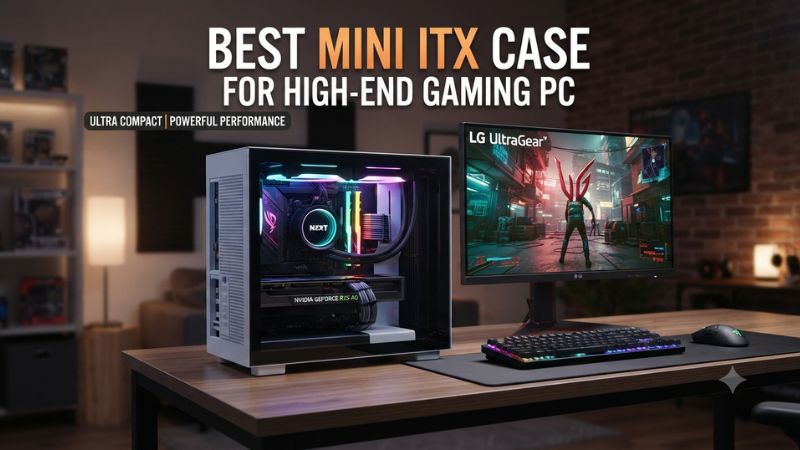
Building a powerful gaming computer in a compact enclosure requires more planning than choosing a conventional tower. The best mini ITX case for high end gaming pc builds must accommodate a large graphics card, provide sufficient cooling, and support an appropriate power supply without making component installation unnecessarily difficult. This guide compares four options and their limitations.
How to Choose a Mini-ITX Case for High-End Gaming
A high-end Mini-ITX build should prioritize component compatibility and thermal management over the smallest possible dimensions. Modern graphics cards can occupy multiple expansion slots, while powerful processors generate considerable heat under sustained gaming workloads. The right enclosure balances GPU clearance, cooling capacity, PSU requirements, and room for future upgrades.
1. Check Graphics Card Dimensions and Clearance
Graphics card compatibility is one of the most important considerations when selecting a compact gaming case. Manufacturers specify maximum GPU length, thickness, and height, but all three measurements matter. A card that fits within the advertised length limit might still interfere with the side panel, power connector, or internal cooling hardware.
Before purchasing, find the exact dimensions of your intended GPU, including its power connector requirements. Pay particular attention to thick triple-slot designs and the space needed for native power cables. Some enclosures also use PCIe riser cables to position the graphics card vertically, introducing another compatibility consideration.
2. Prioritize CPU and GPU Cooling
High-end processors and graphics cards can generate substantial heat during extended gaming sessions. A compact enclosure needs a sensible airflow path, sufficient fan mounting positions, and enough clearance for the selected CPU cooler or liquid-cooling radiator.
Air-cooled systems generally benefit from unobstructed intake and exhaust paths. Liquid cooling can provide another configuration option, but radiator dimensions, fan thickness, tubing clearance, and pump placement must all be considered. A case advertising 240mm radiator support does not automatically accommodate every 240mm AIO combination.
3. Choose the Correct Power Supply Format
Many Mini-ITX enclosures require an SFX or SFX-L power supply instead of a conventional ATX unit. These smaller power supplies can reduce available cable space and may cost more than comparable full-size alternatives.
For a high-end gaming configuration, calculate the combined power requirements of the CPU, GPU, storage, cooling, and other components. Follow the graphics card manufacturer’s PSU recommendation and check the required power connectors. A sufficiently rated PSU must also fit the case’s maximum supported dimensions.
Consider cable length and connector orientation as well. Compact enclosures can make cable routing difficult, particularly around large graphics cards and restricted motherboard areas.
4. Consider Build Space and Upgrade Flexibility
The smallest enclosure is not necessarily the most practical choice. A few additional liters of internal volume can make installation easier, improve component access, and provide more options for cooling and storage.
Also consider whether the case includes fans, a PCIe riser, or other installation accessories. Check motherboard compatibility, front-panel connections, available drive mounts, and radiator positions before purchasing.
For expensive gaming components, a slightly larger Mini-ITX case can be a better long-term investment than an extremely compact enclosure that restricts cooler selection or GPU thickness.
Best Mini-ITX Cases for High-End Gaming: Four Picks
These four enclosures address different priorities, from accommodating large graphics cards to minimizing desktop footprint. Their specifications come from manufacturer documentation rather than assumed performance rankings. The important distinction is how each layout accommodates a high-performance system and which compromises buyers must accept.
| Product | Best For | Key Spec | Compatibility | Watch Out For |
| Cooler Master NR200P V2 | Best overall | 18.25L; up to 357mm GPU clearance | Mini-ITX, SFX/SFX-L | Limited CPU air-cooler height |
| Fractal Design Era 2 | Best for cooling flexibility | 280mm radiator support; 326mm GPU | Mini-ITX, SFX/SFX-L | GPU and cooler dimensions interact |
| Lian Li A4-H2O | Best ultra-compact gaming | 11L; 322mm GPU clearance | Mini-ITX, SFX/SFX-L | Restricted air-cooling options |
| Fractal Design Terra | Best minimalist design | 10.4L; adjustable internal layout | Mini-ITX, SFX/SFX-L | Limited cooling flexibility |
1. Cooler Master NR200P V2 – Best Overall
Best for large graphics cards and flexible cooling configurations
The Cooler Master MasterBox NR200P V2 is a strong starting point for builders who want a compact gaming PC without moving into extremely restrictive small-form-factor territory. Its 18.25-liter enclosure offers more installation flexibility than particularly small sandwich-style designs.
According to Cooler Master’s specifications, the case supports graphics cards up to 357mm long and 160mm high, including the specified power-connector clearance. It also accommodates top-mounted 240mm and 280mm radiators, supports SFX and SFX-L power supplies, and includes a PCIe 4.0 riser cable.
coolermaster.com
Another advantage is its removable panels, which simplify access during assembly. The case also includes a 120mm bottom fan, USB Type-A connections, and a USB Type-C port.
The main limitation is its 67mm CPU air-cooler clearance. Builders planning a powerful processor should therefore investigate compatible low-profile coolers or use the supported liquid-cooling configuration. The PSU is also limited to 130mm in length.
Who should buy it: Gamers prioritizing graphics card compatibility, radiator options, and a relatively forgiving Mini-ITX building experience.
Who should consider an alternative: Buyers who want an especially small enclosure or prefer a conventional large tower-style air cooler.
2. Fractal Design Era 2 – Best for Cooling Flexibility
Best for premium compact builds with liquid cooling
The Fractal Design Era 2 offers a different approach to compact gaming. Its aluminum exterior, walnut top panel, and adjustable internal layout make it suitable for builders who want a more understated desktop appearance without sacrificing all cooling flexibility.
The manufacturer specifies a 326mm maximum GPU length, ITX motherboard support, and SFX/SFX-L power supply compatibility. It supports top-mounted radiators up to 280mm and includes two Aspect 12 PWM fans. Its internal volume is 18.97 liters.
Fractal Design+1
One particularly useful feature is its adjustable motherboard wall. Three positions balance CPU cooler height against GPU thickness. Depending on the configuration, CPU cooler clearance ranges from 55mm to 70mm, while GPU thickness clearance ranges from 48mm to 63mm. This means component selection needs to happen before finalizing the internal layout.
Fractal Design Support
Radiator compatibility also requires attention. Fractal specifies restrictions on radiator and fan thickness, including a maximum combined thickness of 52mm for radiators longer than 300mm. Buyers should check the specific AIO dimensions rather than relying on radiator size alone.
Fractal Design Support
Who should buy it: Builders who want a premium-looking compact gaming PC with flexible radiator and fan configurations.
Who should consider an alternative: Buyers with particularly thick GPUs, tall air coolers, or a preference for maximum internal clearance.
3. Lian Li A4-H2O – Best Ultra-Compact Gaming Case
Best for experienced small-form-factor builders
The Lian Li A4-H2O is designed for enthusiasts who want substantial gaming hardware inside a very small enclosure. At approximately 11 liters, it is considerably smaller than the NR200P V2 and Era 2.
Its manufacturer specifications include support for Mini-ITX motherboards, graphics cards up to 322mm long, three expansion slots, and SFX or SFX-L power supplies. It also supports a top-mounted 240mm radiator with a maximum combined radiator-and-fan thickness of 55mm. An included PCIe 5.0 riser cable provides the graphics card connection.
Computer Cases
The sandwich-style internal arrangement makes component planning especially important. The CPU air-cooler clearance is only 55mm, so conventional tower coolers are not suitable. Builders who prefer air cooling must choose a compatible low-profile solution.
Storage expansion is another compromise. The case provides one dedicated 2.5-inch drive position, making motherboard M.2 storage particularly attractive for modern gaming systems.
Who should buy it: Experienced builders seeking a small gaming PC with a full-length graphics card and 240mm liquid-cooling support.
Who should consider an alternative: First-time SFF builders, users requiring several dedicated storage drives, or anyone wanting a spacious air-cooled configuration.
4. Fractal Design Terra – Best Minimalist Design
Best for compact, design-focused gaming setups
The Fractal Design Terra is one of the more visually distinctive options in this category. Its compact aluminum construction and natural wood front accent make it attractive for desk setups where appearance and physical footprint matter as much as hardware capacity.
The enclosure measures approximately 343 x 153 x 218mm and has a volume of 10.4 liters. It supports Mini-ITX motherboards, SFX/SFX-L power supplies, and graphics cards up to 322mm long. Its adjustable internal spine allows builders to redistribute space between the graphics card and CPU cooler.
assets.fractal-design.com+1
The major compromise is cooling flexibility. Depending on the spine position, CPU cooler clearance ranges from 48mm to 77mm. A configuration that accommodates a thicker GPU can therefore restrict CPU cooler height. The enclosure also lacks the radiator and fan flexibility of larger alternatives.
This makes component selection particularly important for powerful gaming processors. A thermally efficient CPU, suitable low-profile cooler, and carefully selected GPU are essential considerations.
Who should buy it: Builders prioritizing an exceptionally compact footprint, distinctive materials, and a carefully planned air-cooled configuration.
Who should consider an alternative: Gamers planning high-power CPUs, large cooling systems, or particularly thick graphics cards.
FAQ: Choosing a Mini-ITX Case for High-End Gaming
1. Can a Mini-ITX case support an RTX 5090?
Yes, some Mini-ITX cases can accommodate compatible RTX 5090 models, but compatibility depends on the exact graphics card dimensions and power requirements. Check GPU length, thickness, height, connector clearance, and the case’s supported PSU configuration before purchasing. Never assume every RTX 5090 model fits simply because another version does.
2. Is Mini-ITX worse than ATX for gaming performance?
No, Mini-ITX does not inherently reduce gaming performance. A Mini-ITX motherboard can support powerful processors, modern graphics cards, and fast memory. However, compact cooling arrangements and power-delivery limitations on individual motherboard models can influence sustained performance. Component selection matters more than motherboard size alone.
3. Is liquid cooling necessary for a high-end Mini-ITX gaming PC?
No, liquid cooling is not mandatory, but it can provide useful flexibility in cases with limited CPU cooler clearance. A suitable air cooler can also work when the processor’s thermal requirements and case dimensions allow it. Always check cooler height, radiator thickness, fan clearance, and motherboard compatibility.
4. Should I choose SFX or SFX-L for a Mini-ITX gaming build?
Choose the PSU format specified by your case and verify its maximum supported length. SFX units generally offer more flexibility in particularly restricted layouts, while SFX-L models can provide another compatible option. Check wattage, GPU power connectors, cable dimensions, and manufacturer recommendations before deciding.
Final Thoughts
The best mini ITX case for high end gaming pc builds depends on the graphics card, processor, cooling solution, and available desk space. The NR200P V2 offers a versatile starting point, while the Era 2 suits liquid cooling and the A4-H2O and Terra prioritize smaller footprints. Verify every component dimension before ordering.