Affiliate disclosure: As an Amazon Associate we earn from qualifying purchases. This post contains affiliate links — we may earn a small commission at no extra cost to you. This never affects our picks. Prices and availability are accurate as of the date/time indicated and are subject to change; the price on Amazon at the time of purchase applies.
- Quick Comparison Table
- 1. ASUS Dual GeForce RTX 5060 Ti 16GB: Best for balanced 1440p value
- 2. GIGABYTE RTX 5060 WINDFORCE OC 8G: Best for 1080p on a tight build
- 3. MSI Gaming RTX 5070 12G Ventus 2X OC: Best for stepping up to 1440p
- 4. MSI Gaming RTX 5070 Ti 16G Gaming Trio OC: Best for high-refresh 1440p and entry 4K
- 5. Gigabyte GeForce RTX 5080 WINDFORCE OC SFF 16G: Best for top-tier 4K and small builds
- How to Choose
- Frequently Asked Questions
- About the Author
- Related Articles
Quick answer: The best GPUs for gaming in this lineup start with the ASUS Dual RTX 5060 Ti 16GB as the balanced pick. Choose the Gigabyte RTX 5060 for 1080p, the MSI RTX 5070 for 1440p, the RTX 5070 Ti for high-refresh 4K tinkering, and the RTX 5080 for maximum headroom.
This guide compares five graphics cards that cover the realistic gaming ladder, from an 8GB 1080p card up to a 16GB RTX 5080. Every comparison uses the specifications published in each listing: memory size, memory type, bus width, outputs and form factor. We did not run our own benchmarks, so treat the notes as buying guidance rather than frame-rate data. Check your case clearance and power supply before ordering any of them.
Quick Comparison Table
| # | Model | Key specs (per listing) | Best for |
|---|---|---|---|
| 1 | ASUS Dual GeForce RTX 5060 Ti 16GB | RTX 5060 Ti, 16GB GDDR7, PCIe 5.0, 2.5-slot | balanced 1440p value |
| 2 | GIGABYTE RTX 5060 WINDFORCE OC 8G | RTX 5060, 8GB GDDR7, 128-bit, PCIe 5.0 | 1080p on a tight build |
| 3 | MSI Gaming RTX 5070 12G Ventus 2X OC | RTX 5070, 12GB GDDR7, 192-bit, 2557 MHz | stepping up to 1440p |
| 4 | MSI Gaming RTX 5070 Ti 16G Gaming Trio OC | RTX 5070 Ti, 16GB GDDR7, 256-bit, 2580 MHz | high-refresh 1440p and entry 4K |
| 5 | Gigabyte GeForce RTX 5080 WINDFORCE OC SFF 16G | RTX 5080, 16GB GDDR7, 256-bit, 2670 MHz, SFF | top-tier 4K and small builds |
1. ASUS Dual GeForce RTX 5060 Ti 16GB: Best for balanced 1440p value
Specs per the listing: GeForce RTX 5060 Ti, 16GB GDDR7, PCIe 5.0, HDMI 2.1b, DisplayPort 2.1b, 2.5-slot cooler, Axial-tech fans, 0dB mode, dual BIOS.
The 16GB of memory is the headline here. Modern texture packs and ray-traced titles keep asking for more VRAM, and a 16GB card in this class gives you room that 8GB models lack. RTX 5060 Ti class cards generally aim at 1080p high settings and comfortable 1440p, which makes this a sensible default for most builders. The Dual design uses two fans and a 2.5-slot body, so it fits many mid-size cases, and the 0dB mode lets the fans stop at idle. It is not the card for native 4K, but it will not run out of memory as quickly as cheaper cards.
- Pros: 16GB of GDDR7 for long-term texture headroom; 2.5-slot body fits most cases; fan-stop mode at idle
- Cons: Not aimed at native 4K; boost clocks and power connector details not listed here

ASUS Dual GeForce RTX 5060 Ti 16GB GDDR7 OC Edition Gaming Graphics Card | PCIe 5.0, HDMI 2.1b, DisplayPort 2.1b, 2.5-slot, Axial-tech Fans, 0dB Technology, Dual BIOS
Included for 'Best GPUs for Gaming: Five Cards From Entry to 4K' as a representative home product in this roundup; selection reflects the product set returned for this topic.
View on Amazon2. GIGABYTE RTX 5060 WINDFORCE OC 8G: Best for 1080p on a tight build
Specs per the listing: GeForce RTX 5060, 8GB GDDR7, 128-bit bus, PCIe 5.0, DisplayPort and HDMI outputs, WINDFORCE cooling, factory OC model GV-N5060WF2OC-8GD.
This is the entry point if your monitor is 1080p and you want current-generation features without stepping up to a big card. The 128-bit bus and 8GB of GDDR7 suit esports titles and high-refresh 1080p play well. The limit is memory: a few recent games already fill 8GB at higher texture settings, so you will drop textures one notch on those. The WINDFORCE cooler is a two-fan design, and the listing does not state the slot width or length, so check the maker page before choosing a compact case.
- Pros: Lowest-spec current-generation option here; GDDR7 memory; simple two-fan design
- Cons: 8GB can limit texture settings in newer games; dimensions not listed

GIGABYTE GeForce RTX 5060 WINDFORCE OC 8G Graphics Card, Cooling System, 8GB 128-bit GDDR7, PCIe 5.0, Manufactured by NVIDIA, DisplayPort & HDMI - Video Output Interface, GV-N5060WF2OC-8GD Video Card
Included for 'Best GPUs for Gaming: Five Cards From Entry to 4K' because the listing adds cooling or gel-infused layers, which is the attribute this article compares.
View on Amazon3. MSI Gaming RTX 5070 12G Ventus 2X OC: Best for stepping up to 1440p
Specs per the listing: GeForce RTX 5070, 12GB GDDR7, 192-bit bus, extreme performance mode 2557 MHz, three DisplayPort 2.1a, one HDMI 2.1b, Blackwell architecture.
Twelve gigabytes on a 192-bit bus is the sweet spot for 1440p at high settings. RTX 5070 class cards target that resolution directly, and the Ventus 2X keeps the cooler to two fans, which usually means a shorter, easier-to-fit card than the triple-fan models. Three DisplayPort connectors help if you run several monitors. The trade-off is memory: 12GB is comfortable today, but it is less future-proof than the 16GB cards above and below it in this list.
- Pros: Strong 1440p target class; three DisplayPort 2.1a outputs; two-fan body is easier to fit
- Cons: 12GB is less headroom than the 16GB models; slot width not listed

msi Gaming RTX 5070 12G Ventus 2X OC Graphics Card (12GB GDDR7, 192-bit, Extreme Performance: 2557 MHz, DisplayPort x3 2.1a, HDMI 2.1b, NVIDIA Blackwell Architecture)
Included for 'Best GPUs for Gaming: Five Cards From Entry to 4K' as a representative home product in this roundup; selection reflects the product set returned for this topic.
View on Amazon4. MSI Gaming RTX 5070 Ti 16G Gaming Trio OC: Best for high-refresh 1440p and entry 4K
Specs per the listing: GeForce RTX 5070 Ti, 16GB GDDR7, 256-bit bus, extreme performance mode 2580 MHz, three DisplayPort 2.1a, one HDMI 2.1b, Blackwell architecture.
A 256-bit bus and 16GB of GDDR7 move this card into serious territory. RTX 5070 Ti class hardware is aimed at high-refresh 1440p and at 4K with sensible settings or upscaling. The Trio name signals a triple-fan cooler, which normally lowers noise at a given load but increases length and thickness. Measure your case before ordering and make sure the power supply is rated for this class of card; the listing does not give the recommended wattage, so confirm it on the maker page.
- Pros: 16GB on a 256-bit bus; triple-fan cooler for lower noise potential; three DisplayPort outputs
- Cons: Large card that may not fit small cases; power requirement not listed

msi Gaming RTX 5070 Ti 16G Gaming Trio OC Graphics Card (16GB GDDR7, 256-bit, Extreme Performance: 2580, DisplayPort x 3 2.1a, HDMI 2.1b, NVIDIA Blackwell Architecture)
Included for 'Best GPUs for Gaming: Five Cards From Entry to 4K' as a representative home product in this roundup; selection reflects the product set returned for this topic.
View on Amazon5. Gigabyte GeForce RTX 5080 WINDFORCE OC SFF 16G: Best for top-tier 4K and small builds
Specs per the listing: GeForce RTX 5080, 16GB GDDR7, 256-bit bus, PCIe 5.0, 2670 MHz core clock, three DisplayPort 2.1b, one HDMI 2.1b, DLSS 4, model GV-N5080WF3OCV2-16GD.
This is the headroom pick for 4K monitors and high-refresh ultrawides. The SFF label in the name points to a shorter design than most RTX 5080 cards, which matters if you build in a compact case, though the exact length is not in the listing. DLSS 4 support is useful at 4K, where upscaling and frame generation make demanding games playable at high settings. For a 1080p or 1440p screen this is more card than you need, and the power draw and cooling demands are the highest on this list.
- Pros: Highest tier in this lineup; SFF-oriented design; three DisplayPort 2.1b outputs
- Cons: Overkill below 4K; exact length and power draw not listed

Gigabyte GeForce RTX 5080 WINDFORCE OC SFF 16G - Graphics Card, 16GB GDDR7, 256bit, PCI-E 5.0, 2670MHz Core Clock, 3 × DP 2.1b, 1 × HDMI 2.1b, DLSS 4, GV-N5080WF3OCV2-16GD
Included for 'Best GPUs for Gaming: Five Cards From Entry to 4K' as a representative home product in this roundup; selection reflects the product set returned for this topic.
View on AmazonHow to Choose
Match the GPU to your monitor
Start with resolution. For 1080p at high refresh, an 8GB card is enough. For 1440p, aim for 12GB or more. For 4K, treat 16GB as the floor and expect to use upscaling in the heaviest games. A card far above your monitor wastes budget, while a card below it forces you to cut settings. If you plan to upgrade the monitor within a year, buy for the screen you will own, not the one on your desk today. High refresh rate also matters: a 1440p panel at 165Hz or more asks far more of a card than a 60Hz one.
Check VRAM and bus width together
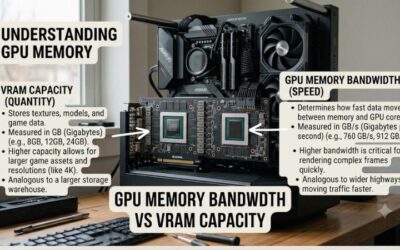
Memory size alone does not tell the story. A 128-bit bus with 8GB is fine for 1080p, but 192-bit and 256-bit designs move more data per second and hold up better as resolution climbs. If a listing does not state the bus width, look it up on the maker page before comparing cards. Also check the memory type, because GDDR7 offers more bandwidth than older GDDR6 at the same bus width, which is why newer 128-bit cards can still hold their own at 1080p. Do not assume that more VRAM always means a faster card; a 16GB card on a narrow bus can still trail a 12GB card on a wider one in some games.
Confirm case clearance and power
Triple-fan cards can be long and 3-slot thick. Measure the free length and the slot space in your case, and leave a few millimetres spare for cables. Then confirm the maker recommended power supply wattage and the power connector type, since higher tiers need more capable supplies. Check that your supply has the right number of GPU cables, and avoid daisy-chained adapters where the maker allows it. Airflow matters too: a card that exhausts heat into a closed case will raise every temperature, so two intake fans and one exhaust fan make a sound minimum for the larger models here.
Skip what you do not need
Ignore factory overclock labels as a deciding factor; the clock gaps between models of one GPU are small. Skip white or liquid-cooled variants unless they match your build. Spend the savings on a better monitor or more RAM instead. Be wary of listings that omit the memory size or bus width in the title, and of unknown brands with unusually long names. Stick to known board partners, and read the return policy before you open the box. For a first build, a mid-tier card plus a good power supply beats a flagship paired with a weak one.
Frequently Asked Questions
How much VRAM do I need for gaming?
8GB covers 1080p well. For 1440p, 12GB gives comfortable room, and 16GB is safer for new releases and texture packs. At 4K, 16GB is the practical starting point.
Is the RTX 5080 worth it over the 5070 Ti?
Only if you play at 4K or on a high-refresh ultrawide and want the extra headroom. At 1440p, the 5070 Ti already handles most games, so the step up adds little you will notice.
Do I need PCIe 5.0 on my motherboard?
No. These cards work in PCIe 4.0 slots, and for gaming the difference is small. Confirm the physical x16 slot and your power supply instead.
Can I use these cards in a small case?
Some can. The SFF-labelled RTX 5080 and the two-fan models are the shortest here, but the listings do not state dimensions. Check the maker page for length and slot width.
What power supply should I buy?
Check each maker page for the recommended wattage. As a rule, higher tiers need more capable units, and connector type matters as much as wattage for the newest cards.