
🛒 Best Price Today on Amazon
Prime members get fast, free shipping on everything above, plus member-only deals. New members get a 30-day free trial — cancel anytime.
For a first build, best budget motherboard for a first gaming pc means matching the CPU socket, DDR5 memory, case size, storage and power connectors before paying for extras. Current AMD B850 and Intel B860 boards cover mainstream gaming CPUs, while independent gaming benchmarks show the motherboard itself usually has little effect on frame rates when the rest of the system is unchanged.
How to Choose a Budget Gaming Motherboard
For a first gaming PC, four checks matter more than decorative features: CPU platform, memory, expansion, and physical compatibility. Current B850 boards use AM5 with DDR5, while B860 boards use LGA1851 with DDR5. Both provide PCIe 5.0 graphics support on the relevant current platforms, but the exact CPU can change available lanes and storage behavior.
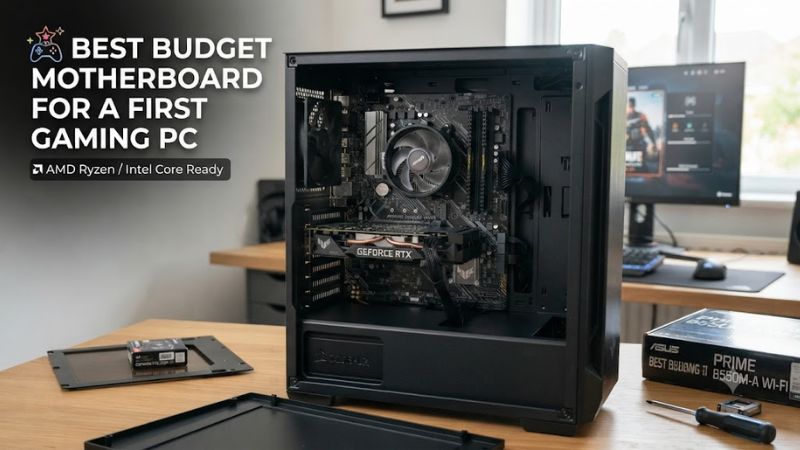
Start with the CPU socket
The CPU should determine the motherboard rather than the other way around. For an AMD build, the current B850 platform supports Ryzen 7000, 8000 and 9000 desktop processors; for Intel, B860 boards support Core Ultra Series 2 processors on LGA1851. This makes socket selection the first filter for a first gaming PC.
A buyer choosing the best budget motherboard for a first gaming pc should therefore select the processor first, then check its official CPU support list. The ASRock B850M Pro RS WiFi is an AM5 option, while the ASRock B860M Pro RS WiFi targets LGA1851. Mixing either board with the wrong CPU family is not a compatibility issue that a BIOS update can solve.
Match the memory type
Current budget choices in this guide use DDR5 rather than DDR4. The ASRock B850M Pro RS WiFi has four DDR5 DIMM slots and supports both AMD EXPO and Intel XMP memory profiles, while the B860M Pro RS WiFi has four DDR5 slots with XMP support. Actual memory speed depends on the CPU, DIMM layout and memory kit.
For a first build, two matched memory modules are generally easier to configure than filling every slot immediately. The best budget motherboard for a first gaming pc should leave room for expansion, but advertised overclocked memory speeds should not be treated as guaranteed operating speeds. Always check the motherboard’s memory support list when buying an unusual or high-speed DDR5 kit.
Check expansion and storage
PCIe 5.0 support is now common on current B850 and B860 boards, but the number of usable M.2 slots and their lane sources differs considerably. The B850M Pro RS WiFi provides one Gen5 M.2 slot and two Gen4 M.2 slots, while the B850M DS3H provides two M.2 connectors. That distinction matters if the first PC may gain another SSD later.
A budget board also needs enough USB connections for the keyboard, mouse, headset, controller and other devices. MSI’s B850M Gaming Plus WiFi has two M.2 slots and several 10Gbps USB connections, whereas the Gigabyte B850M DS3H uses a simpler I/O arrangement. The cheaper design can work well when the first build needs only one GPU and one or two drives.
Verify case and power compatibility
All four picks here use Micro-ATX dimensions, so the case must explicitly support Micro-ATX. The ASRock B850M Pro RS WiFi measures 24.4 × 24.4 cm, while MSI lists the B850M Gaming Plus WiFi at the same Micro-ATX class. The motherboard uses a 24-pin ATX main connector plus CPU power connections, so the PSU must provide compatible CPU power leads.
The best budget motherboard for a first gaming pc is still a poor match if the case has insufficient clearance around the CPU cooler or graphics card. Check the case’s Micro-ATX support and GPU length before ordering. Also confirm the PSU has the motherboard’s required CPU power cable; the ASRock B860M Pro RS WiFi uses an 8-pin CPU connector with an optional 4-pin connector.
Top Picks for a First Gaming PC
These four boards cover two current platforms rather than mixing older AM4 or LGA1700 products into a new-build list. Gaming benchmarks from Tom’s Hardware show that motherboard-to-motherboard FPS differences are generally small at 1920×1080 Ultra, so the practical differences here are compatibility, expansion, networking and board design rather than a large frame-rate advantage.
| Product | Best For | Key Spec | Compatibility | Watch Out For |
| ASRock B850M Pro RS WiFi | Best Overall | 3 M.2, 2.5GbE | AM5, DDR5, Micro-ATX | VRM is modest for heavy CPU loads |
| Gigabyte B850M DS3H | Best Value | 2 M.2, 2.5GbE | AM5, DDR5, Micro-ATX | No integrated Wi-Fi |
| MSI B850M Gaming Plus WiFi | Best For Networking | 5GbE, Wi-Fi 7 | AM5, DDR5, Micro-ATX | Only 2 M.2 slots |
| ASRock B860M Pro RS WiFi | Best For Intel Core Ultra | 3 M.2, 2.5GbE | LGA1851, DDR5, Micro-ATX | Fewer rear USB ports |
ASRock B850M Pro RS WiFi
The ASRock B850M Pro RS WiFi suits a first AMD gaming PC that needs integrated wireless networking without moving into a larger ATX board. It supports Ryzen 7000, 8000 and 9000 processors, four DDR5 DIMMs, one PCIe 5.0 x16 slot and three M.2 sockets. It also includes 2.5Gb Ethernet and Wi-Fi 6E.
Its main limitation is that the 8+2+1-phase power design is more modest than higher-tier B850 boards. Tech4Gamers recorded 67°C VRM temperature under its Cinebench 2024 load and described the board as appropriate for mid-range systems rather than aggressive overclocking. That makes it less suitable for buyers planning sustained heavy CPU workloads.
Gigabyte B850M DS3H
The Gigabyte B850M DS3H is a simpler choice when the best budget motherboard for a first gaming pc needs to keep the board feature set focused on core components. It supports Ryzen 7000, 8000 and 9000 processors, four DDR5 DIMMs up to 256GB, PCIe 5.0 x16 graphics and two M.2 connectors.
Its weakness is the reduced connectivity compared with more expensive boards. There is no integrated Wi-Fi listed in Gigabyte’s specification, so a wireless-first setup requires another solution. The board also has only two M.2 sockets, which is enough for a straightforward gaming PC but gives less storage flexibility than the ASRock B850M Pro RS WiFi.
MSI B850M Gaming Plus WiFi
The MSI B850M Gaming Plus WiFi is aimed at builders who want stronger networking and current wireless connectivity in a Micro-ATX AMD system. It supports Ryzen 7000, 8000 and 9000 processors, four DDR5 DIMMs, PCIe 5.0 graphics and a Gen5 M.2 slot. Its network hardware includes 5Gb Ethernet and Wi-Fi 7.
The trade-off is storage capacity: MSI specifies two M.2 sockets rather than the three provided by the ASRock B850M Pro RS WiFi. The board also uses an 8+2+1 power design with 60A Vcore stages and 8+4-pin CPU power. It is a better fit for a network-focused first build than for someone prioritizing several internal NVMe drives.
ASRock B860M Pro RS WiFi
The ASRock B860M Pro RS WiFi is the Intel choice for a first gaming PC built around Core Ultra Series 2 processors. It uses LGA1851 and B860, four DDR5 DIMMs, PCIe 5.0 graphics, three M.2 slots, 2.5Gb Ethernet and Wi-Fi 6E. The Micro-ATX layout also fits compact cases that support the form factor.
Its real weakness is I/O rather than basic platform support. An independent summary of PC Games Hardware’s review notes fewer rear USB ports and weaker sustained CPU performance as limitations. For a first gaming system using a mainstream Core Ultra processor, those constraints may be manageable, but buyers with many USB devices or heavier sustained CPU workloads should consider a board with more connectivity.
FAQ
The main questions for a first-time buyer are usually platform choice, gaming performance, Wi-Fi requirements and upgrade planning. Current B850 and B860 boards already provide the basic PCIe 5.0 and DDR5 features expected from new mainstream platforms, but individual boards differ substantially in networking, M.2 capacity, USB connectivity and CPU power delivery.
Does a budget motherboard reduce gaming FPS?
A budget motherboard normally does not cause a meaningful gaming FPS reduction when the CPU, GPU, memory and settings remain the same. Tom’s Hardware explicitly expects differences between boards to be minor and generally within the margin of error in its 1920×1080 Ultra motherboard gaming suite.
That means the best budget motherboard for a first gaming pc should be judged mainly by compatibility and features rather than a claimed FPS advantage. In Tech4Gamers’ B850 testing, the B850M Pro RS WiFi reached 143 FPS in Cyberpunk 2077, 184 FPS in Far Cry 6 and 110 FPS in Starfield under that review’s specific test configuration. Those figures are not universal FPS expectations for other PCs.
Is B850 better for a first AMD gaming PC than older B650?
B850 is the current AMD mainstream chipset generation represented by these new-build picks, while B650 remains an older AM5 option that can still be relevant when discounted. B850 boards support Ryzen 7000, 8000 and 9000 processors and DDR5, with current models adding features such as PCIe 5.0 and newer networking.
A first-time buyer does not need B850 solely because it has a newer chipset name. The best budget motherboard for a first gaming pc can be a B650 board when its lower price materially improves the total build, provided CPU support, BIOS status, memory, storage and case compatibility are confirmed. For a fresh build, however, compare B850 pricing before choosing an older platform generation.
Do I need Wi-Fi on my first gaming motherboard?
You only need built-in Wi-Fi if the PC will connect wirelessly, because Ethernet can provide the network connection without a Wi-Fi module. The ASRock B850M Pro RS WiFi and B860M Pro RS WiFi provide Wi-Fi 6E, while MSI’s B850M Gaming Plus WiFi uses Wi-Fi 7.
For a first PC, built-in wireless can also simplify the initial setup by avoiding a separate adapter, but it should not replace checking router compatibility. Wi-Fi 6E requires a compatible 6GHz environment for its 6GHz capability, while Wi-Fi 7 features also depend on supported hardware, software and regional availability.
What should I check before ordering a motherboard?
Before ordering, verify the CPU socket, DDR5 requirement, Micro-ATX case support, PSU CPU power connectors, GPU slot, M.2 count and network option. The best budget motherboard for a first gaming pc should match every major component on the parts list rather than simply having the lowest purchase price.
Also check the exact motherboard revision and current manufacturer support page before purchase. Memory speeds can depend on CPU and DIMM configuration, while some M.2 and PCIe slots change behavior according to the installed processor or occupied storage slot. Those details are more useful to a first-time builder than paying extra for cosmetic features.
Final Thoughts
The best budget motherboard for a first gaming pc should leave enough money for the CPU and GPU while meeting the build’s socket, DDR5, case, storage and networking needs. B850 gives AMD builders a current AM5 path, while B860 covers Core Ultra systems; the right pick depends on the complete parts list rather than the chipset name alone.









