Choosing a ROCCAT mouse is less about the sensor and more about the shape in your hand. The Kone line is a tall, right-handed ergonomic shell, while the Burst line is a lower symmetrical shell, and both lines come in wired and wireless versions that share the same switches and sensors. That means the real decision is which shape fits your grip, whether you want a cable or a battery, and how many buttons your games actually need.
This guide is for FPS players chasing a light flick, MMO and MOBA players who want extra binds, and hybrid players who game and work at the same desk. Every pick below is a ROCCAT mouse with a live Amazon listing, and each one is judged on its listing name and specifications, so you can see exactly what you are getting before you buy.
Quick Picks
As an Amazon Associate we earn from qualifying purchases.
| Product | Best for | Key spec from title |
|---|---|---|
| ROCCAT Kone Pro | Ultralight wired FPS play | 66g ergonomic shell, 19K DPI Owl-Eye sensor |
| ROCCAT Kone Pro Air | Wireless ergonomic comfort | 75g wireless shell, 19K DPI Owl-Eye sensor |
| ROCCAT Burst Pro | Lightweight symmetrical claw grip | 68g shell, 16K DPI Owl-Eye sensor |
| ROCCAT Burst Pro Air | Long wireless sessions | 81g, 19K DPI, up to 100-hour battery |
| ROCCAT Kone Air | Multi-device play without charging | 19K DPI, up to 800-hour AA battery life |
How to Choose
Match the shape to your grip
The Kone shell is tall and right-handed, with a thumb rest that fills the palm, so it suits palm-grip players and larger hands that want the mouse to do the supporting. The Burst shell is lower and symmetrical, which suits claw and fingertip grips and smaller hands that steer the mouse with their fingers rather than their palm. If you have used a tall ergonomic mouse before and liked it, start with a Kone. If you flick with your wrist and lift the mouse often, start with a Burst. Grip style matters more than any specification number, because a shape that fights your hand will slow you down in every game you play.
Decide between wired and wireless
A wired mouse never needs charging and never runs out of power in the middle of a match, and the PhantomFlex cables on the wired ROCCAT models are light and flexible enough to stay out of the way. A wireless mouse removes the cable entirely, which helps if your desk is crowded or you play on a laptop away from your desk. The wireless models here use a gaming-grade 2.4GHz connection alongside Bluetooth, so the link itself is not the weak point. Choose wired if you hate charging and want the lightest possible mouse. Choose wireless if you value a clean desk and move your mouse between machines.
Read the sensor and switches honestly
Four of the five mice here use the Owl-Eye 19K DPI optical sensor, while the wired Burst Pro uses the older 16K version, and in practice both track cleanly at the sensitivity most players actually use. The Titan Switch Optical design replaces a mechanical contact with a light beam, which gives a fast, crisp click and a long life of 100 million clicks. Do not pick a mouse on DPI alone, because the difference between 16,000 and 19,000 DPI sits far above the range anyone plays at. Pay attention instead to the click feel, the scroll wheel, and whether the sensor holds steady during fast flicks.
Weigh battery style against weight
Wireless mice ask you to choose how they stay powered, and that choice changes the weight in your hand. Rechargeable models such as the Kone Pro Air and Burst Pro Air run on built-in batteries that you top up over USB-C, so they stay light but need a charging habit. The Kone Air runs on one or two AA batteries instead, which means it can keep going for hundreds of hours and never needs a cable, but it gets heavier with each battery you load. If you want the lightest wireless mouse, pick a rechargeable model. If you hate charging, pick the AA model and accept the extra grams.
The 5 Best Options
1. ROCCAT Kone Pro

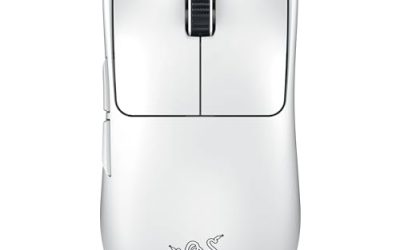
The Kone Pro is the lightest wired mouse in this lineup and the clearest pick for players who want speed without giving up comfort. Its 66g ergonomic shell fills a palm grip, the honeycomb design keeps the weight down, and the Owl-Eye 19K DPI sensor tracks cleanly through fast flicks. Titan Switch Optical clicks feel fast and consistent, AIMO RGB lighting runs through the shell, and the flexible PhantomFlex cable stays out of the way during play. It is a straightforward, no-fuss wired mouse that does the basics at a very high level.
Specs
- Owl-Eye 19K DPI optical sensor
- 66g lightweight ergonomic shell with honeycomb design
- Titan Switch Optical with 100 million click life cycle
- AIMO RGB lighting
- PhantomFlex cable
- Titan Scroll Wheel
Best for: Palm-grip FPS players who want the lightest wired ROCCAT mouse.
Watch out for: There is no dedicated DPI switch on the shell, so DPI changes go through the Swarm software or a remapped button.
2. ROCCAT Kone Pro Air

The Kone Pro Air takes the same ergonomic Kone shape and cuts the cable, which makes it the natural pick for players who liked the wired Kone Pro but want a cleaner desk. It keeps the Owl-Eye 19K DPI sensor and Titan Switch Optical clicks, adds gaming-grade 2.4GHz wireless alongside Bluetooth, and runs on a rechargeable battery with a listed life of up to 100 hours. The PhantomFlex charging cable lets you keep playing while it tops up. At 75g it is heavier than the wired version, but the shape and the sensor feel identical in the hand.
Specs
- Owl-Eye 19K DPI optical sensor
- 75g ergonomic wireless shell
- Titan Switch Optical with 100 million click life cycle
- Stellar Wireless 2.4GHz and Bluetooth connectivity
- Battery life listed at up to 100 hours
- AIMO RGB lighting
- PhantomFlex charging cable
Best for: Players who want the Kone shape without a cable.
Watch out for: No charging dock is included, so plan on charging over the cable between sessions.
3. ROCCAT Burst Pro

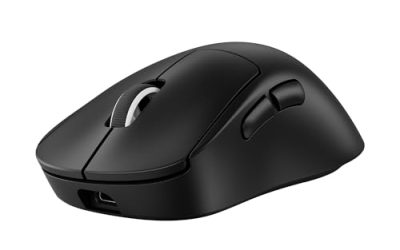
The Burst Pro is the lightest symmetrical mouse here and the best wired option for claw and fingertip players. Its 68g Bionic Shell keeps the weight low while staying water- and dust-resistant, and the Owl-Eye 16K DPI sensor is more than enough for the sensitivity most players use. Titan Switch Optical clicks, heat-treated PTFE glides, and a 1.8m PhantomFlex cable round out a mouse built for fast, low-drag movement. Six programmable buttons keep the layout simple, and the symmetrical shape suits players who steer with their fingers.
Specs
- Owl-Eye 16K DPI optical sensor
- 68g Bionic Shell, water- and dust-resistant
- Titan Switch Optical with 100 million click life cycle
- 1.8m PhantomFlex cable
- Heat-treated pure PTFE glides
- 6 programmable buttons
- AIMO RGB lighting
Best for: Claw and fingertip players who want a light wired mouse.
Watch out for: The shape is symmetrical but the side buttons sit on the left only, so it is built for right-handed use, and the 16K sensor tops out below the 19K models here.
4. ROCCAT Burst Pro Air

The Burst Pro Air is the wireless version of the Burst Pro, and it keeps the same symmetrical shape while adding dual wireless and a long battery life. The Owl-Eye 19K DPI sensor, Titan Switch Optical clicks, and Titan Wheel carry over, and the Bionic Shell stays water- and dust-resistant at 81g. You can switch between gaming-grade 2.4GHz and Bluetooth 5.2, and USB-C rapid charging gives 5 hours of play from a 10-minute charge. Four AIMO RGB zones light up the translucent shell, which makes it the flashiest mouse in this lineup.
Specs
- Owl-Eye 19K DPI optical sensor, 400 IPS tracking speed
- 81g Bionic Shell, water- and dust-resistant
- Titan Switch Optical with 100 million click life cycle
- Stellar Wireless 2.4GHz and Bluetooth 5.2
- Battery life listed at up to 100 hours
- USB-C rapid charging, 5 hours of play from a 10-minute charge
- 4 AIMO RGB zones
- NVIDIA Reflex compatible
- 2-year limited manufacturer warranty
Best for: Wireless players who want a light symmetrical mouse with long battery life.
Watch out for: The listed 100-hour battery life assumes RGB off and Bluetooth use, and at 81g it is heavier than the wired Burst Pro.
5. ROCCAT Kone Air

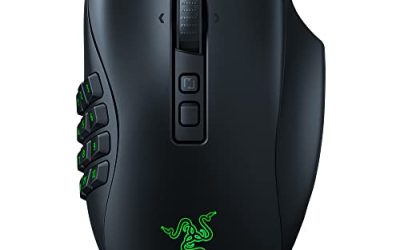
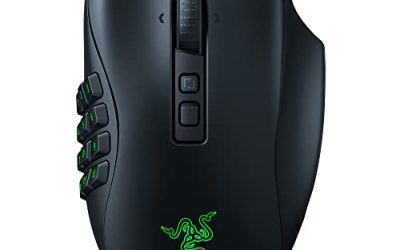
The Kone Air is the odd one out in this lineup, and that is exactly its appeal. Instead of a rechargeable battery, it runs on one or two AA batteries, which gives it a listed battery life of up to 800 hours and means it never needs a cable or a charging dock. It keeps the familiar ergonomic Kone shape, the Owl-Eye 19K DPI sensor, and Titan Switch Optical clicks, with 9 buttons that expand to 17 functions through Easy-Shift+. Double-injected rubber side grips keep the tall shell steady in the hand during long sessions.
Specs
- Owl-Eye 19K DPI optical sensor
- Battery life listed at up to 800 hours with 2 AA batteries
- Runs on 1 or 2 AA batteries
- Stellar Wireless 2.4GHz and Bluetooth 5.1
- Titan Switch Optical with 100 million click life cycle
- 9 buttons, 17 functions with Easy-Shift+
- Double-injected rubber side grips
Best for: Players who want a wireless mouse they never have to charge.
Watch out for: There is no wired mode, so a dead battery ends the session, and full Swarm configuration works over 2.4GHz only, not Bluetooth.
Which One Fits Your Situation
Competitive FPS on a wired setup
Pick the Kone Pro if you palm-grip and want the lightest mouse here, or the Burst Pro if you claw-grip and want a symmetrical shell. Both are wired, both use Titan Switch Optical clicks, and neither will run out of power mid-match. The Kone Pro has the stronger sensor on paper, but the Burst Pro is lighter in the hand for fingertip players, so let your grip decide.
MMO or MOBA play with many binds
Pick the Kone Air for its 9 buttons and 17 Easy-Shift+ functions, which give you room for abilities, items, and macros without reaching for the keyboard. Its tall ergonomic shell also suits long sessions, and the AA batteries mean it will not die on you during a raid night. No other mouse in this lineup packs that many binds into one shell.
A wireless desk with no charging habit
Pick the Kone Air if you never want to think about charging, since its AA batteries last for hundreds of hours and you can swap in fresh ones in seconds. Pick the Burst Pro Air if you prefer a rechargeable mouse and a lighter shell, and you are happy to top it up over USB-C between sessions. Either way you get dual wireless, so the mouse works with a desktop and a laptop.
Small hands or a claw grip
Pick the Burst Pro or the Burst Pro Air. Both use the same low symmetrical shell, which lets smaller hands steer with their fingers instead of stretching across a tall ergonomic body. The wired Burst Pro is the lighter of the two at 68g, while the Burst Pro Air adds wireless freedom at 81g. Try the wired version first if weight matters most to you.
Common Mistakes
- Buying on DPI alone: the gap between 16K and 19K sits far above the sensitivity anyone plays at, so shape and grip matter more.
- Picking a tall Kone shell for a fingertip grip: the ergonomic shape rewards palm grips, while claw and fingertip players do better with the lower Burst shell.
- Ignoring how a wireless mouse charges: the Kone Air needs AA batteries, the other wireless models need a USB-C cable, and only the Burst Pro Air supports a 10-minute rapid top-up.
- Assuming every wireless ROCCAT mouse includes a charging dock: none of the five mice here ships with one, so check what is in the box before you buy.
- Forgetting the software is Windows-only: Swarm handles remapping and lighting, so Mac users get a basic pointer with no configuration.
Frequently Asked Questions
Are ROCCAT mice still sold?
Yes. ROCCAT as a brand was retired in 2024 and its products moved under Turtle Beach, but the mice are still sold under their ROCCAT names on Amazon. Some newer stock may arrive in Turtle Beach packaging, so check the model number on the box, such as ROC-11-747 for the Burst Pro, to confirm you received the mouse you ordered.
What is the difference between the Kone and Burst lines?
The Kone line uses a tall, right-handed ergonomic shell with a thumb rest, built for palm grips and larger hands. The Burst line uses a lower symmetrical shell built for claw and fingertip grips and smaller hands. Both lines share the same Owl-Eye sensors and Titan Switch Optical clicks, so the choice comes down to shape, not performance.
Do ROCCAT mice work on a Mac?
The mouse itself works as a standard pointer on a Mac, so you can move, click, and scroll without installing anything. The Swarm software that handles button remapping, DPI profiles, and lighting control is Windows-only, so Mac users cannot change those settings. If you need full configuration, set the mouse up on a Windows machine first, since some settings save to the onboard memory.
Is wireless fast enough for competitive play?
Yes. The wireless models here use a gaming-grade 2.4GHz connection with a 1,000 Hz polling rate, which keeps input delay at the same level as a wired mouse in normal play. Use the 2.4GHz dongle rather than Bluetooth for gaming, since Bluetooth adds latency and disables Swarm configuration on the Kone Air. If you never want to think about batteries or charging, a wired model removes the question entirely.