Metroidvanias live in the dark. Hollow Knight’s Deepnest, Blasphemous’s candlelit cathedrals and Axiom Verge’s alien tunnels all sit near black, so contrast and shadow detail matter more here than raw speed. At the same time, the genre’s hand-drawn and pixel art — Ori’s painterly forests, Silksong’s fine line work — rewards wide color coverage and enough resolution to keep sprites crisp.
Most metroidvanias are 2D titles capped at 60 frames per second, and even the ones with unlocked PC frame rates are light to render. That flips the usual priorities: contrast for caverns, accurate color for hand-painted art, clean pixel scaling at 1440p or 4K, low input lag for precision platforming, and flicker-free comfort for long backtracking sessions. The five monitors below are ranked on exactly those points.
As an Amazon Associate, we earn from qualifying purchases.
Quick Answer
For most metroidvania players, a 27-inch 1440p OLED is the sweet spot: the ASUS ROG Swift PG27AQDM pairs true blacks for dark caverns with 240Hz motion clarity. The MSI MPG 271QRX QD-OLED adds richer color and console-friendly HDMI 2.1, the LG UltraGear 27GP950-B serves hand-drawn art at 4K, and the INNOCN 27M2V delivers Mini LED contrast without OLED burn-in worries.
Table of Contents
- ASUS ROG Swift OLED PG27AQDM
- MSI MPG 271QRX QD-OLED
- LG UltraGear 27GP950-B
- BenQ MOBIUZ EX2710Q
- INNOCN 27M2V
- How to Choose
- Who Should Skip
- FAQ
- Final Verdict
ASUS ROG Swift OLED PG27AQDM

The PG27AQDM is the contrast flagship of this list, and contrast is the most valuable trait in a genre built on dark places. Its WOLED panel turns pixels fully off, so Deepnest’s pitch-black tunnels stay truly black instead of washing out to gray, while a lantern glow keeps its punch. Published color coverage is 99 percent DCI-P3 with true 10-bit color, which keeps Hollow Knight’s muted palettes and Ori’s saturated spirit light distinct rather than banded.
Speed is well beyond what the genre demands: 240Hz with a published 0.03ms GtG response time means pogo jumps, shade dashes and frame-tight boss dodges render without ghosting. The anti-glare micro-texture coating keeps reflections down in a dim room. One honest note: full 240Hz needs DisplayPort, as the HDMI inputs top out lower, and the genre’s static health masks and map icons make the burn-in guidance in How to Choose worth reading. This is the premium-tier pick for the definitive dark-scene picture.
Specs
- Panel: 26.5-inch WOLED, anti-glare micro-texture coating
- Resolution: 2560 x 1440 (QHD)
- Refresh rate: 240Hz
- Response time: 0.03ms GtG
- Color: 99 percent DCI-P3, true 10-bit, DisplayHDR 400 True Black
- Sync: NVIDIA G-SYNC Compatible
- Connectivity: DisplayPort 1.4, HDMI 2.0, USB hub
MSI MPG 271QRX QD-OLED

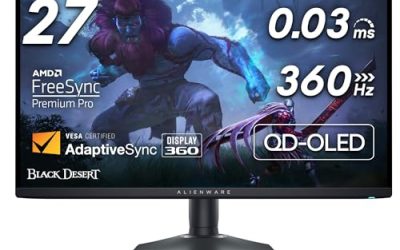
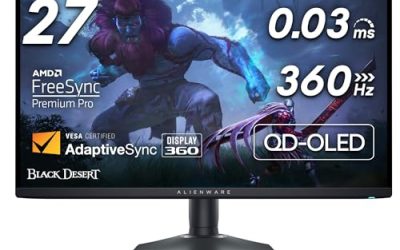
The MPG 271QRX QD-OLED matches the ASUS on blacks and beats it on color volume and console manners. QD-OLED’s quantum dot layer pushes published coverage to 99 percent DCI-P3 with factory calibration rated at Delta E of 2 or better, so the hand-painted gradients in Ori and the Will of the Wisps and the stained-glass tones of Blasphemous II hold together without the clipping cheaper panels show. Per-pixel dimming keeps dark scenes clean, and DisplayHDR True Black 400 certification backs the contrast story.
At 360Hz with a 0.03ms response time it is far faster than any metroidvania needs, but the headroom future-proofs the desk for other genres. Console players get the better deal here: two HDMI 2.1 ports support 120Hz with VRR and ALLM. USB-C with 90W power delivery and a KVM switch suit a shared PC and laptop desk, and MSI’s OLED Care features address the static-HUD risk. This is the premium-tier pick for color-first players who also game on console.
Specs
- Panel: 26.5-inch QD-OLED
- Resolution: 2560 x 1440 (QHD)
- Refresh rate: 360Hz
- Response time: 0.03ms GtG
- Color: 99 percent DCI-P3, Delta E ≤ 2, DisplayHDR True Black 400
- Sync: Adaptive Sync, G-SYNC Compatible class VRR over HDMI 2.1
- Connectivity: 2 x HDMI 2.1, DisplayPort 1.4a, USB-C with 90W power delivery, KVM
LG UltraGear 27GP950-B

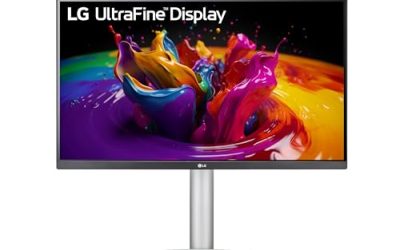
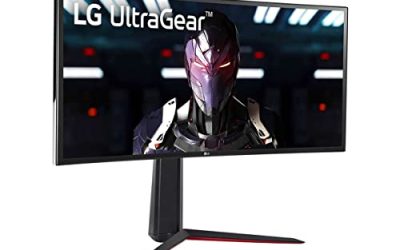
The 27GP950-B is the resolution pick, built for players who sit close to hand-drawn art. Its 27-inch Nano IPS panel runs 3840 x 2160, and at that density Ori’s watercolor backgrounds, Ender Lilies’ fine detail and integer-scaled pixel art all stay razor sharp. Published coverage is 98 percent DCI-P3 with VESA DisplayHDR 600, so colors are wide and highlights separate well — though as an edge-lit IPS, its blacks cannot match the OLED and Mini LED models here, and dark caverns will show some glow.
Refresh runs 144Hz natively and overclocks to 160Hz over DisplayPort with DSC, with a published 1ms GtG response, G-SYNC Compatible and FreeSync Premium Pro support. HDMI 2.1 inputs handle 4K at 120Hz from a PS5 or Xbox Series X. For metroidvanias, 4K is about art clarity rather than speed: most of the genre renders internally at modest resolutions and upscales beautifully. This is the premium-tier pick for art-first players who also want one screen for modern 4K gaming.
Specs
- Panel: 27-inch Nano IPS
- Resolution: 3840 x 2160 (4K UHD)
- Refresh rate: 144Hz, 160Hz overclocked via DisplayPort
- Response time: 1ms GtG
- Color: 98 percent DCI-P3, VESA DisplayHDR 600
- Sync: NVIDIA G-SYNC Compatible, AMD FreeSync Premium Pro
- Connectivity: HDMI 2.1, DisplayPort 1.4 with DSC, USB hub
BenQ MOBIUZ EX2710Q

The EX2710Q is the mid-range all-rounder, and its party trick is sound. Metroidvanias lean hard on music — Hollow Knight’s Christopher Larkin score, Ori’s orchestral swells — and this monitor’s built-in 2.1-channel treVolo speakers are a genuine step above typical monitor audio. The 27-inch IPS panel runs 2560 x 1440 at 165Hz with a published 1ms MPRT response and FreeSync Premium, comfortably past the genre’s needs for smooth, tear-free platforming.
Color coverage is a published 95 percent DCI-P3, and BenQ’s HDRi mode adjusts tone mapping scene by scene, which helps mixed scenes like a dark tunnel opening into a bright vista. As an IPS without local dimming, its contrast is the weakest here, so near-black scenes look gray-black rather than true black — the honest trade for the tier. Eye-Care flicker-free backlighting suits long exploration sessions, and the stand adjusts for height, swivel and tilt. This is the mid-range pick for players who value audio and comfort over perfect blacks.
Specs
- Panel: 27-inch IPS
- Resolution: 2560 x 1440 (QHD)
- Refresh rate: 165Hz
- Response time: 1ms MPRT
- Color: 95 percent DCI-P3, HDRi
- Sync: AMD FreeSync Premium
- Audio: Built-in 2.1-channel treVolo speakers
- Connectivity: 2 x HDMI 2.0, DisplayPort 1.4, USB hub
INNOCN 27M2V

The 27M2V answers the one fair objection to OLED in this genre: static interface elements. Health masks, soul gauges and minimaps sit in the same screen position for hundreds of hours, which is exactly the pattern that risks OLED burn-in. This 27-inch IPS panel uses a Mini LED backlight with a published 1,152 local dimming zones, so dark caverns still get deep, controlled blacks and HDR highlights rated to HDR1000, with zero burn-in risk from persistent HUD art.
Resolution is 3840 x 2160 at up to 160Hz with a published 1ms response time, so hand-drawn and pixel art stay sharp and platforming stays responsive. USB-C with 90W power delivery, HDMI 2.1 and DisplayPort 1.4 cover PC, console and laptop duty. Two honest caveats: local dimming can halo slightly around a bright sprite on a black background, and the on-screen menus are less polished than the big names’. Neither affects the picture in normal play. This is the mid-range pick for OLED-level contrast with LCD peace of mind.
Specs
- Panel: 27-inch IPS with Mini LED backlight
- Resolution: 3840 x 2160 (4K UHD)
- Refresh rate: 160Hz
- Response time: 1ms GtG
- Backlight: 1,152 local dimming zones, HDR1000
- Sync: Adaptive Sync (FreeSync / G-SYNC Compatible class)
- Connectivity: HDMI 2.1, DisplayPort 1.4, USB-C with 90W power delivery
How to Choose
Prioritize contrast over refresh rate. Most metroidvanias run at 60 frames per second, and few exceed 120 on PC. Anything at 144Hz or above fully covers the genre; spend the rest of the budget on black levels. OLED gives per-pixel blacks, Mini LED gets close with local dimming, and plain IPS trails both in dark scenes.
Match resolution to your art style. Pixel-art titles scale cleanly at 1440p and 4K with integer scaling, while hand-drawn games like Ori reward 4K outright. At 27 inches, 1440p is the balanced choice; go 4K if you sit close or also play modern 3D games.
Plan around static HUDs on OLED. Health masks, maps and currency counters are persistent in this genre. If you choose OLED, enable pixel shift and let the panel care routines run. If one game will dominate your screen for hundreds of hours, the Mini LED pick removes the worry entirely.
Check the ports against your platforms. PC players should use DisplayPort for full refresh rates. Console players should look for HDMI 2.1 with VRR, which the MSI, LG and INNOCN provide.
Mind eye comfort. Backtracking means long sessions. Flicker-free backlights and a height-adjustable stand matter more than another 60Hz you will never use.
Who Should Skip
Skip the OLED picks if a single metroidvania will sit on your screen for hundreds of hours with a fixed HUD and you do not want to manage panel care — the INNOCN 27M2V exists for you. Skip the 4K models if your graphics card is entry-level and you also play demanding 3D games. Skip the BenQ if you play in a dark room and near-black scenes are your priority; its IPS contrast is the weakest here. And skip every 240Hz-plus premium model if you play only on console at 60 frames per second — a mid-range 144Hz screen serves you identically for this genre.
FAQ
Do metroidvania games need a high refresh rate monitor?
No. Most metroidvanias are capped at 60 frames per second, and the rest are lightweight 2D titles. A 144Hz to 165Hz monitor covers the genre completely, including the smoothest PC releases. Higher rates only help if you also play fast 3D or competitive games on the same screen.
Is OLED burn-in a real risk with metroidvania HUDs?
It is a manageable one. Health masks, soul meters and map icons are static for long stretches, which is the pattern OLED panels dislike. Built-in pixel shift, panel refresh routines and varied content keep the risk low for most players, but anyone running one game for hundreds of hours may prefer the Mini LED option.
Is 1440p or 4K better for pixel art games?
Both work well. Pixel art scales by whole numbers at 1440p and 4K, so sprites stay sharp without shimmering. 4K adds an edge for hand-drawn art and fine detail, while 1440p at 27 inches is the better balance of sharpness, price tier and graphics card load for most desks.
Can I play metroidvanias on these monitors with a console?
Yes. Every pick here has HDMI inputs, and the MSI MPG 271QRX, LG 27GP950-B and INNOCN 27M2V include HDMI 2.1 with variable refresh rate support for PS5 and Xbox Series X. Since the genre runs at 60 frames per second on console, all five deliver the full experience.
Final Verdict
The ASUS ROG Swift OLED PG27AQDM is the best overall gaming monitor for metroidvania games: true per-pixel blacks for the genre’s dark worlds, accurate wide-gamut color and far more speed than 2D platforming can use. The MSI MPG 271QRX QD-OLED is the better buy for mixed PC and console desks, the LG UltraGear 27GP950-B serves players who want hand-drawn art at full 4K, the BenQ MOBIUZ EX2710Q is the comfortable mid-range pick with unusually good built-in sound, and the INNOCN 27M2V delivers near-OLED contrast with no burn-in anxiety. Dark-room immersion points to OLED; marathon single-game runs point to Mini LED.
Product and ASIN Reference
| Product | ASIN |
|---|---|
| ASUS ROG Swift OLED PG27AQDM | B0BZRBYLP1 |
| MSI MPG 271QRX QD-OLED | B0CTS1RQ6Y |
| LG UltraGear 27GP950-B | B094RWMN8K |
| BenQ MOBIUZ EX2710Q | B09C2TD9T4 |
| INNOCN 27M2V | B0BCK1Z5FD |