Turn-based RPGs ask almost the opposite of a monitor compared with shooters. Games like Baldur’s Gate 3, Persona 5 Royal, Metaphor: ReFantazio and Octopath Traveler II are built around reading: dialogue boxes, dense menus, item descriptions, status icons and small map labels that you study for minutes at a time. Nothing on screen moves fast, and most of these titles run at 60 frames per second or less, so a 360Hz panel buys you nothing here.
What actually matters is text sharpness, color accuracy, contrast for torch-lit dungeons, and comfort hardware that keeps your eyes fresh through a four-hour dungeon crawl. The five picks below split into two camps: crisp 4K screens, both IPS and QD-OLED, that render small fonts beautifully, and one QHD OLED for players who also mix faster games into the same setup.
As an Amazon Associate, we earn from qualifying purchases.
Quick Answer
For turn-based RPGs, spend on resolution and panel quality instead of refresh rate: sharp text, accurate color and flicker-free comfort matter more than speed in games built around menus and dialogue. The Alienware AW2725Q is the sharpest all-round pick, the Dell UltraSharp U3223QE suits big-screen readers, and the BenQ PD2725U leads on color accuracy.
Table of Contents
- Quick Answer
- Alienware AW2725Q
- MSI MAG 271QPX QD-OLED
- Dell UltraSharp U3223QE
- LG UltraFine Ergo 32UN880-B
- BenQ PD2725U
- How to Choose
- Who Should Skip
- FAQ
- Final Verdict
- Product and ASIN Reference
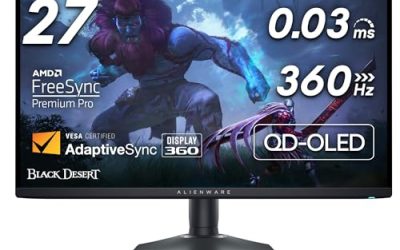
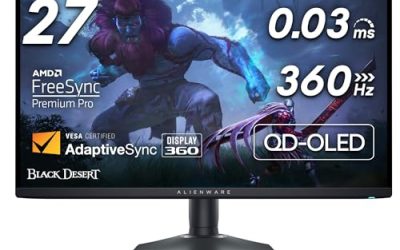
Alienware AW2725Q

The AW2725Q is the sharpest screen in this roundup, and sharpness is the whole game for text-heavy RPGs. It squeezes a full 4K resolution into a 26.7-inch QD-OLED panel, roughly 166 pixels per inch, so dialogue text, inventory grids and tiny status icons render with clean edges instead of the slight fuzz of larger 4K screens. Per-pixel OLED blacks also give torch-lit dungeons and night scenes real depth, with no backlight glow washing out the corners.
The 240Hz refresh rate is far beyond what turn-based titles need, but it makes this the one pick that doubles as a no-compromise screen for faster games on the side. Two cautions apply to any OLED used for menu-heavy gaming: static interface elements shown for hundreds of hours carry a long-term burn-in risk, so use the panel’s pixel-refresh routines, and QD-OLED text can show slight color fringing on high-contrast edges for some viewers, though the high pixel density here keeps it minimal.
Specs
- Screen size: 26.7 inches
- Panel: QD-OLED
- Resolution: 3840 x 2160 (4K UHD)
- Refresh rate: 240Hz
- Response time: 0.03ms GtG
- HDR: DisplayHDR True Black 400, Dolby Vision
- Color gamut: 99 percent DCI-P3
- Sync: NVIDIA G-SYNC Compatible, AMD FreeSync Premium Pro, VESA AdaptiveSync
- Ports: HDMI 2.1, DisplayPort 1.4, USB-C, USB hub
- Stand: height, tilt and swivel adjustment
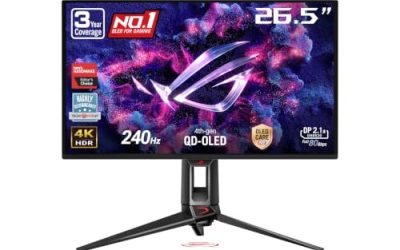
MSI MAG 271QPX QD-OLED

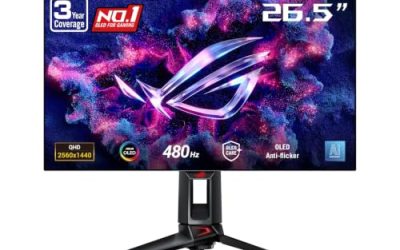
The MAG 271QPX is the pick for players whose library mixes slow RPGs with fast action games and who only want one monitor. Its 26.5-inch QD-OLED panel runs at 2560 x 1440 with a 360Hz refresh rate, so motion in action titles is as fluid as current panels get, while the OLED contrast and wide color gamut keep the hand-painted look of games like Octopath Traveler II and Sea of Stars rich and saturated.
At QHD on a 27-inch screen, text is a step softer than on the 4K picks, which matters in a genre where you read constantly; it is still perfectly legible, just less crisp at small font sizes. MSI includes its OLED Care 2.0 feature set, with panel-protection routines such as pixel shift and panel refresh that are worth leaving enabled when static menus sit on screen for long stretches.
Specs
- Screen size: 26.5 inches
- Panel: QD-OLED
- Resolution: 2560 x 1440 (QHD)
- Refresh rate: 360Hz
- Response time: 0.03ms GtG
- HDR: DisplayHDR True Black 400
- Color gamut: 99 percent DCI-P3
- Sync: Adaptive-Sync, AMD FreeSync Premium Pro
- Panel care: MSI OLED Care 2.0
- Ports: HDMI 2.1, DisplayPort 1.4, USB-C with DisplayPort Alt Mode
- Stand: height and tilt adjustment
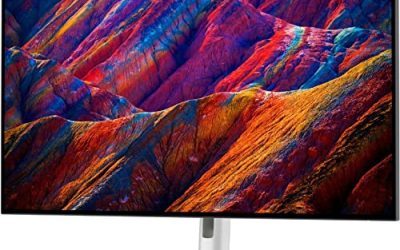
Dell UltraSharp U3223QE

The U3223QE is the reader’s pick: a 31.5-inch 4K IPS Black panel that doubles the contrast of a standard IPS screen to 2000:1, so dark dungeons keep their shadow detail instead of flattening into gray, while the larger size keeps small text comfortably readable from a normal desk distance. It runs at 60Hz, which is all a turn-based game can use, and puts the rest of its engineering into color accuracy and comfort.
ComfortView Plus is an always-on, hardware-level low-blue-light filter that cuts blue light without the yellow cast of software night modes. The built-in hub is the most complete in this roundup: USB-C with 90W power delivery, a KVM switch, Ethernet and a DisplayPort output for daisy-chaining, making it an easy single-cable home for a laptop alongside a gaming PC or console.
Specs
- Screen size: 31.5 inches
- Panel: IPS Black
- Resolution: 3840 x 2160 (4K UHD)
- Refresh rate: 60Hz
- Response time: 5ms GtG in fast mode
- Contrast ratio: 2000:1
- Brightness: 400 nits
- HDR: DisplayHDR 400
- Color gamut: 100 percent sRGB and Rec. 709, 98 percent DCI-P3
- Eye care: ComfortView Plus low blue light
- Ports: HDMI, DisplayPort 1.4 in and out, USB-C with 90W power delivery, USB hub, RJ45 Ethernet
- Stand: height, tilt, swivel and pivot adjustment
LG UltraFine Ergo 32UN880-B

The 32UN880-B takes a different route to comfort: instead of a conventional stand, it mounts its 31.5-inch 4K IPS panel on a full ergonomic arm with a C-clamp desk mount. The arm extends, retracts, swivels, pivots and adjusts height over a wide range, so you can pull the screen close for reading small text or push it back for controller sessions.
The panel itself is a 60Hz IPS screen with HDR10 support and 95 percent DCI-P3 coverage, which handles the vivid art direction of modern JRPGs well, and text at 4K stays sharp across the big panel. USB-C with power delivery keeps a laptop connection to one cable. It will not match the OLED picks for black depth, but as an ergonomic reading screen for long campaigns it is hard to fault.
Specs
- Screen size: 31.5 inches
- Panel: IPS
- Resolution: 3840 x 2160 (4K UHD)
- Refresh rate: 60Hz
- Response time: 5ms GtG
- Brightness: 350 nits typical
- HDR: HDR10
- Color gamut: 95 percent DCI-P3
- Ports: HDMI, DisplayPort, USB-C with power delivery, USB hub
- Stand: Ergo arm with C-clamp, height, tilt, swivel, pivot and extend/retract adjustment
BenQ PD2725U

The PD2725U is a designer monitor that happens to suit turn-based RPGs extremely well, because the genre’s art-driven presentation rewards exactly what it is built for: verified color. Its 27-inch 4K IPS panel is factory calibrated with a Delta E of 3 or less, carries Pantone validation, and covers 100 percent of sRGB and Rec. 709 plus 95 percent of DCI-P3, so the deliberate palettes of games like Persona 5 Royal and Metaphor: ReFantazio appear as their artists intended.
BenQ’s eye-care suite, with flicker-free backlighting and low-blue-light modes, is designed for people who stare at screens all day, and it translates directly to marathon gaming sessions. Thunderbolt 3 with 65W power delivery, daisy chaining and a KVM switch cover desk setups. Like the other 60Hz IPS picks, it is not a screen for competitive play.
Specs
- Screen size: 27 inches
- Panel: IPS
- Resolution: 3840 x 2160 (4K UHD)
- Refresh rate: 60Hz
- HDR: DisplayHDR 400
- Color gamut: 100 percent sRGB and Rec. 709, 95 percent DCI-P3
- Calibration: factory report, Delta E of 3 or less, Pantone Validated
- Eye care: flicker-free, low blue light modes
- Ports: Thunderbolt 3 and USB-C with 65W power delivery, HDMI, DisplayPort, USB hub, KVM
- Stand: height, tilt, swivel and pivot adjustment
How to Choose
Start with resolution and size, because text is your main interface. At 27 inches, 4K gives the crispest small fonts; at 32 inches, 4K keeps text large and relaxed at normal viewing distances. QHD at 27 inches is readable but visibly softer in dense menus, so only choose it if you also play fast games that benefit from higher refresh rates.
Next, pick a panel family. QD-OLED delivers perfect blacks and the most striking HDR for atmospheric dungeons, but static menus and HUD elements shown for hundreds of hours carry a burn-in consideration, so plan on using the built-in panel-care features. IPS Black is the middle path, doubling standard IPS contrast without OLED care routines, while regular IPS trades some shadow depth for the lowest-maintenance long-session comfort.
Then check the comfort hardware: flicker-free backlighting and a hardware low-blue-light mode matter more over a 100-hour campaign than any gaming feature. Finally, match the ports to your setup: HDMI 2.1 matters for consoles, USB-C with power delivery and a KVM simplify mixed PC-and-laptop desks, and an ergonomic stand keeps posture sustainable across long sessions.
Who Should Skip
Competitive and fast-action players should skip the three 60Hz IPS picks entirely; if shooters and fighting games share your desk, the two QD-OLED models here fit better. Players on a tight budget should also look elsewhere: every pick here is a premium panel, and a basic 4K IPS monitor without the calibration or hub extras will still render RPG text well for less.
Anyone who plays in a bright, sunlit room should think twice about the QD-OLED picks, whose modest full-screen brightness suits dimmer rooms better, and ultrawide fans should note that many turn-based RPGs, especially older JRPGs, render only in 16:9, which is why this roundup sticks to standard widescreen panels.
FAQ
Do turn-based RPGs need a high refresh rate monitor?
No. Most turn-based RPGs are capped at 60 frames per second, and their menus and animations place no demand on pixel response. A 60Hz panel with better resolution, color and comfort hardware serves the genre better; high refresh rates only earn their place if you also play action or competitive games on the same screen.
Is OLED burn-in a real concern with RPG menus?
It is a manageable one. Static elements like health bars and dialogue boxes displayed for hundreds of hours can stress an OLED panel over time. Modern QD-OLED monitors include pixel-shift, panel-refresh and screen-saver features that substantially reduce the risk; leaving them enabled and varying content between sessions keeps a menu-heavy library from becoming a problem.
Is 4K worth it for text-heavy games?
Yes, more than for most genres. Dialogue, item descriptions and map labels are small, constant on-screen elements, and 4K at 27 or 32 inches renders them noticeably crisper than QHD. If your graphics card struggles with 4K, interface scaling in most modern RPGs lets you keep text sharp while rendering the scene at a lower internal resolution.
Which of these picks works best with consoles?
The Alienware AW2725Q and MSI MAG 271QPX both include HDMI 2.1 and handle console output at 4K or QHD without compromise. The three 60Hz IPS picks also work well with consoles, since turn-based titles rarely exceed 60 frames per second there either.
Final Verdict
For most turn-based RPG players, the Alienware AW2725Q is the standout: the sharpest text in the group, true OLED blacks for atmospheric scenes, and enough refresh headroom to cover every other genre. If you prefer a bigger, maintenance-free screen, the Dell UltraSharp U3223QE pairs IPS Black contrast with the best hub and comfort hardware here, and the LG UltraFine Ergo 32UN880-B adds the most flexible ergonomics. The BenQ PD2725U is the color purist’s choice, and the MSI MAG 271QPX QD-OLED is the one to buy when fast games share equal time with your campaigns.
Product and ASIN Reference
| Product | ASIN |
|---|---|
| Alienware AW2725Q | B0F148HG5M |
| MSI MAG 271QPX QD-OLED | B0CWPXVQJN |
| Dell UltraSharp U3223QE | B09TVZHV4W |
| LG UltraFine Ergo 32UN880-B | B08BCR862L |
| BenQ PD2725U | B0918QXTGN |