🛒 Best Price Today on Amazon
Prime members get fast, free shipping on everything above, plus member-only deals. New members get a 30-day free trial — cancel anytime.
Buying a 10GbE switch under 300 dollars comes down to a counting exercise: how many devices in your home or small office can actually talk at 10 gigabits? Most can not. A typical setup has one or two fast machines, such as a NAS and a workstation, plus a crowd of laptops, access points and consoles that top out at 2.5 gigabits or less. If you pay for eight full 10G ports and use two, the rest is wasted money; if you buy the opposite, a device or two will be stuck at the wrong speed.
The six switches below fall into two families. TP-Link’s TL-SX line offers 5 or 8 ports that all run at 10G. The NICGIGA and GiGaPlus models mix two 10G RJ45 ports with 2.5G ports, or go to eight 10G ports on one box. All are unmanaged, meaning no VLANs or web interface; they just work. For a 2026 home lab, that simplicity is a feature, provided you pick the port layout that matches your gear. Sketch your wiring on paper first, marking every device and its fastest port, and the right switch usually becomes obvious before you read a single spec line.
Quick Picks

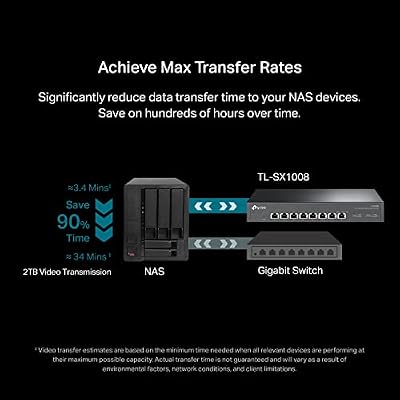
TP-Link TL-SX1008, 8 Port 10G/Multi-Gig Unmanaged Ethernet Switch | Desktop/Rackmount, Plug & Play, Sturdy Metal Casing, Speed Auto Negotiation, Free Expert Help



As an Amazon Associate we earn from qualifying purchases. Product prices and availability are accurate as of the date/time indicated.

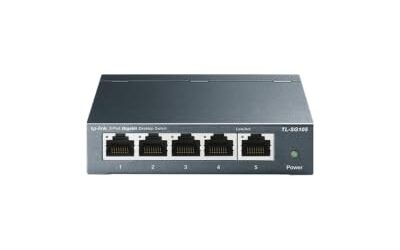
TP-Link TL-SX105, 5 Port 10G/Multi-Gig Unmanaged Ethernet Switch | Desktop/Wall Mount, Plug & Play, Fanless, Sturdy Metal Casing, Speed Auto Negotiation


As an Amazon Associate we earn from qualifying purchases. Product prices and availability are accurate as of the date/time indicated.

10Gbe Ethernet Switch Unmanaged with 2 x 10Gb RJ45 Ports + 4 x 2.5Gb Base-T Ports, Desktop/Wall Mount NICGIGA 6 Port 10Gbps Network Switch for Wireless AP, NAS, PC


As an Amazon Associate we earn from qualifying purchases. Product prices and availability are accurate as of the date/time indicated.

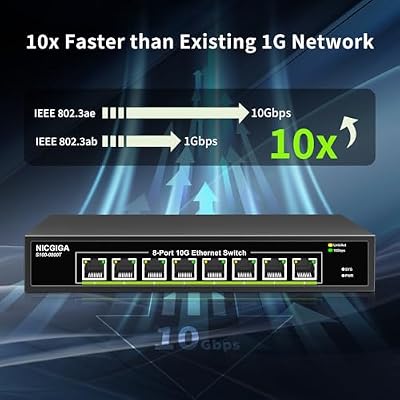
8 Port 10G Ethernet Switch Unmanaged,with 8X 10Gb Base-T Ports, NICGIGA 10Gbps Network Switch Easy for 10G NAS,PC,WiFi7 Router,10G Adapter/NIC. Desktop or 19-inch Rack Mount, Plug and Play.




As an Amazon Associate we earn from qualifying purchases. Product prices and availability are accurate as of the date/time indicated.

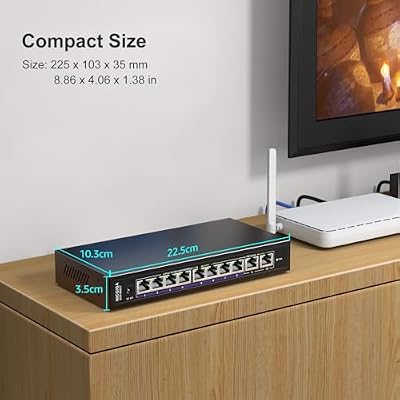
10Gbe Ethernet Switch Unmanaged with 2 x 10Gb RJ45 Ports + 8 x 2.5Gb Base-T Ports, Desktop/Wall Mount NICGIGA 10 Port 10Gbps Network Switch for Wireless AP, NAS, PC


As an Amazon Associate we earn from qualifying purchases. Product prices and availability are accurate as of the date/time indicated.
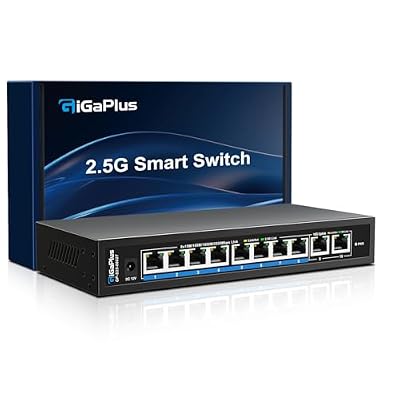
10 Ports 10Gb Unmanaged Ethernet Switch with 8*2.5G Base-T Ports, 2*10G RJ45 Ports. 80Gbps Switching Capacity, GiGaPlus 10Gbps Network Switch for 2.5G/10Gbps NAS/PC, WiFi6 Router, Wireless AP


As an Amazon Associate we earn from qualifying purchases. Product prices and availability are accurate as of the date/time indicated.
| Product | Best for | Key spec from the listing |
|---|---|---|
| TP-Link TL-SX1008 | Many 10G devices, rack or desk | 8 port 10G/Multi-Gig, desktop/rackmount, metal casing |
| TP-Link TL-SX105 | Small all-10G cluster | 5 port 10G/Multi-Gig, fanless, wall mount |
| NICGIGA 6 Port | One NAS plus several 2.5G clients | 2 x 10Gb RJ45 + 4 x 2.5Gb Base-T |
| NICGIGA 8 Port | Full 10G for NAS, PCs and WiFi 7 | 8 x 10Gb Base-T ports |
| NICGIGA 10 Port | Bigger 2.5G home with a 10G backbone | 2 x 10Gb RJ45 + 8 x 2.5Gb Base-T |
| GiGaPlus 10 Port | 2.5G-heavy setups with two fast links | 8 x 2.5G + 2 x 10G RJ45, 80Gbps switching capacity |
How to Choose
Count your real 10G devices first
List every device that has a 10GbE port or a 10G adapter. A NAS and a main PC make two; add a second workstation or a server and you reach three or four. Anything more than four suggests a full 10G switch. Remember that a 10G port on the switch does nothing for a machine that only has a 1G jack, so budget for a network card or adapter on each device you want to speed up. If the list stops at two, a switch with two 10G ports and several 2.5G ports does the same job for less and lets Wi-Fi 6E and Wi-Fi 7 access points run at their natural wired speed.
Understand multi-gig port behavior
“Multi-Gig” or “Speed Auto Negotiation” means the ports step down to 5G, 2.5G, 1G and lower when the other device cannot match 10G. That is crucial for older gear. Look for the Base-T copper standard (RJ45), which uses the cables you already own. Check your cabling: Cat6 handles 10G over short runs, while Cat6a or Cat7 is the safer choice for long runs. Ignore SFP+ talk unless you plan fiber or DAC links.
Switching capacity and why it matters
A switch’s capacity should be at least the sum of all port speeds, counted in both directions. The GiGaPlus listing quotes 80Gbps, which is what two 10G ports and eight 2.5G ports produce when every port runs at full duplex. A switch that cannot match that figure can slow down under heavy simultaneous transfers. Where a listing omits the number, assume a standard non-blocking design but verify on the spec sheet.
Heat, noise and mounting
Ten gigabit copper runs hot, and budget switches sometimes cut corners with small fans. A fanless design is quiet but needs air around it, while a metal casing helps spread heat. Check whether the box is built for the desk, the wall or a rack, since the TP-Link models list their mounting options explicitly. Ignore front-panel lights as a selling point and focus on whether you can mount the switch where the cable run is shortest. Leave a few inches of clearance around the vents, and keep it away from stacked power bricks that add warmth.
The 6 Best Options
TP-Link TL-SX1008
The largest all-10G switch here, with eight multi-gig ports in a sturdy metal case that can sit on a desk or go into a rack. For a home lab with a NAS, a hypervisor and a couple of workstations, it provides room to grow. Because it also lists rackmount support, it is the one that still makes sense if the lab later moves into a cabinet.
- Eight 10G/Multi-Gig ports with automatic speed negotiation.
- Desktop or rackmount, plug and play.
- Trade-off: eight full 10G ports cost more than needed if only two devices are fast.
Skip it if your network is mostly 2.5G and you only need two fast links.
TP-Link TL-SX105
A five-port version of the same idea, fanless and designed for desk or wall mounting. It suits a small cluster, for example a NAS, a workstation, a router uplink and two other devices. The fanless body means no whine in a bedroom office or a media closet, which is the main reason to choose it over the bigger sibling.
- Fanless design for silent operation.
- Metal casing and wall-mount option.
- Trade-off: five ports fill up quickly once you add a second NAS or server.
Skip it if you expect to add more than a couple of 10G devices.
NICGIGA 6 Port 10Gbps Switch
This switch pairs two 10Gb RJ45 ports with four 2.5Gb Base-T ports. Plug a NAS and a PC into the fast ports and connect the rest at 2.5G, a layout that matches many modern home setups. The title mentions wireless router use, which hints that one of the 10G ports is intended for a fast uplink to the Wi-Fi gear.
- 2 x 10G plus 4 x 2.5G for mixed gear.
- Desktop or wall mount.
- Trade-off: only two ports reach 10G, so a third fast device has nowhere to go.
Skip it if three or more machines have 10G adapters.
NICGIGA 8 Port 10G Switch
The NICGIGA answer to the TP-Link TL-SX1008: eight 10Gb Base-T ports, aimed at 10G NAS units, PCs, Wi-Fi 7 routers and 10G network cards. If every port will be used at full speed, this is the layout to pick. A small studio with a shared NAS, two edit bays and a second storage box is the kind of room it was built for.
- Eight 10Gb Base-T ports.
- Marketed for NAS, PC and Wi-Fi 7 router uplinks.
- Trade-off: the listing gives no fan or noise detail, so check heat management.
Skip it if you need rackmount hardware and the listing does not confirm it.
NICGIGA 10 Port 10Gbps Switch
Two 10Gb RJ45 ports sit on top of eight 2.5Gb Base-T ports. That is the profile of a busy home with many 2.5G devices such as access points, mini PCs and consoles, anchored by a fast NAS and a fast PC. Of the three mixed-speed models, this and the GiGaPlus have the most 2.5G ports, so they fit the household that adds a wired device every few months.
- Ten ports in total for larger households.
- Eight 2.5G ports serve modern clients at wired speed.
- Trade-off: just two 10G ports limit growth on the fast side.
Skip it if you plan on three or more 10G machines.
GiGaPlus 10 Ports 10Gb Unmanaged Switch
The same two-plus-eight layout, with the spec sheet naming 80Gbps of switching capacity. That figure confirms the switch can carry every port at full speed in both directions, which gives it a technical edge on paper. Buyers who like to see capacity printed in the listing, rather than assumed, will appreciate the transparency.
- 8 x 2.5G plus 2 x 10G RJ45.
- Stated 80Gbps switching capacity.
- Trade-off: only two ports reach 10G, the same ceiling as the other mixed models.
Skip it if you want all ports at 10G or need a managed feature set. It also makes little sense for a network that has only one fast machine, where a plain 2.5G switch would do the same job.
Which One Fits Your Situation
A home lab with a NAS, two servers and a workstation
Choose the TP-Link TL-SX1008. Four 10G devices and an uplink fit on eight ports, with room to add a fifth. The NICGIGA 8 Port offers the same headroom if you plan to add a second NAS later, while the two-port 10G models would need a second switch.
A creator with one editing PC and one NAS
The NICGIGA 6 Port is enough: two 10G links for the pair, with the remaining ports serving a laptop, a printer and an access point at 2.5G.
A busy household with many Wi-Fi 6E and Wi-Fi 7 access points
The GiGaPlus 10 Port or NICGIGA 10 Port offers eight 2.5G ports for the access points and two 10G for the NAS and PC.
A quiet corner with no rack at all
The TP-Link TL-SX105 is fanless and wall-mountable, which keeps noise low and desk space free for a small cluster.
Common Mistakes
- Buying eight 10G ports when only two devices support 10G, or judging by total port count when only two of ten ports on a mixed model run at full speed.
- Plugging a 10G NIC into old Cat5e and wondering why the link falls back to 1G.
- Assuming an unmanaged switch has VLAN or monitoring features.
- Ignoring heat; a switch crammed into a closed cabinet will throttle or fail early.
- Forgetting that a router with only 1G or 2.5G ports becomes the bottleneck for internet traffic, even when the switch behind it is much faster.
Related guides
- Gaming Chairs For Back Pain With Lumbar Support
- Gaming Keyboards For Fps With Rapid Trigger
- Travel Backpack With Laptop Compartment
Frequently Asked Questions
Do I need a 10GbE switch at home?
Only if you move large files between devices that have 10G ports, such as a NAS and a workstation. For internet use alone, 1G or 2.5G is more than enough. The payoff shows up when copying large video projects, backing up a whole library, or running virtual machines off shared storage.
What cable should I use for 10G?
Cat6 works for shorter runs, and Cat6a is the safe standard for full-length runs. Always confirm the cable is certified for the speed and distance you need, and replace any old patch cord that came bundled with a router.
What does unmanaged mean?
An unmanaged switch has no configuration interface. It forwards traffic automatically, which suits home use but does not support VLANs, port mirroring or remote monitoring. If you later need to separate guest traffic or cameras onto their own network, plan on a managed switch or a router that handles it.
Can 2.5G devices connect to a 10G port?
Yes. Multi-gig ports negotiate down to the speed both ends support, so a 2.5G laptop works fine on a 10G port and simply runs at 2.5G. The reverse also holds: a 10G card plugged into a 2.5G port will link at 2.5G rather than fail.
Top picks from this guide
TP-LinkTP-Link TL-SX1008, 8 Port 10G/Multi-Gig Unmanaged Ethernet Switch | Desktop/Rackmount,…NICGIGA8 Port 10G Ethernet Switch Unmanaged,with 8X 10Gb Base-T Ports,…GigaPlus10 Ports 10Gb Unmanaged Ethernet Switch with 8*2.5G Base-T Ports,…NICGIGA10Gbe Ethernet Switch Unmanaged with 2 x 10Gb RJ45 Ports…