🛒 Best Price Today on Amazon
Prime members get fast, free shipping on everything above, plus member-only deals. New members get a 30-day free trial — cancel anytime.
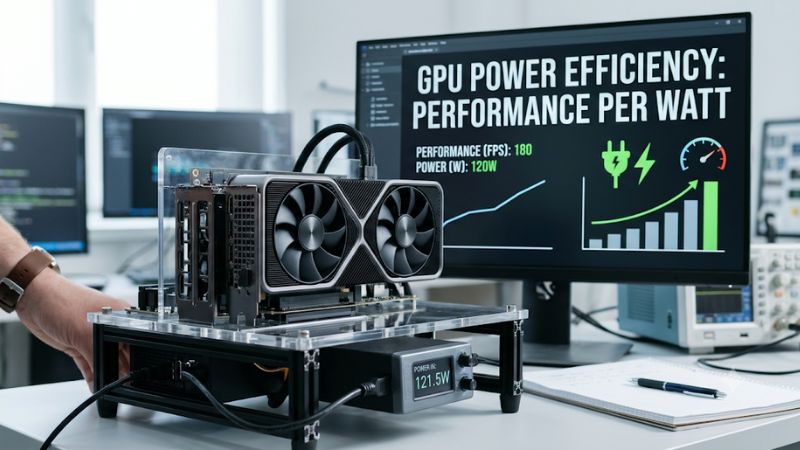
GPU power efficiency performance per watt measures how much gaming performance a graphics card delivers for the electricity it consumes. A higher FPS-per-watt result means better efficiency, but the winner can change with resolution, game engine, graphics settings, and frame-rate limits. This guide explains how to calculate, compare, and improve GPU efficiency.
What GPU Power Efficiency Performance Per Watt Really Comes Down To
A graphics card’s performance is only part of its value. Two GPUs can deliver similar frame rates while consuming different amounts of electricity. Performance per watt provides a way to compare that trade-off, helping gamers understand power consumption, heat output, cooling demands, and potential electricity savings without confusing efficiency with raw FPS.
1. Understanding the FPS-per-Watt Formula
The basic formula is:
PerformanceperWatt=AverageFPSGPUPower(W)
For example, imagine GPU A delivers 120 FPS while consuming 240 watts. Its efficiency is 0.50 FPS/W. GPU B delivers 110 FPS at 180 watts, producing approximately 0.61 FPS/W. GPU B is more efficient despite delivering fewer frames.
This calculation makes GPU power efficiency performance per watt easier to understand when comparing graphics cards. However, the result is meaningful only when both GPUs run the same game, resolution, graphics settings, and comparable test conditions.
2. GPU Power Consumption: TGP, TBP, and TDP
Power specifications use several terms that describe different measurements. NVIDIA commonly uses Total Graphics Power (TGP), while AMD commonly uses Total Board Power (TBP). Both describe power associated with the graphics card rather than just the GPU chip.
TDP, or Thermal Design Power, describes a thermal design requirement and should not automatically be treated as identical to actual electrical consumption. Check the manufacturer’s terminology before comparing specifications. A card advertised with a lower TDP is not necessarily more efficient in real gaming workloads.
3. Why Efficiency Changes Between Games
A GPU does not consume a fixed amount of power in every game. Demanding ray tracing, high-resolution rendering, complex shaders, and heavy graphics workloads can increase power consumption. Less demanding games may require substantially less power to maintain a playable frame rate.
The relationship between performance and consumption also depends on GPU utilization. A graphics card running at 60 FPS may consume less power than it does at 160 FPS, even if both sessions use identical hardware. Consequently, efficiency should be evaluated using workloads that reflect how you actually play.
4. What Doesn’t Help: Comparing Wattage Alone
Choosing a GPU simply because its advertised power requirement is lower can produce misleading results. A 150W graphics card that delivers 60 FPS is not automatically a better efficiency choice than a 200W card delivering 110 FPS.
Likewise, comparing a manufacturer’s maximum board-power specification with another card’s measured gaming consumption is not a fair comparison. Specifications describe limits or design characteristics, while actual power readings depend on workload and measurement methodology. Always consider performance and power together.
How to Measure and Improve GPU Power Efficiency: Step by Step
You can evaluate graphics card efficiency without buying additional hardware. The most useful approach is to establish a repeatable gaming workload, record average FPS and power consumption, calculate the ratio, and make controlled adjustments. The following steps help identify whether your GPU is using electricity effectively.
| Setting or Step | Where | Effect | Risk |
| Establish a baseline | Game graphics settings | Creates a consistent performance reference | Low |
| Monitor GPU power | HWiNFO or NVIDIA FrameView | Shows power consumption during gameplay | Low |
| Calculate FPS per watt | Spreadsheet or calculator | Quantifies efficiency | Low |
| Adjust FPS limits or undervolt | Game settings or GPU tuning software | Can reduce power consumption | Moderate |
1. Establish a Consistent Gaming Benchmark
Start by choosing a game with a repeatable benchmark or a consistent gameplay sequence. Set the resolution, graphics preset, ray tracing, and upscaling options before recording anything. Keep these settings unchanged throughout the comparison.
Run the same sequence multiple times and record average FPS. If the game includes frame generation, record whether it is enabled because generated frames can change displayed FPS without representing an equivalent increase in traditionally rendered frames.
2. Monitor GPU Power Consumption
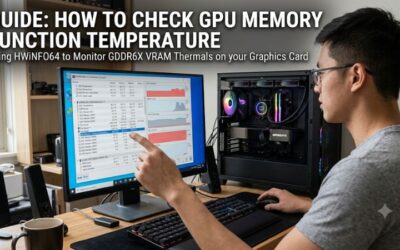
Use HWiNFO or NVIDIA FrameView to observe GPU power during gameplay. Look for board-power readings when available rather than relying exclusively on GPU chip power. Record average consumption over the same period used for your FPS measurement.
One important limitation concerns cross-vendor comparisons. Software power telemetry may report different measurement boundaries for NVIDIA, AMD, and Intel graphics cards. NVIDIA’s FrameView documentation specifically discusses limitations in comparing AMD and NVIDIA power readings through vendor APIs. Independent board-level measurements are preferable for rigorous comparisons.
3. Calculate and Compare Efficiency
Once you have average FPS and average GPU power, divide the frame rate by power consumption. Keep the units consistent and calculate the result separately for every game or workload. A spreadsheet makes it easier to compare multiple graphics settings and operating conditions.
| Gaming scenario | Average FPS | GPU power | Efficiency |
| GPU A | 120 | 240W | 0.50 FPS/W |
| GPU B | 110 | 180W | 0.61 FPS/W |
| GPU C | 90 | 150W | 0.60 FPS/W |
Illustrative calculations, not measured graphics card benchmarks.
In this example, GPU B delivers the highest efficiency, although GPU A provides the highest frame rate. This distinction matters when evaluating GPU power efficiency performance per watt for different gaming priorities. If you need maximum FPS, the most efficient card is not necessarily the fastest choice.
4. Reduce Power Consumption Without Sacrificing Too Much Performance
The simplest adjustment is limiting unnecessary frame rates. If your monitor operates at 144Hz but a game renders substantially more frames than you need, a frame-rate cap can reduce GPU workload and power consumption.
You can configure a limit through the game’s graphics settings or NVIDIA Control Panel under Manage 3D Settings, using Max Frame Rate. AMD users can explore Radeon Chill in AMD Software: Adrenalin Edition. Menu availability and behavior depend on the driver version and supported hardware.
Undervolting is another option. It reduces the voltage supplied to the GPU at selected operating frequencies, potentially lowering power consumption while maintaining useful performance. However, aggressive settings can cause crashes, visual artifacts, or driver resets. Change settings gradually, validate stability in several games, and restore default tuning if problems appear.
Factors That Influence GPU Efficiency in Real Gaming
A single efficiency number cannot describe every gaming situation. Resolution, rendering technology, workload intensity, cooling, and power management all influence the result. Understanding these variables helps prevent misleading comparisons and makes GPU power efficiency performance per watt more useful when selecting graphics settings or evaluating a future upgrade.
1. Resolution and Graphics Settings
Resolution changes the amount of rendering work assigned to a graphics card. Moving from 1080p to 1440p or 4K generally increases GPU workload when other settings remain comparable. Power consumption can rise as the GPU works harder to maintain the target frame rate.
However, higher resolution does not automatically mean worse efficiency. Some graphics cards deliver substantially more performance than competing models at demanding resolutions. Compare FPS per watt separately at each resolution instead of assuming that results from 1080p apply to 4K gaming.
2. Ray Tracing and Upscaling Technologies
Ray tracing introduces additional rendering calculations, which can increase GPU utilization and power consumption. The impact depends on the game’s implementation, ray-tracing settings, graphics architecture, and available hardware acceleration.
DLSS, FSR, and XeSS can change the amount of rendering work required to produce a displayed image. Upscaling may improve frame rate and efficiency, but comparisons must use equivalent image-quality settings. Frame generation should also be reported separately because displayed FPS and traditionally rendered FPS are not interchangeable.
3. Cooling, Temperature, and GPU Boost
GPU cooling influences operating temperatures and sustained clock speeds. When a graphics card approaches its thermal or power limits, its automatic boost behavior may adjust frequencies and voltage to remain within operating constraints.
Poor case airflow, accumulated dust, or an inadequate cooling solution can affect sustained performance. However, lower temperatures alone do not establish better electrical efficiency. Compare power consumption and frame rates together, using the same workload and operating conditions.
4. Power Limits and Frame-Rate Caps
A GPU’s power limit determines how much electrical power its performance management system can use. Raising the limit may allow higher sustained clocks, but additional power does not always produce a proportional performance increase.
Frame-rate caps offer a different approach: instead of allowing the GPU to render as many frames as possible, they restrict unnecessary output. This can be particularly useful in esports games, older titles, and situations where the GPU frequently exceeds the monitor’s refresh rate.
FAQ
1. What Is a Good GPU Performance-per-Watt Ratio?
A higher FPS-per-watt ratio indicates better efficiency, but there is no universal target for every graphics card. The result depends on the game, resolution, graphics settings, and measurement method. Compare cards using identical workloads rather than treating one numerical threshold as a definition of good efficiency.
2. Does a More Power-Efficient GPU Always Deliver More FPS?
No, power efficiency and raw gaming performance measure different things. A GPU can deliver fewer frames while consuming considerably less electricity. If maximum FPS is your priority, compare average frame rates and 1% lows alongside power consumption before choosing a graphics card.
3. Does Undervolting Improve GPU Power Efficiency?
Yes, undervolting can improve efficiency when it reduces power consumption without causing a disproportionate performance loss. Results vary between individual GPUs, games, and operating conditions. Apply conservative adjustments, check stability, and restore default settings if crashes or graphical artifacts occur.
4. How Can I Measure GPU Power Consumption Accurately?
You can monitor GPU power with HWiNFO, NVIDIA FrameView, or appropriate manufacturer telemetry. For more reliable comparisons between different GPU brands, use independent board-level power measurements. A wall power meter measures the entire PC, not the graphics card alone, so it cannot directly establish GPU-only consumption.
Final Thoughts
GPU power efficiency performance per watt is a useful metric for balancing gaming performance, electricity consumption, and cooling demands. The best approach is to compare FPS and board power under consistent conditions, then consider frame-rate limits or conservative undervolting. Start with your favorite games to identify the most practical efficiency improvements.