🛒 Best Price Today on Amazon
Prime members get fast, free shipping on everything above, plus member-only deals. New members get a 30-day free trial — cancel anytime.
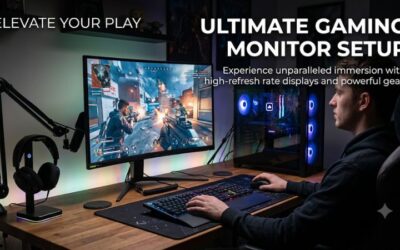
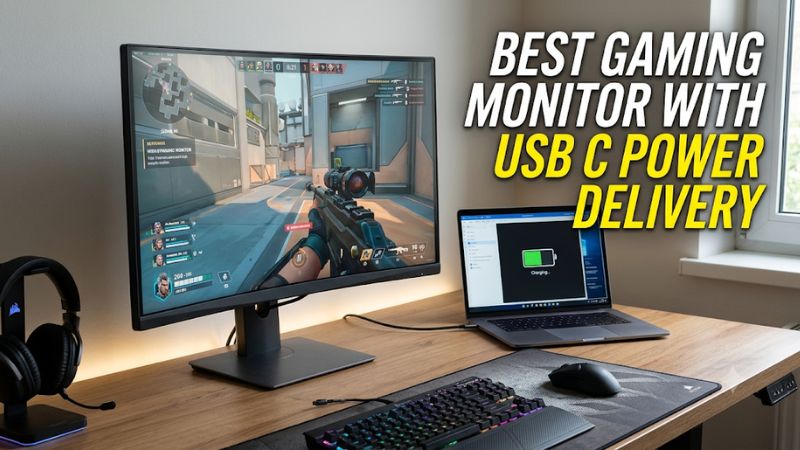
Choosing the best gaming monitor with usb c power delivery means balancing gaming performance with convenient laptop charging. The right display can deliver high refresh rates, sharp visuals, and single-cable connectivity without sacrificing essential gaming features. Here are four options for different gaming setups and budgets.
How to Choose a Gaming Monitor With USB-C Power Delivery
A gaming monitor with USB-C Power Delivery needs to do more than charge a connected laptop. Look for DisplayPort Alternate Mode, sufficient charging wattage, an appropriate refresh rate, and the right panel technology. These specifications determine whether one monitor can handle both demanding games and everyday laptop work.
1. Check USB-C Power Delivery Wattage
USB-C Power Delivery determines how much electrical power the monitor can supply to a connected laptop. A 65W connection can suit many thin-and-light laptops, while 90W or 98W provides more flexibility for productivity machines with higher charging requirements.
Gaming laptops deserve particular attention because their power consumption can exceed what a monitor provides. Even when a 90W monitor successfully charges a laptop, the battery may discharge during demanding gaming sessions. Check the laptop manufacturer’s recommended adapter wattage before choosing.
2. Choose a Refresh Rate That Matches Your Games
Refresh rate affects how frequently the display updates its image. A 144Hz or 160Hz monitor is a practical starting point for smooth PC gaming, while 240Hz and 500Hz options target competitive players with sufficiently powerful graphics hardware.
However, a higher refresh rate does not automatically mean a better purchase. Your GPU must generate enough frames to take advantage of it, and resolution also affects rendering demands. For example, 4K at 240Hz requires considerably more graphics performance than 1440p at 144Hz.
3. Compare Resolution and Panel Technology
Resolution determines image detail, while panel technology influences contrast, color reproduction, and motion characteristics. A 27-inch 1440p IPS monitor offers a sensible balance between sharpness and performance. A 4K display provides finer details, particularly for desktop work and visually demanding games.
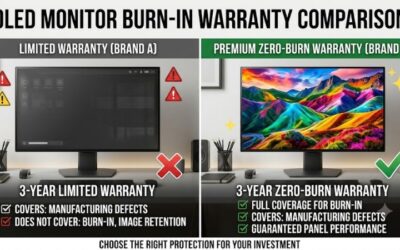
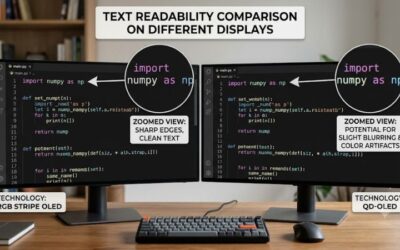
OLED and QD-OLED models provide self-emissive pixels and excellent black levels, making them attractive for immersive gaming. However, OLED displays carry a potential burn-in risk with prolonged static content. IPS remains a practical alternative for users who spend many hours working with desktop applications.
4. Verify Video, Data, and Gaming Compatibility
Not every USB-C port supports video output. Your laptop must support DisplayPort Alternate Mode or compatible Thunderbolt video output to transmit an image through the monitor’s USB-C connection.
Also check whether the monitor supports Adaptive-Sync, AMD FreeSync, or NVIDIA G-SYNC compatibility. These technologies help synchronize the display’s refresh rate with GPU output. A built-in KVM switch and USB hub are useful extras if you regularly switch between a gaming desktop and laptop.
Top Gaming Monitors With USB-C Power Delivery
The following selections cover different gaming priorities, from affordable high-refresh-rate IPS displays to premium OLED screens and large ultrawide monitors. Their USB-C charging capabilities are particularly important, but resolution, panel technology, and available gaming connections should also influence the final decision.
1. MSI MPG 271QR QD-OLED X50 – Best Overall
The MSI MPG 271QR QD-OLED X50 is a strong choice for competitive gamers who want an exceptionally high refresh rate without giving up USB-C laptop charging. Its 26.5-inch QD-OLED panel combines 2560 × 1440 resolution with a 500Hz refresh rate and 0.03ms GtG response-time specification.
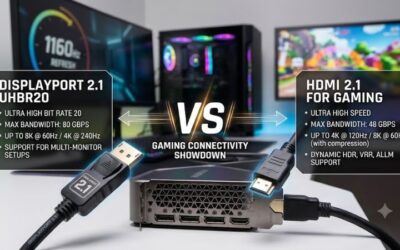
Its USB-C connection supports DisplayPort Alternate Mode and up to 98W Power Delivery. The monitor also includes two HDMI 2.1 ports, DisplayPort 2.1a UHBR20, a USB hub, and KVM functionality. This combination makes it suitable for a multi-device desk setup.
MSI+1
The main consideration is its premium positioning. A 500Hz refresh rate is most useful for competitive games and systems capable of producing extremely high frame rates. Its OLED panel also requires reasonable care around static content. Choose another display if 4K resolution matters more than competitive refresh rates.
2. KTC H27P6 – Best Value
The KTC H27P6 offers an appealing combination of high resolution, dual-mode gaming, and laptop charging. Its 27-inch Fast IPS panel supports 3840 × 2160 at 160Hz or 1920 × 1080 at 320Hz, allowing players to prioritize image detail or refresh rate depending on the game.
Its USB-C port provides up to 90W Power Delivery, while additional connections include two HDMI 2.1 ports and DisplayPort 1.4. The manufacturer also lists Adaptive-Sync support, an adjustable stand, and KVM functionality.
KTC H27P6+1
The biggest trade-off is IPS contrast. Dark scenes will not have the same black levels as an OLED display, and HDR400 certification should not be confused with high-end local-dimming HDR. At the manufacturer’s listed US price of $329.99, it is worth considering for gamers who also need a laptop-friendly workstation. Check the current price before purchasing.
3. ASUS ROG Strix OLED XG27UCDMG – Best 4K OLED
The ASUS ROG Strix OLED XG27UCDMG is a premium option for gamers who prioritize 4K image quality and OLED contrast. Its 26.5-inch fourth-generation QD-OLED panel delivers 3840 × 2160 resolution, a 240Hz refresh rate, and a specified 0.03ms response time.
USB-C supports DisplayPort Alternate Mode and 90W Power Delivery. Other connections include two HDMI 2.1 ports, DisplayPort 1.4 with DSC, and three USB-A ports. ASUS also includes a KVM switch, OLED Care Pro features, and a three-year warranty that includes panel burn-in coverage.
ROG USA+2
Its primary disadvantage is the demanding 4K resolution, which requires a capable gaming GPU to reach high frame rates in modern games. OLED also requires attention to static desktop elements. Consider this monitor if you want premium visuals and have hardware capable of supporting its resolution and refresh rate.
4. LG 49U950A-W – Best Ultrawide Gaming Monitor
The LG 49U950A-W suits players who prefer a large panoramic display for racing games, simulation titles, and multitasking. Its 49-inch Nano IPS panel uses a 5120 × 1440 resolution, 32:9 aspect ratio, and 144Hz refresh rate, providing an expansive desktop workspace.
Its USB-C connection supports up to 90W Power Delivery, with DisplayPort 1.4, two HDMI inputs, a USB hub, and built-in KVM functionality. The monitor also supports AMD FreeSync Premium and NVIDIA G-SYNC compatibility.
LG UK+1
The trade-off is the substantial screen width and graphics workload. Not every game supports the 32:9 aspect ratio properly, and the 144Hz refresh rate is lower than the premium competitive options above. Its IPS panel also cannot reproduce OLED-level black levels. Choose it when immersive ultrawide gaming and productivity are more important than maximum refresh rate.
Comparison Table
| Product | Best For | Key Spec | Compatibility | Watch Out For |
| MSI MPG 271QR QD-OLED X50 | Best Overall | 1440p, 500Hz, 98W PD | DP Alt Mode, HDMI 2.1, DP 2.1a | OLED care and premium cost |
| KTC H27P6 | Best Value | 4K 160Hz / 1080p 320Hz, 90W PD | DP Alt Mode, HDMI 2.1, DP 1.4 | IPS contrast and HDR limitations |
| ASUS ROG Strix OLED XG27UCDMG | Best 4K OLED | 4K, 240Hz, 90W PD | DP Alt Mode, HDMI 2.1, DP 1.4 | GPU requirements and OLED care |
| LG 49U950A-W | Best Ultrawide | 5120 × 1440, 144Hz, 90W PD | USB-C, HDMI, DP 1.4 | Desk space and game compatibility |
FAQ
1. Can a USB-C gaming monitor charge a gaming laptop?
Yes, provided the laptop supports USB-C charging and the monitor supplies sufficient Power Delivery wattage. However, many gaming laptops require more power than a monitor can provide. You may still need the laptop’s original power adapter when gaming or running demanding applications.
2. Does USB-C Power Delivery affect gaming performance?
No, Power Delivery itself does not directly increase or decrease gaming performance. Gaming performance depends on the GPU, CPU, resolution, refresh rate, and connection bandwidth. USB-C simply combines supported video, data, and charging functions through one cable.
3. Is 65W USB-C Power Delivery enough for a gaming monitor setup?
65W can be sufficient for lightweight laptops and some productivity machines, but it may not meet the charging requirements of more powerful systems. Check your laptop’s recommended charging wattage and whether it supports USB-C charging before choosing a monitor.
4. Can I use USB-C to achieve the monitor’s maximum refresh rate?
Yes, if the monitor, connected device, cable, and USB-C DisplayPort implementation support the required bandwidth. Some displays require Display Stream Compression or specific connection configurations for their highest resolution and refresh rate. Check the manufacturer’s supported USB-C timings before purchasing.
Final Thoughts
The best gaming monitor with usb c power delivery depends on your gaming priorities and laptop charging requirements. MSI offers an excellent competitive OLED option, KTC provides attractive dual-mode value, and ASUS targets premium 4K gaming. Compare GPU capability and charging wattage before choosing your next display.