🛒 Best Price Today on Amazon
Prime members get fast, free shipping on everything above, plus member-only deals. New members get a 30-day free trial — cancel anytime.
A monitor advertised as 480Hz does not necessarily support 480Hz at native 4K resolution. Several premium OLED models offer dual-mode operation, combining 4K at 240Hz with 1080p at 480Hz. Choosing the right display means understanding this trade-off before spending on a high-end gaming setup.
How to Choose a 4K 480Hz Gaming Monitor
The most important buying decision is whether you need native 4K detail or a 480Hz competitive mode. Current dual-mode OLED displays target both audiences, but they cannot deliver 3840 × 2160 resolution and 480Hz simultaneously. Compare panel technology, screen size, connectivity, GPU capability, and pricing before choosing.
1. Understand Dual-Mode Resolution
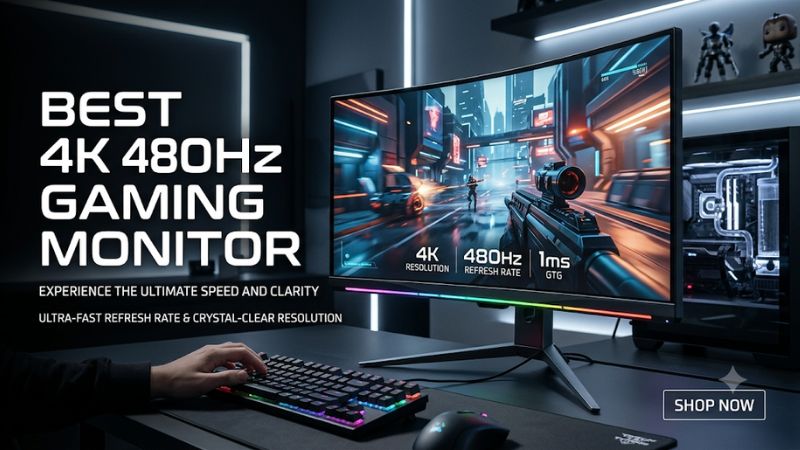
A dual-mode monitor switches between two operating configurations. In the high-resolution mode, it displays 3840 × 2160 pixels at up to 240Hz. Switching to Full HD reduces the resolution to 1920 × 1080 while allowing the panel to reach 480Hz.
This distinction matters when shopping for a 4K 480Hz gaming monitor. The 480Hz setting is intended for competitive games where motion clarity and reaction time take priority over image detail. For demanding single-player titles, 4K at 240Hz is generally the more attractive option.
2. Choose the Right OLED Panel
OLED technology is particularly attractive for high-refresh-rate gaming because individual pixels produce their own light. This allows deep blacks, strong contrast, and extremely fast pixel transitions. These characteristics help maintain clear motion in fast-paced games without relying exclusively on a high refresh rate.
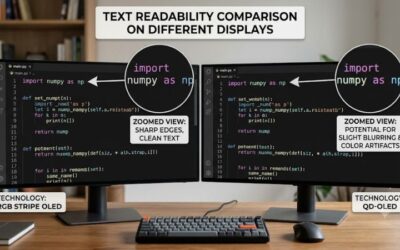
Newer Tandem RGB OLED panels also improve pixel structure and text clarity compared with older OLED arrangements. However, panel generations differ in brightness, color reproduction, and reflection handling. Consider your room lighting and everyday desktop use, not just gaming specifications.
3. Check DisplayPort and HDMI Compatibility
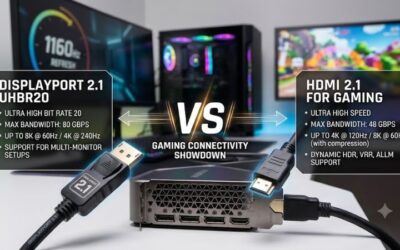
DisplayPort 2.1 is an important feature in premium monitors because higher-bandwidth implementations can support demanding display configurations with less reliance on display stream compression. ASUS’s newer ROG Swift models include DisplayPort 2.1a UHBR20 with 80Gbps bandwidth, alongside HDMI 2.1.
Your graphics card must also support the required output resolution and refresh rate. Check the GPU manufacturer’s specifications, the monitor’s supported timings, and the supplied cable requirements. A high-bandwidth connector alone does not mean every graphics card can output every advertised combination.
4. Match the Monitor to Your Gaming PC
Running games at 4K and 240Hz requires substantially more graphics processing than playing at 1080p and 480Hz. Even powerful GPUs may struggle to maintain very high frame rates in demanding AAA games with maximum graphics settings.
For esports, a lower resolution and reduced graphics settings can make the 480Hz mode more practical. For visually demanding games, prioritize image quality and use the 4K mode. NVIDIA DLSS and AMD FSR can help improve frame rates in supported games, although actual performance depends on the GPU, game, and selected settings.
Top 4K 480Hz Dual-Mode Gaming Monitor Picks
The following shortlist focuses on monitors that genuinely combine 4K resolution with a 480Hz Full HD mode. There are three particularly relevant current-generation choices with verified manufacturer specifications and US-market listings. The comparison distinguishes screen size, panel generation, and price rather than pretending these displays offer native 4K at 480Hz.
| Product | Best For | Key Spec | Compatibility | Watch Out For |
| ASUS ROG Swift OLED PG32UCWM | Best Overall | 31.5-inch, 4K 240Hz / FHD 480Hz | DP 2.1a, HDMI 2.1 | Premium price |
| ASUS ROG Swift OLED PG27UCWM | Best Compact Option | 26.5-inch, Tandem RGB OLED | DP 2.1a, HDMI 2.1 | Smaller screen |
| LG UltraGear 32GX870B-B | Best Alternative | 32-inch, 4K 240Hz / FHD 480Hz | DP 2.1, HDMI 2.1 | OLED burn-in considerations |
Best Overall: ASUS ROG Swift OLED PG32UCWM
31.5-inch Tandem RGB OLED
The ASUS ROG Swift OLED PG32UCWM is a strong choice for gamers who want a large premium display without sacrificing competitive gaming flexibility. Its 31.5-inch panel combines 3840 × 2160 resolution at 240Hz with a Full HD 480Hz mode. The RGB stripe pixel structure also targets improved text clarity.
Its connectivity includes DisplayPort 2.1a UHBR20, two HDMI 2.1 ports, and USB-C with up to 90W power delivery. ASUS lists a 0.03ms gray-to-gray response time, Dolby Vision support, and VESA DisplayHDR 400 True Black certification. The manufacturer lists a US price of $1,399.
The main drawback is its cost, alongside the glossy screen surface, which can reflect bright surroundings. OLED also requires reasonable care around static desktop elements. Choose this model if you want a versatile 32-inch-class screen for both high-detail gaming and competitive titles.
Best Compact Option: ASUS ROG Swift OLED PG27UCWM
26.5-inch Tandem RGB OLED
The PG27UCWM offers essentially the same dual-mode concept in a smaller display. Its 26.5-inch screen retains 4K at 240Hz and Full HD at 480Hz, making it particularly attractive for players who prefer a compact competitive gaming setup. The smaller screen also provides higher pixel density than the 31.5-inch version at the same resolution.
ASUS specifies a 0.03ms gray-to-gray response time, DisplayPort 2.1a UHBR20, HDMI 2.1, and USB-C with 90W power delivery. Its Tandem RGB OLED panel and TrueBlack Glossy coating are additional attractions. The listed US price is $1,199.
Its limitation is screen size rather than refresh-rate capability. Players who enjoy large immersive environments or sit farther from their displays may prefer the PG32UCWM. It is the more sensible choice when desk space and pixel density matter more than having a larger screen.
Best LG Alternative: LG UltraGear 32GX870B-B
32-inch fourth-generation Tandem WOLED
The LG UltraGear 32GX870B-B is another compelling option for gamers seeking a 4K OLED with an integrated 480Hz competitive mode. Its 32-inch panel supports UHD at 240Hz and FHD at 480Hz. LG’s fourth-generation RGB Tandem OLED technology is designed to improve brightness and color performance.
Connectivity includes DisplayPort 2.1 UHBR20, HDMI 2.1, and USB-C with 90W power delivery. The monitor also supports NVIDIA G-SYNC compatibility and AMD FreeSync Premium Pro. LG’s US product listing shows a price of $1,399.99, although stock and shipping availability should be checked before ordering.
The main trade-off is that it uses a different panel implementation from ASUS’s newer RGB stripe models. Picture characteristics, reflections, and text clarity can vary. Consider this monitor if you prefer LG’s UltraGear ecosystem or find a better retailer offer than competing ASUS models.
FAQ
A 4K 480Hz gaming monitor is a specialized purchase, so understanding its limitations is essential before upgrading. The following answers cover graphics card compatibility, real-world refresh rates, OLED maintenance, and whether the additional expense makes sense for different gaming styles.
1. Is There a Native 4K 480Hz Gaming Monitor?
Not among the models covered here. The current ASUS and LG options support 4K at 240Hz and 1080p at 480Hz through dual-mode technology. Buyers should not confuse a maximum advertised refresh rate with the refresh rate available at native resolution.
2. What GPU Do You Need for 4K 240Hz Gaming?
You need a powerful modern graphics card with an output capable of supporting the monitor’s required resolution and refresh rate. However, the GPU’s display-output capability and its ability to render games at 240 FPS are separate considerations. Check both before purchasing.
3. Is 480Hz Better Than 240Hz for Competitive Gaming?
480Hz can provide smoother motion and more frequent display updates than 240Hz, provided the PC supplies sufficiently high frame rates. However, the improvement becomes less noticeable as refresh rates increase. Players should also consider input latency, response time, and their own competitive needs.
4. Are OLED Gaming Monitors Worth the Extra Cost?
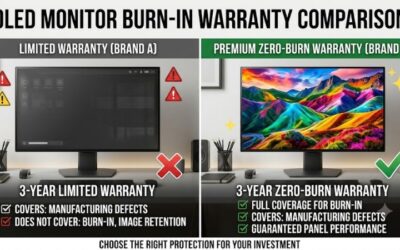
OLED monitors are worth considering if you prioritize contrast, fast pixel response, and HDR image quality. However, they generally cost more than conventional IPS displays and carry a risk of permanent image retention from prolonged static content. Use built-in OLED protection features and follow the manufacturer’s maintenance recommendations.
Final Thoughts
Choosing the right best 4K 480Hz gaming monitor means understanding that 480Hz currently requires dropping to Full HD. The ASUS PG32UCWM is an excellent all-round choice, while the PG27UCWM suits compact setups. Compare GPU capability, screen size, and pricing before committing to an upgrade.