🛒 Best Price Today on Amazon
Prime members get fast, free shipping on everything above, plus member-only deals. New members get a 30-day free trial — cancel anytime.
Choosing a best keyboard for programming and gaming means balancing coding comfort with gaming response, not chasing the fastest switch. Layout, switch behavior, remapping, and connection type matter across both workloads. These picks cover competitive play, long coding sessions, compact layouts, and value.
How to Choose a Keyboard for Programming and Gaming
Programming favors accessible navigation keys, comfortable switches, and remapping, while gaming adds latency and actuation needs. A 75% or TKL board can keep arrows and function keys available without a numpad, while a 96% layout preserves more desktop keys. Compatibility with Windows is also worth checking before purchase.
Layout and Navigation
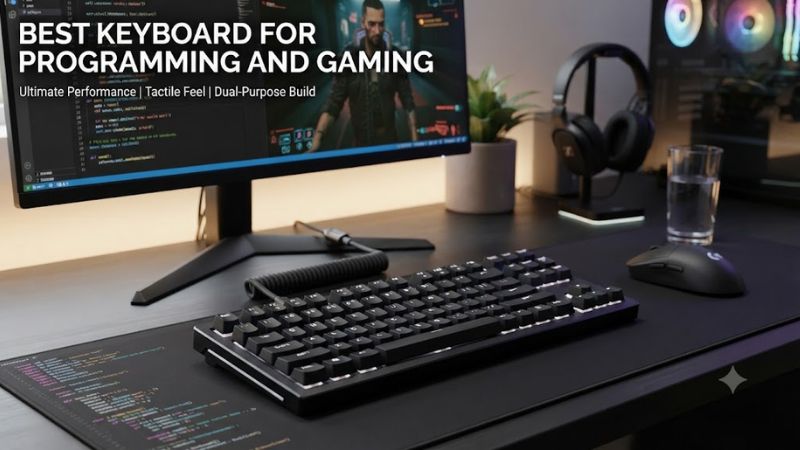
Layout decides how easily you reach arrows, function keys, navigation controls, and a numpad during code work. TKL keeps the navigation cluster while saving desk width; 75% is smaller but still practical; 96% keeps a numpad. The choice depends on whether coding or mouse movement needs more space.
TKL works well when coding uses function keys, arrows, Home, End, and page controls often, while still leaving room for a mouse. For the best keyboard for programming and gaming, TKL keeps those controls available while leaving room for mouse movement. The Wooting 80HE and G515 both use TKL layouts.
Switch Feel
Switch feel matters because programming involves repeated punctuation, modifiers, and navigation rather than only letter entry. Linear switches can suit fast game inputs, while tactile switches add a bump for typing feedback. Hall effect switches add adjustable actuation, but comfort still depends on noise, force, and key pressure during long sessions.
The best keyboard for programming and gaming does not require one switch type. Linear switches can suit fast game inputs, while tactile switches add a bump for typing feedback. Hall effect switches add adjustable actuation, but comfort still depends on noise, force, and key pressure during long sessions.
Remapping and Software
The best keyboard for programming and gaming also needs useful remapping for repeated editor or terminal shortcuts. QMK and Keychron Launcher support remapping on compatible boards, while Wootility and Logitech G HUB provide configuration systems. Check the exact operating-system support before relying on a feature for a cross-platform workflow.
Remapping is particularly useful when coding tools rely on layers or repeated commands, but software support differs. Keychron documents Launcher and firmware customization, while Wooting provides profiles through Wootility. These approaches are flexible, but they should not be treated as identical to native support in every editor or operating system.
Wired, 2.4 GHz, or Bluetooth
Connection type should match the games and devices you use. Wired and 2.4 GHz modes on these boards can provide high polling rates, while Bluetooth is mainly useful for multi-device convenience. For gaming, use the higher-speed wired or 2.4 GHz mode when available; for coding, wireless flexibility can matter more.
For benchmark context, RTINGS publishes keyboard latency measurements under Methodology v1.4.3 for the Wooting 80HE, Q1 HE, G515 LIGHTSPEED TKL, and V5 Max. Keyboard latency has no game resolution or graphics preset, so those settings do not apply; newer Ultra and 8K variants should be treated as separate hardware.
Top Picks
The four boards target different compromises rather than one universal layout. The Wooting emphasizes adjustable Hall effect control, the V5 Ultra 8K keeps a numpad at a lower tier, the Q1 HE 8K combines premium construction with magnetic switches, and the G515 favors low-profile wireless use. Current listed prices can change.
| Product | Best For | Key Spec | Compatibility | Watch Out For |
| Wooting 80HE | Best Overall — competitive gaming + coding | Hall effect, 8 kHz, TKL | Windows/macOS/Linux | Wired only |
| Keychron V5 Ultra 8K | Best Value — coding + numpad | 96%, 8 kHz, ZMK | Windows/macOS/Linux | Plastic case |
| Keychron Q1 HE 8K | Best For — premium 75% | Hall effect, 8 kHz, wired | Windows/macOS/Linux | Heavy and wired |
| Logitech G515 LIGHTSPEED TKL | Best For — low-profile wireless | 1.3 mm actuation | Windows/macOS | Not hot-swappable |
Wooting 80HE
The best keyboard for programming and gaming can be the Wooting 80HE for users who prioritize performance and Hall effect controls without giving up a familiar TKL layout. Its adjustable actuation, Rapid Trigger, analog input, and 8 kHz polling target fast games, while the 80% layout retains function and navigation keys for development work.
Wooting lists Lekker Hall effect switches, adjustable actuation from 0.1 to 4.0 mm, PBT keycaps, and Windows, macOS, and Linux support. RTINGS reports exceptionally low gaming latency and notes that its wired-only design and lack of dedicated media keys are meaningful trade-offs. It is not for buyers who require wireless connectivity.
Keychron V5 Ultra 8K
The best keyboard for programming and gaming can be the Keychron V5 Ultra 8K for value. Its 96% layout retains a numpad, while ZMK firmware, Keychron Launcher, hot-swappable switches, 2.4 GHz, Bluetooth 5.3, and wired connectivity cover programming and gaming needs.
Keychron lists 8000 Hz polling over wired and 2.4 GHz, a 4000 mAh battery rated up to 660 hours with backlight off, and Windows, macOS, and Linux support. The main weakness is its plastic case and lower 125 Hz Bluetooth polling, so buyers wanting aluminum or maximum Bluetooth responsiveness should look elsewhere.
Keychron Q1 HE 8K
The best keyboard for programming and gaming can suit users through the Keychron Q1 HE 8K, a premium 75% board built around coding customization and gaming controls. Its magnetic switches support adjustable actuation, Rapid Trigger, and dynamic keystrokes, while wired 8K polling targets latency-conscious gaming.
Keychron lists 0.1 to 3.35 mm adjustable actuation, 8K, 2K, and 1K polling modes, plus macOS, Windows, and Linux support. The main weakness is its wired-only design and 1.86 kg assembled weight, so it is not ideal for portable setups or buyers who need wireless use. Its magnetic switch compatibility is narrower than standard MX hot-swap boards.
Logitech G515 LIGHTSPEED TKL
The best keyboard for programming and gaming can favor the Logitech G515 LIGHTSPEED TKL for low-profile use. Its TKL layout leaves the arrow and function rows intact, while LIGHTSPEED and Bluetooth support two connection priorities. It suits users who prefer shorter travel and a thin gaming-oriented design.
Logitech lists a 1.3 mm actuation point, 3.2 mm total travel, 43 g linear or 45 g tactile actuation force, and up to 36 hours of battery life. RTINGS reports strong gaming performance, but the board lacks hot-swappable switches and broader hardware customization found on Keychron alternatives. It is less suitable for switch builders.
FAQ
The questions below cover the practical buying points that remain after layout, switch type, and connectivity are narrowed down. They also separate documented compatibility from assumptions, because software features, wireless modes, and remapping tools can vary by model and operating system. Check the manufacturer documentation before purchase.
Does a programming keyboard need Hall effect switches?
No, Hall effect switches are optional because conventional mechanical switches can handle coding and gaming when their feel and layout suit the user. Magnetic switches mainly add adjustable actuation and related gaming controls, so their value depends on whether those controls matter. The V5 Ultra 8K and G515 use conventional mechanical switch designs.
Hall effect hardware can be useful when a player wants adjustable actuation or Rapid Trigger, particularly in games that reward precise directional inputs. For coding, the benefits are less universal because typing comfort depends on switch feel, keycap profile, layout, and personal technique rather than magnetic sensing alone.
Is a TKL or 75% keyboard better for coding and gaming?
Neither layout is universally better because TKL preserves more navigation keys while 75% reduces width. Both retain a function row and arrow keys, so the choice is mainly about spacing, navigation habits, and how much mouse room you want during games.
A 96% layout is another option when programming involves frequent numeric entry, since it retains a numpad while using less width than a conventional full-size board. The V5 Ultra 8K uses this format, whereas the Wooting 80HE and G515 use TKL layouts.
Can these keyboards work with Windows and other operating systems?
Yes, all four listed models support Windows, while the Wooting 80HE, Keychron V5 Ultra 8K, and Keychron Q1 HE 8K also list macOS and Linux support. Logitech lists Windows and macOS for the G515, with additional Bluetooth device compatibility.
Software compatibility still deserves attention because keyboard configuration tools can have different requirements from basic key input. Keychron Launcher is browser-based, Wootility supports Windows, macOS, and Linux, and Logitech G HUB requires internet access for software integration.
Should you use Bluetooth for gaming on these keyboards?
Bluetooth is better treated as a convenience mode than the default gaming connection because these models offer faster wired or 2.4 GHz options. For coding on a laptop or tablet, Bluetooth can be useful; for gaming, select the higher-speed connection when the keyboard provides one.
The V5 Ultra 8K reaches 8000 Hz over wired and 2.4 GHz but 125 Hz over Bluetooth, while the G515 uses LIGHTSPEED or Bluetooth. The Q1 HE 8K is wired only, so its 8 kHz mode requires a cable.
Final Thoughts
The best keyboard for programming and gaming depends on which compromise you actually notice: actuation control, layout, wireless flexibility, or customization. The Wooting 80HE targets competitive play, the V5 Ultra 8K offers a numpad with 8 kHz wireless, the Q1 HE 8K adds premium magnetic hardware, and the G515 stays low-profile.