
🛒 Best Price Today on Amazon
Prime members get fast, free shipping on everything above, plus member-only deals. New members get a 30-day free trial — cancel anytime.
A best motherboard for a Ryzen 9 build should match the CPU’s AM5 socket while providing adequate power delivery, DDR5 support, PCIe 5.0 expansion and useful I/O. For current Ryzen 9 9000-series chips, B850, X870 and X870E boards are the main choices, with differences centered on connectivity and expansion rather than basic CPU compatibility.
How to Choose a Ryzen 9 Motherboard
The right board depends on four things: CPU support and socket, power delivery, memory configuration, and expansion requirements. AMD lists AM5 and DDR5 support for Ryzen 9 9950X3D, while current motherboard specifications show that B850, X870 and X870E boards support Ryzen 9000 processors. The choice should therefore follow the build’s actual workload rather than chipset name alone.
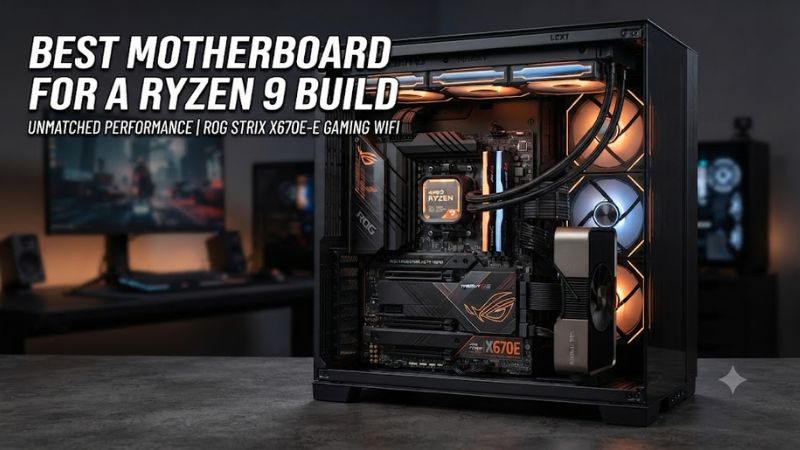
AM5 compatibility comes first
For a best motherboard for a Ryzen 9 build, start with AM5 compatibility and Ryzen 9000 support. The Ryzen 9 9950X3D uses AM5 and DDR5, while the MSI B850 Tomahawk MAX, MSI X870 Tomahawk and ASUS Crosshair X870E Hero all list Ryzen 9000 support. These boards are ATX designs, so the case must accept a standard ATX motherboard.
Memory support also deserves attention before buying. Current boards use four DDR5 DIMM slots and support AMD EXPO, but rated memory speeds are overclocking figures rather than guarantees for every CPU and kit. MSI specifically notes that supported speeds can vary with CPU and memory configuration, so the motherboard QVL remains useful for high-speed DDR5.
VRM and CPU power delivery
A best motherboard for a Ryzen 9 build needs a power section appropriate for a high-core-count processor. MSI’s X870 Tomahawk uses a 14+2+1 design with dual CPU power connectors, while the B850 Tomahawk MAX uses 14+2+1 80A SPS stages. These specifications provide substantially more power-delivery hardware than entry-level AM5 boards.
That does not mean a Ryzen 9 requires an expensive flagship motherboard. Independent motherboard coverage shows that chipset level itself does not determine CPU performance, while stronger boards mainly add expansion and connectivity. The practical requirement is a properly cooled VRM design and a PSU with the motherboard’s required CPU power connectors, not an X870E badge.
DDR5 and memory layout
For a best motherboard for a Ryzen 9 build, four DDR5 slots give more flexibility than a two-slot design when capacity needs may grow. MSI’s B850 Tomahawk MAX supports up to 256GB of DDR5 and AMD EXPO, while ASUS lists the Crosshair X870E Hero with four DIMMs, 256GB maximum capacity and EXPO support. Actual memory frequency still depends on the CPU and DIMM configuration.
AMD officially lists DDR5-5600 as the maximum memory speed for the Ryzen 9 9950X3D under its standard two-DIMM configurations, while motherboard vendors advertise considerably higher overclocked speeds. That distinction matters: a board may support a faster EXPO profile, but the result remains dependent on the processor, memory kit and firmware.
PCIe, storage and I/O
A best motherboard for a Ryzen 9 build should provide the expansion your finished PC actually needs. The MSI X870 Tomahawk has a PCIe 5.0 x16 graphics slot and four M.2 sockets, including two PCIe 5.0 x4 connections. The B850 Tomahawk MAX also provides four M.2 sockets, with two CPU-connected PCIe 5.0 x4 slots.
X870E becomes more useful when a build needs broader simultaneous expansion. ASUS’s Crosshair X870E Hero has five M.2 sockets, two PCIe 5.0 x16 slots, dual networking and two USB4 ports, while ASRock’s X870E Nova provides five M.2 positions and USB4. These features suit storage-heavy or workstation-style systems more than a conventional single-GPU gaming PC.
Top Picks for Ryzen 9 Builds
The four boards below cover different build priorities without treating X870E as mandatory for Ryzen 9. Independent 2026 motherboard roundups continue to separate AMD boards by chipset, expansion and connectivity, while manufacturer specifications confirm CPU, memory, storage and I/O compatibility for the models selected here.
| Product | Best For | Key Spec | Compatibility | Watch Out For |
| MSI MAG X870 Tomahawk WiFi | Best Overall | 14+2+1 power, 4 M.2 | AM5, DDR5, ATX | M.2/USB4 lane sharing |
| MSI MAG B850 Tomahawk MAX WiFi | Best Value | 14+2+1 80A, 4 M.2 | AM5, DDR5, ATX | No rear USB4 |
| ASRock X870E Nova WiFi | Best For Storage | 20+2+1 110A, 5 M.2 | AM5, DDR5, ATX | Regional availability |
| ASUS ROG Crosshair X870E Hero | Best For Expansion | 18+2+2, 5 M.2 | AM5, DDR5, ATX | Premium pricing |
MSI MAG X870 Tomahawk WiFi
The MSI MAG X870 Tomahawk WiFi is the strongest general-purpose choice for a best motherboard for a Ryzen 9 build when the system needs USB4, Wi-Fi 7, 5Gb Ethernet and substantial storage support without moving to an X870E flagship. It has four DDR5 slots, four M.2 sockets and a PCIe 5.0 x16 graphics slot.
Its real limitation is lane sharing. MSI specifies that the second PCIe 5.0 M.2 slot shares bandwidth with the rear USB 40Gbps connections, so using that M.2 slot changes the available link configuration. Buyers who need both connections operating at their preferred configuration should inspect the motherboard manual before populating every slot.
MSI MAG B850 Tomahawk MAX WiFi
The B850 Tomahawk MAX is the value-oriented best motherboard for a Ryzen 9 build when USB4 is not a requirement. Its 14+2+1 80A power design, four DDR5 slots, four M.2 sockets, 5Gb Ethernet and Wi-Fi 7 cover the core needs of a high-end AM5 gaming system.
The important weakness is its rear USB connectivity: MSI lists 5Gbps and 10Gbps USB ports but does not list rear 40Gbps USB4 ports on this model. It is therefore less suitable for a workstation built around high-bandwidth USB4 storage or peripherals, even though its CPU and memory platform is fully suited to Ryzen 9000 processors.
ASRock X870E Nova WiFi
The ASRock X870E Nova WiFi is aimed at users who want more storage and expansion in a best motherboard for a Ryzen 9 build. ASRock lists a 20+2+1 power design with 110A SPS stages, five M.2 sockets, PCIe 5.0 graphics support, 5Gb Ethernet, Wi-Fi 7 and USB4. It supports Ryzen 9000, 8000 and 7000 processors on AM5.
Its practical weakness is availability rather than core platform support. ASRock explicitly notes that the model may not be sold worldwide, so buyers outside supported markets may have fewer retail options or different warranty arrangements. Its fifth M.2 position also includes a PCIe 3.0 x2/SATA-capable configuration, so not every socket offers identical bandwidth.
ASUS ROG Crosshair X870E Hero
The ASUS ROG Crosshair X870E Hero fits the premium best motherboard for a Ryzen 9 build category when expansion matters more than minimizing motherboard cost. ASUS lists 18(110A)+2(110A)+2 power stages, five M.2 sockets, two PCIe 5.0 x16 slots, dual Ethernet, Wi-Fi 7 and two USB4 ports. It supports Ryzen 9000 processors and up to 256GB of DDR5.
The clear drawback is the premium positioning. ASUS lists a $599.99 store price, making this board difficult to justify if the build uses one graphics card, one or two NVMe drives and conventional USB peripherals. Its expansion capacity is substantial, but buyers should verify that their workload actually uses those connections before paying for them.
FAQ
Is X870E required for a Ryzen 9 9950X3D?
No, X870E is not required for the Ryzen 9 9950X3D because AMD officially lists X870, B850, B650 and other AM5 chipsets as supported platforms. The reason to select X870E is additional expansion, storage and connectivity rather than basic CPU compatibility.
A quality B850 or X870 board can therefore be appropriate for a Ryzen 9 gaming system. X870E becomes more relevant when several NVMe drives, multiple high-bandwidth expansion devices, dual networking or extensive USB connectivity are part of the planned system.
Does a Ryzen 9 motherboard need DDR5?
Yes, current Ryzen 9 9000-series desktop processors such as the 9950X3D use DDR5 memory and the AM5 socket. AMD specifies dual-channel DDR5 support, while motherboard vendors provide four-slot DDR5 implementations on the models covered here.
Memory overclocking through AMD EXPO is supported by these boards, but advertised maximum speeds should not be treated as guaranteed operating speeds. AMD’s CPU specification and the motherboard’s memory list describe different limits, so the CPU, DIMM configuration and specific kit all matter when selecting high-speed DDR5.
Is B850 enough for a Ryzen 9 gaming PC?
Yes, B850 can provide an appropriate platform for a Ryzen 9 gaming PC when the selected board has adequate power delivery, cooling and expansion for the build. The MSI B850 Tomahawk MAX, for example, supports Ryzen 9000, DDR5, PCIe 5.0 graphics and multiple NVMe drives.
The main compromise versus X870 is connectivity rather than CPU compatibility. Buyers giving up USB4 or additional chipset-connected expansion may find B850 sufficient, while users with demanding external storage or broader I/O requirements have clearer reasons to move to X870 or X870E.
What PSU and case compatibility should I check?
Check that the case supports ATX and that the PSU provides the motherboard’s required CPU power connectors, because all four selected boards use the ATX form factor and expose dedicated CPU power inputs. The MSI boards list two CPU power connectors, while the final PSU choice must also account for the graphics card.
For a Ryzen 9 9950X3D system, AMD lists a 170W default TDP and recommends liquid cooling for optimal performance, although cooling requirements also depend on the complete build. Case radiator clearance, GPU length and M.2 heatsink clearance should therefore be checked alongside motherboard dimensions before purchase.
Final Thoughts
The best motherboard for a Ryzen 9 build is usually the board that supplies the required AM5 support, VRM capacity, DDR5 configuration and expansion without charging for unused features. X870 suits feature-rich gaming systems, B850 can reduce platform cost, and X870E makes more sense when storage and I/O expansion are central to the build.









