🛒 Best Price Today on Amazon
Prime members get fast, free shipping on everything above, plus member-only deals. New members get a 30-day free trial — cancel anytime.
For best gaming pc under 600, the realistic market is mostly budget prebuilts and refurbished towers, with 1080p gaming as the target; prioritize the GPU, 16GB RAM, SSD storage, and a clearly identified PSU before comparing CPU labels or RGB features.
How to Choose a Gaming PC Under $600
At this budget, the graphics card has the largest effect on gaming capability, but platform details decide whether the system remains practical after purchase. Current listings show RTX 2060, GTX 1660 Super, and RX 580 systems below $600, while newer RTX 5050 machines can cross the budget unless discounted.
1. Put the GPU Before the RGB
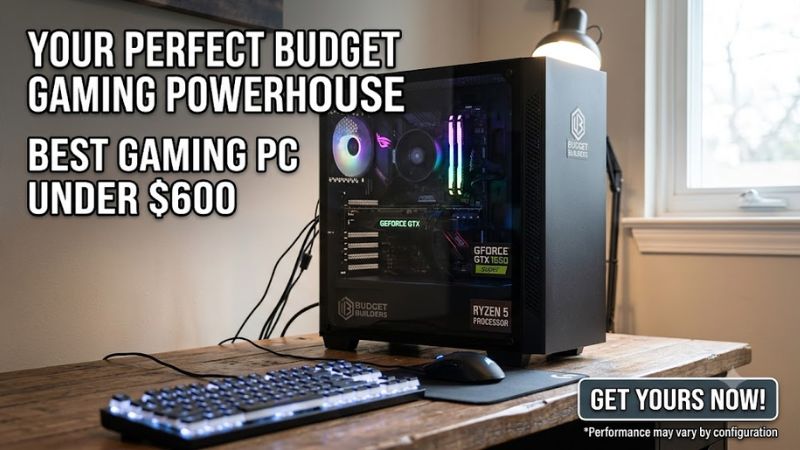
For the best gaming pc under 600, look for a discrete GPU rather than paying extra for decorative features or a stronger CPU paired with weak graphics. An RTX 2060-class system gives you access to hardware-accelerated ray tracing and DLSS, while GTX 1660 Super and RX 580 systems are more appropriate for conventional 1080p gaming.
Independent benchmarks illustrate why settings and resolution matter. TechSpot’s GTX 1660 Super review averaged 88 FPS across 17 games at 1080p using its stated test configuration, while its RX 580 revisit measured 62 FPS at 1080p with medium-oriented settings. These are GPU reviews, not complete-system results, so they should not be treated as direct prebuilt benchmarks.
2. Keep 16GB as the Memory Floor
A sensible best gaming pc under 600 should have 16GB of system memory, preferably as two modules when the motherboard supports it. Current budget listings commonly provide 16GB DDR4, but the exact configuration varies, so check whether the machine uses one stick or two before assuming dual-channel operation.
DDR4 is common in this price range and is not automatically a problem for 1080p gaming, but it limits your platform options compared with newer DDR5 systems. The important check is compatibility with the installed motherboard and CPU, because a DDR4 motherboard cannot accept DDR5 modules and vice versa.
3. Demand SSD Storage
For a best gaming pc under 600, 512GB is workable for a small library, while 1TB provides more practical room for several large games. Current sub-$600 listings include both 512GB and 1TB configurations, so storage capacity should be compared alongside the GPU rather than treated as a cosmetic specification.
NVMe SSDs are preferable when the price difference is reasonable, but the interface still matters. An M.2 NVMe drive requires an appropriate motherboard slot, while a 2.5-inch SATA SSD uses a different connection. Verify the exact drive type before planning an upgrade, particularly on refurbished systems with mixed old and new parts.
4. Check the Platform and PSU
Compatibility is the easiest place for a low-cost purchase to become inconvenient. For the best gaming pc under 600, verify the motherboard socket, DDR4 or DDR5 memory type, available PCIe slot, power-supply capacity and GPU power connector before buying; case clearance also matters when replacing the graphics card.
This is especially important with marketplace prebuilts because seller configurations can change between listings. The Walmart STGAubron RTX 2060 system, for example, lists an Intel Core i7, 16GB RAM and 512GB SSD, but the public listing does not identify every motherboard and PSU detail. Treat unspecified platform information as something to verify rather than assume.
Top Picks
The table below separates the most useful choices by buyer profile rather than pretending every sub-$600 tower has the same hardware quality. Prices are current listings where available on September 22, 2026; marketplace inventory can change quickly, and older GPUs are common at this budget.
| Product | Best For | Key Spec | Compatibility | Watch Out For |
| STGAubron i7 + RTX 2060 | Best Overall | RTX 2060 6GB, 16GB RAM | DDR4-era platform; verify PSU and board | Older CPU platform |
| STGAubron i7 + RX 580 | Best Value | RX 580 8GB, 16GB RAM | DDR4-era platform; verify exact CPU | Older GPU |
| OKAMUS i7 + GTX 1660 Super | Best For 1080p | GTX 1660 Super 6GB, 16GB RAM | DDR4; 550W PSU listed | No ray tracing hardware |
| Jawa Ryzen 5 3500 + RTX 2060 | Best For Low-Cost Used | RTX 2060 6GB, 16GB DDR4 | AM4 platform; 400W SFX PSU listed | Only 256GB SSD |
Best Overall: STGAubron i7 + RTX 2060
For shoppers who want the best gaming pc under 600 without moving into a DIY build, the STGAubron Intel Core i7 and RTX 2060 tower is listed at $599.99 on Walmart. It includes 16GB RAM, a 512GB SSD, Wi-Fi 6, Bluetooth 5.2 and Windows 11 Home.
The real weakness is platform age and incomplete public specification detail. The listing does not identify the exact Core i7 model, motherboard or PSU model, so buyers should confirm those details before ordering. It is not a good choice if you specifically want a modern DDR5 platform or a clearly documented upgrade path.
Best Value: STGAubron i7 + RX 580
The STGAubron RX 580 tower gives budget buyers a lower entry price, with a current Walmart listing showing an Intel Core i7, 16GB RAM, 512GB SSD, Wi-Fi 6, Bluetooth 5.2 and Windows 11 Home from $509.99. That leaves more of the $600 ceiling available for a larger SSD or monitor.
Its main weakness is the RX 580’s age and higher power demand compared with newer entry-level GPUs. PC Gamer’s RX 580 review used 18 games across four resolution and setting combinations, while TechSpot’s later revisit focused on lower presets; those sources demonstrate why this card should be considered primarily for 1080p rather than modern high-setting 1440p.
Best For 1080p: OKAMUS i7 + GTX 1660 Super
The OKAMUS tower listed by Walmart combines an i7-class CPU, GTX 1660 Super 6GB graphics, 16GB RAM, 512GB M.2 storage, Wi-Fi 6, Bluetooth 5.3 and a listed 550W PSU for $599.99. The GTX 1660 Super also avoids the higher power requirements associated with some older budget GPUs.
Its limitation is straightforward: the GTX 1660 Super does not provide hardware ray tracing support, so this machine is better suited to conventional rasterized gaming. TechSpot’s 1080p review averaged 88 FPS across 17 games on its reference test system, but that figure should not be transferred directly to this prebuilt because CPU, drivers and game settings differ.
Best For Low-Cost Used: Jawa Ryzen 5 3500 + RTX 2060
A current Jawa listing at $470 pairs a Ryzen 5 3500 with an RTX 2060 6GB, 16GB DDR4-3200, a 256GB SATA SSD and a 1TB hard drive. The system is described as used-like-new, with an SFX 400W PSU and Wi-Fi included, making it one of the lower-cost ways to obtain an RTX-class GPU.
The compromise is the small SSD and older AM4 platform, while the 400W SFX PSU leaves less flexibility for future GPU upgrades than a tower with a larger supply. This system should not be the choice for someone who wants a large game library immediately or plans to install a substantially more power-hungry graphics card.
Frequently Asked Questions
The four key answers are: yes, $600 can cover 1080p gaming; 16GB RAM is the sensible baseline; a discrete GPU matters more than RGB or oversized CPU branding; and used or refurbished hardware is common because newer RTX 5050-class prebuilts can exceed the ceiling.
Is $600 Enough for a Gaming PC?
Yes, $600 is enough for a gaming PC aimed at 1080p, particularly when you consider refurbished and marketplace systems. Current listings include RTX 2060 and GTX 1660 Super towers around the ceiling, while newer RTX 5050 systems have appeared around $599 during promotions but can be substantially more expensive outside those sales.
The important limitation is that a $600 purchase does not provide unlimited performance. Modern AAA games can require reduced settings, upscaling or compromises, particularly with older GPUs. A buyer targeting consistently high 1440p settings should treat this budget as a starting point rather than an all-purpose performance tier.
Should You Buy New, Refurbished, or Used?
For the best gaming pc under 600, refurbished and used systems can expose stronger GPU hardware, but the buyer has to inspect the component list more carefully. A current Jawa listing, for example, identifies its Ryzen 5 3500, RTX 2060, 16GB DDR4, SSD, motherboard and 400W PSU, which makes its limitations easier to understand.
New budget towers offer simpler purchasing and may include Windows, but specifications can still be vague on marketplace listings. Check the exact CPU, GPU, motherboard, RAM arrangement, storage, PSU and warranty before comparing two systems solely by price or the word “gaming” in the title.
Is 16GB RAM Enough for Budget Gaming?
Yes, 16GB remains the practical starting point for a budget gaming PC, especially when the system is dedicated primarily to gaming and everyday desktop use. Current sub-$600 listings from Walmart and Jawa commonly use 16GB, although their memory type and module arrangement differ.
Moving to 32GB can make sense for heavy multitasking, content creation or games with unusually high memory requirements, but it should not automatically take priority over a stronger GPU at this price. First confirm whether the existing system uses one or two memory modules and whether free slots remain.
What Should You Avoid Under $600?
Avoid any best gaming pc under 600 listing that hides the GPU model, gives no usable information about the PSU, or relies on integrated graphics while advertising itself primarily as a gaming machine. Also be cautious with very old office platforms unless the price reflects their age and the GPU is clearly identified.
A low price does not compensate for an unsuitable power supply, tiny system drive or incompatible upgrade plan. Before checkout, compare the complete specification against your monitor resolution, game library and intended upgrades. If a seller cannot provide the missing hardware details, leave those details unverified rather than assuming favorable specifications.
Final Thoughts
The best gaming pc under 600 is usually a 1080p-focused tower with a discrete GPU and 16GB RAM, but the market rewards careful specification checks more than flashy product titles. RTX 2060, GTX 1660 Super and RX 580 systems remain common at this price, while newer hardware usually requires a sale or a higher budget.