🛒 Best Price Today on Amazon
Prime members get fast, free shipping on everything above, plus member-only deals. New members get a 30-day free trial — cancel anytime.
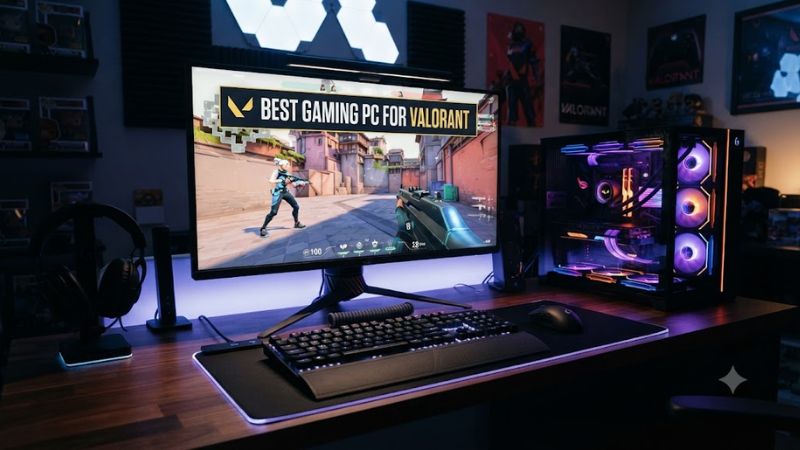
For competitive play, the best gaming pc for valorant should favor a fast modern CPU, dual-channel DDR5, and enough GPU power for your target resolution rather than overspending on graphics. Valorant is relatively light, so a balanced RTX 5060-class system can already suit high-refresh 1080p play.
How to Choose a Gaming PC for Valorant
Valorant rewards CPU speed and memory behavior more than many visually heavier games, especially at 1080p where the GPU often has headroom. Start with the processor, then check RAM layout, Windows 11 security support, and upgrade constraints. The four picks below cover value, multitasking, OEM support, and premium cooling.
Prioritize CPU Performance for High Refresh Rates
A strong CPU matters because Valorant can become CPU-limited at high frame rates. CyberPowerPC’s Gamer Master pairs a Ryzen 7 9700X with an RTX 5060, giving buyers an eight-core Zen 5 processor on AM5. That balance makes it a sensible first look for a best gaming pc for valorant focused on 1080p competition.
Independent ByArdanTR footage specifically benchmarks a Ryzen 7 9700X and RTX 5060 at 1920×1080 using Low settings, which matches the hardware class of this CyberPowerPC. Results can vary with map, patch, RAM, cooling, and recording overhead, so the video is useful as context rather than a SKU-level guarantee.
Match the GPU to Resolution, Not Marketing Tier
An RTX 5060 or RTX 5060 Ti is already substantial for Valorant, so buying a much faster GPU only for this game can shift money away from the CPU or monitor. The iBUYPOWER Slate uses a Core Ultra 7 265F and RTX 5060 Ti 8GB, while also supplying 32GB DDR5 and a 2TB NVMe SSD for broader gaming and streaming use.
A benchmark-backed TrueFPS estimate for Ryzen 5 9600X plus RTX 5060 reports 623 average FPS at 1920×1080 High settings, illustrating how lightly Valorant can load a modern midrange GPU. Treat that figure as an estimate for the named test configuration, not as expected performance for every prebuilt listed here.
Check RAM Layout and Platform Compatibility
For a prebuilt, capacity is not the whole memory story; two DIMMs can provide dual-channel operation without an immediate upgrade. The Alienware Aurora cited here uses 16GB as 2×8GB DDR5-5200, while the current HP OMEN 35L base configuration lists 16GB as one DDR5-5800 module, less attractive for latency-sensitive esports.
AMD’s Ryzen 7 9700X and Ryzen 5 9600X belong to the AM5 platform and use DDR5, while Intel Core Ultra 200S desktop parts use the LGA1851 platform. When comparing a best gaming pc for valorant, confirm the exact motherboard, DIMM population, PSU, and case before planning upgrades because prebuilt component choices can vary by SKU.
Verify Windows 11 and Upgrade Headroom
Valorant on Windows 11 uses Riot Vanguard, and Secure Boot plus TPM 2.0 are required by Riot’s current PC requirements. Current 2025–2026 prebuilts use hardware capable of these features, but firmware settings can still matter after BIOS resets or motherboard changes, so confirm them before troubleshooting launch errors.
Upgrade headroom differs sharply. NVIDIA lists a 550W system power guideline for the RTX 5060 reference design and 600W for the RTX 5060 Ti, though add-in-card needs can vary. Alienware’s cited RTX 5060 Ti configuration includes a 500W Platinum PSU, so major future GPU upgrades deserve extra scrutiny.
Top Picks for Valorant Gaming PCs
These four current prebuilts fit different buyers rather than one budget. CyberPowerPC emphasizes a fast AM5 CPU, iBUYPOWER adds more RAM and storage, HP provides a configurable chassis, and Alienware combines a Core Ultra 7 with liquid cooling. Verify the exact retailer SKU before ordering because configurations can change.
| Product | Best For | Key Spec | Compatibility | Watch Out For |
| CyberPowerPC Gamer Master GMAI4800CPGV2 | Best Overall | Ryzen 7 9700X + RTX 5060 | AM5, DDR5, PCIe 4.0 SSD | 16GB RAM is modest for heavy multitasking |
| iBUYPOWER Slate SBI7N56T04 | Best Value for Multitasking | Core Ultra 7 265F + RTX 5060 Ti 8GB | LGA1851, 32GB DDR5-5200 | Exact component brands may vary |
| HP OMEN 35L GT16-0100m | Best for OEM Configuration | Ryzen 7 8700G + RTX 5060 | AM5, B650, DDR5 | Base 16GB memory is 1×16GB |
| Alienware Aurora ACT1250 | Best for Premium Cooling | Core Ultra 7 265F + RTX 5060 Ti 8GB | LGA1851, dual-channel DDR5 | 500W PSU limits some upgrade paths |
CyberPowerPC Gamer Master GMAI4800CPGV2
The Gamer Master combines a Ryzen 7 9700X, RTX 5060 8GB, 16GB DDR5, and a 1TB PCIe 4.0 SSD. That CPU-first balance is well suited to a best gaming pc for valorant because the eight-core Zen 5 chip gives substantial processing headroom without pairing it with an unnecessarily expensive graphics card.
Buy it if competitive 1080p play is the priority and you want straightforward AM5-platform upgradability. Its weakness is the 16GB memory capacity, which is enough for Valorant but less generous for streaming, browsers, and creation apps together. Skip it if 32GB out of the box matters more than CPU value.
iBUYPOWER Slate SBI7N56T04
The Slate now uses an Intel Core Ultra 7 265F, RTX 5060 Ti 8GB, 32GB DDR5-5200, and a 2TB NVMe SSD. Those two memory sticks and larger SSD make it convenient for buyers who keep Discord, capture software, browsers, and multiple games installed while still wanting a fast CPU for high-refresh Valorant.
This is the best gaming pc for valorant here for a user who values multitasking capacity without immediately opening the case. The real drawback is component variability: iBUYPOWER notes that exact component manufacturers can vary, so motherboard, PSU, cooler, and SSD brand may differ. Avoid it if you need fixed part models before purchase.
HP OMEN 35L GT16-0100m
HP’s current OMEN 35L configurator lists a Ryzen 7 8700G with an RTX 5060 8GB, B650 chipset, and 16GB DDR5-5800 in the included configuration, with higher GPU and memory options available. It is a practical choice for buyers who prefer a major OEM configurator and want the option to choose more memory before checkout.
The weakness is the base memory layout: HP lists that 16GB as one 16GB DIMM, so adding a matched second module is worth considering for a performance-oriented setup. The Ryzen 7 8700G also sits on AM5 and supports DDR5, but shoppers focused only on maximum esports FPS should compare CPU pricing against newer Ryzen 9000 options.
Alienware Aurora ACT1250
The Aurora ACT1250 configuration shown by Dell pairs a Core Ultra 7 265F with an RTX 5060 Ti 8GB, 16GB dual-channel DDR5-5200, a 1TB NVMe SSD, a 500W Platinum PSU, and a 240mm liquid cooler. That combination suits buyers who want a finished OEM desktop with strong CPU resources and defined cooling hardware.
For a best gaming pc for valorant that will stay near its shipping configuration, the Aurora is easy to understand and already uses two memory modules. Its weakness is the 500W PSU in this exact spec, which narrows some future GPU choices. Do not buy it mainly for upgrade freedom if you expect a high-power graphics card later.
Frequently Asked Questions
Valorant buyers often overestimate GPU needs and underestimate CPU, memory layout, and monitor refresh rate. The questions below focus on decisions that directly affect a purchase: hardware class, 240Hz suitability, RAM capacity, and whether a stronger graphics card meaningfully changes the experience in this specific game.
What PC Specs Are Good for Valorant in 2026?
A modern six-core or better CPU, 16GB of dual-channel memory, an SSD, and a current entry-to-midrange dedicated GPU are a strong starting point for high-refresh Valorant. Riot’s official requirements are much lower, so the goal of a best gaming pc for valorant is usually competitive frame-rate headroom rather than basic playability.
For a new prebuilt, DDR5 platforms such as AM5 or LGA1851 are sensible because they pair current CPUs with modern memory and upgrade options. A 1TB SSD is also practical for Windows, Valorant, Riot Client, and other games. If you stream or multitask heavily, 32GB is more comfortable than 16GB without being required by Valorant.
Do You Need an RTX 5070 for 240Hz Valorant?
No, an RTX 5070 is not required for 240Hz Valorant when the rest of the system is well balanced. Current RTX 5060-class systems can already target very high frame rates at 1080p, and Valorant often becomes more sensitive to CPU performance than to additional GPU power once graphics demand is comfortably covered.
That does not mean an RTX 5070 is pointless; it can make sense if you also play demanding AAA games at 1440p or 4K. For Valorant alone, put the budget toward the CPU, dual-channel memory, low-latency peripherals, and a monitor whose refresh rate matches your goal before paying mainly for unused graphics headroom.
Is 16GB RAM Enough for Valorant?
Yes, 16GB RAM is enough for Valorant on a gaming PC when background workloads are reasonable. The more important detail is configuration: two matched DIMMs are preferable to a single module for a performance-focused desktop because they enable dual-channel memory operation on mainstream platforms and avoid leaving bandwidth unused.
Choose 32GB if you stream, edit video, run many browser tabs, or keep several applications open during play. The iBUYPOWER Slate already includes 32GB, while the HP OMEN base configuration cited here uses one 16GB module. That difference matters more to overall responsiveness than simply comparing the advertised memory speed.
Is AMD or Intel Better for a Valorant Gaming PC?
Both AMD and Intel have current CPUs that work well for Valorant, so platform value and the exact processor matter more than the brand name alone. Ryzen 9000 on AM5 offers DDR5 and a broad upgrade path, while Core Ultra 200S desktops use LGA1851 and can deliver strong high-refresh gaming with suitable memory and cooling.
For this roundup, CyberPowerPC’s Ryzen 7 9700X is attractive for a CPU-focused esports build, while the Intel-based iBUYPOWER and Alienware systems offer more packaged memory or cooling. Compare the whole SKU, not just the badge, because RAM layout, PSU capacity, SSD size, and case design can alter long-term value.
Final Thoughts
The best gaming pc for valorant does not need a flagship GPU; it needs a fast CPU, sensible DDR5 configuration, enough storage, and a clear upgrade path. CyberPowerPC leads with Ryzen 7 9700X balance, iBUYPOWER adds 32GB and 2TB, HP offers configurability, and Alienware suits buyers who prefer defined OEM cooling.