🛒 Best Price Today on Amazon
Prime members get fast, free shipping on everything above, plus member-only deals. New members get a 30-day free trial — cancel anytime.
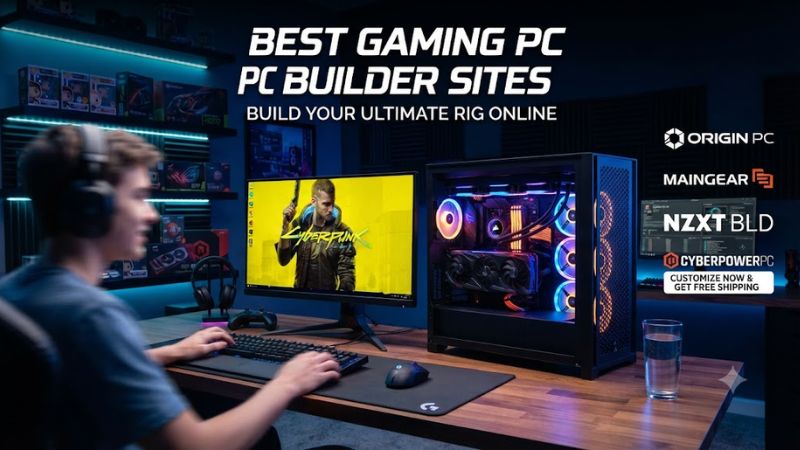
Choosing best gaming pc builder sites means balancing component choice, compatibility, price, support, and the amount of work you want to avoid. In 2026, CyberPowerPC, iBUYPOWER, MAINGEAR, and ORIGIN PC cover different priorities, so compare complete configurations instead of judging a builder by its headline tier.
How to Choose a Gaming PC Builder
Start with component selection, because a low entry price has little value if the configurator blocks the CPU, GPU, storage, cooling, or power supply you need. The best gaming pc builder sites should show enough detail to compare parts, while keeping compatible combinations available as you change the build.
Check Hardware Compatibility
Compatibility is the first technical check. Current custom desktops commonly use DDR5, and the CPU socket, motherboard, memory, GPU clearance, cooler space, PSU capacity, and connectors must match. A configurator can filter incompatible parts, but review the final component list before ordering, especially after several upgrades.
Compare Customization Depth
Customization depth matters when you already know the target build. CyberPowerPC and iBUYPOWER offer broad configurators, while MAINGEAR and ORIGIN PC focus more heavily on custom systems and presentation. Compare the exact motherboard, RAM kit, SSD, cooler, PSU, case, and operating system rather than stopping at CPU and GPU names.
Review Support and Warranty
Support can change the value equation. iBUYPOWER currently advertises three-year parts and labor coverage for new desktop purchases, while current MAINGEAR MG-1 pages list a one-year warranty with lifetime technical support. ORIGIN PC advertises lifetime service support, but parts coverage varies by plan, so check the order terms.
Match the Builder to Your Budget
CyberPowerPC is the strongest overall starting point because its custom catalog spans Intel and AMD processors with NVIDIA, AMD, and Intel graphics, while EZPC can narrow choices by game, resolution, budget, and brand. That gives beginners guidance without preventing experienced buyers from reviewing individual components.
Top Picks for Custom Gaming PCs
The best gaming pc builder sites are not identical services, even when they sell similar CPUs and GPUs. The four picks below separate broad configuration, value, boutique presentation, and premium customization so buyers can compare the trade-offs that remain after hardware compatibility is handled.
| Product | Best For | Key Spec | Compatibility | Watch Out For |
| CyberPowerPC | Best Overall | DDR5; RTX 50-series | Intel Core Ultra or AMD Ryzen; Windows 11 | Large catalog needs careful comparison |
| iBUYPOWER | Best Value | Ryzen 7 7800X3D; RTX 5070 | Intel or AMD; DDR5 | Value depends on the exact configuration |
| MAINGEAR MG-1 | Best For Boutique Builds | Ryzen 9 9950X3D2 Dual Edition; RTX 5090 | AMD or Intel; DDR5 | Premium pricing at higher tiers |
| ORIGIN PC | Best For Deep Customization | 128GB DDR5; 8TB NVMe | Modern Intel/AMD; RTX 50-series | Boutique premium can outweigh value |
CyberPowerPC — Best Overall
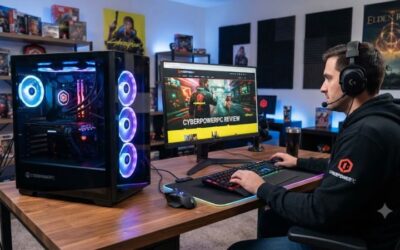
Buy CyberPowerPC if you want a broad catalog and many configurable parts without paying boutique pricing by default. Current listings include DDR5 memory and RTX 50-series graphics, giving buyers room to balance gaming performance, storage, cooling, and total system cost.
The weakness is that CyberPowerPC’s large catalog demands careful comparison. Tom’s Hardware’s 2026 review found competitive pricing and strong gaming performance, but noted limited wireless capability and missing newer high-speed I/O on that configuration. Skip it if you dislike comparing supporting parts.
iBUYPOWER — Best Value
iBUYPOWER is the value-oriented choice when you want custom selection plus guided recommendations. PC Lab supports building from scratch, while Easy Builder uses games, platform, budget, and performance preferences to suggest systems. That makes the site useful for buyers who want less research without giving up customization.
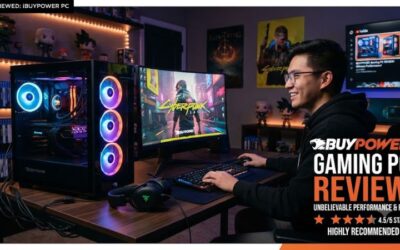
Buy iBUYPOWER if gaming is the priority and you want current standard-part configurations. Its builder currently shows combinations such as Ryzen 7 7800X3D and RTX 5070, while the company advertises three-year parts and labor coverage for new desktop purchases.
The trade-off is that value depends on the exact configuration. Tom’s Hardware’s September 2026 Slate review found strong gaming performance and useful peripherals, but its Ryzen 7 7700X3D configuration lagged comparable Intel systems in productivity and produced noticeable fan noise. Skip it if you need strong productivity too.
MAINGEAR MG-1 — Best For Boutique Builds
Buy MAINGEAR if presentation, cooling design, and a boutique ownership experience matter alongside gaming hardware. The current MG-1 supports Ryzen 9 9950X3D2 Dual Edition and GeForce RTX 5090 options, giving premium buyers a clear high-end target and a fully custom route with current Intel alternatives.
The weakness is cost at higher configurations. Current MG-1 systems can move beyond mainstream custom-builder pricing, making them less attractive for buyers focused only on frames per dollar. Tom’s Hardware’s 2026 review praised the clean build and personalization but criticized the front-panel port selection. Skip it if price is your priority.
ORIGIN PC — Best For Deep Customization
Buy ORIGIN PC if you want extensive customization and a premium finished desktop. Current listed systems can reach 128GB of DDR5 and 8TB of NVMe storage, giving demanding buyers substantial headroom for gaming, creation, and large game libraries without choosing a proprietary platform or fixed configuration.
The weakness is the boutique premium. PC Gamer’s Neuron review praised the physical build and cable management but criticized the price premium and component choices against cheaper alternatives. Skip ORIGIN PC if your only goal is maximum hardware value and you are comfortable building and supporting a PC yourself.
FAQ: Best Gaming PC Builder Sites
Builder-site questions usually come down to value, compatibility, customization, and whether assembly is worth paying for. The practical answer is to compare the complete parts list, warranty, shipping terms, and upgrade path rather than relying on a builder’s headline tier or advertised performance label.
Are Custom Gaming PC Builder Sites Worth It?
Yes, a custom builder can be worth the premium when you want a finished PC without doing physical assembly or troubleshooting. The fair comparison is the complete system price against equivalent retail parts, warranty coverage, shipping, and the time you would otherwise spend building and supporting the machine.
Value depends on what you would otherwise do yourself. The best gaming pc builder sites can charge for assembly, compatibility filtering, support, and warranty handling, while DIY can provide more control over individual part prices. Compare the same CPU, GPU, memory, storage, cooling, PSU class, and case before deciding.
Do Gaming PC Builder Sites Check Compatibility?
Yes, the best gaming pc builder sites should make compatibility easier, but buyers should still inspect the final configuration. Check the CPU socket and motherboard, DDR5 support, GPU dimensions, cooler clearance, PSU capacity and connectors, storage interface, operating system, and upgrade options for the exact chassis.
Yes, reputable configurators are designed to prevent incompatible selections, but compatibility should still be checked at checkout. Look for the exact motherboard and socket, memory type, GPU clearance, cooler support, PSU connectors, storage interfaces, and operating system, because a valid parts combination can still be a poor upgrade path.
Are Custom-Built Gaming PCs Good Value?
No, a higher-priced builder is not automatically better for gaming. Current independent reviews show that similar CPU and GPU classes can perform comparably, while cooling, motherboard selection, memory configuration, storage, warranty, and included peripherals affect value across otherwise similar systems.
Review the supporting components as carefully as the headline CPU and GPU. A current custom desktop can vary substantially in motherboard quality, memory configuration, storage capacity, cooler size, PSU model, wireless connectivity, and available expansion slots, so the cheapest configuration is not automatically the strongest value.
Should I Use a Custom Builder Instead of DIY?
Yes, custom builders are usually the easier route when you want a specific component mix without assembling the machine yourself. The best gaming pc builder sites are especially useful when you know your target resolution and GPU class but want someone else to handle assembly and support after delivery.
DIY is usually preferable when you enjoy choosing every component and are comfortable handling assembly, firmware settings, troubleshooting, and warranty claims across separate vendors. A builder is more compelling when convenience, one-company support, and a finished system matter more than squeezing every dollar from the parts list.
Final Thoughts
CyberPowerPC, iBUYPOWER, MAINGEAR, and ORIGIN PC each suit a different buyer, from broad configuration and value to boutique presentation and premium customization. Compare current parts, compatibility, warranty terms, shipping, and total price on the day you order, because promotions and available hardware can change quickly.