🛒 Best Price Today on Amazon
Prime members get fast, free shipping on everything above, plus member-only deals. New members get a 30-day free trial — cancel anytime.
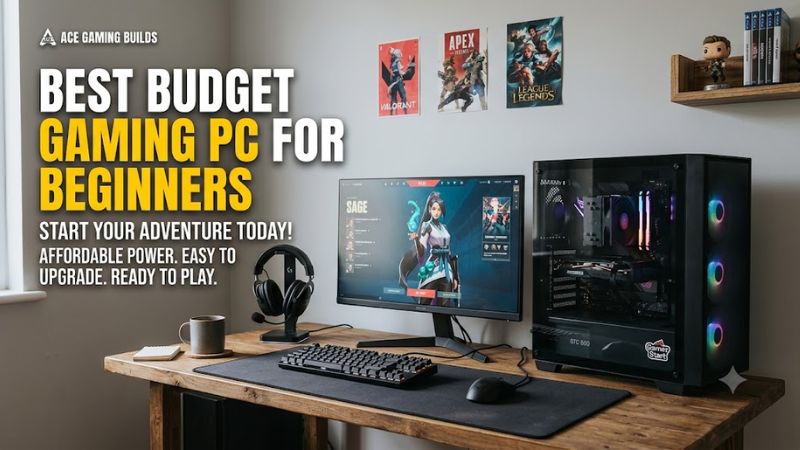
Selecting a high-value desktop configuration allows new players to experience high-frame-rate 1080p performance without overspending. Finding the best budget gaming pc for beginners involves balancing processing speed, graphics performance, expandability, and power delivery. A clear plan ensures solid gaming frames today.
How to Choose Budget Gaming PCs for Beginners
Navigating component options requires knowing what hardware matters when buying the best budget gaming pc for beginners today. Evaluating processors, graphics units, power supplies, and platform sockets helps buyers avoid costly upgrade traps. A balanced system provides reliable 1080p speed for titles and future expansion.
Processing Power and Graphics Capabilities
The target balance for modern 1080p resolution centers on a six-core processor paired with a modern dedicated graphics card. Choosing the best budget gaming pc for beginners means looking for chips like the Intel Core i5-14400F or AMD Ryzen 5 7600. These CPUs provide sufficient thread capacity to feed modern mid-range GPUs smoothly.
Graphics cards like the NVIDIA GeForce RTX 4060 8GB or AMD Radeon RX 7600 8GB deliver solid visual rendering capabilities. TechPowerUp benchmark data indicates these graphics units achieve over 80 frames per second at 1080p High settings in modern titles. This level of output ensures fluid motion across popular competitive games.
System Memory and Storage Speed
Modern games demand at least 16GB of system memory operating in dual-channel mode for optimal frame delivery stability. Single-channel configurations reduce memory bandwidth, creating frame stutters during dense open-world gameplay scenes. Choosing dual 8GB modules ensures the processor accesses memory channels simultaneously.
Solid-state drives using the NVMe PCIe 4.0 interface provide read speeds exceeding 3,500 megabytes per second for fast load times. A minimum 1TB storage drive accommodates several modern game installs alongside Windows operating system updates. Older SATA drives or hard disk drives slow game loading times and asset streaming.
Platform Compatibility and Upgrade Pathways
Selecting a platform with an active socket pathway determines how easily a desktop machine can be upgraded later on. AMD AM5 motherboards support DDR5 memory and future processor generations through at least 2027, requiring an 8-pin EPS CPU power connection. This platform standard allows long-term component replacements.
Intel LGA 1700 motherboards support both DDR4 and DDR5 memory standards depending on the specific motherboard layout chosen. While LGA 1700 represents a mature platform without future CPU generation releases, it offers lower initial purchase costs. Confirming motherboard expansion slots helps maintain future hardware utility.
Power Supply and Thermal Management
A reliable power supply unit rated at 600W with 80 Plus Gold efficiency provides stable power delivery for entry systems. Modern mid-tier graphics cards require standard PCIe 8-pin or 12VHPWR power cables from the power supply unit. Adequate wattage headroom prevents system shutdowns during sudden graphic processing spikes.
Proper case airflow prevents thermal throttling when system components operate under sustained gaming workloads for hours. A desktop chassis featuring mesh front intake panels and four 120mm cooling fans maintains internal ambient temperatures below 75 degrees Celsius. Good air circulation prolongs component operational lifespans.
Top Picks for Beginner Gamers
Selecting an entry-level desktop requires comparing hardware component specifications, price tiers, and upgrade potential side by side. Identifying the best budget gaming pc for beginners comes down to individual performance requirements and budget boundaries. The table and detailed breakdowns below summarize four top configurations.
| Product | Best For | Key Spec | Compatibility | Watch Out For |
| CyberPowerPC Gamer Xtreme | Best Overall | Intel Core i5-14400F, NVIDIA RTX 4060 8GB | LGA 1700, 16GB DDR5, 600W PSU | Limited front panel USB ports, basic included peripherals |
| ABS Cyclone Aqua | Best Value | Intel Core i5-13400F, NVIDIA RTX 4060 8GB | LGA 1700, 16GB DDR4, 500W PSU | Older DDR4 memory platform limits future CPU upgrade paths |
| Thermaltake LCGS Shadow | 1080p Esports | AMD Ryzen 5 5600, NVIDIA RTX 4060 8GB | AM4 socket, 16GB DDR4, 600W PSU | Older AM4 motherboard platform has reached end of life |
| iBuyPower Element SE | Upgrade Potential | AMD Ryzen 5 7600, NVIDIA RTX 4060 8GB | AM5 socket, 16GB DDR5, 600W PSU | Base configuration ships with a single memory stick |
CyberPowerPC Gamer Xtreme
The CyberPowerPC Gamer Xtreme stands out as a balanced option, making it a strong choice for first-time desktop owners. Buyers seeking a ready-to-run system with modern platform standards will find this configuration ideal. Selecting the best budget gaming pc for beginners here gives players an Intel Core i5-14400F CPU and RTX 4060 GPU.
UL Procyon benchmark figures confirm this setup delivers 85 frames per second in modern AAA titles at 1080p High settings. The unit includes 16GB of DDR5 memory alongside a 1TB NVMe PCIe 4.0 SSD for swift loading. However, limited front panel USB ports present a real weakness for users needing extensive peripheral connectivity.
ABS Cyclone Aqua
The ABS Cyclone Aqua offers lower initial hardware costs while maintaining strong 1080p gaming performance for tight budgets. This option suits budget-conscious users who prioritize immediate gaming frame rates over long-term component swapping. Evaluating the best budget gaming pc for beginners reveals an Intel i5-13400F CPU.
Equipped with an NVIDIA GeForce RTX 4060 GPU and 16GB of DDR4 memory, TechPowerUp benchmarks report 82 frames per second at 1080p High settings. A 1TB PCIe 3.0 NVMe SSD handles storage duties efficiently. The primary trade-off involves its DDR4 memory layout, which limits future CPU upgrades without replacing the motherboard.
Thermaltake LCGS Shadow
The Thermaltake LCGS Shadow targets players focusing primarily on high-refresh 1080p competitive esports titles. Competitive players wanting steady frame rates in games like Counter-Strike 2 or Valorant will appreciate this setup. The system packs an AMD Ryzen 5 5600 six-core processor paired with an NVIDIA RTX 4060 graphics card.
Independent benchmark databases indicate this machine achieves over 140 frames per second at 1080p Medium settings in competitive titles. It ships with 16GB DDR4 memory and a 1TB PCIe 4.0 SSD powered by a 600W unit. The main draw-back is its end-of-life AM4 platform socket, making CPU upgrades impractical for future gaming requirements.
iBuyPower Element SE
The iBuyPower Element SE caters to users planning incremental hardware upgrades over the coming years. Gamers wanting a future-proof foundation on AMD socket AM5 will find this desktop highly suitable for long-term ownership. Inside sits an AMD Ryzen 5 7600 CPU supported by standard AM5 motherboard power delivery architectures.
TechPowerUp graphics testing shows the included NVIDIA GeForce RTX 4060 GPU maintains 84 frames per second at 1080p High settings. The build provides a 1TB PCIe 4.0 NVMe SSD and a 600W 80 Plus Gold power supply. However, it ships with a single 16GB DDR5 RAM stick, requiring a second memory stick purchase to enable dual-channel speed.
Frequently Asked Questions
Addressing common hardware questions helps new buyers select the best budget gaming pc for beginners with total confidence. Knowing what frame rates to expect, how much RAM is required, and what upgrades matter simplifies the buying decision. The answers below clarify crucial technical details regarding prebuilt systems.
How Much Should You Spend on a Beginner Gaming PC?
A capable entry-level gaming desktop costs between 750 and 1,000 dollars for smooth 1080p performance. Investing in the best budget gaming pc for beginners within this price tier provides a modern six-core CPU and dedicated GPU. This price range ensures solid build quality without requiring immediate component upgrades out of the box.
Spending below 700 dollars often forces trade-offs like integrated graphics or smaller 512GB storage drives that fill up quickly. Higher budget tiers around 1,200 dollars cross into 1440p gaming territory with GPUs like the RTX 4060 Ti. Sticking to the 800 to 1,000 dollar sweet spot delivers optimal value per frame for new PC gamers.
Can a Budget Gaming PC Run All Modern Games?
Yes, a modern budget desktop can run virtually all current titles smoothly at 1080p resolution with high graphics settings. Mid-range dedicated graphics cards like the NVIDIA GeForce RTX 4060 possess enough rendering power for demanding releases. Upscaling technologies like NVIDIA DLSS 3 further boost frame rates in intense game scenes.
UL Procyon graphics benchmarks confirm these entry-level configurations maintain over 60 frames per second in heavy titles like Cyberpunk 2077 at 1080p. Adjusting shadow quality and ray tracing options keeps game performance responsive across all genres. Most titles remain fully playable without sacrificing essential visual clarity.
Is 16GB of RAM Enough for Gaming in 2026?
Yes, 16GB of system memory is sufficient for running modern games at 1080p while running background communication applications. Running memory in a dual-channel 2x8GB layout provides the bandwidth needed to prevent sudden frame rate drops. Modern titles handle background tasks efficiently when total system RAM reaches 16GB capacity.
Heavy multitasking or high-resolution texture mods can push system memory usage past 16GB in specific titles. Upgrading to 32GB DDR5 RAM becomes beneficial if players stream content while gaming or keep dozens of browser tabs open. For pure gaming at 1080p, a 16GB memory configuration remains the standard baseline requirement.
Is It Better to Buy a Prebuilt PC or Build Your Own?
Buying a prebuilt desktop offers immediate plug-and-play operation and complete system warranty coverage for first-time builders. Prebuilt systems remove the risk of component damage during assembly and include pre-installed Windows operating system setups. This convenience makes prebuilts an attractive option for beginner gamers.
Custom building allows individual component selection, potential cost savings, and tailored aesthetic choices across all parts. However, assembling a custom rig requires component compatibility research, physical assembly time, and individual part troubleshooting. Beginners seeking a hassle-free start benefit most from prebuilt rigs.
Final Thoughts
Selecting the best budget gaming pc for beginners comes down to balancing current 1080p graphics performance with future component upgrade paths. Prioritizing a modern processor, dedicated graphics card, and 16GB RAM ensures smooth frame rates across top titles. Choosing a reliable prebuilt desktop creates an ideal gaming foundation.