🛒 Best Price Today on Amazon
Prime members get fast, free shipping on everything above, plus member-only deals. New members get a 30-day free trial — cancel anytime.
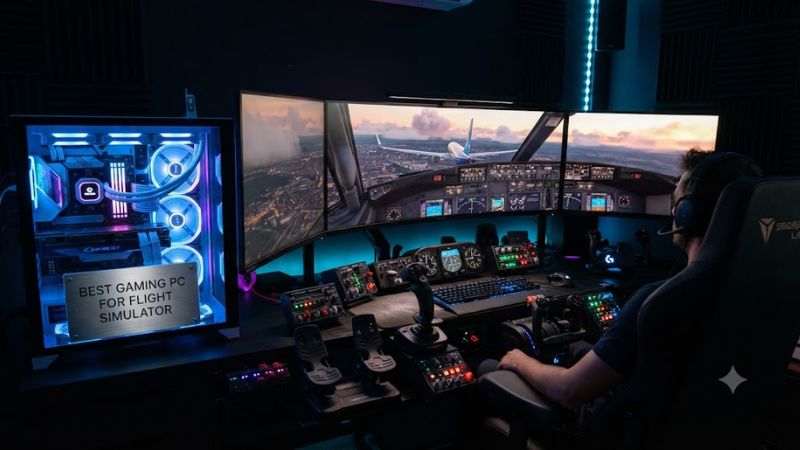
For the best gaming pc for flight simulator, target an RTX 5070 Ti with a Ryzen 7 9800X3D for 1440p, move to an RTX 5080 for 4K, choose 32GB RAM for a baseline, and consider 64GB for heavy add-ons; Windows 11 is the current platform.
How to Choose a Flight Simulator Gaming PC
A good flight-sim desktop needs more balance than a typical gaming build because Microsoft Flight Simulator 2024 can become CPU-limited at lower resolutions while demanding substantial GPU power at 1440p and 4K. Tom’s Hardware found CPU limits in its 1080p testing, while higher resolutions shift more work toward the graphics card.
CPU Cache and Single-Thread Performance
For the best gaming pc for flight simulator, prioritize a modern CPU with strong gaming performance and large cache. Current AMD X3D options are particularly relevant because Tom’s Hardware used the Ryzen 7 9800X3D as its primary test processor and found meaningful CPU scaling at 1080p and 1440p.
The Ryzen 7 9850X3D is a current AM5 option used in MAINGEAR’s MG-1 Elite, paired with 32GB DDR5 and an RTX 5080. The platform uses DDR5 rather than DDR4, so buyers moving from an older AM4 system should treat the motherboard and memory as part of the upgrade rather than assuming component reuse.
GPU Memory for 1440p and 4K
For the best gaming pc for flight simulator, the RTX 5070 Ti class makes sense for a 1440p-focused system, while RTX 5080-class hardware provides more headroom for 4K. Tom’s Hardware’s MSFS 2024 results show why resolution matters: at 4K Ultra with native rendering, even the RTX 4090 only barely reached 60 FPS in its test sequence.
Current RTX 5070 Ti and RTX 5080 desktops both provide 16GB of GDDR7 in the configurations considered here. That capacity also gives more room than older 8GB cards for higher-resolution workloads, although benchmark results from different generations should not be treated as directly interchangeable.
RAM and Storage Capacity
For the best gaming pc for flight simulator, 32GB DDR5 is the practical starting point among the current desktops reviewed here. Microsoft Flight Simulator 2024 streams world data while running the simulation, and system memory can become important when combining detailed aircraft, scenery and other software. More RAM is useful when the workload actually demands it.
Storage matters because the simulator and add-on libraries can grow considerably. Current examples include 1TB NVMe configurations from CORSAIR and HP, while MAINGEAR offers 2TB in the MG-1 Elite. A 2TB configuration leaves more room for scenery and other games before an additional drive becomes necessary.
Platform and Upgrade Compatibility
For the best gaming pc for flight simulator, check the actual platform rather than judging compatibility from the GPU alone. The AMD systems here use DDR5 and AM5, while Lenovo’s Legion Tower 7i Gen 10 uses an Intel Z890 platform with DDR5. Both are current desktop platforms, but their CPU and motherboard upgrade paths are different.
RTX 50-series systems also need an appropriate power supply and physical GPU support. The CORSAIR configuration uses an 850W 80 Plus Gold modular PSU, while Lenovo lists an 850W supply for its RTX 5080 configuration. Prebuilt systems avoid most initial clearance issues, but replacements should be checked against the case, PSU and motherboard before purchase.
Top Picks for Flight Simulator Gaming PCs
The following four desktops cover different buying priorities rather than assuming one configuration fits every pilot. Product specifications come from current manufacturer pages, while performance context comes from independent MSFS 2024 benchmarks. Tom’s Hardware tested 1080p Medium, 1080p Ultra, 1440p Ultra and 4K Ultra at native scaling, using a repeatable Ísafjörður flight sequence.
| Product | Best For | Key Spec | Compatibility | Watch Out For |
| MAINGEAR MG-1 Elite | Best Overall | Ryzen 7 9850X3D, RTX 5080 | AM5, DDR5, 850W | $3,999 configuration |
| CORSAIR VENGEANCE a7500 | Best Value | Ryzen 7 9800X3D, RTX 5070 Ti | X870, DDR5, 850W | 1TB SSD |
| Lenovo Legion Tower 7i Gen 10 | Best For 4K | Core Ultra 9 285K, RTX 5080 | Z890, DDR5, 850W | Proprietary/OEM considerations |
| HP OMEN 35L | Best For Compact Setups | Ryzen 7 9800X3D, RTX 5070 Ti | DDR5, PCIe x16 | 1TB SSD |
MAINGEAR MG-1 Elite: Best Overall
The MAINGEAR MG-1 Elite combines a Ryzen 7 9850X3D, RTX 5080, 32GB DDR5-6000 and a 2TB Gen4 NVMe SSD for $3,999. Its AM5 platform, X870E motherboard and 850W Gold PSU provide a clearly documented current-generation foundation for a demanding desktop simulator.
Who should buy it: pilots targeting high-quality 1440p or 4K play who want a fast X3D CPU alongside a 16GB RTX 5080. Who should not buy it: buyers mainly flying at 1080p, where this level of hardware can be difficult to justify. The real weakness is its $3,999 price, not a missing core component.
CORSAIR VENGEANCE a7500: Best Value
The CORSAIR VENGEANCE a7500 pairs the Ryzen 7 9800X3D with an RTX 5070 Ti, 32GB DDR5, a 1TB NVMe SSD, an X870 motherboard and an 850W 80 Plus Gold modular PSU. CORSAIR lists a current configuration at $2,899.99, making it a more moderate step into high-end flight-sim hardware.
Who should buy it: 1440p pilots who want the CPU class used in independent MSFS testing without paying for an RTX 5080 system. Who should not buy it: users planning 4K Ultra as the main target or maintaining a large local scenery library. The main weakness is the 1TB SSD, which leaves less storage headroom than the MAINGEAR option.
Lenovo Legion Tower 7i Gen 10: Best For 4K
The Legion Tower 7i Gen 10 configuration listed by Lenovo combines a Core Ultra 9 285K, RTX 5080 16GB, 32GB DDR5-5600, two 1TB PCIe Gen4 SSDs and an 850W PSU. It uses an Intel Z890 ATX motherboard and provides four DIMM slots, with Lenovo documenting support for substantially more memory through upgrades.
Who should buy it: pilots building a 4K or multi-display cockpit around a current RTX 5080 desktop. Who should not buy it: users who specifically want an AMD X3D CPU platform. The weakness is upgrade flexibility: Windows Central notes that some Lenovo proprietary parts require more consideration when planning future hardware changes.
HP OMEN 35L: Best For Compact Setups
The HP OMEN 35L configuration uses a Ryzen 7 9800X3D, RTX 5070 Ti 16GB, 32GB DDR5-5600 and a 1TB PCIe NVMe SSD. HP’s specifications also document four DDR5 UDIMM sockets and PCIe x16 graphics support across the current OMEN 35L platform, giving the system a conventional upgrade foundation.
Who should buy it: pilots who want a relatively compact desktop around the same CPU and GPU class as the CORSAIR configuration. Who should not buy it: users whose main goal is 4K Ultra with maximum graphics settings. The main weakness is storage capacity at 1TB, while HP’s platform does provide room for additional memory and other upgrades.
Frequently Asked Questions
The most useful buying questions are about required hardware, resolution, memory and simulator compatibility. Official requirements are considerably lower than the hardware tiers discussed above, so a PC that technically meets the game’s minimum or recommended specification is not automatically equivalent to a desktop aimed at high-resolution Ultra settings.
What PC Specs Do I Need for Microsoft Flight Simulator 2024?
For the best gaming pc for flight simulator, a modern 6-core-or-better CPU, 32GB DDR5 and a current GPU with at least 12GB of VRAM form a sensible starting point for a new 1440p-oriented desktop. Microsoft’s published requirements are much lower, but independent testing shows that higher presets place greater demands on CPU and GPU performance.
Tom’s Hardware’s recommended baseline was based on Ryzen 7 2700X/Core i7-10700K-class processors and RTX 2080/RX 5700 XT-class graphics, but its later benchmark work shows substantially stronger hardware is appropriate for higher resolutions. The distinction matters because system requirements describe compatibility, not a guaranteed frame-rate target.
Is 32GB RAM Enough for Flight Simulator?
For the best gaming pc for flight simulator, 32GB is a reasonable baseline for a new desktop, especially when the system is primarily used for the simulator and ordinary background applications. The current CORSAIR, Lenovo and HP configurations considered here all use 32GB, while higher-end MAINGEAR systems can be configured with 64GB.
Moving to 64GB makes more sense when the workload includes extensive scenery libraries, complex aircraft, multiple applications or other memory-heavy software. It should be viewed as additional capacity rather than a universal FPS upgrade, because memory requirements depend on the complete workload and not simply the game’s graphics preset.
Is RTX 5070 Ti Enough for Flight Simulator?
For the best gaming pc for flight simulator at 1440p, an RTX 5070 Ti is a sensible current-generation class to consider, particularly when paired with a strong CPU. Independent MSFS 2024 testing shows that resolution and CPU limits materially affect results, so GPU model alone cannot predict performance in every airport or aircraft.
For 4K, an RTX 5080 provides a higher performance tier and 16GB of GDDR7 in the current systems listed here. PC Watch measured the RTX 5080 against the RTX 4080 Super in MSFS 2024 using Ultra, DLAA, frame generation and 1080p, 1440p and 4K resolutions; its results showed the newer card ahead at each tested resolution.
Can These PCs Run Flight Simulator With Add-Ons?
For the best gaming pc for flight simulator, all four configurations provide enough modern CPU and GPU capability to serve as serious MSFS 2024 desktops, but add-ons change the workload. Detailed aircraft, scenery, traffic and higher-resolution displays can increase memory, GPU and storage demands beyond a basic installation.
Storage is the easiest limitation to anticipate. The CORSAIR and HP systems provide 1TB SSDs, while the Lenovo and MAINGEAR examples provide 2TB. Buyers with large scenery collections should therefore consider expansion capacity and available drive bays or M.2 slots before choosing a system, rather than assuming the initial SSD will remain sufficient.
Final Thoughts
The best gaming pc for flight simulator depends on resolution, add-on load and how much upgrade headroom you want. Current choices range from the RTX 5070 Ti class for 1440p-focused systems to RTX 5080 desktops for demanding 4K setups, with 32GB DDR5 forming a practical starting point and 64GB reserved for heavier workloads.