🛒 Best Price Today on Amazon
Prime members get fast, free shipping on everything above, plus member-only deals. New members get a 30-day free trial — cancel anytime.
Best budget graphics card for esports depends on the game, monitor refresh rate, and the rest of your PC, but current 2026 options such as the RTX 5060, RX 9060 XT 8GB, Arc B580, and RTX 5050 cover different budget levels. Tom’s Hardware’s 2026 suite includes CS2, Apex Legends, Fortnite, and Marvel Rivals.
How to Choose a Budget Esports Graphics Card
For esports, the main decision is not simply maximum GPU performance. Resolution, refresh rate, VRAM, latency features, and platform compatibility all affect the result. Tom’s Hardware tests GPUs at 1080p, 1440p, and 4K, with its 2026 raster suite including several competitive games, making 1080p the most relevant baseline here.
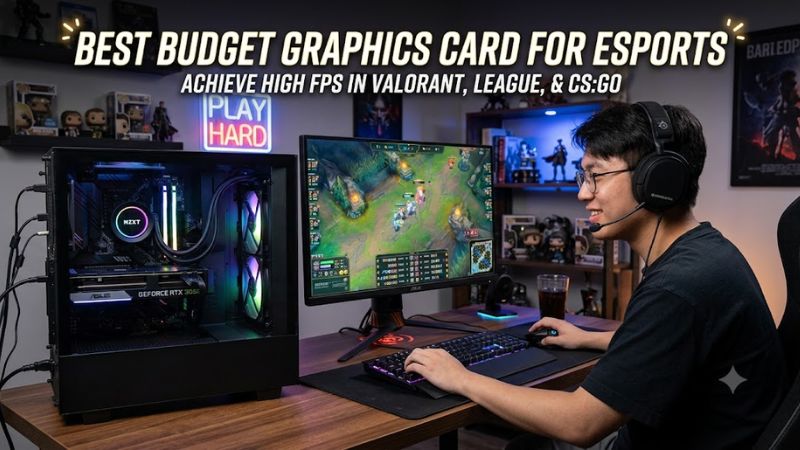
Match the GPU to 1080p Refresh Rate
A 1080p 144Hz monitor needs a different level of GPU headroom from a 240Hz or 360Hz display. For example, Tom’s Hardware specifically includes Counter-Strike 2 and Apex Legends in its 2026 raster testing, while noting that popular esports games can place substantial emphasis on the CPU as settings and resolution fall.
For a best budget graphics card for esports, this means buying around the games you actually play. The RTX 5060 and RX 9060 XT 8GB occupy a useful class for 1080p high-refresh gaming, while an RTX 5050 is more appropriate when the budget is tighter. A faster GPU cannot compensate for a CPU limit in every esports title.
Consider VRAM and Game Mix
Eight gigabytes is workable for a dedicated 1080p esports system, particularly when competitive settings are used. However, VRAM requirements change when the same PC also runs demanding AAA games, higher texture settings, or 1440p workloads. Tom’s Hardware has highlighted 8GB limitations on several current cards outside lighter 1080p workloads.
That makes the best budget graphics card for esports different from the best inexpensive all-purpose gaming GPU. The RX 9060 XT is available with 8GB and 16GB configurations, while the Arc B580 provides 12GB. For esports alone, extra VRAM is less important than for a mixed gaming library, provided the GPU has sufficient compute performance.
Check Latency and Upscaling Features
NVIDIA’s RTX 50-series cards include Reflex 2, while RTX 5060 also supports DLSS 4 features. AMD’s RX 9060 XT supports FSR and Anti-Lag 2. These technologies can matter in supported games, but they should not be treated as mandatory for esports because many competitive players already use reduced settings and native resolution.
For the best budget graphics card for esports, prioritize native performance and frame consistency before frame-generation features. DLSS or FSR can be useful when a particular game benefits from upscaling, but generated frames do not replace the responsiveness characteristics of the underlying rendered frames, especially when the CPU is already limiting performance.
Verify PCIe, PSU, and Case Compatibility
GPU compatibility depends mainly on the motherboard slot, power supply, connector, and physical clearance rather than whether system memory is DDR4 or DDR5. RTX 5060 uses PCIe Gen 5, RX 9060 XT uses PCIe 5.0 x16, and Arc B580 uses PCIe 4.0 x8. Board-partner dimensions and connectors can vary.
Power requirements also differ. NVIDIA lists a 550W system recommendation for RTX 5060, AMD lists 450W for RX 9060 XT, and Intel lists 600W for the B580 reference card. Arc B580 additionally requires Resizable BAR for optimal performance, so an older platform deserves extra checking before purchase.
Top Picks for Budget Esports Gaming
The four GPUs below represent different priorities rather than one universal configuration. The benchmark comparison comes from Tom’s Hardware’s 2026 hierarchy, which uses 1080p raster results across 11 games, including Counter-Strike 2, Apex Legends, Fortnite, and Marvel Rivals. The percentages are relative scores, not individual esports FPS results.
| Product | Best For | Key Spec | Compatibility | Watch Out For |
| NVIDIA GeForce RTX 5060 | Best Overall | 8GB GDDR7, 145W | PCIe Gen 5; 550W system recommendation | 8GB VRAM |
| AMD Radeon RX 9060 XT 8GB | Best Value | 8GB GDDR6, 150W | PCIe 5.0 x16; 450W minimum PSU | 8GB at higher settings |
| Intel Arc B580 | Best VRAM Budget Pick | 12GB GDDR6, 190W | PCIe 4.0 x8; 600W PSU; ReBAR | Platform requirements |
| NVIDIA GeForce RTX 5050 | Best Lower-Cost Option | 8GB GDDR6, Blackwell | 550W-class NVIDIA system requirement | Lower performance than RTX 5060 |
NVIDIA GeForce RTX 5060 — Best Overall
The RTX 5060 suits players targeting 1080p high-refresh esports while also wanting NVIDIA features. It has 8GB of GDDR7, a 128-bit interface, 3,840 CUDA cores, PCIe Gen 5 support, and a 145W total graphics power rating. NVIDIA specifies a 550W system power recommendation.
The main weakness is its fixed 8GB memory capacity. Tom’s Hardware reports strong 1080p performance in games including Fortnite, Counter-Strike 2, Marvel Rivals, and Apex Legends, but also notes that 8GB can restrict some DLSS Multi Frame Generation use cases. It is less suitable for buyers prioritizing demanding AAA gaming over esports.
AMD Radeon RX 9060 XT 8GB — Best Value
The RX 9060 XT 8GB is designed around RDNA 4 and carries 2,048 stream processors, 8GB of GDDR6, a 150W typical board power rating, and PCIe 5.0 x16 connectivity. AMD specifies a 450W minimum PSU recommendation, making the reference requirements relatively straightforward for a modern desktop.
Its weakness is the same 8GB ceiling that affects several cards in this segment. Tom’s Hardware’s 2026 hierarchy places the RX 9060 XT 8GB and RTX 5060 close in the 1080p value discussion, while its 8GB capacity can become more restrictive at higher resolutions and demanding settings. Buyers focused on 1440p AAA gaming should consider the 16GB version instead.
Intel Arc B580 — Best VRAM Budget Pick
The Arc B580 provides 12GB of GDDR6 across a 192-bit interface, 456GB/s memory bandwidth, 190W total board power, and PCIe 4.0 x8 connectivity. Intel specifies a 600W minimum PSU for its reference card and requires a full-size PCIe x16 slot with Resizable BAR enabled for optimal performance.
Its main drawback is platform sensitivity. Intel states that supported B-Series configurations require Resizable BAR or Smart Access Memory for optimal performance, with UEFI and GPT requirements also applying to supported Windows configurations. It is therefore less suitable for an older PC that lacks modern firmware features, even though the 12GB capacity is attractive.
NVIDIA GeForce RTX 5050 — Best Lower-Cost Option
The RTX 5050 is the entry-level Blackwell option here, with 8GB of GDDR6. Tom’s Hardware recorded a 58% improvement over the RTX 3050 at 1080p across its raster test suite and found it broadly comparable with the Arc B580 in that test set. Its lower performance makes its main appeal the lower entry point.
The weakness is performance headroom when compared with the RTX 5060 or RX 9060 XT 8GB. Tom’s Hardware found the RTX 5050 27% behind the RTX 5060 at 1080p in its overall testing. It can suit a budget 1080p esports PC, but buyers targeting 240Hz across heavier titles should consider the faster class instead.
Frequently Asked Questions
Is 8GB Enough for Esports Gaming?
Yes, 8GB is generally enough for 1080p esports when competitive settings are used, but it is not a universal guarantee for every modern game. Current benchmark suites show that 8GB cards can perform strongly in games such as CS2, Apex Legends, and Fortnite, while more demanding AAA workloads can expose memory limits.
The best budget graphics card for esports should therefore be selected according to the complete game library. If the PC will mainly run competitive titles at 1080p, 8GB is a reasonable capacity target. If it will also run demanding AAA games at higher settings, moving to a 16GB GPU provides more memory headroom.
Do I Need a Powerful GPU for 240Hz Esports?
No, a 240Hz monitor does not automatically require a high-end GPU because the CPU can become the limiting component at low settings and 1080p. Tom’s Hardware includes CS2 and Apex Legends in its 2026 GPU suite specifically because they are popular competitive workloads, but benchmark results still depend on the complete test platform.
For a best budget graphics card for esports, match the GPU to the individual game rather than the monitor specification alone. A GPU capable of high average FPS in a GPU-limited title may not produce the same frame rate in a CPU-limited shooter, so processor performance, memory configuration, and game settings remain relevant.
Does DDR4 or DDR5 Affect GPU Compatibility?
No, a graphics card such as the RTX 5060 or RX 9060 XT is not restricted to DDR4 or DDR5 system memory by the GPU itself. Compatibility instead depends on the motherboard’s PCIe slot, power delivery, firmware, processor platform, case clearance, and the graphics card’s connector requirements.
Arc B580 deserves additional attention because Intel specifies Resizable BAR for optimal performance and lists supported CPU and motherboard combinations. That requirement is separate from whether the system uses DDR4 or DDR5, so buyers should verify motherboard firmware and ReBAR support before selecting the card.
Should I Use DLSS or FSR for Esports?
Not necessarily, because many esports games can already reach high frame rates at native 1080p with reduced settings. DLSS and FSR are useful when a particular title is GPU-limited and supports the relevant technology, but they should be considered optional tools rather than universal FPS requirements.
For the best budget graphics card for esports, native performance remains an important reference point because it shows what the GPU can render without upscaling. NVIDIA supports DLSS and Reflex 2 on the RTX 5060, while AMD supports FSR and Anti-Lag 2 on the RX 9060 XT, giving each platform additional options when a supported game benefits from them.
Final Thoughts
The best budget graphics card for esports depends on whether the priority is 1080p high-refresh performance, lower purchase cost, VRAM capacity, or platform features. The RTX 5060, RX 9060 XT 8GB, Arc B580, and RTX 5050 each occupy distinct positions, while benchmark results should be read alongside CPU, PSU, motherboard, and monitor requirements.