🛒 Best Price Today on Amazon
Prime members get fast, free shipping on everything above, plus member-only deals. New members get a 30-day free trial — cancel anytime.
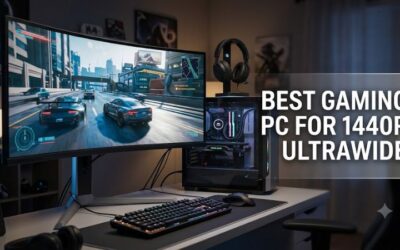
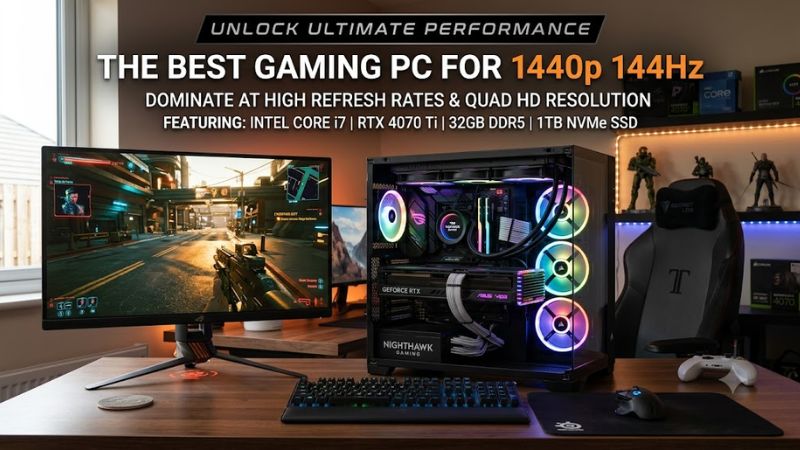
The best gaming PC for 1440p 144Hz needs current-generation graphics, enough processor headroom for high refresh, 32GB dual-channel memory, and correctly sized power delivery. For most buyers, RTX 5070 Ti or RX 9070 XT systems target this resolution more efficiently than expensive 4K-first flagships.
How to Choose a Gaming PC for 1440p 144Hz
Choosing for 2560×1440 at 144Hz means balancing graphics throughput, processor latency, memory, storage, cooling, power delivery, and upgradeability. GPU capability dominates demanding AAA workloads, while CPU performance matters increasingly in competitive and simulation games near the monitor’s 144Hz ceiling.
Match the GPU to the Games You Actually Play
When choosing the best gaming PC for 1440p 144Hz, RTX 5070 Ti and RX 9070 XT are the strongest fits among these selections. Corsair’s Vengeance a7500 combines RTX 5070 Ti graphics with 16GB GDDR7, while Skytech’s Chronos 3 uses an RX 9070 XT with 16GB GDDR6 for rasterization-heavy gaming overall today.
An RTX 5070 desktop remains suitable when optimized settings or DLSS are acceptable. Tom’s Hardware measured roughly 70 FPS across its native 2560×1440 ray-tracing suite on the RTX 5070, showing why demanding RT titles usually need upscaling, reduced effects, or frame generation to approach 144Hz presentation.
Give High-Refresh Gaming Enough CPU Headroom
High-refresh gaming can expose processor limits that are less visible around 60 FPS. The Ryzen 7 9800X3D inside the Corsair and iBUYPOWER selections is an eight-core AM5 processor with large stacked cache, giving these systems substantial CPU headroom for esports, simulation, and other latency-sensitive gaming workloads.
Skytech’s Chronos 3 instead uses the eight-core Ryzen 7 7700 on AM5. That processor remains modern and capable, but it prioritizes affordability over maximum gaming throughput. The tradeoff suits GPU-bound AAA gaming better than low-settings competitive play where extremely high frame rates can reveal larger CPU differences.
Check Memory, Storage, and Power Before Buying
For a new best gaming PC for 1440p 144Hz, 32GB DDR5 is a sensible baseline because contemporary games often coexist with launchers, voice chat, browsers, capture software, and background utilities. iBUYPOWER’s RDY Y50 R01 pairs 32GB DDR5-6000 with a 2TB Gen4 NVMe SSD for substantial multitasking headroom.
Power specifications deserve equal attention because graphics cards require adequate wattage, connectors, and transient-load tolerance. Corsair publishes an 850W 80 Plus Gold modular unit, iBUYPOWER lists an 850W Gold PCIe Gen 5 supply, and Skytech specifies an 850W Gold ATX 3.0 unit for its RX 9070 XT configuration.
Favor Platforms You Can Upgrade Without Rebuilding
AM5 systems provide an attractive upgrade foundation because newer Ryzen processors share the platform, while standardized cases simplify future GPU, SSD, and cooling changes. Corsair combines X870 and DDR5, and iBUYPOWER also uses X870 with DDR5-6000, giving both premium systems contemporary expansion and memory support.
MSI’s Codex R2 AI follows Intel’s newer desktop platform instead, pairing a Core Ultra 7 265 with B860, DDR5, Gen4 NVMe storage, and a 750W Gold PSU. MSI sells multiple Codex R2 variants, so confirm the exact model number before assuming motherboard, memory, networking, or storage specifications at checkout.
Top Picks for 1440p 144Hz Gaming
These four desktops cover premium balance, AMD raster value, mainstream support, and a more affordable RTX 5070 route. None should be expected to sustain 144 FPS in every modern title at maximum settings, especially with demanding ray tracing. Treat 144Hz as a display target, then tune rendering settings appropriately.
| Product | Best For | Key Spec | Compatibility | Watch Out For |
| Corsair Vengeance a7500 | Best Overall | Ryzen 7 9800X3D + RTX 5070 Ti 16GB | AM5, X870, DDR5, 850W Gold | 1TB SSD |
| Skytech Chronos 3 | Best Value | Ryzen 7 7700 + RX 9070 XT 16GB | AM5, B650, DDR5, 850W ATX 3.0 | Less CPU headroom |
| HP OMEN 35L | Best for Mainstream Support | Ryzen 7 9800X3D + RTX 5070 Ti 16GB | AM5, DDR5, four DIMMs | Compact interior |
| MSI Codex R2 AI | Best for Lower-Cost NVIDIA | Core Ultra 7 265 + RTX 5070 | B860, DDR5, 750W Gold | 12GB VRAM |
Corsair Vengeance a7500 — Best Overall
The Corsair Vengeance a7500 is the most balanced best gaming PC for 1440p 144Hz here because Ryzen 7 9800X3D, RTX 5070 Ti 16GB, 32GB DDR5, X870, and an 850W Gold supply avoid obvious supporting-component compromises while preserving substantial processor, graphics, and upgrade headroom for future upgrades.
Corsair cools the processor with a 240mm liquid unit inside its 3500X mid-tower, but this specific configuration provides only a 1TB M.2 SSD. That capacity is the clearest weakness at its premium positioning, especially for large libraries. Buyers comfortable adding secondary NVMe storage will mind it less.
Skytech Chronos 3 — Best Value
Skytech’s Chronos 3 emphasizes graphics value by pairing RX 9070 XT 16GB with 32GB DDR5-6000, a 2TB Gen4 NVMe SSD, and an 850W Gold ATX 3.0 supply. That combination allocates more budget toward rasterization performance and practical storage instead of premium CPU hardware or elaborate platform features.
The Ryzen 7 7700 is the compromise. It remains an eight-core AM5 processor, yet high-refresh esports buyers can gain more processor headroom from an X3D-based system. Choose the Chronos 3 when visual quality, 1440p raster performance, and 2TB storage matter more than maximizing CPU-limited competitive frame rates.
HP OMEN 35L — Best for Mainstream Support
HP’s OMEN 35L configuration combines Ryzen 7 9800X3D, RTX 5070 Ti 16GB, 32GB DDR5-5600, and a 1TB NVMe SSD. It is a credible best gaming PC for 1440p 144Hz for buyers preferring a major OEM, documented 128GB memory ceiling, four DIMM slots, and straightforward Windows 11 support and service access.
Its 35-liter enclosure occupies less space than many panoramic showcase towers, but denser packaging can make expansion less comfortable. Choose it when vendor support and a compact footprint matter; avoid it when frequent internal modification, unusually large add-in cards, or extensive custom liquid-cooling work are priorities.
MSI Codex R2 AI — Best for Lower-Cost NVIDIA
The MSI Codex R2 AI B2NVP7-437US combines Core Ultra 7 265, RTX 5070, 32GB DDR5, 1TB Gen4 NVMe storage, Wi-Fi 7, and a 750W 80 Plus Gold supply. It targets buyers wanting current NVIDIA features and competent platform specifications without paying typical RTX 5070 Ti prebuilt pricing in the current market.
Its limitation is the RTX 5070 itself: NVIDIA equips the card with 12GB VRAM, and Tom’s Hardware notes that some demanding titles can exceed that capacity at high settings. This configuration suits optimized settings, DLSS, and adaptive-sync displays better than maximum ray tracing at a constant 144 FPS.
Frequently Asked Questions
The practical questions after choosing hardware concern achievable frame rates, sensible GPU tiers, memory capacity, and monitor connectivity. The answers below separate native rendering from upscaling or generated frames, because “1440p 144Hz” describes a display mode rather than a requirement that every game render natively at exactly 144 FPS.
What GPU Do I Need for 1440p 144Hz?
An RTX 5070 Ti or RX 9070 XT is the safer starting tier when shopping for the best gaming PC for 1440p 144Hz, while RTX 5070 remains workable with adjusted settings. Performance varies with engine, preset, ray tracing, CPU behavior, and reconstruction, so no card here should be assumed to hold 144 FPS universally.
Tom’s Hardware measured RTX 5070 about 20% behind RTX 5070 Ti at 2560×1440 in its rasterization suite, while the RTX 5070 averaged roughly 70 FPS across native 1440p ray-tracing tests. Those results explain why Ti-class systems provide additional performance margin for demanding high-refresh workloads.
Can a Gaming PC Run Every Game at 144 FPS in 1440p?
No, even a strong best gaming PC for 1440p 144Hz will not sustain 144 FPS in every game at maximum settings. Competitive titles can exceed that target on fast hardware, while demanding AAA games with heavy ray tracing may require reduced presets, DLSS or FSR upscaling, or supported frame-generation modes.
A 144Hz monitor remains useful below 144 FPS because adaptive-sync can coordinate refresh with GPU output inside the display’s supported variable-refresh range. The requirement is a compatible GPU output, monitor input, cable, and timing mode capable of carrying 2560×1440 at the monitor’s advertised 144Hz refresh rate.
Is 32GB of RAM Enough for 1440p Gaming?
Yes, 32GB of system RAM is enough for the gaming target in this guide and is included by all four selected configurations. Resolution does not directly dictate system-memory capacity; game assets, modifications, browsers, communication apps, recording software, and simultaneous creative workloads influence RAM consumption more directly.
Compatibility still matters during memory upgrades. Every selected desktop uses DDR5, but supported speeds, DIMM layouts, motherboard firmware, and memory-controller behavior differ. Follow vendor guidance and use matched kits when necessary rather than assuming separately purchased modules will operate together at advertised speeds.
Do I Need DisplayPort for 1440p 144Hz?
No, DisplayPort is not mandatory for 1440p at 144Hz because capable HDMI connections can support that display mode too. Successful operation depends on the graphics output, monitor input, cable specification, and monitor timing support. Check the display manual rather than assuming every HDMI or DisplayPort connector has identical capability.
Current RTX 5070-class graphics cards provide modern display connectivity, but prebuilt listings may omit the exact board partner or connector arrangement. Connect the monitor directly to the discrete graphics card, then choose 2560×1440 and 144Hz in Windows display settings when the monitor and connection expose that supported mode.
Final Thoughts
The best gaming PC for 1440p 144Hz balances graphics speed, processor headroom, memory, power delivery, storage, cooling, and upgradeability rather than simply maximizing price. RTX 5070 Ti and RX 9070 XT systems offer the strongest performance margin here, while RTX 5070 desktops better suit flexible settings and lower budgets.