🛒 Best Price Today on Amazon
Prime members get fast, free shipping on everything above, plus member-only deals. New members get a 30-day free trial — cancel anytime.
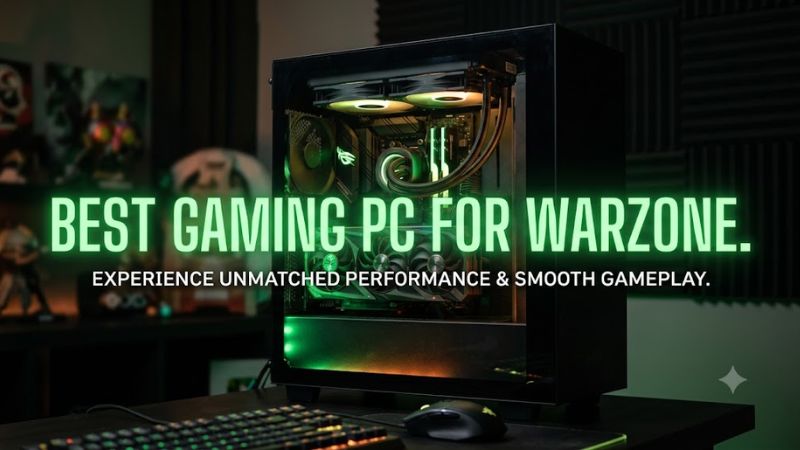
Best gaming pc for warzone, look for 32GB DDR5, a modern CPU, and an RTX 5070-class GPU for 1440p high-refresh play. Activision lists the RTX 5070 or RX 9070 XT for its Competitive/Ultra 4K tier, while TPM 2.0 and Secure Boot are required, so platform details matter as much as headline FPS.
How to Choose a Warzone Gaming PC
The first decision is resolution: 1080p can shift more work toward the CPU, while 1440p and 4K increase GPU demand. For a current desktop, 32GB DDR5 gives useful multitasking room without treating it as a formal Warzone requirement, and an SSD is mandatory under Activision’s current storage specification.
Choose the CPU around your monitor
For a 144Hz display, a Ryzen 7 9700X or Core Ultra 7 265F paired with an RTX 5070 creates a balanced class of system. For very high refresh targets, the Ryzen 7 9800X3D is a stronger CPU-focused option, and Skytech’s Archangel 5 pairs it with the RTX 5070.
The important distinction is platform rather than a simple core count. The Ryzen 7 9800X3D uses AM5 and DDR5, while Intel Core Ultra 7 265F uses LGA1851 and DDR5. If you already own an older DDR4 motherboard, neither platform is a drop-in CPU upgrade because the memory and socket ecosystems differ.
Match the GPU to resolution
An RTX 5070 has 12GB of GDDR7, while the RTX 5070 Ti has 16GB, making the Ti configuration the more comfortable choice when higher-resolution textures and a faster monitor are priorities. Activision currently includes the RTX 5070 in its Competitive/Ultra 4K specification.
Independent community data also shows why the rest of the system matters: a HowManyFPS result for Warzone 2.0 at 1440p/240Hz recorded 226 FPS average and 163 FPS at 1% low with an RTX 5070 Ti, Ryzen 7 9850X3D and 32GB RAM. Treat that as one system result, not a universal PC rating.
Check memory and storage first
A new system should have 32GB DDR5 when the budget allows, although Activision’s official Competitive/Ultra 4K requirement is 16GB. A 1TB SSD is the smallest practical tier among these prebuilts, but available game space can change as mandatory updates arrive, so storage capacity deserves attention.
The Skytech and iBUYPOWER systems here use DDR5, while Lenovo’s listed Legion Tower 5i configuration uses 32GB DDR5-5600. The MSI configuration provides 32GB DDR5-5600 with four memory slots, so each platform leaves a different upgrade path; check the exact configuration before ordering because prebuilt component variants can change.
Verify power and platform compatibility
The RTX 5070 reference specification calls for a 650W system power rating, while NVIDIA lists the RTX 5070 Ti at 750W; the prebuilts below use larger supplies. Skytech lists a 750W Gold PSU on its Archangel 5, while iBUYPOWER lists a 750W 80 Plus Gold PSU and Lenovo lists 850W on its RTX 5070 configuration.
Compatibility also covers connectors and physical fit. NVIDIA lists a 16-pin PCIe Gen 5 power option for the RTX 5070, while add-in-card dimensions vary by manufacturer. For AMD, AM5 boards and DDR5 are required; Intel Core Ultra Series 2 uses LGA1851, so an older LGA1700 board cannot host the processor.
Top Picks for Warzone
These four desktops cover different buying priorities without relying on a single benchmark number. The RTX 5070 systems share 12GB VRAM, while the MSI RTX 5070 Ti configuration moves to 16GB. Listed specifications can vary by seller or SKU, so the model number should be checked against the configuration before purchase.
| Product | Best For | Key Spec | Compatibility | Watch Out For |
| Skytech Archangel 5 | Best Overall | Ryzen 7 9800X3D, RTX 5070 12GB | AM5, DDR5, 750W Gold | 12GB VRAM |
| iBUYPOWER EPWA7N5701 | Best Value | Ryzen 7 9700X, RTX 5070 12GB | B650 Wi-Fi, DDR5, 750W | 5200 MT/s memory |
| Lenovo Legion Tower 5i Gen 10 | Best For Intel platform | Core Ultra 7 265F, RTX 5070 12GB | LGA1851, DDR5-5600, 850W | OEM-specific parts |
| MSI MPG Infinite X3 AI 2nd | Best For 16GB VRAM | Core Ultra 7 265KF, RTX 5070 Ti 16GB | LGA1851, DDR5-5600, 850W+ | 1TB SSD on listed SKU |
Best Overall: Skytech Archangel 5
The Skytech Archangel 5 combines the Ryzen 7 9800X3D with an RTX 5070 12GB, 32GB DDR5-6000 and a 2TB NVMe drive. Skytech also lists Windows 11 Home, a B650 motherboard, 360mm AIO cooling and a 750W Gold PSU, giving the configuration a clearly documented hardware platform.
This is the pick for buyers who want a CPU-heavy Warzone configuration without moving to an RTX 5070 Ti. Its weakness is the 12GB graphics memory, which is less generous than the MSI option’s 16GB. Buyers targeting demanding 4K settings should instead examine the Ti-class system, particularly if VRAM capacity is a priority.
Best Value: iBUYPOWER EPWA7N5701
The iBUYPOWER EPWA7N5701 uses a Ryzen 7 9700X, RTX 5070 12GB, 32GB DDR5-5200, 2TB NVMe storage and a 750W 80 Plus Gold PSU. Its B650 Wi-Fi motherboard places the system on AMD’s AM5 platform, while a 240mm liquid cooler is included in the listed configuration.
The trade-off is that its listed memory speed is 5200 MT/s rather than the 6000 MT/s used by the Skytech Archangel 5. That is not a Warzone compatibility problem, but it is a concrete configuration difference. Buyers who already prioritize a faster memory kit may prefer the Skytech specification, while buyers wanting 2TB storage get a straightforward alternative here.
Best For Intel Platform: Lenovo Legion Tower 5i Gen 10
Lenovo’s Legion Tower 5i Gen 10 configuration pairs the Core Ultra 7 265F with an RTX 5070 12GB, 32GB DDR5-5600 and a 2TB PCIe 4 SSD. Lenovo also lists 240mm liquid cooling and an 850W power supply, giving the system a straightforward Intel-based platform for a new build.
Its weakness is upgrade specificity: Lenovo controls more of the motherboard, cooling and case design than a conventional component-by-component build. Buyers who want standard aftermarket parts throughout should inspect the exact serviceable components before buying, rather than assuming every desktop part is interchangeable. The LGA1851 platform itself is documented by Intel for the 265F.
Best For 16GB VRAM: MSI MPG Infinite X3 AI 2nd
MSI lists an MPG Infinite X3 AI 2nd configuration with a Core Ultra 7 265KF, RTX 5070 Ti 16GB, 32GB DDR5-5600 and a 1TB PCIe 4 NVMe SSD. The platform uses LGA1851, four DDR5 slots and an 850W 80 Plus Gold supply on this specific configuration.
The main weakness is storage capacity rather than graphics hardware: 1TB can become restrictive when Warzone and other large PC games share the same drive. This system is also unnecessary for someone targeting a standard 1080p display, where paying for the Ti-class GPU may leave more budget tied to graphics capacity than the monitor can show.
Frequently Asked Questions
The main questions are about resolution, RAM, GPU class, and whether these systems can meet Warzone’s current requirements. The answers below separate Activision’s formal requirements from practical buying guidance, so a recommendation is not mistaken for a mandatory specification.
Can the best gaming pc for warzone run Warzone at 1440p?
Yes, an RTX 5070-class desktop is a reasonable 1440p target, but exact FPS depends on the CPU, settings, game build, drivers and upscaling. A published 1440p/240Hz HowManyFPS result reached 226 FPS average with an RTX 5070 Ti and Ryzen 7 9850X3D.
That result should not be copied directly to every desktop. It used a specific CPU, GPU and 32GB memory configuration, and Warzone performance changes between maps, patches and settings. For a buying decision, compare the full configuration and monitor target rather than treating one FPS figure as guaranteed.
How much RAM does the best gaming pc for warzone need?
Activision currently lists 8GB RAM as minimum, 12GB for its recommended 60-FPS tier, and 16GB for Competitive/Ultra 4K. A 32GB DDR5 desktop is therefore a practical new-system target, especially when the PC also runs Discord, a browser or recording software.
The extra capacity is about headroom, not a claim that Warzone requires 32GB to launch. If a cheaper configuration has 16GB, it can still match Activision’s Competitive/Ultra 4K memory figure. Check whether the system uses two modules and whether free DIMM slots remain before planning an upgrade.
Is the RTX 5070 enough for the best gaming pc for warzone?
The RTX 5070 is explicitly listed by Activision in its current Competitive/Ultra 4K specification, with 16GB RAM and Windows 11 in that tier. NVIDIA specifies 12GB GDDR7 for the RTX 5070, while the RTX 5070 Ti has 16GB, so both fit the current generation but serve different performance and memory budgets.
For 1440p, the RTX 5070 leaves more budget available for a strong CPU and 32GB RAM. The RTX 5070 Ti makes more sense when the buyer specifically wants 16GB VRAM or a faster display. Neither GPU changes the need for TPM 2.0, Secure Boot and a supported Windows installation.
Does the best gaming pc for warzone need DDR5 and Windows 11?
No single DDR5 kit is required by Warzone, but the current prebuilts in this roundup use DDR5 because their AM5 and LGA1851 platforms are designed around it. Activision supports Windows 10 and Windows 11, while its Competitive/Ultra 4K tier specifies Windows 11 64-bit.
Windows 11 is the simpler match for the current platform requirements because TPM 2.0 and Secure Boot are required to play. Before buying or reinstalling Windows, confirm both security features are enabled in firmware and that the system uses a supported Intel or AMD processor with AVX instructions.
Final Thoughts
The best gaming pc for warzone depends on the monitor, CPU priority and VRAM budget rather than one universal specification. The Skytech Archangel 5 emphasizes CPU and storage, iBUYPOWER keeps the platform straightforward, Lenovo offers an Intel route, and MSI adds 16GB VRAM for buyers with heavier graphics needs.