🛒 Best Price Today on Amazon
Prime members get fast, free shipping on everything above, plus member-only deals. New members get a 30-day free trial — cancel anytime.
Choosing the best gaming PC for 1080p high FPS means matching processor throughput, graphics headroom, memory configuration, and monitor refresh rather than overspending on 4K hardware. For 144Hz–240Hz gaming, prioritize modern CPUs, dual-channel DDR5, cooling, and a current GPU before cosmetics.
How to Choose a Gaming PC for 1080p High FPS
A strong 1080p desktop should sustain high refresh without wasting budget on flagship parts. Begin with your monitor and games, then compare processor capability, GPU class, memory arrangement, power delivery, and expansion. These four systems cover value, balance, demanding AAA play, and easier upgrading.
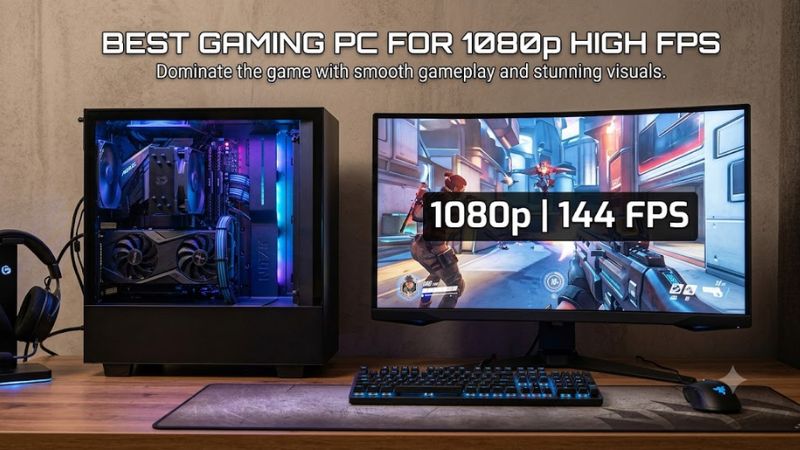
Match the CPU to High-Refresh Gaming
At 1080p, processor performance becomes increasingly important because a capable GPU completes frames quickly. NZXT pairs the Ryzen 5 9600X with its Player One Prime, while Quoted Tech uses a Ryzen 7 9700X in the Shield Extreme. Both processors use AMD’s AM5 platform with DDR5 compatibility for gaming.
Tom’s Hardware reported a 163 fps average for the Ryzen 5 9600X across its 1080p CPU gaming suite at stock settings, using an RTX 4090 to reduce graphics limits. That methodology measures processor capability rather than predicting prebuilt FPS, supporting the 9600X as a strong high-refresh foundation.
Choose the GPU Around Your Games
An RTX 5060 Ti suits many 1080p high-settings workloads, while an RTX 5070 adds margin for demanding AAA games, ray tracing, and faster displays. NZXT uses the RTX 5060 Ti; Quoted Tech and Alienware use the RTX 5070. Your preferred games should determine whether additional GPU capability matters overall.
TechRadar measured the Quoted Tech Shield Extreme at 69 fps in Cyberpunk 2077 at 1080p Ultra, 204 fps in Shadow of the Tomb Raider at 1080p Highest, and 180 fps in Total War: Warhammer III Mirrors of Madness at 1080p Ultra. Those results apply to its Ryzen 7 9700X and RTX 5070 configuration in review.
Check Memory, Storage, and Platform Compatibility
Dual-channel DDR5 is the practical baseline for these platforms. iBUYPOWER equips the RDY Slate 9MP R02 with 32GB DDR5-5600 on an ASUS B650 motherboard; Alienware’s selected Aurora uses 32GB dual-channel DDR5-5200 with a Core Ultra 7 265F. Capacity, channel layout, and motherboard type matter overall.
Compatibility determines realistic upgrades. AM5 systems from NZXT, Quoted Tech, and iBUYPOWER require AM5 processors and DDR5 memory. Alienware’s Core Ultra platform also uses DDR5, but its proprietary chassis and motherboard reduce component flexibility compared with conventional standard-part towers.
Size the Power Supply and Cooling Sensibly
Power supplies should match installed graphics and leave reasonable expansion margin. iBUYPOWER specifies a 750W 80 Plus Gold unit for the RTX 5060 Ti Slate 9MP R02, while Dell lists a 1000W Platinum supply for this RTX 5070 Aurora configuration. Both arrive with factory-matched power hardware installed.
Cooling and internal access affect sustained gaming and maintenance. Quoted Tech emphasizes straightforward component access, while Alienware prioritizes a compact branded enclosure. Buyers expecting frequent storage or graphics upgrades should favor conventional layouts; compact presentation favors Aurora.
Top Picks for 1080p High-FPS Gaming
The best gaming PC for 1080p high FPS depends on whether price, esports response, AAA headroom, or upgradeability matters most. Every selection uses a current 2026 CPU or GPU platform, but model names can cover several configurations. Verify processor, graphics, memory, storage, and power before ordering.
| Product | Best For | Key Spec | Compatibility | Watch Out For |
| Quoted Tech Shield Extreme | Overall | Ryzen 7 9700X + RTX 5070 | AM5, DDR5 | No USB-C |
| NZXT Player One Prime | Value | Ryzen 5 9600X + RTX 5060 Ti | AM5, DDR5 | 16GB RAM |
| Alienware Aurora ACT1250 | AAA | Core Ultra 7 265F + RTX 5070 | DDR5, proprietary | Limited upgrades |
| iBUYPOWER RDY Slate 9MP R02 | Upgrades | Ryzen 7 9700X + RTX 5060 Ti 16GB | AM5, DDR5, B650 | Lower GPU tier |
Quoted Tech Shield Extreme — Best Overall
The Quoted Tech Shield Extreme combines Ryzen 7 9700X, GeForce RTX 5070, 32GB DDR5, and 2TB SSD storage. That specification balances high-refresh 1080p with credible 1440p capability. TechRadar’s published 1080p benchmarking provides settings-specific evidence rather than unqualified manufacturer FPS estimates.
Choose it when the best gaming PC for 1080p high FPS should avoid flagship pricing while retaining strong processor and graphics capability. Avoid it if chassis rigidity or USB-C matters: TechRadar reported thin-feeling construction and no USB-C ports. Its advantages are balanced hardware and capacity.
NZXT Player One Prime — Best Value
NZXT’s Player One Prime combines Ryzen 5 9600X, GeForce RTX 5060 Ti 8GB, 16GB dual-stick DDR5-5200, and Windows 11 Home. The configuration targets upgraded 1080p gaming. AM5 also provides a clearer processor-upgrade route than older DDR4 prebuilts still sold around comparable current pricing levels.
Choose it for esports, 144Hz-class displays, and modern AAA gaming with sensible settings. Avoid it if heavy multitasking accompanies gaming, because 16GB leaves less spare memory than the 32GB options elsewhere here. Its RTX 5060 Ti also offers less native rendering headroom than RTX 5070 systems overall.
Alienware Aurora ACT1250 — Best for AAA Headroom
The Aurora ACT1250 here uses Core Ultra 7 265F, RTX 5070 12GB, 32GB dual-channel DDR5-5200, 1TB NVMe storage, and a 1000W Platinum supply. This suits buyers wanting stronger graphics margin for high settings, ray tracing choices, or a later shift from 1080p toward 1440p without replacing the desktop.
Choose it when the best gaming PC for 1080p high FPS should provide current NVIDIA performance inside a compact OEM design. Avoid it for extensive rebuilding: Dell’s proprietary packaging limits flexibility versus standardized towers. The selected 1TB SSD also offers less capacity than 2TB alternatives.
iBUYPOWER RDY Slate 9MP R02 — Best for Upgrades
The RDY Slate 9MP R02 combines Ryzen 7 9700X, RTX 5060 Ti 16GB, 32GB DDR5-5600, 2TB NVMe storage, ASUS B650 motherboard, and a 750W Gold power supply. Its conventional AM5 foundation benefits users expecting later graphics replacement, storage expansion, or another compatible AM5 processor in future.
Choose it for 32GB memory, 2TB storage, and conventional components without stepping into RTX 5070 pricing. Avoid it when maximum native AAA frame rate dominates priorities, because RTX 5060 Ti graphics provide less headroom. iBUYPOWER publishes FPS estimates, but missing settings make them unsuitable here.
Frequently Asked Questions
Four questions matter most before buying a high-refresh 1080p desktop: GPU tier, memory capacity, useful monitor refresh, and processor versus graphics limitation. Answers vary by game engine and settings, so benchmark figures should remain configuration-specific evidence rather than universal expectations.
What GPU Is Enough for 1080p High FPS?
An RTX 5060 Ti is sufficient for many high-refresh 1080p builds, while an RTX 5070 adds margin for demanding games and ray tracing. NZXT therefore suits value-focused players; Quoted Tech and Alienware better suit users prioritizing higher quality settings, heavier games, or additional performance reserve.
Benchmark comparisons require identical context: resolution, quality preset, upscaling, frame generation, and platform. TechRadar measured the RTX 5070 Shield at 69 fps in Cyberpunk 2077 at 1080p Ultra and 204 fps in Shadow of the Tomb Raider at 1080p Highest, showing how workload changes performance.
Is 16GB of RAM Enough for a 1080p Gaming PC?
Yes, 16GB can run many 1080p games, but 32GB is more comfortable for a new system handling browsers, launchers, voice chat, streaming utilities, or memory-heavy releases. NZXT lists 16GB in Player One Prime, while Quoted Tech, Alienware, and iBUYPOWER provide 32GB in the configurations compared here.
Memory layout matters alongside capacity. NZXT specifies 2 x 8GB DDR5-5200, avoiding a single-stick arrangement. The Quoted Tech, Alienware, and iBUYPOWER systems also use DDR5. Future replacements must match motherboard compatibility, supported specifications, physical slots, and vendor limits carefully.
Do I Need a 240Hz Monitor for This Type of PC?
No, a 240Hz monitor is not required, although it suits competitive games consistently exceeding 144 fps and players prioritizing lower display latency. A 144Hz or 165Hz display remains practical for mixed AAA and esports use because demanding games can run far below lightweight competitive titles at 1080p.
For the best gaming PC for 1080p high FPS, select the monitor after checking your actual games. Lightweight esports titles can exceed 200 fps on mainstream hardware, while demanding Ultra presets may remain much lower. Adaptive sync helps when performance varies because refresh follows rendered frame timing.
Is 1080p High FPS More CPU- or GPU-Limited?
It can be either, but 1080p high-refresh gaming exposes processor limits more often than higher resolutions when graphics capacity remains unused. Current CPUs such as Ryzen 5 9600X and Ryzen 7 9700X therefore matter. Ultra presets, ray tracing, and demanding effects can shift the limit toward the GPU.
Tom’s Hardware used an RTX 4090 at 1080p to minimize graphics constraints during Ryzen 5 9600X processor testing, reporting a 163 fps stock average across its suite. That figure cannot transfer to an RTX 5060 Ti prebuilt; the methodology instead demonstrates why processor throughput matters at high refresh.
Final Thoughts
The best gaming PC for 1080p high FPS should match your monitor, games, and upgrade plans first. Quoted Tech balances performance, NZXT lowers entry cost, Alienware adds RTX 5070 headroom in a compact OEM chassis, and iBUYPOWER emphasizes conventional AM5 components. Verify exact configurations before purchase.