🛒 Best Price Today on Amazon
Prime members get fast, free shipping on everything above, plus member-only deals. New members get a 30-day free trial — cancel anytime.
Choosing a high-performance fps gaming mouse requires balancing sensor tracking speed, total chassis weight, and shell ergonomics. Modern competitive titles demand fast micro-adjustments and steady crosshair placement. Selecting gear built around physical grip style and native polling capabilities ensures smooth mouse movement across any pad.
How to Choose an FPS Gaming Mouse
Evaluating an fps gaming mouse involves analyzing hardware components that directly influence aiming accuracy in fast matches. Mouse weight, optical sensor precision, body shape, and wireless connection speed all affect how cleanly target acquisition translates on screen. Matching these technical specs to personal setup needs creates a reliable aim base.
Weight and Weight Distribution
Chassis mass plays a primary role in stopping power and rapid flicking capability during fast competitive sessions. An ultralight fps gaming mouse weighing under 60g reduces wrist fatigue and allows faster initial acceleration. Lower overall weight helps players perform quick adjustments, though optimal balance depends on pad surface friction.
Internal weight distribution matters just as much as the overall figure on the specification sheet. A mouse with a centered center of gravity prevents the rear or front end from tilting up during sudden lift-off maneuvers. Balanced internal layouts maintain constant sensor alignment with the mousepad, minimizing unexpected reticle displacement.
Sensor Performance and Polling Rates
High-end optical sensors deliver true 1:1 tracking without hardware acceleration or built-in smoothing algorithms. Modern flagship sensors support tracking speeds up to 750 inches per second and handle rapid swipes easily. High DPI headroom allows fine-tuning, but most competitive players set their DPI between 400 and 1600 for stable control.
Polling rate determines how many times per second the mouse reports positional data to the computer operating system. Standard 1000 Hz polling updates every millisecond, while high-frequency 4000 Hz or 8000 Hz modes reduce input delay on 240 Hz and 360 Hz monitors. Higher polling demands greater CPU processing headroom during fast matches.
Shape and Grip Style Compatibility
Physical shell design dictates how comfortably a user maintains control over an fps gaming mouse through long gaming sessions. Palm grip players benefit from ergonomic right-handed curves that support the full hand. Claw and fingertip grip users prefer symmetrical shapes with lower profile bumps that allow unrestricted finger movement.
Hand dimensions directly dictate whether a specific chassis profile feels stable during intense aim duels. A shell that is too wide forces unnatural finger spreading, whereas a tiny frame can cause hand cramping during long matches. Measuring hand length from wrist crease to middle fingertip ensures accurate shape selection before buying.
Wireless Latency and Connection Reliability
Modern 2.4 GHz wireless protocols match or exceed traditional wired USB polling speeds without cable drag. Dedicated USB extension dongles place the wireless receiver right next to the mousepad to prevent signal interference. Low-latency 2.4 GHz connections maintain signal stability even in environments with heavy Wi-Fi traffic nearby.
Battery capacity directly impacts chassis weight, forcing manufacturers to optimize power management circuits. Most lightweight wireless models deliver between 60 and 90 hours of continuous motion on a single USB-C charge. Using higher wireless polling rates like 4000 Hz or 8000 Hz increases power consumption and reduces battery runtimes.
Top Picks
Finding the right fps gaming mouse requires comparing real hardware specifications against budget limits and shape preferences. The market contains specialized designs ranging from ultra-lightweight symmetrical frames to contoured ergonomic shapes. The comparison table below highlights key performance metrics across leading recommendations.
| Product | Best For | Key Spec | Compatibility | Watch Out For |
| Logitech G Pro X Superlight 2 | Best Overall | 60g, HERO 2 Sensor, 8000 Hz | Windows 10/11, USB-C | Higher price tag |
| Keychron M3 Mini Wireless | Best Value | 55g, PAW3395 Sensor, 1000 Hz | Windows 10/11, macOS, USB-C | Smaller grip size |
| Razer DeathAdder V3 Pro | Best Ergonomic | 63g, Focus Pro 30K, 4000 Hz | Windows 10/11, USB-C | Right-hand only |
| Razer Viper V3 Pro | Best Speed | 54g, Focus Pro 35K, 8000 Hz | Windows 10/11, USB-C | Aggressive coating |
Logitech G Pro X Superlight 2
The Logitech G Pro X Superlight 2 stands out as a versatile fps gaming mouse due to its safe symmetrical shape. Weighing 60 grams, it incorporates optical-mechanical hybrid switches that prevent double-clicking issues. The HERO 2 sensor tracks accurately up to 44,000 DPI and supports up to 8000 Hz wireless polling via USB-C updates.
This model suits players seeking a dependable shape that accommodates palm, claw, or fingertip grip styles equally well. The mouse features smooth PTFE feet and delivers up to 95 hours of battery life at standard 1000 Hz polling. However, users who prefer aggressive side contours or heavy extra thumb buttons should consider other options.
Keychron M3 Mini Wireless
For budget-conscious players, the Keychron M3 Mini Wireless serves as an accessible fps gaming mouse with competitive specs. At 55 grams, this lightweight unit uses a PixArt PAW3395 sensor capable of 26,000 DPI and 650 IPS tracking speed. It supports both 2.4 GHz wireless and Bluetooth connections alongside wired USB-C mode for versatility.
Small and medium hand sizes will find the compact symmetrical frame comfortable for claw and fingertip grip styles. The package includes flexible receiver adapters to place the 2.4 GHz dongle close to the pad. However, players with large hands may find the shell too short, and default mouse feet lack the glide speed of pure PTFE pads.
Razer DeathAdder V3 Pro
The Razer DeathAdder V3 Pro offers a refined right-handed ergonomic chassis designed specifically for palm and relaxed claw grips. Weighing 63 grams, it houses the Focus Pro 30K optical sensor and optical mouse switches rated for 90 million clicks. It connects via 2.4 GHz wireless and supports up to 4000 Hz polling with an optional receiver.
Gamers who prefer full palm support and contoured thumb grooves will appreciate the stable grip this shape provides. The smooth matte finish prevents slippage, and battery life reaches approximately 90 hours at 1000 Hz. However, left-handed players cannot use this asymmetrical shape, and small hands may struggle to reach the front side button.
Razer Viper V3 Pro
The Razer Viper V3 Pro focuses entirely on raw performance with an ultra-lightweight 54-gram symmetrical frame. It incorporates the Focus Pro 35K optical sensor and includes native 8000 Hz wireless polling out of the box. The flattened side profiles and gentle rear curve offer low obstruction during rapid vertical and horizontal swipes.
Competitive players using high refresh rate monitors will benefit from the ultra-low latency provided by 8000 Hz reporting. Optical switches prevent debounce delay issues, while large PTFE skates ensure fluid gliding on cloth and glass pads. However, operating at maximum polling drains battery capacity quickly during sessions.
Frequently Asked Questions
Understanding technical specifications helps players troubleshoot issues and optimize peripheral setups for competitive shooter games. Clear answers to common questions clarify sensor settings, weight benefits, and polling rate impacts. The following sections address key technical details regarding competitive pointing devices in modern PC gaming.
What is the ideal weight for a mouse in competitive shooter games?
The ideal weight for competitive shooter mice ranges between 45 and 65 grams for optimal speed and control. An fps gaming mouse within this mass range allows quick initial flicks without strain while maintaining enough control for precise micro-adjustments. Heavier mice above 80 grams increase inertia, making fast direction changes harder.
Lower weight reduces physical fatigue during extended competitive play sessions, protecting wrist joint health over time. Combining a lightweight mouse with a low-friction cloth or glass pad allows lower in-game sensitivity settings without requiring excessive physical effort, helping players maintain consistent aiming mechanics across rounds.
Does 8000 Hz polling rate improve aiming accuracy in games?
An 8000 Hz polling rate reduces input latency by sending cursor positional updates every 0.125 milliseconds to the system. This creates smoother micro-movements on high refresh rate monitors running at 240 Hz or above. However, the operational difference compared to 1000 Hz is subtle and requires a fast CPU to avoid frame rate drops.
Higher polling rates increase CPU overhead because the system processes eight times more interrupts every second. Games with unoptimized engine loops may experience stuttering if the processor cannot handle high polling inputs. Setting polling to 2000 Hz or 4000 Hz often offers a practical middle ground between input latency and system stability.
Is a wireless mouse fast enough for competitive shooter matches?
Modern 2.4 GHz wireless mice match wired USB connections in speed, operating with under 1 millisecond of input latency. Advanced proprietary wireless protocols transmit sensor data instantly without packet loss or signal dropouts. Cable drag is eliminated completely, giving wireless models a distinct physical advantage on mousepads.
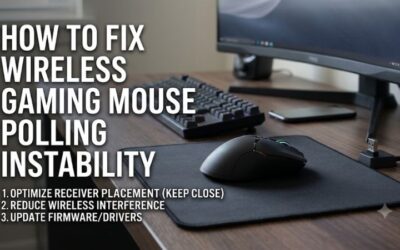
To ensure maximum signal stability, users should place the wireless receiver extension dongle within a few inches of the mousepad. Avoiding dense metal obstructions and keeping 2.4 GHz Wi-Fi routers away from the desk prevents signal interference. Wired USB cables are primarily used to charge battery packs while continuing to play.
What DPI setting should be used for competitive aiming?
A DPI setting between 800 and 1600 provides the cleanest sensor performance and lowest input latency in competitive games. Modern optical sensors function with high fidelity at these values without introducing pixel skip or unwanted smoothing. Sensitivity should be adjusted using in-game sliders rather than extreme DPI jumps.
Very low DPI settings like 400 can introduce slight sensor delay on modern high-resolution displays due to coarse movement reporting. Conversely, setting DPI above 3200 makes desktop cursor management overly sensitive and can reveal minor hand tremors. Keeping sensor DPI at 1600 while lowering in-game sensitivity offers smooth tracking.
Final Thoughts
Selecting a high-grade fps gaming mouse comes down to prioritizing shape ergonomics, lightweight construction, and stable wireless performance. Choosing a shell that matches your hand size and grip style establishes a firm foundation for muscle memory. Match these physical traits with a reliable sensor setup to maintain precision in games.