🛒 Best Price Today on Amazon
Prime members get fast, free shipping on everything above, plus member-only deals. New members get a 30-day free trial — cancel anytime.

Sceptre New 22-Inch Gaming Monitor, FHD 1080p, Up to 144Hz, HDMI, DisplayPort, Built-in Speakers, Machine Black (E225W-FW144 Series, 2026)
Included for 'Monitor for ps5: Smart Picks and Essential Buying Guide' because the listing specifies FHD 1080p and Up to 144Hz, details this guide uses to compare options.
View on Amazon
SANSUI 27 Inch Curved 240Hz Gaming Monitor FHD 1080P, 1500R Curve Computer Monitor, 130% sRGB, 4000:1 Contrast, HDR, FreeSync, MPRT 1Ms, Low Blue Light, HDMI DP Ports, Metal Stand, Cable Incl.
Included for 'Monitor for ps5: Smart Picks and Essential Buying Guide' because the listing specifies 1500R Curve Computer Monitor and 130% sRGB, details this guide uses to compare options.
View on AmazonChoosing a monitor for ps5 setup requires matching console video capabilities with screen standard specifications. The Sony PlayStation 5 delivers 4K visuals at up to 120Hz refresh rates, alongside native 1440p output options and Variable Refresh Rate features. Selecting the wrong display interface or panel type limits output resolution or disables motion smoothing modes. This guide details key criteria and top display options to keep your console operating at max performance.
How to Choose a Monitor for PS5
Selecting a display panel demands evaluating port standards, resolution targets, panel designs, and dynamic range features. The console hardware strictly requires HDMI interface standards rather than DisplayPort inputs found on conventional PC builds. Matching display specifications to internal software options prevents display signal errors and locked refresh rates.
Interface Bandwidth and HDMI Standards
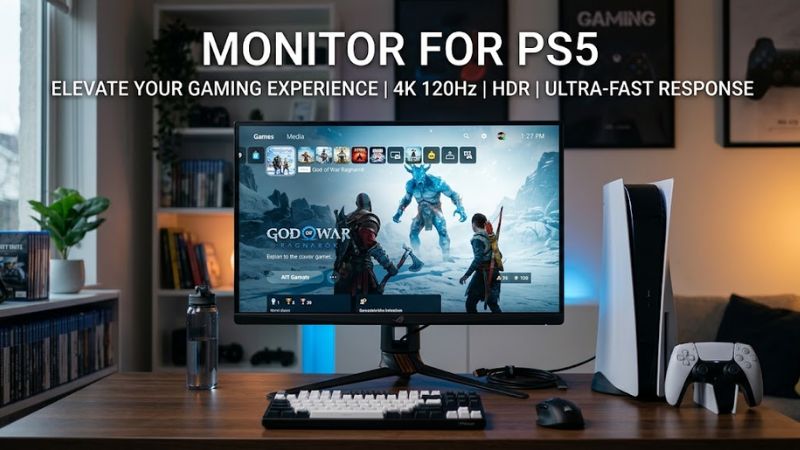
HDMI 2.1 ports provide 48Gbps fixed rate link bandwidth necessary to carry uncompressed 4K signals at 120Hz. Older HDMI 2.0 connection interfaces max out at 4K at 60Hz or 1440p at 120Hz. Selecting an HDMI 2.1 display enables high frame rate performance without sacrificing image fidelity.
Console video settings automatically verify bandwidth connection parameters during initial system configuration. Lower port bandwidth forces the internal renderer to employ chroma subsampling, dropping color accuracy. Ensuring full bandwidth HDMI ports guarantees pristine text and texture rendering across demanding game titles.
Resolution Options and Aspect Ratios
The system natively supports 3840×2160 (4K), 2560×1440 (1440p), and 1920×1080 (1080p) video output modes. The console does not support 21:9 or 32:9 ultrawide aspect ratios, stretching standard images or applying black side bars. Selecting a native 16:9 widescreen layout avoids screen distortion or black borders.
High pixel density 27-inch 1440p displays deliver sharp visuals while lowering display purchase costs. Native 4K panels at 28 to 32 inches offer optimal spatial resolution for sprawling open-world titles. Verify system dashboard output tests match the panel native pixel structure for proper scaling.
Variable Refresh Rate and Motion Clarity
Variable Refresh Rate synchronizes display refresh cycles directly with GPU frame delivery, eliminating screen tearing artifacts. The console system implementation of VRR operates over HDMI 2.1 Forum standards between 48Hz and 120Hz. Standard FreeSync or G-Sync features over HDMI 2.0 will not engage full console adaptive sync functions.
Fast pixel response times under 1ms Gray-to-Gray minimize motion blur during rapid camera movements. Fast IPS and QD-OLED display technologies maintain low motion transition times without severe inverse ghosting streaks. Low latency processing keeps total input lag metrics well under 5 milliseconds.
High Dynamic Range and Panel Types
HDR10 color format support allows displaying expanded contrast ranges and wide color spectrums. Standard IPS panels offer wide viewing angles but lower contrast ratios near 1000:1. Mini-LED and OLED panel designs deliver local dimming or per-pixel dimming for deep black reproduction.
Automatic HDR adjustment on the console reads display tone mapping capabilities during initial system setup. Displays with peak brightness levels below 400 nits yield minimal visual distinction in HDR mode. Select displays with VESA DisplayHDR 600 or true black OLED certifications for noticeable visual dynamic upgrades.
Top Picks for PS5 Gaming
Navigating panel choices involves balancing native display resolution, refresh parameters, hardware input ports, and total budget targets. The table below breaks down leading display options built to support full console video features.
| Product | Best For | Key Spec | Compatibility | Watch Out For |
| LG UltraGear 27GR93U | Best Overall | 27″ 4K 144Hz IPS | HDMI 2.1 48Gbps | Contrast ratio limits |
| Gigabyte M28U | Best Value | 28″ 4K 144Hz IPS | HDMI 2.1 24Gbps DSC | HDR peak brightness |
| ASUS ROG Swift PG32UQ | Best Big Screen | 32″ 4K 144Hz IPS | HDMI 2.1 48Gbps | Higher desk footprint |
| Dell Alienware AW2725DF | Best Motion Clarity | 27″ 1440p 360Hz QD-OLED | HDMI 2.1 Limited 120Hz | Risk of image retention |
LG UltraGear 27GR93U
The LG UltraGear 27GR93U delivers exceptional pixel density and full HDMI 2.1 bandwidth for gamers seeking maximum image sharp focus. The 27-inch 4K IPS panel runs natively at 144Hz on PC while supporting 4K 120Hz signal processing directly from console hardware. Color reproduction covers 95 percent of DCI-P3 color spectrum for vivid visual presentation.
This model works best for action-adventure players who prioritize spatial resolution and smooth color fidelity. However, standard IPS panel backlight characteristics limit static contrast ratios to around 1000:1. Dark room scenes appear dark gray rather than deep ink black. Anyone needing true pitch black levels should avoid standard edge-lit IPS panels.
Gigabyte M28U
The Gigabyte M28U offers high-end 4K resolution specs at an accessible middle-tier price point. Featuring a 28-inch Super Speed IPS display, this unit processes 4K output up to 120Hz over its HDMI 2.1 port options. Built-in stereo speakers and a USB hub provide versatile desktop connectivity options for multi-device setups.
Budget-conscious buyers looking for high-resolution performance without enterprise pricing will find ideal value here. However, the VESA DisplayHDR 400 rating lacks local dimming zones, leading to mediocre high dynamic range performance. The unit uses Display Stream Compression to route high refresh signals. Players seeking impactful HDR highlights should look elsewhere.
ASUS ROG Swift PG32UQ
The ASUS ROG Swift PG32UQ expands screen real estate using a large 32-inch 4K Quantum Dot IPS panel. Dual HDMI 2.1 connections allow simultaneous 4K 120Hz console and PC routing without swapping cables. VESA DisplayHDR 600 certification ensures higher peak brightness metrics for punchy visual effects in lighting-intensive game titles.
This display suits gamers sitting at larger desks or those replacing standard living room television units. The physically wide stand requires deep desk clearance to maintain comfortable viewing distance ergonomics. Integrated cooling vents demand clear space around the chassis to maintain steady operational temperatures. Users with shallow desks should avoid large 32-inch panel footprints.
Dell Alienware AW2725DF
The Dell Alienware AW2725DF utilizes a 27-inch QD-OLED panel to provide near-instantaneous pixel response times under 0.03ms. While native panel refresh reaches 360Hz on PC setups, HDMI 2.1 input features process console signals cleanly at 1440p 120Hz with full VRR engagement. Per-pixel lighting control delivers infinite contrast ratios and dark room performance.
Fast-paced multiplayer enthusiasts who prioritize maximum motion clarity and zero motion blur will benefit most from QD-OLED speed. However, prolonged display of static user interface elements carries potential long-term image retention risks. Glossy panel coatings also create visible reflections in bright rooms with direct window glare. Players in ambient light settings should choose anti-glare IPS displays.
FAQ
Does PS5 support 1440p resolution output natively?
Yes, console software updates enable native 2560×1440 signal output with VRR support on compatible displays.
Do you need an HDMI 2.1 cable for 120Hz gaming?
Yes, the system requires an Ultra High Speed HDMI 2.1 cable to supply necessary signal bandwidth for 4K 120Hz output.
Can the console run games on ultrawide monitors?
No, console hardware outputs standard 16:9 signals, resulting in stretched images or black side bars on ultrawide panels.
Does console VRR function over HDMI 2.0 display ports?
No, variable refresh rate features on this console strictly mandate HDMI 2.1 interface standards.
Final Thoughts
Selecting the ideal monitor for ps5 hardware centers on pairing HDMI 2.1 connections with 16:9 aspect ratio panels. Whether selecting a high-density 27-inch 1440p panel or an expansive 32-inch 4K display, verifying VRR support guarantees screen tearing remains eliminated during gameplay. Prioritize true bandwidth capabilities and native resolution alignment over pure high-frequency refresh ratings meant primarily for desktop PC usage.