
🛒 Best Price Today on Amazon
Prime members get fast, free shipping on everything above, plus member-only deals. New members get a 30-day free trial — cancel anytime.
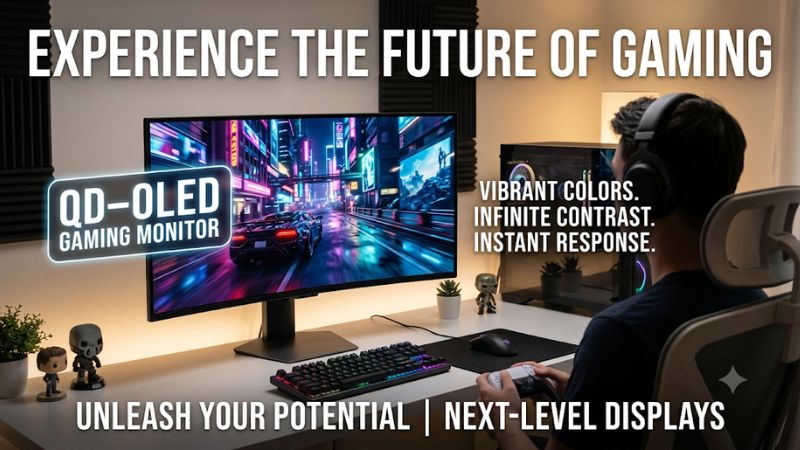
Modern desktop displays have shifted toward self-emissive panel technologies to deliver higher contrast and richer colors. Choosing a qd oled gaming monitor gives PC gamers near-instant pixel response alongside impressive peak HDR luminance across desktop environments. Finding the right display requires matching panel size, refresh rate, and display inputs to your system setup.
How to Choose a QD OLED Gaming Monitor
Evaluating next-generation displays requires looking closely at screen size, resolution, color accuracy, and interface bandwidth. A QD OLED gaming monitor merges quantum dot layer saturation with self-emitting pixels to keep color brightness high in HDR scenes. Identifying your hardware capability helps ensure you pick a panel that delivers smooth frame rates without bottlenecks.
Resolution and Refresh Rate Balance
Selecting a panel resolution directly impacts the GPU hardware needed to drive your target frame rates. Running a 3840×2160 resolution display at 240Hz provides incredible visual detail for immersion, but requires a high-end graphics card like an NVIDIA GeForce RTX 4080 Super. Gamers seeking high motion clarity often choose a 2560×1440 panel to keep frame rates near 360Hz.
A QD OLED gaming monitor operating at 4K resolution provides 138 pixels per inch at 32 inches, delivering crisp text rendering during daily desktop use. Pushing higher pixel counts reduces visible fringing around text elements while maintaining extreme clarity in fast-moving titles. Higher pixel density requires using DisplayPort 1.4 with Display Stream Compression enabled on your graphics card.
Panel Generation and Brightness Levels
Third-generation panels feature refined subpixel structures that enhance text legibility and improve daylight contrast. Peak HDR brightness reaches up to 1000 nits in small highlight windows on VESA DisplayHDR True Black 400 certified displays. Sustained full-screen brightness typically measures around 250 nits to preserve organic panel longevity over extended gaming sessions.
Integrated heat dissipation solutions help maintain high brightness output without aggressive thermal dimming algorithms. Custom heatsinks built into the chassis draw heat away from organic light layers, reducing burn-in risks over time. Buyers who value longevity should look for passive cooling designs accompanied by manufacturer burn-in warranty coverage lasting at least three years.
Display Input Bandwidth and Cable Standards
Modern displays utilize high-bandwidth video inputs to handle uncompressed color depth and high refresh rates. A QD OLED gaming monitor equipped with HDMI 2.1 ports supports full 48Gbps bandwidth for current consoles and PCs alike. DisplayPort 1.4 remains standard on modern PC GPUs, leveraging visual lossless compression to output high refresh rates at 10-bit color depth.
Connecting via USB Type-C with DisplayPort Alt Mode provides single-cable video signals and power delivery for laptops. Modern monitors frequently offer USB power delivery rated between 15W and 90W to keep mobile workstations charged. Verifying your graphics card port output version ensures full compatibility with maximum display refresh rates without subsampling chroma signals.
Refresh Rate Response for Competitive Esports
Competitive esports players benefit from near-instantaneous gray-to-gray pixel response times measured at 0.03 milliseconds. Traditional liquid crystal displays require voltage overdrive that causes motion blurs or overshoot ghosting behind moving targets. Self-emitting subpixels transition state instantly, producing exceptional motion clarity during fast camera turns in action games.
Pairing a 360Hz refresh rate with sub-millisecond response speed delivers a visible motion advantage in fast first-person shooters. High refresh rates reduce input latency significantly when paired with graphics technologies like NVIDIA G-SYNC or AMD FreeSync Premium Pro. Ensuring your PC maintains stable frame rates matching panel refresh rates avoids screen tearing completely.
Top Picks for QD OLED Gaming Monitors
Selecting the best display option depends on individual performance goals, desk space, and budget allocations. Every QD OLED gaming monitor featured below offers true black levels, exceptional color coverage, and low latency input. Reviewing hardware specifications, connectivity options, and potential drawbacks will guide you toward the ideal display for your gaming setup.
| Product | Best For | Key Spec | Compatibility | Watch Out For |
| MSI MPG 321URX QD-OLED | Best Overall | 32-inch 4K, 240Hz, 0.03ms | DisplayPort 1.4, HDMI 2.1 | Higher price tag |
| MSI MAG 271QPX QD-OLED | Best Value | 27-inch 1440p, 360Hz, 0.03ms | DisplayPort 1.4, HDMI 2.1 | Lacks USB hub |
| Alienware AW3423DWF QD-OLED | Best Ultrawide | 34-inch UWQHD, 165Hz, 1800R | DisplayPort 1.4, HDMI 2.0 | Black bars on 16:9 |
| Samsung Odyssey OLED G6 G60SD | Best High Refresh | 27-inch 1440p, 360Hz, 0.03ms | DisplayPort 1.4, HDMI 2.1 | Aggressive matte finish |
MSI MPG 321URX QD-OLED
The MSI MPG 321URX QD-OLED targets gamers who demand top-tier 4K resolution alongside a fast 240Hz refresh rate. Featuring a 31.5-inch panel with 99 percent DCI-P3 color coverage, it delivers deep visual richness in single-player titles. A QD OLED gaming monitor like this requires an NVIDIA GeForce RTX 4080 or AMD Radeon RX 7900 XTX GPU to reach target frame rates at 3840×2160.
Connectivity is extensive, offering a 90W USB-C power delivery port, dual HDMI 2.1 inputs, and built-in KVM switch functionality. Custom heatsink cooling maintains low operating temperatures without noisy fans. Buyers who operate in bright rooms should note that raised ambient lighting can slightly elevate deep black levels, so light control near your desk is recommended for best results.
MSI MAG 271QPX QD-OLED
The MSI MAG 271QPX QD-OLED provides excellent 1440p performance for competitive gamers focused on value. Its 26.5-inch screen size achieves a swift 360Hz refresh rate and 0.03ms response time to maximize motion clarity in shooters. Choosing this QD OLED gaming monitor allows midrange graphics cards to achieve high frame rates without needing expensive flagship system upgrades.
It retains the third-generation panel design, offering 1000 nits peak brightness in HDR mode and comprehensive burn-in prevention routines. To keep costs competitive, MSI omitted USB hub connectivity and high-wattage power delivery on this model. Players who do not require integrated peripheral routing will find this display an ideal balance between price and high-speed panel capability.
Alienware AW3423DWF QD-OLED
The Alienware AW3423DWF QD-OLED delivers immersive ultrawide visuals with a 3440×1440 resolution across a gentle 1800R curve. Its 21:9 aspect ratio expands field of view in simulation and open-world titles, backed by a smooth 165Hz refresh rate. AMD FreeSync Premium Pro certification ensures tear-free motion across dynamic frame rate ranges on both Radeon and GeForce graphics cards.
Dell backs this monitor with a three-year advance exchange warranty that includes coverage against permanent image burn-in. HDMI connectivity on this model is limited to HDMI 2.0 standards, restricting console gaming to 120Hz at 1080p resolution. Console-focused players should look elsewhere, but dedicated PC gamers utilizing DisplayPort will enjoy outstanding color fidelity and wide viewing angles.
Samsung Odyssey OLED G6 G60SD QD-OLED
The Samsung Odyssey OLED G6 G60SD QD-OLED brings a fast 360Hz refresh rate to a 27-inch 2560×1440 flat panel. It incorporates Samsung thermal safeguard technology using pulsating heat pipes to prevent overheating during continuous play. Exceptional color volume and 10-bit color support ensure vivid picture reproduction across full-screen gaming applications and high-definition video playback.
An anti-glare matte coating reduces room reflections effectively, though it slightly alters contrast levels compared to glossy panels. Full HDMI 2.1 and DisplayPort 1.4 connections make connecting modern PC hardware and current-generation gaming consoles effortless. Buyers who prefer mirror-like glass finishes may find the matte coating unexpected, but light management becomes far easier in brightly lit environments.
Frequently Asked Questions About QD OLED Gaming Monitors
Upgrading display hardware often brings technical questions regarding lifespan, system requirements, and visual clarity across operating systems. A QD OLED gaming monitor offers major image quality upgrades over traditional LCD panels when properly configured. Reviewing these common questions helps you optimize your PC settings and prolong panel performance over years of daily gaming use.
Do QD OLED Gaming Monitors Suffer From Permanent Image Retention?
Permanent image retention is rare on current panels due to modern protective software algorithms and improved thermal management. Manufacturers incorporate automated pixel shifting, static logo dimming, and background refresh cycles to maintain screen uniformity over long periods. Following recommended panel maintenance prompts ensures long-term operational health without degrading overall visual quality.
Allowing automatic pixel refresh routines to run when putting your PC into sleep mode prevents static image retention from building up. Avoiding fixed desktop elements like static taskbars at maximum brightness further protects organic panel material. Most leading brands include multi-year burn-in warranties to give buyers confidence when using high peak brightness settings during HDR gaming.
What Graphics Card Is Required to Run a 4K QD OLED Display?
Driving a 4K resolution at 240Hz requires a high-end graphics card like an NVIDIA GeForce RTX 4080 or AMD Radeon RX 7900 XTX. Modern AAA titles running at 3840×2160 resolution demand substantial GPU memory bandwidth and frame generation technology to saturate high refresh rates. Users with midrange GPUs can utilize resolution scaling like DLSS or FSR to maintain smooth performance.
Your graphics card must feature DisplayPort 1.4 supporting Display Stream Compression or HDMI 2.1 output ports. Connecting through older DisplayPort standards limits available refresh rates or requires lowering color depth down to 8-bit chroma levels. Verifying GPU video output capabilities before purchasing ensures your PC hardware can drive full panel refresh rates at native resolution.
Is QD OLED Better Than Standard WOLED for PC Gaming Setups?
QD OLED technology delivers higher color volume and brighter highlights in HDR gaming scenes compared to standard WOLED panels. By passing blue light through quantum dots rather than traditional RGB color filters, color brightness remains intense at high luminance levels. Standard WOLED uses white subpixels that can dilute color saturation in small, exceptionally bright visual highlights.
Both panel types offer infinite contrast ratios and sub-millisecond response times because individual pixels turn off completely for true blacks. WOLED displays sometimes handle ambient room reflections better due to distinct polarizers, whereas quantum dot panels excel in dark-room color vibrance. Choosing between them comes down to room lighting environment and personal preference for overall color output.
Does Text Rendering Look Blurry on QD OLED Panel Subpixel Layouts?
Text clarity on third-generation panels is significantly improved compared to first-generation releases due to optimized subpixel geometry. Windows ClearType settings can be adjusted to match triangular subpixel arrangements, reducing color fringing around small text fonts. Selecting a 32-inch 4K panel provides high pixel density that resolves visible text clarity issues completely for standard desktop tasks.
Users working with extensive text documents or spreadsheet applications at lower 1440p resolutions may notice subtle subpixel fringing up close. Running clear font calibration utilities in Windows 11 resolves most legibility issues across browser and word processing software. For mixed productivity and gaming workflows, high pixel density 4K panels offer the crispest text rendition available.
Final Thoughts
Investing in a QD OLED gaming monitor improves image quality through true black levels, rapid response times, and vibrant quantum dot color performance. Matching panel resolution and refresh rate to your graphics card capability ensures optimal performance across all your favorite games. Choose a display that fits your space, adjust your Windows settings, and enjoy unmatched visual performance today.









