Affiliate disclosure: As an Amazon Associate we earn from qualifying purchases. This post contains affiliate links — we may earn a small commission at no extra cost to you. This never affects our picks. Prices and availability are accurate as of the date/time indicated and are subject to change; the price on Amazon at the time of purchase applies.
- Quick Comparison Table
- 1. msi RTX 5070 12G Shadow 2X OC: Best for balanced 1440p gaming
- 2. ASUS Dual RTX 5060 Ti 16GB: Best for texture-heavy games and mods
- 3. msi RTX 5070 Ti 16G Gaming Trio OC: Best for high-refresh 1440p and entry 4K
- 4. ASUS Prime RTX 5070 12GB: Best for small-form-factor builds
- 5. GIGABYTE RTX 3060 WINDFORCE OC 12G: Best for entry 1080p with 12GB
- How to Choose
- Frequently Asked Questions
- About the Author
- Related Articles
Quick answer: The best 12GB GPUs start with the msi RTX 5070 12G Shadow 2X OC as a balanced 1440p pick. The ASUS RTX 5060 Ti 16GB suits texture-heavy games, the RTX 5070 Ti 16G is for headroom, the ASUS Prime RTX 5070 fits small cases, and the RTX 3060 12G is the entry route.
This guide compares five graphics cards that carry 12GB of video memory or more, because VRAM is the spec that decides whether high-resolution textures, ray tracing and creative projects stay smooth. Every comparison below uses the figures published in each listing, such as memory type, bus width and slot size. We did not run our own benchmarks, so treat the notes as a spec-based buying aid and confirm details on the maker page.
Quick Comparison Table
| # | Model | Key specs (per listing) | Best for |
|---|---|---|---|
| 1 | msi RTX 5070 12G Shadow 2X OC | 12GB GDDR7, 192-bit, 2557 MHz boost, 3x DP 2.1a | balanced 1440p gaming |
| 2 | ASUS Dual RTX 5060 Ti 16GB | 16GB GDDR7, PCIe 5.0, 2.5-slot, 0dB mode, dual BIOS | texture-heavy games and mods |
| 3 | msi RTX 5070 Ti 16G Gaming Trio OC | 16GB GDDR7, 256-bit, 2580 MHz boost, 3x DP 2.1a | high-refresh 1440p and entry 4K |
| 4 | ASUS Prime RTX 5070 12GB | 12GB GDDR7, PCIe 5.0, SFF-Ready, 2.5-slot, dual BIOS | small-form-factor builds |
| 5 | GIGABYTE RTX 3060 WINDFORCE OC 12G | 12GB GDDR6, 192-bit, 2X WINDFORCE fans | entry 1080p with 12GB |
1. msi RTX 5070 12G Shadow 2X OC: Best for balanced 1440p gaming
Specs per the listing: 12GB GDDR7, 192-bit bus, extreme-performance clock of 2557 MHz, three DisplayPort 2.1a outputs and one HDMI 2.1b, NVIDIA Blackwell architecture.
This is the card to start with if you want 12GB of fast GDDR7 without stepping up to a flagship. RTX 5070 class cards are aimed at 1440p play, and the Shadow 2X name points to a two-fan cooler, which usually keeps the card shorter than triple-fan models. Check the case clearance on the maker page before ordering.
The 192-bit bus means memory bandwidth depends on the GDDR7 speed rather than width, so do not expect it to behave like a 256-bit card in memory-heavy tasks. Three DisplayPort 2.1a ports are handy for a multi-monitor desk, and the single HDMI 2.1b output covers a television.
- Pros: 12GB of GDDR7; three DP 2.1a outputs; two-fan cooler suits mid-size cases; Blackwell feature set
- Cons: 192-bit bus; power connector and length not listed, check the maker page

msi Gaming RTX 5070 12G Shadow 2X OC Graphics Card (12GB GDDR7, 192-bit, Extreme Performance: 2557 MHz, DisplayPort x3 2.1a, HDMI 2.1b, NVIDIA Blackwell Architecture)
Included for 'Best 12GB GPUs for 1440p Gaming and Creative Work' as a representative home product in this roundup; selection reflects the product set returned for this topic.
View on Amazon2. ASUS Dual RTX 5060 Ti 16GB: Best for texture-heavy games and mods
Specs per the listing: 16GB GDDR7, PCIe 5.0, HDMI 2.1b, DisplayPort 2.1b, 2.5-slot cooler with Axial-tech fans, 0dB Technology and Dual BIOS.
The 5060 Ti 16GB is interesting because it carries more memory than the 12GB cards here while sitting a tier lower in the product stack. That matters for modded games, large texture packs and local AI experiments, where running out of VRAM hurts more than raw core speed.
The 0dB feature stops the fans at light loads, which suits a quiet office-and-gaming machine, and Dual BIOS lets you switch between profiles. The trade-off is that the core is a step below the RTX 5070 cards, so the extra memory will not always translate to higher frame rates.
- Pros: 16GB capacity; fan-stop at light loads; dual BIOS; PCIe 5.0 interface
- Cons: Core tier below the RTX 5070; 2.5-slot thickness needs room

ASUS Dual GeForce RTX 5060 Ti 16GB GDDR7 OC Edition Gaming Graphics Card | PCIe 5.0, HDMI 2.1b, DisplayPort 2.1b, 2.5-slot, Axial-tech Fans, 0dB Technology, Dual BIOS
Included for 'Best 12GB GPUs for 1440p Gaming and Creative Work' as a representative home product in this roundup; selection reflects the product set returned for this topic.
View on Amazon3. msi RTX 5070 Ti 16G Gaming Trio OC: Best for high-refresh 1440p and entry 4K
Specs per the listing: 16GB GDDR7, 256-bit bus, extreme-performance clock of 2580 MHz, three DisplayPort 2.1a and one HDMI 2.1b, Blackwell architecture.
If you want the most capable card in this list, this one is it. The 256-bit bus and 16GB of GDDR7 give it the widest memory path here, which helps with 4K textures and content creation timelines. The Gaming Trio name points to a triple-fan cooler.
Plan for a larger case and a stronger power supply than the 12GB cards need; the listing does not state dimensions or recommended wattage, so read the maker page first. It is also a card that deserves a modern CPU and a fast monitor, otherwise the investment is wasted.
- Pros: Widest memory bus in the list; 16GB capacity; triple-fan cooler; three DP 2.1a ports
- Cons: Large cooler likely needs a roomy case; dimensions and PSU advice not listed

msi Gaming RTX 5070 Ti 16G Gaming Trio OC Graphics Card (16GB GDDR7, 256-bit, Extreme Performance: 2580, DisplayPort x 3 2.1a, HDMI 2.1b, NVIDIA Blackwell Architecture)
Included for 'Best 12GB GPUs for 1440p Gaming and Creative Work' as a representative home product in this roundup; selection reflects the product set returned for this topic.
View on Amazon4. ASUS Prime RTX 5070 12GB: Best for small-form-factor builds
Specs per the listing: 12GB GDDR7 OC Edition, PCIe 5.0, HDMI/DP 2.1, 2.5-slot design marked SFF-Ready, Axial-tech fans, Dual BIOS.
The SFF-Ready tag in the title is the reason to pick this over other RTX 5070 models: ASUS designs these cards to fit compact cases that cannot take triple-slot coolers. For a living-room or small-footprint PC that still needs 12GB, that is a real advantage.
Because the cooler is slimmer, there may be less thermal headroom than a larger cooler, so airflow in the case matters. The feature set otherwise mirrors the msi 5070 above, so choose on case fit and cooler preference.
- Pros: Slim 2.5-slot design; 12GB GDDR7; dual BIOS; compact-case friendly
- Cons: Less cooler mass than triple-fan models; exact length not listed

ASUS PRIME GeForce RTX 5070 12GB GDDR7 OC Edition Gaming Graphics Card | SFF-Ready, PCIe 5.0, HDMI/DP 2.1, 2.5-slot, Axial-tech Fans, Dual BIOS
Included for 'Best 12GB GPUs for 1440p Gaming and Creative Work' as a representative home product in this roundup; selection reflects the product set returned for this topic.
View on Amazon5. GIGABYTE RTX 3060 WINDFORCE OC 12G: Best for entry 1080p with 12GB
Specs per the listing: 12GB 192-bit GDDR6, 2X WINDFORCE fans, model GV-N3060WF2OC-12GD rev. 2.0.
The RTX 3060 12G is the older option here, and its appeal is simple: 12GB of memory on a card at the entry level of this list. It suits 1080p gaming, light video editing and anyone upgrading from a 6GB or 8GB card who mainly needs more VRAM.
It uses GDDR6 rather than GDDR7 and lacks the newer feature set of the Blackwell cards, so it is the weakest option for demanding new releases. Think of it as a memory upgrade rather than a performance leap.
- Pros: 12GB capacity; dual-fan cooler; simple fit in most cases
- Cons: Older architecture; GDDR6 memory; weaker for new titles at 1440p

GIGABYTE GeForce RTX 3060 WINDFORCE OC 12G (rev. 2.0) Graphics Card, 2X WINDFORCE Fans, 12GB 192-bit GDDR6, GV-N3060WF2OC-12GD Rev2.0 Video Card
Included for 'Best 12GB GPUs for 1440p Gaming and Creative Work' as a representative home product in this roundup; selection reflects the product set returned for this topic.
View on AmazonHow to Choose
Match VRAM to your resolution
For 1080p, 8GB still works, but 12GB gives breathing room for texture packs. At 1440p, 12GB is a sensible floor and 16GB is safer for new releases. At 4K or with heavy mods, aim for 16GB. If you edit video or run local AI models, capacity often matters more than core speed.
Check physical fit and power
Read the slot width, length and recommended power supply on the maker page before ordering; several listings here do not state them. A 2.5-slot card suits most mid towers, while a triple-fan card may need a larger case. Confirm your power supply has the required connectors and enough headroom.
Look at the bus, not only the capacity
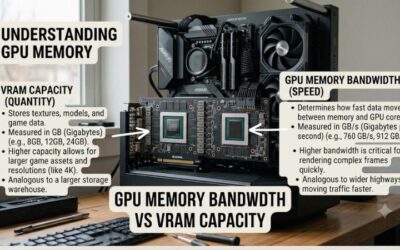
A 192-bit bus and a 256-bit bus with the same GDDR7 behave differently in memory-heavy work. Capacity tells you whether a game fits in memory; bus width and memory speed tell you how quickly data moves. Pair both facts with your monitor refresh rate.
Balance the rest of the build
A fast card paired with an old quad-core CPU or a slow monitor wastes money. Match a 5070-class card with a recent six-core or better processor and a 1440p high-refresh display. Skip a flagship card if your screen is 1080p at 60Hz.
Frequently Asked Questions
Is 12GB of VRAM enough for modern games?
For 1080p and most 1440p games, yes. Some new titles with maximum textures or ray tracing can use more, so 16GB offers extra margin if you keep a card for several years.
Is the RTX 5060 Ti 16GB better than the RTX 5070 12GB?
It depends on the task. The 16GB card has more memory, while the RTX 5070 sits a tier higher in the product line. Choose capacity for mods and creative work, and the 5070 for general gaming.
Do these cards fit a small case?
Only the ASUS Prime RTX 5070 is marked SFF-Ready in its listing. For the others, check length and slot width on the maker page first.
Can I use the RTX 3060 12G for 1440p?
It can at moderate settings, but it is best suited to 1080p. If 1440p is your goal, one of the RTX 5070-class cards is a better match.