Affiliate disclosure: As an Amazon Associate we earn from qualifying purchases. This post contains affiliate links — we may earn a small commission at no extra cost to you. This never affects our picks. Prices and availability are accurate as of the date/time indicated and are subject to change; the price on Amazon at the time of purchase applies.
- Quick Comparison Table
- 1. ASUS Prime RTX 5060: Best for All-Round 1080p
- 2. ASUS Dual RTX 5060 Ti 8GB: Best for Extra Speed
- 3. Gigabyte RTX 5060 WINDFORCE OC: Best for Simple Builds
- 4. Gigabyte RTX 4060 WINDFORCE OC: Best for Older-Generation Value
- 5. Intel Arc A750: Best for Tight Budgets
- How to Choose
- Frequently Asked Questions
- About the Author
- Related Articles
Quick answer: For the best 8GB GPUs, start with the ASUS Prime GeForce RTX 5060 8GB, a balanced 1080p card. Step up to the ASUS Dual RTX 5060 Ti 8GB for more headroom, pick the Gigabyte RTX 5060 WINDFORCE for a simple cooler, the Gigabyte RTX 4060 for older-generation value, and the Intel Arc A750 for a tight budget.
Eight gigabytes of video memory is still the entry point for many 1080p builds, and the choices range from older Ada and Alchemist cards to the newer Blackwell GDDR7 generation. This guide compares five 8GB graphics cards using the specifications published in each listing: memory type, bus width, slot size and cooling design. We did not run our own benchmarks, so treat the class statements as general guidance and confirm the details on each maker page.
Quick Comparison Table
| # | Model | Key specs (per listing) | Best for |
|---|---|---|---|
| 1 | ASUS Prime GeForce RTX 5060 8GB OC | 8GB GDDR7, PCIe 5.0, HDMI/DP 2.1, 2.5-slot, dual BIOS | All-round 1080p play |
| 2 | ASUS Dual GeForce RTX 5060 Ti 8GB OC | 8GB GDDR7, PCIe 5.0, HDMI 2.1b, DP 2.1b, 2.5-slot, 0dB mode | Extra speed on the same memory |
| 3 | Gigabyte GeForce RTX 5060 WINDFORCE OC 8G | 8GB 128-bit GDDR7, PCIe 5.0, DisplayPort and HDMI | Straightforward builds |
| 4 | Gigabyte GeForce RTX 4060 WINDFORCE OC 8G | 8GB 128-bit GDDR6, two WINDFORCE fans | Older-generation value |
| 5 | Intel Arc A750 Limited Edition 8GB | 8GB, PCIe 4.0 x16 slot | Tight budgets, esports |
1. ASUS Prime RTX 5060: Best for All-Round 1080p
Specs per the listing: GeForce RTX 5060, 8GB GDDR7, OC edition, PCIe 5.0, HDMI/DP 2.1, 2.5-slot design, Axial-tech fans, dual BIOS.
The Prime is the card to start with if you want a current-generation GPU without a complicated cooler. RTX 5060 class cards target 1080p at high settings and can handle 1440p when you lower a few options. The GDDR7 memory gives it a bandwidth edge over older 8GB cards, though the capacity is the same, so heavy texture packs can still overflow.
The 2.5-slot cooler is moderate in size and the dual BIOS switch lets you choose between a quieter profile and the default one. Check your case clearance and power connector requirements on the maker page before ordering.
- Pros: current-generation GDDR7; dual BIOS; PCIe 5.0 interface; sensible 2.5-slot size
- Cons: 8GB limits future texture-heavy games; 128-bit class bus

ASUS Prime GeForce RTX 5060 8GB GDDR7 OC Edition Gaming Graphics Card | PCIe 5.0, HDMI/DP 2.1, 2.5-slot, Axial-tech Fans, Dual BIOS
Included for 'Best 8GB GPUs for 1080p Gaming in 2026' as a representative home product in this roundup; selection reflects the product set returned for this topic.
View on Amazon2. ASUS Dual RTX 5060 Ti 8GB: Best for Extra Speed
Specs per the listing: GeForce RTX 5060 Ti, 8GB GDDR7, OC edition, PCIe 5.0, HDMI 2.1b, DisplayPort 2.1b, 2.5-slot, Axial-tech fans, 0dB technology.
This is the fastest 8GB option here on paper because the Ti tier sits above the standard 5060 in the same family. It suits players who want higher frame rates at 1080p or a light 1440p setup but are happy to manage texture quality. The 0dB feature lets the fans stop at idle, which helps for quiet desktops.
Be aware that the same silicon family also ships with 16GB, and that version handles memory-heavy games better. If you plan to keep the card for several years, compare the extra capacity before settling on 8GB.
- Pros: higher tier than the standard 5060; 0dB fan stop; DisplayPort 2.1b output; GDDR7
- Cons: still only 8GB; a 16GB sibling exists for longer-term use

ASUS Dual GeForce RTX 5060 Ti 8GB GDDR7 OC Edition Gaming Graphics Card | PCIe 5.0, HDMI 2.1b, DisplayPort 2.1b, 2.5-slot, Axial-tech Fans, 0dB Technology, Dual BIOS
Included for 'Best 8GB GPUs for 1080p Gaming in 2026' as a representative home product in this roundup; selection reflects the product set returned for this topic.
View on Amazon3. Gigabyte RTX 5060 WINDFORCE OC: Best for Simple Builds
Specs per the listing: RTX 5060 8GB, 128-bit GDDR7, PCIe 5.0, DisplayPort and HDMI outputs, WINDFORCE cooling.
The WINDFORCE model uses the same GPU tier as the Prime but with a different cooler and board layout. Choose it when you want a plain, widely supported card and care less about a dual BIOS switch. It fits the same 1080p-first role and is a good match for mid-range Ryzen 5 or Core i5 systems.
The listing does not publish every dimension, so measure your case and check the maker page for card length and recommended power supply before you buy.
- Pros: same GPU tier as the leading pick; GDDR7; PCIe 5.0; no-frills design
- Cons: card length and power details are not in the title; 8GB capacity

GIGABYTE GeForce RTX 5060 WINDFORCE OC 8G Graphics Card, Cooling System, 8GB 128-bit GDDR7, PCIe 5.0, Manufactured by NVIDIA, DisplayPort & HDMI - Video Output Interface, GV-N5060WF2OC-8GD Video Card
Included for 'Best 8GB GPUs for 1080p Gaming in 2026' because the listing adds cooling or gel-infused layers, which is the attribute this article compares.
View on Amazon4. Gigabyte RTX 4060 WINDFORCE OC: Best for Older-Generation Value
Specs per the listing: RTX 4060, 8GB 128-bit GDDR6, two WINDFORCE fans, model GV-N4060WF2OC-8GD.
The RTX 4060 is the previous generation, and it brings DLSS support and frame generation features that many 1080p players value. It uses GDDR6 rather than GDDR7, so raw memory bandwidth is lower than the 5060 cards. If a pricing gap exists between generations, this card is the sensible alternative for a first gaming PC.
The two-fan cooler is compact enough for many mid-tower cases. Newer titles with high texture demands may need medium texture settings on any 8GB card.
- Pros: mature drivers; compact two-fan cooler; DLSS support; GDDR6 memory
- Cons: older generation; lower memory bandwidth than the Blackwell cards

Gigabyte GeForce RTX 4060 WINDFORCE OC 8G Graphics Card, 2X WINDFORCE Fans, 8GB 128-bit GDDR6, GV-N4060WF2OC-8GD Video Card
Included for 'Best 8GB GPUs for 1080p Gaming in 2026' as a representative home product in this roundup; selection reflects the product set returned for this topic.
View on Amazon5. Intel Arc A750: Best for Tight Budgets
Specs per the listing: Intel Arc A750 Limited Edition, 8GB, PCI Express 4.0.
The Arc A750 is the outsider of this group. It carries 8GB like the others and fits 1080p play in many modern titles, but Intel drivers have historically been less polished for older DirectX 9 and 11 games. Intel cards also tend to work best with Resizable BAR enabled on the motherboard, so check that your platform supports it.
It is a reasonable pick for esports and newer API games where the architecture performs well. If you mostly play older titles, one of the NVIDIA cards above is the safer choice.
- Pros: 8GB memory; Limited Edition reference-style design; useful for budget builds
- Cons: driver maturity varies by game; needs a motherboard with Resizable BAR support; older generation

Intel Arc A750 Limited Edition 8GB PCI Express 4.0 Graphics Card
Included for 'Best 8GB GPUs for 1080p Gaming in 2026' as a representative home product in this roundup; selection reflects the product set returned for this topic.
View on AmazonHow to Choose
Decide whether 8GB is enough for your games
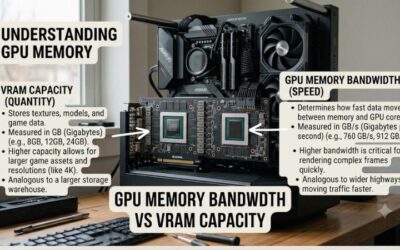
Eight gigabytes covers esports titles, most 1080p AAA games at medium to high settings, and plenty of older libraries. It starts to struggle with maximum textures, ray tracing and high-resolution mods. If you play at 1440p or like heavy mods, look at 12GB or 16GB cards instead of stretching an 8GB model.
Match the generation to your motherboard and games
The Blackwell cards use PCIe 5.0, but they work in PCIe 4.0 slots. Because these entry cards use a narrow bus, a very old PCIe 3.0 board can reduce performance a little, so check your platform. For Intel Arc, confirm Resizable BAR in your BIOS first.
Check physical fit and power
Measure the free length in your case and count the slots. The 2.5-slot designs need clear space beside the card. Look up the recommended power supply wattage and the connector type on each maker page, since the listing titles do not state them. A quality 550 to 650 watt unit is a common starting point for cards in this class, but follow the maker figure.
Look at outputs and cooling features
If you use a high-refresh monitor, DisplayPort 2.1b or HDMI 2.1 matters more than raw port count. Dual BIOS and zero-RPM fan modes are small conveniences that help noise and recovery after a failed overclock. Skip extra RGB or military-grade marketing unless it matches the case you own.
Frequently Asked Questions
Is 8GB of VRAM enough for gaming?
For 1080p it usually is, with medium to high texture settings. Recent games at maximum quality or with ray tracing can exceed 8GB, and 1440p raises memory use further. Plan on lowering textures if you hit a stutter.
Is the RTX 5060 better than the RTX 4060?
The 5060 is the newer generation and uses faster GDDR7 memory, so it is generally the stronger card. Both carry 8GB, so capacity limits are the same. Compare current listings before deciding.
Can I use these cards on a PCIe 4.0 motherboard?
Yes. PCIe 5.0 cards are backwards compatible, and entry-level cards rarely saturate the slot. Just make sure the slot is a full x16 connector.
Should I buy the 16GB version instead?
If you plan to keep the card for many years or play at 1440p, extra memory helps. For a 1080p build focused on current games, 8GB remains workable.
Do I need a new power supply?
Not always. Check the recommended wattage and connector type on the maker page and compare them with your current unit, especially if you are upgrading an older prebuilt.