Affiliate disclosure: As an Amazon Associate we earn from qualifying purchases. This post contains affiliate links — we may earn a small commission at no extra cost to you. This never affects our picks. Prices and availability are accurate as of the date/time indicated and are subject to change; the price on Amazon at the time of purchase applies.
- Quick Comparison Table
- 1. msi RTX 5070 Ti Gaming Trio OC: Best for 1440p and Entry 4K
- 2. ASUS PRIME RTX 5070: Best for Compact 1440p Builds
- 3. ASUS PRIME RTX 5060 Ti 16GB: Best for 1080p to 1440p With Texture Headroom
- 4. Gigabyte RTX 5080 WINDFORCE OC SFF: Best for High-Refresh 4K
- 5. msi RTX 3050 Ventus 2X 6G: Best for Entry 1080p With Upscaling
- How to Choose
- Frequently Asked Questions
- About the Author
- Related Articles
Quick answer: For the best GPUs with DLSS, the msi RTX 5070 Ti Gaming Trio OC is our top pick for 1440p and entry 4K. The ASUS PRIME RTX 5070 suits 1440p builds, the RTX 5060 Ti 16GB suits 1080p to 1440p, the Gigabyte RTX 5080 suits high-refresh 4K, and the RTX 3050 is the entry ticket.
This guide compares five graphics cards that carry NVIDIA RTX hardware, which is what DLSS upscaling needs. We sorted them by how much DLSS capability each generation brings, from the Ampere-based RTX 3050 up to the Blackwell RTX 5080. Comparisons use each listing’s published specs; we did not run our own benchmarks, so treat the tiers below as class guidance rather than measured frame rates.
Quick Comparison Table
| # | Model | Key specs (per listing) | Best for |
|---|---|---|---|
| 1 | msi RTX 5070 Ti Gaming Trio OC | 16GB GDDR7, 256-bit, 2580 MHz, 3x DP 2.1a, HDMI 2.1b | 1440p max settings, entry 4K |
| 2 | ASUS PRIME RTX 5070 OC | 12GB GDDR7, PCIe 5.0, 2.5-slot, SFF-ready, dual BIOS | 1440p in compact cases |
| 3 | ASUS PRIME RTX 5060 Ti 16GB OC | 16GB GDDR7, PCIe 5.0, 2.5-slot, SFF-ready | 1080p and 1440p with texture headroom |
| 4 | Gigabyte RTX 5080 WINDFORCE OC SFF | 16GB GDDR7, 256-bit, 2670 MHz, 3x DP 2.1b, HDMI 2.1b, DLSS 4 | 4K high refresh |
| 5 | msi RTX 3050 Ventus 2X 6G OC | 6GB GDDR6, 96-bit, 1492 MHz boost, Ampere | Entry 1080p with upscaling |
1. msi RTX 5070 Ti Gaming Trio OC: Best for 1440p and Entry 4K
Specs per the listing: 16GB GDDR7, 256-bit bus, 2580 MHz extreme-performance clock, three DisplayPort 2.1a outputs, HDMI 2.1b, NVIDIA Blackwell architecture.
The 5070 Ti class is where DLSS stops being a rescue tool and becomes a quality lever. With 16GB of memory on a 256-bit bus, the card has room for high-resolution textures while the upscaler renders internally at a lower resolution. That combination is why this tier is the usual pick for 1440p at high settings and for 4K with DLSS Quality. Blackwell silicon also brings the newest DLSS feature set, including multi frame generation, which older generations lack.
The Trio cooler is a large three-fan design, so confirm case clearance and power connector requirements on the maker page, since the listing does not give dimensions.
- Pros: 16GB on a 256-bit bus; three DisplayPort 2.1a outputs; full Blackwell DLSS feature set
- Cons: Dimensions and power needs not listed; overkill for 1080p monitors

msi Gaming RTX 5070 Ti 16G Gaming Trio OC Graphics Card (16GB GDDR7, 256-bit, Extreme Performance: 2580, DisplayPort x 3 2.1a, HDMI 2.1b, NVIDIA Blackwell Architecture)
Included for 'Best GPUs With DLSS: Five RTX Cards From Entry to 4K' as a representative home product in this roundup; selection reflects the product set returned for this topic.
View on Amazon2. ASUS PRIME RTX 5070: Best for Compact 1440p Builds
Specs per the listing: 12GB GDDR7, PCIe 5.0, HDMI/DP 2.1, 2.5-slot cooler, Axial-tech fans, dual BIOS, SFF-ready.
The RTX 5070 targets 1440p, and DLSS is what lets it hold high refresh rates in heavier games. The PRIME model is labeled SFF-ready with a 2.5-slot cooler, which matters if your case is a small-form-factor chassis where triple-slot cards simply do not fit. The 12GB capacity is the main thing to watch: it is enough for most 1440p titles today, but memory-hungry settings at 4K can push against it even when DLSS lowers the internal resolution.
The dual BIOS switch is a practical extra, letting you pick between a quieter and a more performance-minded profile without software.
- Pros: SFF-ready 2.5-slot design; dual BIOS; Blackwell DLSS support
- Cons: 12GB can limit 4K texture settings; plain dual-fan cooler

ASUS PRIME GeForce RTX 5070 12GB GDDR7 OC Edition Gaming Graphics Card | SFF-Ready, PCIe 5.0, HDMI/DP 2.1, 2.5-slot, Axial-tech Fans, Dual BIOS
Included for 'Best GPUs With DLSS: Five RTX Cards From Entry to 4K' as a representative home product in this roundup; selection reflects the product set returned for this topic.
View on Amazon3. ASUS PRIME RTX 5060 Ti 16GB: Best for 1080p to 1440p With Texture Headroom
Specs per the listing: 16GB GDDR7, PCIe 5.0, HDMI/DP 2.1, 2.5-slot, Axial-tech fans, dual BIOS, SFF-ready.
This card is notable for pairing a mid-tier GPU class with a 16GB memory pool. For DLSS users that is useful: frame generation and upscaling both add some memory overhead, and cards with 8GB can run out of room at higher texture settings. At 1440p with DLSS Quality, a 16GB 5060 Ti class card has fewer reasons to stutter from memory pressure than an 8GB sibling would.
It shares the PRIME chassis with the RTX 5070 above, so the dimensions and cooling approach are the same, which makes it an easy swap in small cases.
- Pros: 16GB capacity; same compact cooler as the 5070; supports Blackwell DLSS features
- Cons: Lower raw power than the 5070 tier; not aimed at native 4K

ASUS PRIME GeForce RTX 5060 Ti 16GB GDDR7 OC Edition Gaming Graphics Card | SFF-Ready, PCIe 5.0, HDMI/DP 2.1, 2.5-slot, Axial-tech Fans, Dual BIOS
Included for 'Best GPUs With DLSS: Five RTX Cards From Entry to 4K' as a representative home product in this roundup; selection reflects the product set returned for this topic.
View on Amazon4. Gigabyte RTX 5080 WINDFORCE OC SFF: Best for High-Refresh 4K
Specs per the listing: 16GB GDDR7, 256-bit, PCI-E 5.0, 2670 MHz core clock, three DisplayPort 2.1b, one HDMI 2.1b, DLSS 4 named in the title.
The 5080 is the card for people who want 4K with DLSS and still expect high frame rates. The Gigabyte WINDFORCE SFF variant keeps the footprint small for a flagship, which helps in compact cases, though flagship-class cards still need a capable power supply. Three DisplayPort 2.1b outputs also future-proof you for high-bandwidth monitors, including high-refresh 4K panels.
At this tier you are paying for headroom. Many games will already run well on a 5070 Ti, so this is most sensible if your monitor is 4K at 144Hz or above.
- Pros: Top-tier Blackwell power; compact SFF version; three DisplayPort 2.1b ports
- Cons: Flagship-class power demands; unnecessary for 1080p or 1440p

Gigabyte GeForce RTX 5080 WINDFORCE OC SFF 16G - Graphics Card, 16GB GDDR7, 256bit, PCI-E 5.0, 2670MHz Core Clock, 3 × DP 2.1b, 1 × HDMI 2.1b, DLSS 4, GV-N5080WF3OCV2-16GD
Included for 'Best GPUs With DLSS: Five RTX Cards From Entry to 4K' as a representative home product in this roundup; selection reflects the product set returned for this topic.
View on Amazon5. msi RTX 3050 Ventus 2X 6G: Best for Entry 1080p With Upscaling
Specs per the listing: 6GB GDDR6 at 14 Gbps, 96-bit bus, 1492 MHz boost, HDMI/DP, Ampere architecture.
The RTX 3050 is included because it shows the floor of DLSS support: every RTX card can run DLSS upscaling, so even an entry model gains from it in supported games. The 6GB and 96-bit bus are real limits, though. This card is for 1080p at modest settings, and you should expect to lean on DLSS Performance or Balanced modes in demanding titles. It also lacks the frame generation options of the 40 and 50 series.
Think of it as a way into RTX features on a tight build, not a long-term 1440p solution.
- Pros: Gets you into DLSS upscaling; compact dual-fan design; HDMI and DisplayPort outputs
- Cons: 6GB and 96-bit bus are limiting; no frame generation

msi Gaming RTX 3050 Ventus 2X 6G OC Graphics Card (NVIDIA RTX 3050, 96-Bit, Boost Clock: 1492 MHz, 6GB GDDR6 14 Gbps, HDMI/DP, Ampere Architecture)
Included for 'Best GPUs With DLSS: Five RTX Cards From Entry to 4K' as a representative home product in this roundup; selection reflects the product set returned for this topic.
View on AmazonHow to Choose
Match the DLSS feature set to the generation
All RTX cards can run DLSS super resolution, which renders at a lower resolution and upscales. Frame generation arrives with the RTX 40 series, and multi frame generation is exclusive to the RTX 50 series. If those features matter to you, skip the 30-series cards unless the upgrade budget forces the decision. Check which DLSS version a specific game supports before assuming any card will use every feature.
Choose memory by resolution
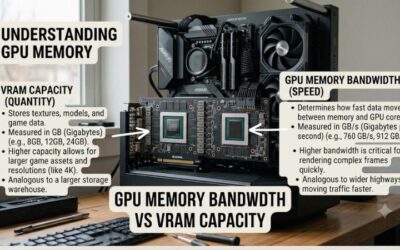
As a rule of thumb, 8GB suits 1080p, 12GB suits 1440p, and 16GB is the comfortable minimum for 4K or for heavy texture packs. DLSS lowers the internal render resolution, but it does not shrink texture memory needs, so do not buy an 8GB card for 4K on the assumption that upscaling solves everything.
Check physical fit and power
Compare the slot width (2.5-slot or larger), card length and recommended power supply on the maker page. Our listings do not state card length or recommended wattage, so confirm both before ordering. Make sure your supply has the right power connector for the card, and ensure your case has airflow for a large cooler.
Match the card to your monitor
A 1080p 144Hz monitor does not need a 5080. A 4K 144Hz monitor will struggle with a 3050 or 5060 class card even with DLSS Performance. Pick the card that fits the monitor you have or plan to buy, and consider DisplayPort 2.1 outputs only if you own a monitor that uses that bandwidth.
Frequently Asked Questions
Does every RTX card support DLSS?
Yes, every GeForce RTX card supports DLSS upscaling. Frame generation needs an RTX 40 series card or newer, and multi frame generation needs an RTX 50 series card. The game itself must also support the DLSS version you want to use.
Is DLSS worth it at 1080p?
It helps most at 1440p and 4K, where the upscaler has more pixels to work with. At 1080p the gains are smaller, but it can still lift frame rates in demanding games on lower-end cards such as the RTX 3050.
How much VRAM do I need with DLSS?
DLSS does not remove texture memory needs. Aim for 8GB at 1080p, 12GB at 1440p and 16GB for 4K. Frame generation also uses extra memory, so more capacity is safer for newer games.
Will an older power supply run these cards?
It depends on the card’s recommended wattage and connector type, neither of which the listings spell out. Check the maker page for the minimum supply rating and the required power cables before buying.
Which card is best for a small case?
The ASUS PRIME RTX 5070 and RTX 5060 Ti 16GB are both labeled SFF-ready with 2.5-slot coolers, and the Gigabyte RTX 5080 WINDFORCE OC SFF is the compact option for flagship power. Always verify card length against your case.