🛒 Best Price Today on Amazon
Prime members get fast, free shipping on everything above, plus member-only deals. New members get a 30-day free trial — cancel anytime.
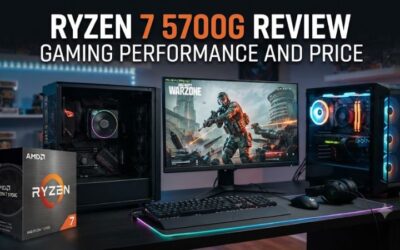
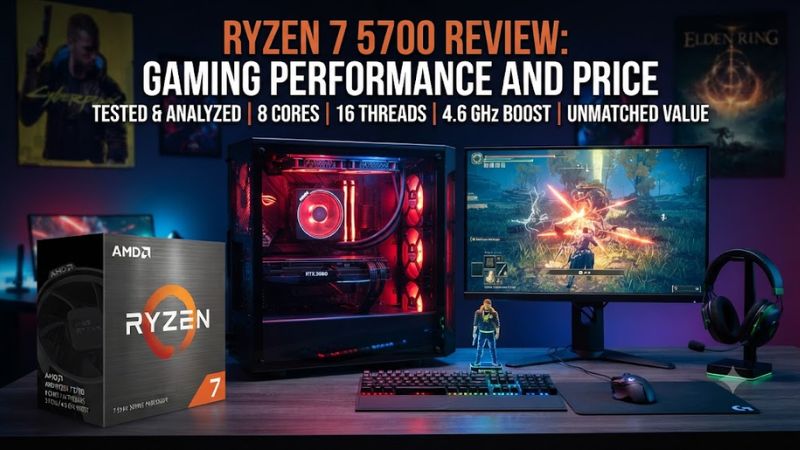
As of October 6, 2026, the Ryzen 7 5700 remains an AM4 option for an existing DDR4 gaming configuration, but gaming value depends on current pricing. It has eight Zen-3 cores, 16MB of L3 cache and PCIe 3.0, so the 5700X and newer AM5-processors can make more sense for new builds overall.
How to Choose a Ryzen 7 Gaming CPU
The decision comes down to platform-cost, cache, PCIe support, and whether AM4-parts are already owned. The Ryzen 7 5700 can be sensible when a motherboard, DDR4 kit, and cooler are in place, while a new-PC should compare its total platform cost with Ryzen 9000 before committing to older hardware for gamers.
Check AM4 Motherboard Compatibility
For the ryzen 7 5700 review, first check the motherboard before judging the CPU price. The Ryzen 7 5700 uses Socket-AM4, dual-channel DDR4-3200 and PCIe 3.0, and ASUS CPU support lists it on supported B550 boards with an appropriate BIOS. A compatible board makes the chip a straightforward upgrade for an established AM4-configuration.
For an existing system, confirm that the board has Ryzen-5000-BIOS support for this model. No DDR5 memory is needed because this is AM4-DDR4, and the boxed Wraith Stealth avoids adding a separate cooler-requirement. Case clearance still depends on the chosen cooler, so compact cases should be checked before installation configurations.
Judge Cache Alongside Core Count
The ryzen 7 5700 review shows that cache deserves attention as a gaming-performance specification rather than focusing only on cores. The Ryzen 7 5700 has 16MB-of-L3, while the Ryzen 7 5700X has 32MB; TechSpot’s 12-game average put the 5700X 16% ahead, with a 19% lead in 1% lows. That makes raw core-count alone potentially misleading in practice.
The benchmark pattern fits the cache difference rather than a simple core-count story. In TechSpot’s results, the 5700 could trail even the six-core-Ryzen-5-5600 in some games, showing that more cores do not automatically mean higher gaming-frame rates when cache and architecture differ in current games.
Check PCIe Before Buying
In the ryzen 7 5700 review, check PCIe-requirements before buying the CPU for a fast-GPU or storage setup. Its Cezanne design is limited to PCIe 3.0, whereas Ryzen 5000 Vermeer and current AM5 parts provide newer PCIe generations. For a new-build, that platform limitation matters more than a modest clock-difference.
PCIe 3.0 is not automatically a problem for every gaming-configuration because GPU-and-SSD workloads vary. It is a limitation worth pricing, not a reason to reject the CPU alone. The key distinction is that the 5700 cannot provide the PCIe-4.0 connectivity associated with the 5700X, which matters most in future upgrades.
Compare the Complete Platform
The ryzen 7 5700 review also requires comparing the complete platform rather than the CPU-price alone. The Ryzen 7 5700 supports DDR4 and includes a Wraith Stealth cooler in the boxed-configuration, while Ryzen 5 9600X and Ryzen 7 9700X use AM5 and DDR5 and ship without a boxed cooler. A cheaper CPU can therefore cost more in fresh builds.
A 5700 upgrade is most attractive when existing-components have value. For a new-build, DDR5-memory and an AM5-motherboard add cost, but they also provide access to Ryzen 9000 processors. That makes the platform-decision more important than a small difference between two CPU-shelf prices overall.
Top Picks for Gaming CPU Buyers
The shortlist separates an AM4 upgrade from Ryzen 9000 choices in practice. Prices are US-listings found during research on October 6, 2026, so they are snapshots rather than permanent street-prices. Benchmark-conclusions come from independent reviews, while compatibility comes from manufacturer specifications.
| Product | Best For | Key Spec | Compatibility | Watch Out For |
| Ryzen 7 5700 | AM4/$156.85 | 8C/16T-16MB | AM4/DDR4/PCIe3 | Cache |
| Ryzen 5 9600X | New/$199.99 | 6C/12T-38MB | AM5/DDR5/PCIe5 | Cooler |
| Ryzen 7 9700X | Mixed/$274.99 | 8C/16T-40MB | AM5/DDR5/PCIe5 | Cost |
| Ryzen 7 9800X3D | Gaming/$469 | 8C/16T-96MB | AM5/DDR5/PCIe5 | Cooler |
Best Overall: Ryzen 7 9800X3D
Best Overall: Ryzen 7 9800X3D is the clear choice for a new gaming-build when affordable overall today. AMD lists eight cores, 16 threads, 96MB-of-L3, AM5, DDR5 and PCIe 5.0, while Newegg showed a new listing at $469. Its weakness is platform-cost, so it is not a sensible 5700 replacement for every budget.
The 9800X3D is not a value pick because its price is far above the 5700 listing and it needs an AM5-motherboard, DDR5-memory and a cooler. Its advantage is gaming-oriented cache capacity and a newer platform. Do not buy it simply to replace an inexpensive AM4 CPU in a budget-oriented machine for mainstream budgets.
Best Value: Ryzen 5 9600X
Best Value: Ryzen 5 9600X is the stronger starting point for a new AM5 gaming-system. AMD lists six-cores, 12 threads, a 5.4GHz boost, 38MB total cache and 65W TDP, while Newegg showed $199.99. It needs AM5, DDR5 and a separate-cooler, so CPU-price is only part of the platform-cost currently.
For buyers starting from zero, the 9600X also has integrated-Radeon graphics, unlike the 5700, although a discrete GPU remains appropriate for serious-gaming. Its weakness is that AM5-setup costs can erase part of the CPU price advantage. It is best viewed as a mainstream platform entry-point for new builders.
Best For Existing AM4: Ryzen 7 5700
Best For Existing AM4: Ryzen 7 5700 makes the most sense when an AM4-board and DDR4 memory are already owned. It offers eight-cores, 16 threads, a 4.6GHz boost and 65W TDP, plus a boxed-Wraith-Stealth cooler. Its weakness is gaming-cache and PCIe-3.0, so skip it when an equally priced 5700X is available.
The 5700’s most suitable buyer is an AM4-owner who needs more CPU-threads without replacing the board and memory. It is not appropriate for someone expecting 5700X-level gaming, PCIe 4.0, or integrated-graphics. The lack of an iGPU also means a discrete-graphics card is required overall.
Best For Mixed Workloads: Ryzen 7 9700X
Best For Mixed Workloads: Ryzen 7 9700X is a cleaner long-term option for a new system mixing games with CPU-work. AMD lists eight-cores, 16 threads, 40MB cache and 65W-TDP, while Newegg showed a new listing from $274.99. It uses AM5 and DDR5, so an AM4 owner must price the complete platform configuration.
The 9700X also provides integrated Radeon graphics and supports DDR5 on AM5, giving a new system greater overall platform-flexibility than the 5700. Its price is much higher than the 5700 listing, but the comparison is not one-to-one because motherboard-and-memory standards differ.
FAQ
Common questions about the Ryzen 7 5700 focus on gaming-speed, compatibility, value, and whether eight cores outweigh its smaller cache. The answers below tie those decisions to verified specifications and independent benchmark-evidence instead of assuming that the model-number tells the whole story.
Is the Ryzen 7 5700 Good for Gaming?
The ryzen 7 5700 review answer is yes: the Ryzen 7 5700 can still handle modern PC-gaming workloads, especially when paired with a suitable GPU and used where the graphics card is the main limit. Its eight Zen-3 cores and 16-threads remain useful, but 16MB of L3 can leave it behind the 5700X in CPU-limited games at 1080p overall.
TechSpot’s comparison used 1080p CPU-focused gaming-tests and reported a 12-game average where the Ryzen 7 5700X was 16% faster than the 5700, with 19% better 1% lows. Hardware Unboxed also lists a 12-game 1080p average with an RTX-4090 for its review, reinforcing the CPU-bound benchmark comparison.
Does the Ryzen 7 5700 Need DDR4 and AM4?
Yes, the Ryzen 7 5700 requires a compatible AM4 motherboard and DDR4 memory, and it has no integrated-graphics, so a discrete-GPU is required for a gaming display. ASUS lists it on supported B550-boards, while Newegg lists A520, B350, B450, B550, X370, X470 and X570 compatibility before purchase.
BIOS support depends on the exact motherboard-model and firmware, so the board’s CPU support page should be checked before installation. The platform also uses PCIe-3.0, which can matter for storage and some GPUs, while its 65W TDP keeps cooling-requirements moderate when the included cooler is adequate.
Is the Ryzen 7 5700 Worth Buying at Its Current Price?
The ryzen 7 5700 review is worth considering when its price is clearly below a 5700X and you already own AM4-hardware, but it is a weaker buy for a new gaming-PC. B&H listed $156.85, while newer AM5-alternatives can deliver a longer-lived platform for higher total-platform cost for comparison.
Its value changes with local-stock and used-market-pricing, so compare the complete CPU, motherboard, memory and cooler package rather than chasing one low price. The 5700 includes a Wraith Stealth cooler in the boxed listing, but that does not compensate for smaller cache when gaming is the priority.
Is the Ryzen 7 5700 the Same as the 5700X?
No, the Ryzen 7 5700 is not the same silicon-configuration as the Ryzen 7 5700X. The 5700 is a Cezanne-derived part with 16MB-L3 and PCIe-3.0, while the 5700X uses Vermeer with 32MB L3 and PCIe-4.0. The shared eight-core, 16-thread processor layout is the primary similarity for gaming builds.
That distinction matters because gaming can respond strongly to cache capacity. TechSpot found the 5700X 15% faster in Spider-Man-Remastered average FPS and 40% faster in 1% lows, while Jedi-Survivor showed a 14% average lead and 37% lead in 1% lows. Those are review-results, not a universal gap generally.
Final Thoughts
The ryzen 7 5700 review verdict is simple: it is a practical AM4-upgrade when its price and existing DDR4 platform make sense. Its eight-cores remain capable, but 16MB L3 and PCIe 3.0 limit gaming-appeal. For a new PC, Ryzen-9000 on AM5 is the stronger long-term direction before making the upgrade for AM4 owners.