Affiliate disclosure: As an Amazon Associate we earn from qualifying purchases. This post contains affiliate links — we may earn a small commission at no extra cost to you. This never affects our picks. Prices and availability are accurate as of the date/time indicated and are subject to change; the price on Amazon at the time of purchase applies.
- Quick Comparison Table
- 1. AMD Ryzen 9 9950X3D: Best for gaming plus heavy creator work
- 2. AMD Ryzen 9 9950X3D2 Dual Edition: Best for enthusiasts wanting the newest X3D variant
- 3. Intel Core Ultra 7 270K Plus: Best for the most cores outside AMD’s 16-core range
- 4. Intel Core Ultra 5 250K Plus: Best for a lower-core-count Intel option
- How to Choose
- Frequently Asked Questions
- About the Author
- Related Articles
Quick answer: The best 16-core CPUs on this list start with the AMD Ryzen 9 9950X3D, the only listing that states 16 cores. The 9950X3D2 suits newest-variant buyers, while the Core Ultra 7 270K Plus and 5 250K Plus are higher-core Intel alternatives.
This guide compares four processors for people shopping for a 16-core CPU. Only one listing in our store states 16 cores outright, so we include the related 9950X3D2 and two Intel Core Ultra chips with 18 and 24 cores as nearby alternatives, and we label them clearly. Comparisons use each listing’s published specs; we did not run our own benchmarks.
Quick Comparison Table
| # | Model | Key specs (per listing) | Best for |
|---|---|---|---|
| 1 | AMD Ryzen 9 9950X3D | 16 cores, AMD Ryzen 9 9950X3D | gaming plus heavy creator work |
| 2 | AMD Ryzen 9 9950X3D2 Dual Edition | Ryzen 9 9950X3D2 Dual Edition (core count not listed) | enthusiasts wanting the newest X3D variant |
| 3 | Intel Core Ultra 7 270K Plus | 24 cores (8 P + 16 E), up to 5.5 GHz | the most cores outside AMD’s 16-core range |
| 4 | Intel Core Ultra 5 250K Plus | 18 cores (6 P + 12 E), up to 5.3 GHz | a lower-core-count Intel option |
1. AMD Ryzen 9 9950X3D: Best for gaming plus heavy creator work
Specs per the listing: AMD Ryzen 9 9950X3D, 16-core processor. The title lists no clock speeds, cache size or socket; the Ryzen 9000 family uses the AM5 socket, so confirm on the maker page.
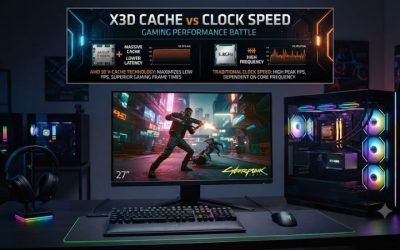
This is the one listing here that states 16 cores outright, and it is the obvious starting point for the category. The X3D name signals AMD’s stacked-cache design, which is aimed at games, while sixteen cores give it room for video exports, code builds and 3D rendering that a six- or eight-core chip would drag through.
The cost of a 16-core chip is the platform around it. You will want a solid AM5 motherboard with a strong power delivery section and a capable cooler, since the listing does not include one. If your work is mostly gaming, a smaller X3D part is enough; this chip pays off when you also render or compile.
- Pros: 16 cores confirmed in the title; X3D line aimed at gaming; Handles multitasking and exports
- Cons: No cooler mentioned in the listing; Overkill for gaming-only builds

AMD Ryzen 9 9950X3D 16-Core Processor
Included for 'Best 16-Core CPUs for Gaming and Creator Builds' as a representative home product in this roundup; selection reflects the product set returned for this topic.
View on Amazon2. AMD Ryzen 9 9950X3D2 Dual Edition: Best for enthusiasts wanting the newest X3D variant
Specs per the listing: AMD Ryzen 9 9950X3D2 Dual Edition. The title does not list core count, clocks or cache; it belongs to the same 9950 family as the 16-core 9950X3D, but check the maker page to confirm.
The Dual Edition name suggests a variant of the 9950X3D with additional stacked cache, but the listing says very little. We cannot confirm core count, boost clock or cache size from the title alone, so treat it as a premium option that needs a maker-page check before you commit.
If it matches the 9950X3D core configuration, it is aimed at the same buyers: people who want top-tier desktop performance for gaming and heavy work together. Compatibility should follow the 9000 series AM5 platform, though confirm BIOS support on your board before buying.
- Pros: Same 9950 family as the 16-core part; Newest variant in this list; Targets enthusiast builds
- Cons: Core count not in the title; Premium tier; limited details

AMD Ryzen™ 9 9950X3D2 Dual Edition
Included for 'Best 16-Core CPUs for Gaming and Creator Builds' as a representative home product in this roundup; selection reflects the product set returned for this topic.
View on Amazon3. Intel Core Ultra 7 270K Plus: Best for the most cores outside AMD’s 16-core range
Specs per the listing: Intel Core Ultra 7 processor 270K Plus, 24 cores (8 P-cores + 16 E-cores), up to 5.5 GHz. Note: this is a 24-core part, not a 16-core one.
This is not a 16-core processor; it is a 24-core design that includes 16 efficiency cores alongside eight performance cores. We include it because shoppers searching for 16-core chips often want a high thread count for multitasking and creator workloads, and this is a common alternative.
The hybrid layout favors multithreaded work such as rendering and exports, while the eight performance cores handle lightweight tasks and games. Check the socket and chipset requirements on the maker page, since the title does not state them, and confirm that your motherboard supports it.
- Pros: 24 cores, up to 5.5 GHz; Strong for multithreaded work; Hybrid performance and efficiency cores
- Cons: Not a true 16-core CPU; Socket and chipset not listed

Intel Core Ultra 7 processor 270K Plus, 24 cores (8 P-cores + 16 E-cores) up to 5.5 GHz
Included for 'Best 16-Core CPUs for Gaming and Creator Builds' as a representative home product in this roundup; selection reflects the product set returned for this topic.
View on Amazon4. Intel Core Ultra 5 250K Plus: Best for a lower-core-count Intel option
Specs per the listing: Intel Core Ultra 5 processor 250K Plus, 18 cores (6 P-cores + 12 E-cores), up to 5.3 GHz. Note: this is an 18-core part, not a 16-core one.
The 250K Plus is another alternative that does not meet the strict 16-core definition. It offers 18 cores, split across six performance and twelve efficiency cores, with a lower top clock than its Core Ultra 7 sibling.
It suits builders who want a high thread count without stepping up to the larger chips. It makes sense for mixed gaming and productivity setups, though the title does not list cache, memory support or socket. Verify those details against the maker page and your motherboard before buying.
- Pros: 18 cores, up to 5.3 GHz; Mixed performance and efficiency cores; Fits mixed workloads
- Cons: Not a true 16-core CPU; Platform details not listed

Intel Core Ultra 5 processor 250K Plus, 18 cores (6 P-cores + 12 E-cores) up to 5.3 GHz
Included for 'Best 16-Core CPUs for Gaming and Creator Builds' as a representative home product in this roundup; selection reflects the product set returned for this topic.
View on AmazonHow to Choose
Confirm what counts as 16 cores
Core count is only half the story. Some chips have 16 identical cores, while hybrid designs mix performance and efficiency cores. A 24-core Intel part with 16 efficiency cores is not the same as a 16-core AMD chip. Read the listing for the exact split and ignore marketing totals that include only low-power cores.
Match the socket and motherboard
AMD Ryzen 9000 chips use the AM5 socket, while Intel Core Ultra chips use an Intel socket that AM5 boards cannot take. A board must match the CPU socket and have a BIOS that supports it. Always check the motherboard maker’s compatibility list before buying, because an older BIOS may need an update to boot a new chip.
Plan cooling and power
High-core-count processors can draw significant power under sustained loads like rendering. Plan for a strong tower cooler or a 280mm-class liquid cooler, and check that the listing includes or omits a cooler. The 7600X3D listing here explicitly says no heatsink included; assume similar for high-end chips and buy a cooler separately.
Decide whether you need 16 cores
If you mainly game, six to eight fast cores or an X3D chip is enough, and money is better spent on the GPU. Sixteen cores pay off for video editing, 3D rendering, code compilation and running several heavy apps at once. Buy cores for the work you actually do, not for the number.
Frequently Asked Questions
Is a 16-core CPU worth it for gaming?
Usually not by itself. Most games use fewer cores, so an eight-core X3D chip often feels the same. A 16-core chip makes sense when you also stream, render video or compile code while gaming.
Do the Intel options have 16 cores?
No. The Core Ultra 7 270K Plus lists 24 cores and the Core Ultra 5 250K Plus lists 18, with a mix of performance and efficiency cores. We include them as alternatives, not true 16-core parts.
Does the 9950X3D need a cooler?
The listing does not mention a cooler, so plan on buying one. A high-core-count chip benefits from a strong tower or liquid cooler, especially under long rendering or compile jobs.
Which motherboard socket do I need?
The Ryzen 9000 series uses AM5. The Intel chips use their own newer socket, so check the maker page. Always confirm CPU support and BIOS version in the motherboard’s compatibility list first.
Is the 9950X3D2 the same as the 9950X3D?
They belong to the same family, but the listing does not give the 9950X3D2’s core count or cache. Check the maker page before assuming it matches the 16-core 9950X3D.