🛒 Best Price Today on Amazon
Prime members get fast, free shipping on everything above, plus member-only deals. New members get a 30-day free trial — cancel anytime.
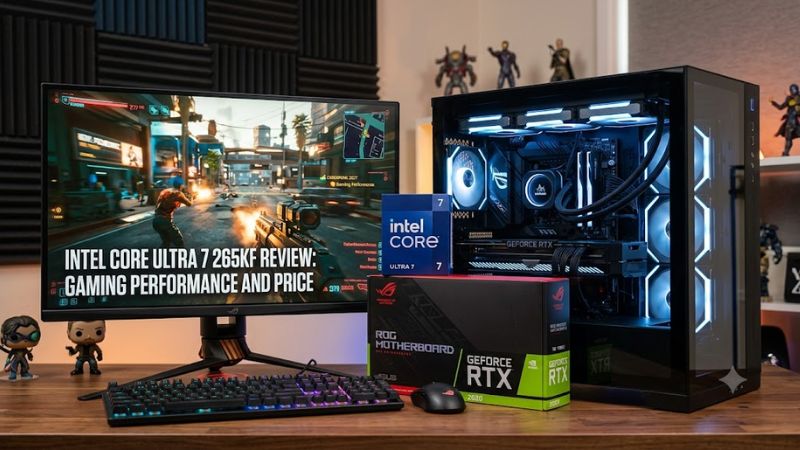
The intel core ultra 7 265kf review: gaming performance and price question comes down to value, not just core count. Intel’s Arrow Lake desktop processor offers strong multi-core capability, but independent reviews show inconsistent gaming results against competing CPUs. Its appeal depends on the price you find, your graphics card, and whether productivity matters alongside gaming.
How to Choose a Gaming CPU
Gaming performance matters more than core count
The Core Ultra 7 265KF has 20 cores, split into eight Performance-cores and 12 Efficient-cores, with 20 threads. Its maximum turbo frequency reaches 5.5 GHz. Those specifications support demanding workloads, but they do not automatically translate into higher gaming frame rates. Game engines, cache design, memory configuration, and GPU limits all influence the final result.
For this intel core ultra 7 265kf review, the key comparison is actual game performance rather than headline specifications. TechSpot’s review found that results varied substantially between games, with the chip falling behind some older Intel processors in several titles. Buyers focused on competitive gaming should compare results from the games they play, especially at 1080p, where CPU differences are often easier to expose.
Platform costs affect the real price
Intel lists a recommended customer price of 379–389 for the 265KF. That is a reference price, not a guarantee of current retail pricing. The total upgrade cost also includes an LGA1851 motherboard, DDR5 memory, a suitable CPU cooler, and potentially a new mounting kit. Existing LGA1700 motherboards and DDR4 kits are not compatible with this processor.
A cheaper processor can still be the more expensive upgrade if it requires replacing several components. Compare complete platform costs before choosing between Intel and AMD. If you already own a compatible LGA1851 motherboard and DDR5 memory, the 265KF becomes more attractive than it would for someone building an entirely new PC.
Compatibility should be checked before purchase
The 265KF uses Intel’s LGA1851 socket and supports DDR5 memory, with official processor specifications listing support up to DDR5-6400 MT/s. Actual memory speeds depend on the motherboard, BIOS, memory kit, and configuration. Check the motherboard’s CPU support list and memory compatibility information before ordering, particularly if you plan to use a high-speed XMP profile.
The KF suffix is important: this model lacks integrated graphics. You need a discrete graphics card for display output, and the processor cannot provide a fallback display signal if your GPU is removed or fails. Its PCIe support includes PCIe 5.0 and 4.0, but motherboard lane allocation and available slots determine how connected devices operate.
Productivity can change the buying decision
The 265KF is more compelling when gaming shares time with compiling code, rendering, compression, or other heavily threaded work. Its 20-core layout can handle parallel workloads that benefit from multiple cores, although performance depends on the application. Buyers who stream, edit video, and play games on one computer should compare productivity benchmarks as well as gaming averages.
For a PC used almost exclusively for gaming, that additional multi-core capacity may not justify the price. A processor with better gaming performance at a similar total platform cost can be the more sensible choice. The right decision depends on whether the extra cores improve your daily workload enough to offset the chip’s uneven gaming results.
Top Picks: Price, Performance, and Alternatives
The 265KF is worth considering when its price leaves room in the budget for a capable GPU and cooling system. The comparison below separates gaming priorities from mixed-use performance. The alternatives are different CPUs rather than direct equivalents in every workload, so check platform costs and game-specific benchmarks before making a final choice.
| Product | Best For | Key Spec | Compatibility | Watch Out For |
| Intel Core Ultra 7 265KF | Mixed gaming and productivity | 20 cores, up to 5.5 GHz | LGA1851, DDR5 | No integrated graphics |
| AMD Ryzen 7 7800X3D | Gaming-focused builds | 8 cores, 16 threads, 3D V-Cache | AM5, DDR5 | Older platform generation |
| Intel Core i7-14700K | Existing LGA1700 upgrades | 20 cores, 28 threads | LGA1700, DDR4 or DDR5 motherboard dependent | Higher power draw under heavy loads |
| AMD Ryzen 7 9700X | Balanced gaming and productivity | 8 cores, 16 threads | AM5, DDR5 | Gaming results vary by title |
Best Overall for Mixed Workloads: Core Ultra 7 265KF
The 265KF makes sense for someone who plays demanding games and regularly runs multi-threaded applications. Its 20 cores and 30 MB of Intel Smart Cache provide substantial processing resources, while the 125 W processor base power and 250 W maximum turbo power help buyers plan cooling and power delivery. A quality air cooler or compatible liquid cooler should be selected for the intended workload.
Its biggest drawback is inconsistent gaming competitiveness. TechSpot’s review of the closely related Core Ultra 7 265K found that its performance varied across games, including significant losses against the Ryzen 7 7800X3D in some tests. The 265KF has the same core configuration and clock specifications, but results from the 265K should be treated as closely related evidence rather than a separate 265KF test.
Best Gaming Alternative: Ryzen 7 7800X3D
The Ryzen 7 7800X3D is a strong candidate for players who prioritize high frame rates, especially in CPU-limited games. Its 3D V-Cache design can improve performance in cache-sensitive titles, and TechSpot’s comparison showed it leading the 265K by nearly 30% in one Star Wars Jedi: Survivor test. That result applies to the specified test setup, not every game or resolution.
Buy this AMD processor if gaming is the main workload and its current price is competitive. It requires an AM5 motherboard and DDR5 memory, so it is not a drop-in replacement for the Intel chip. Its eight cores may also be less appealing to buyers whose professional workloads scale strongly across many CPU cores, making the application mix important.
Best Existing-Platform Upgrade: Core i7-14700K
The Core i7-14700K remains relevant for owners of compatible LGA1700 systems. It supports either DDR4 or DDR5 depending on the motherboard, which can reduce upgrade costs when the existing board and memory are suitable. In TechSpot’s gaming review, the 14700K outperformed the 265K in several games, including Star Wars Jedi: Survivor and Cyberpunk 2077: Phantom Liberty.
Its disadvantage is power consumption under heavy workloads, which can increase cooling demands. Before buying, verify motherboard CPU support and BIOS requirements, along with cooler capacity and power delivery. For someone already using LGA1700, keeping the current platform can be more economical than moving to LGA1851 solely for the 265KF’s newer architecture.
Best Balanced Alternative: Ryzen 7 9700X
The Ryzen 7 9700X suits users who want a newer AM5 processor for gaming and everyday productivity without paying for a high-core-count desktop CPU. Its eight cores and 16 threads are sufficient for many gaming systems, and the AM5 platform supports DDR5 memory. It is a reasonable comparison point when planning a fresh build rather than upgrading an existing Intel motherboard.
Its limitation is that performance depends on the game and application, and its core count is lower than the 265KF’s. Buyers should compare independent results using the same game, resolution, graphics settings, and test methodology. For rendering or other heavily parallel work, the 265KF may be more suitable, while a gaming-focused buyer should weigh cache-sensitive game performance and total system cost.
How the Benchmarks Should Be Interpreted
TechSpot’s Core Ultra 7 265K review used an RTX 4090 graphics card and DDR5-7200 memory for its Intel 12th-, 13th-, and 14th-generation comparisons, running Windows 11 23H2. The 265K also appeared in a separate Intel platform configuration using an Asus ROG Maximus Z890 Hero motherboard. These details matter because memory, operating system, and platform differences can affect comparisons.
In Assetto Corsa Competizione, TechSpot reported the 265K running 39% behind the Ryzen 7 7800X3D, using the site’s own benchmark conditions. In The Last of Us Part 1, the Intel chip instead performed better than the 14700K. This spread illustrates why one game cannot establish an overall gaming ranking. These are results for the 265K, not a separately measured 265KF, and no universal FPS figure should be inferred from them.
Final Thoughts
The intel core ultra 7 265kf review: gaming performance and price verdict is mixed: this processor offers substantial multi-core resources, but its gaming performance is not consistently competitive with dedicated gaming alternatives. Consider it when productivity matters and the platform price is right. For a gaming-only build, compare current Ryzen X3D pricing before committing.
FAQ
Is the Intel Core Ultra 7 265KF good for gaming?
Yes, the Intel Core Ultra 7 265KF can run demanding PC games, but its relative performance varies by title. Its 20 cores and high boost frequency do not guarantee better frame rates than competing processors. Compare independent benchmarks at your target resolution and settings, especially for games where CPU performance limits the GPU.
What is the Intel Core Ultra 7 265KF price?
Intel lists a recommended customer price of 379–389 for the Core Ultra 7 265KF. Actual retail prices can differ by seller, region, and promotion. Check current listings and include the cost of an LGA1851 motherboard, DDR5 memory, cooling, and a discrete graphics card when estimating a complete build.
Does the Intel Core Ultra 7 265KF include integrated graphics?
No, the 265KF does not include integrated graphics or processor graphics output. A discrete graphics card is required to provide display output. This is an important difference from the Core Ultra 7 265K, which includes integrated graphics, making the KF model less convenient for troubleshooting a system with GPU problems.
What motherboard and RAM does the Core Ultra 7 265KF require?
The processor requires an LGA1851 motherboard and DDR5 memory. Intel lists official memory support up to DDR5-6400 MT/s, although supported speeds depend on the memory configuration and motherboard. Check the board’s CPU support list, BIOS requirements, and memory compatibility information before purchasing components.