🛒 Best Price Today on Amazon
Prime members get fast, free shipping on everything above, plus member-only deals. New members get a 30-day free trial — cancel anytime.
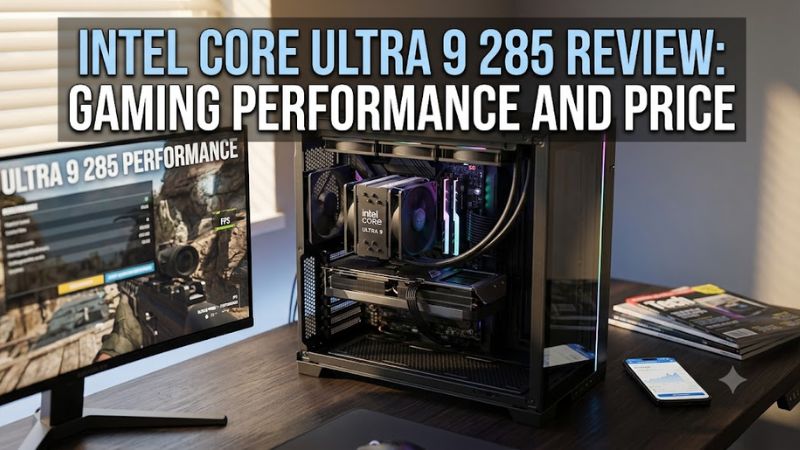
The intel core ultra 9 285 review: gaming performance and price question comes down to whether this efficient desktop processor makes sense for a premium gaming PC. Its 24-core design targets demanding multitasking, but gaming results and platform costs matter more than core count alone. Here is what buyers should know before choosing it.
How to Choose a Premium Desktop Gaming CPU
The Intel Core Ultra 9 285 is a non-K desktop processor in Intel’s Arrow Lake family, launched in the first quarter of 2025. Intel lists 24 cores, 24 threads, a maximum turbo frequency of 5.6 GHz, and a recommended customer price of 549–579. That is a premium starting point, so buyers should weigh gaming performance, productivity, power consumption, and motherboard costs together.
Gaming performance should come before core count
A large core count helps with workloads that can use many threads, but it does not automatically produce higher frame rates. Independent reviews of the related Core Ultra 9 285K found that its gaming performance could trail older Intel flagship processors and AMD’s gaming-focused Ryzen X3D chips. Those findings are useful context, but the 285K is a different processor, so its results must not be presented as direct measurements of the 285.
For a gaming-first build, compare results from the same games, resolution, graphics preset, and test platform. CPU differences are easiest to expose at 1080p with a powerful graphics card; at 1440p and 4K, the GPU often becomes the main limit. The right purchase depends on the games you play and the frame rates your monitor can display, not just the processor’s advertised boost clock.
Productivity can justify the premium
The 285 combines eight Performance-cores with 16 Efficient-cores, giving it a configuration suited to multitasking, compiling code, and CPU-heavy creative applications. Its 36 MB of Intel Smart Cache and 40 MB of total L2 cache are substantial resources, although actual application performance depends on the software and its workload. Buyers who stream, render, or work while gaming may value that broader capability more than a small gaming advantage.
The important distinction is between a CPU that performs well across demanding tasks and one that offers the best gaming value. If your computer mainly runs games, a cheaper processor with stronger gaming results may be a better use of the budget. If your work also benefits from many CPU cores, compare application-specific benchmarks before deciding whether the extra purchase cost is worthwhile.
Platform compatibility affects the total price
The Core Ultra 9 285 uses Intel’s FCLGA1851 socket and requires a compatible LGA1851 motherboard. It belongs to the Core Ultra 200S desktop platform, commonly paired with Intel 800-series motherboards. It is not a drop-in upgrade for an LGA1700 motherboard used by many 12th-, 13th-, and 14th-generation Core desktop processors, so a platform change can add considerably to the cost.
Memory compatibility is another important consideration. Intel specifies DDR5 support up to 6400 MT/s, with supported configurations depending on the motherboard, memory modules, and system settings. The desktop platform does not support DDR4 for this processor. Check the motherboard’s CPU support list and memory compatibility information before ordering, and include a suitable cooler and case airflow in the build budget.
Power efficiency matters more than the headline wattage
Intel lists 65 W processor base power and 182 W maximum turbo power for the Core Ultra 9 285. These figures describe different operating conditions, so the base-power rating should not be used as a complete estimate of cooling requirements or real-world system consumption. Sustained workloads, motherboard power settings, and the cooling system can all affect operating behavior.
The standard 285 is distinct from the unlocked Core Ultra 9 285K, which has higher rated power limits and a maximum turbo frequency of 5.7 GHz. The non-K model is a sensible option for buyers who do not need CPU multiplier overclocking, but it still deserves an appropriate cooler. Check the motherboard’s power settings and the cooler manufacturer’s compatibility guidance when planning a quiet, reliable system.
Top Picks: The Core Ultra 9 285 and Its Alternatives
The intel core ultra 9 285 review: gaming performance and price verdict depends on what else your PC needs to do. The standard 285 is worth considering for a balanced desktop, but the alternatives below cover gaming-focused builds, productivity-heavy systems, and buyers who want to retain an existing platform. Prices and availability vary by retailer, and the table distinguishes official Intel pricing from alternatives whose current street prices need checking.
| Product | Best For | Key Spec | Compatibility | Watch Out For |
| Intel Core Ultra 9 285 | Efficient premium desktop | 24 cores, up to 5.6 GHz | LGA1851, DDR5 | High platform cost |
| AMD Ryzen 7 9800X3D | Gaming-first PC | 8 cores, 16 threads | AM5, DDR5 | Less suited to some heavily threaded workloads |
| AMD Ryzen 9 9950X | Gaming and productivity | 16 cores, 32 threads | AM5, DDR5 | Gaming value depends on the title |
| Intel Core Ultra 9 285K | Unlocked premium desktop | 24 cores, up to 5.7 GHz | LGA1851, DDR5 | Higher power limits and cooling demands |
Best Overall: Intel Core Ultra 9 285
The standard 285 is the most relevant choice for buyers who want a high-end Intel desktop processor without paying for the 285K’s unlocked multiplier. Its 24-core configuration supports demanding multitasking, and its rated power limits are lower than those of the K model. Intel’s official specification lists a 549–579 recommended price range, making the CPU’s value dependent on actual retail discounts and motherboard costs.
Choose it if your workload combines gaming with productivity and you are building a new LGA1851 system. Skip it if gaming frame rates are your only priority or you already own a compatible older platform that would otherwise meet your needs. The main drawback is the cost of replacing the motherboard and DDR4 memory when moving from an older system.
Best Value for Gaming: AMD Ryzen 7 9800X3D
The Ryzen 7 9800X3D is a strong alternative for gaming-focused buyers because AMD’s X3D processors are designed to benefit games that respond well to a large cache. It has eight cores and 16 threads, uses the AM5 socket, and requires DDR5 memory. Independent gaming comparisons are more useful than clock-speed comparisons when deciding between it and an Intel desktop CPU.
Choose this processor when high gaming performance is the primary goal and the total CPU, motherboard, and memory price fits your budget. It is less compelling for users whose workloads consistently benefit from substantially more CPU cores. Check the motherboard’s BIOS support and the processor’s current street price before purchasing; launch pricing alone does not establish today’s value.
Best for Heavy Multitasking: AMD Ryzen 9 9950X
The Ryzen 9 9950X targets users who want strong multi-threaded performance for rendering, compilation, content creation, and other demanding workloads alongside gaming. Its 16-core, 32-thread configuration differs substantially from the 285’s 24-core, 24-thread hybrid design. Those counts cannot establish a universal winner because the processors use different core architectures and scheduling approaches.
Consider it if productivity workloads take up a meaningful part of your day and you want an AM5-based desktop. It may be unnecessary for a PC that mainly runs games, where a gaming-focused CPU can provide better value. Verify current pricing and application benchmarks for your actual software before choosing it over Intel’s non-K model.
Best for Overclocking: Intel Core Ultra 9 285K
The 285K is the unlocked sibling of the 285, with a maximum turbo frequency of 5.7 GHz and a rated maximum turbo power of 250 W. It retains the 24-core, 24-thread configuration and the LGA1851 socket. Intel lists a recommended customer price of 589–599, although a retailer’s current price can differ from that official range.
Choose the 285K if you want CPU multiplier tuning and prefer to stay within Intel’s desktop platform. It is not the obvious upgrade for a gaming-only buyer because independent reviews have highlighted its uneven gaming competitiveness. It also has higher rated power limits, making cooler selection and motherboard power delivery important parts of the build.
Gaming Performance, Price, and Practical Value
The clearest takeaway from the intel core ultra 9 285 review: gaming performance and price comparison is that a flagship label does not guarantee flagship gaming results. Independent reviews of the 285K report weaker gaming performance than some competing processors, even as Arrow Lake improves power behavior in selected workloads. Because the 285 is a separate, lower-power model, its exact performance should be judged from benchmarks specifically identifying that processor.
What independent gaming benchmarks tell buyers
TechSpot’s review of the Core Ultra 9 285K reports a 14-game average in which the 285K was 5% slower than the Core i9-14900K under its stated comparison methodology. The review also found the 285K behind the Ryzen 9 7950X3D in that average. These are the reviewer’s results for the 285K, not a direct benchmark result for the standard 285.
Read TechSpot’s benchmark analysis
.
Benchmark conditions matter. A meaningful CPU comparison should identify the game, resolution, graphics settings, graphics card, memory configuration, and test platform. Results from 1080p High settings should not be mixed with 4K Ultra results into one average without explaining the methodology. If a review does not publish a comparable test for the standard 285, treat the 285K’s results as platform context rather than a substitute.
Is the asking price justified?
Intel’s recommended customer price for the standard 285 is 549–579, depending on the boxed or tray offering. That is an official reference price, not a guarantee of current retail availability or the cheapest online offer. For an actual buying decision, compare the processor’s live price against alternatives and include the motherboard, DDR5 memory, cooler, and any required case changes in the total.
The price is harder to justify when the PC is built solely for gaming. A lower-cost CPU may deliver comparable or better frame rates in the games you play, leaving more money for a faster graphics card or a better monitor. Conversely, a buyer who runs demanding productivity applications may accept a higher CPU cost if relevant application benchmarks support that choice.
Cooling, integrated graphics, and connectivity
The 285 includes Intel Graphics, which can provide display output and support media features when the motherboard exposes compatible display connections. Intel lists support for Quick Sync Video and hardware encoding or decoding for formats including H.264, HEVC, and AV1. These features may help with media workflows, troubleshooting, or running a display when a discrete graphics card is unavailable, but they do not make the CPU’s integrated graphics a substitute for a gaming GPU.
The processor supports PCIe 5.0 and PCIe 4.0, with up to 24 CPU PCIe lanes according to Intel’s specifications. Actual expansion options depend on motherboard design, slot wiring, and shared-lane arrangements. Check the board manual for GPU and SSD configurations, and confirm that the power supply and case support the discrete graphics card you intend to install.
Who should buy it, and who should skip it?
Buy the Core Ultra 9 285 if you are building a new LGA1851 desktop, need a high-core-count CPU for mixed workloads, prefer the non-K model’s rated power limits, and find it competitively priced against alternatives. Its appeal is the combination of productivity capability, desktop connectivity, and lower rated power than the 285K rather than a claim that it leads every gaming benchmark.
Skip it if your existing PC already delivers the gaming performance you need, if moving to LGA1851 would require expensive replacements, or if your priority is the highest possible gaming frame rate per dollar. Compare game-specific results from the standard 285, Ryzen 7 9800X3D, and other CPUs at the resolution you actually use. Make the purchase based on the whole platform cost, not the CPU name alone.
Frequently Asked Questions
Is the Intel Core Ultra 9 285 good for gaming?
The Intel Core Ultra 9 285 can handle demanding PC games when paired with a suitable graphics card, but it is not automatically the best gaming choice at its price. Compare independent benchmarks for the exact processor, since the 285K’s results do not establish the standard 285’s frame rates. For gaming-only builds, compare the full platform cost with AMD’s X3D options.
How much does the Intel Core Ultra 9 285 cost?
Intel lists a recommended customer price of 549–579 for the Core Ultra 9 285, with the exact figure depending on the product offering. Retail prices can change with discounts, stock, and region. Check the current CPU price and add the cost of an LGA1851 motherboard, DDR5 memory, and cooling before deciding whether it fits your budget.
Does the Intel Core Ultra 9 285 support DDR4 memory?
No, the Intel Core Ultra 9 285’s desktop platform uses DDR5 memory rather than DDR4. Intel specifies support for memory speeds up to 6400 MT/s, but supported speeds depend on the motherboard, memory configuration, and system settings. Check the motherboard’s memory compatibility list before buying a kit, particularly if you plan to use high-speed memory profiles.
Should you buy the Intel Core Ultra 9 285 or 285K?
Choose the standard Core Ultra 9 285 if you do not need CPU multiplier overclocking and prefer its lower rated power limits. The 285K reaches up to 5.7 GHz and has a maximum turbo power rating of 250 W, compared with 5.6 GHz and 182 W for the 285. Compare actual prices and workload benchmarks before paying extra for the K model.
Final Thoughts
The intel core ultra 9 285 review: gaming performance and price verdict is that this processor makes the most sense for a new premium desktop balancing gaming and productivity. Its 24 cores, integrated graphics, and lower rated power than the 285K are useful features, but gaming-focused buyers should compare alternatives carefully. Buy only when the complete platform cost matches your needs.