A 240Hz monitor demands consistently high frame rates, responsive gameplay, and stable frame delivery. The best cpu for 240hz gaming depends on your GPU, resolution, and the games you play. This guide compares leading AMD and Intel processors, highlighting gaming performance, value, compatibility, and upgrade considerations.
How to Choose a CPU for 240Hz Gaming
Choosing a processor for a 240Hz gaming setup requires more than looking at core counts or advertised boost frequencies. The important factors are gaming performance at your target resolution, frame-time consistency, cache capacity, platform compatibility, and the overall cost of your build. A balanced CPU and GPU combination matters more than buying the most expensive processor available.
1. Prioritize Gaming Performance and Single-Core Speed
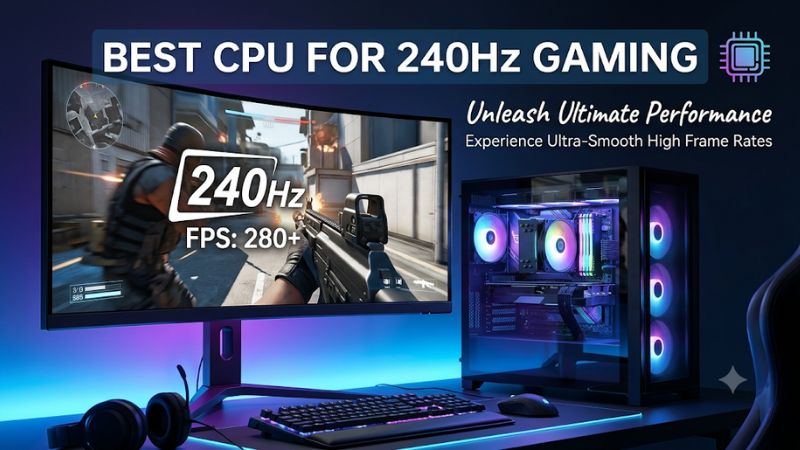
High-refresh gaming places considerable demands on the CPU because the processor must prepare game instructions and frames quickly. At 240Hz, each refresh interval lasts approximately 4.17 milliseconds. A processor that struggles to maintain consistent frame delivery can reduce the benefit of a high-refresh display.
Single-threaded performance, cache behavior, memory latency, and game-engine optimization all influence results. AMD’s X3D processors are particularly attractive because their 3D V-Cache provides additional L3 cache for workloads that benefit from keeping frequently accessed game data close to the CPU.
2. Consider 1% Lows and Frame-Time Consistency
Average FPS does not tell the entire story of high-refresh gaming. A system might achieve a high average frame rate while experiencing occasional drops that make competitive gameplay feel less responsive.
Pay attention to 1% low FPS alongside average performance. These measurements help identify whether a processor maintains consistent frame delivery during demanding situations. Games with large maps, complex simulations, numerous players, or extensive background activity can place different demands on a CPU.
3. Match the CPU to Your GPU and Resolution
The graphics card determines how much rendering work the system can complete, while the CPU handles game logic, simulation, draw calls, and other processing tasks. Both components influence achievable frame rates.
At 1080p with competitive graphics settings, CPU limitations become easier to expose. At 1440p and 4K, the GPU generally handles a larger share of the workload. Consequently, an expensive processor may provide limited additional gaming performance when paired with a graphics card that is already operating at full capacity.
4. Check Platform Compatibility and Total Build Cost
A processor upgrade can require a different motherboard, memory configuration, or cooling solution. AMD’s current AM5 desktop processors use DDR5 memory, while Intel’s LGA1851 platform also requires DDR5.
Check the motherboard’s CPU support list and BIOS requirements before purchasing. Also consider cooler compatibility, case clearance, power delivery, and the processor’s power limits. The total upgrade cost is more useful than comparing CPU prices alone.
Top CPU Picks for 240Hz Gaming
The following processors address different gaming and workstation priorities. AMD’s Ryzen X3D models lead the gaming-focused recommendations, while Intel’s Core Ultra 7 270K Plus offers an alternative for buyers who want substantial multicore processing alongside gaming. These selections reflect manufacturer specifications and independent benchmark coverage rather than PC Gaming Universe’s own laboratory testing.
Tom’s Hardware+2
1. AMD Ryzen 7 9850X3D – Best Overall
The AMD Ryzen 7 9850X3D is the strongest choice for enthusiasts prioritizing maximum gaming performance. It combines eight Zen 5 cores, 16 threads, a boost clock of up to 5.6 GHz, and 96MB of L3 cache. Its second-generation 3D V-Cache technology makes it particularly interesting for CPU-sensitive games.
Tom’s Hardware’s 2026 CPU hierarchy places this processor at the top of its 1080p gaming rankings, with a relative gaming score of 100%. However, that figure represents its position within the publication’s benchmark suite, not a promise of 240 FPS in every game.
Tom’s Hardware+1
Its main limitation is the relatively small advantage over the less expensive Ryzen 7 9800X3D. Buyers should also account for its 120W default TDP and the need for a separately purchased cooler. Choose another processor if your budget would be better spent on a stronger GPU.
2. AMD Ryzen 7 9800X3D – Best Value for High-End Gaming
The AMD Ryzen 7 9800X3D remains an excellent purchase for gamers who want high-refresh performance without paying extra for a minor improvement. It features eight Zen 5 cores, 16 threads, a maximum boost clock of 5.2 GHz, and 96MB of L3 cache.
Its AM5 compatibility and gaming-focused architecture make it a strong foundation for a premium desktop build. Tom’s Hardware’s comparison places it at approximately 97% of the 9850X3D’s gaming score, making the difference relatively small in its testing environment.
AMD+1
The limitation is its 120W default TDP and the fact that it is not the fastest option in the current X3D lineup. It also offers fewer cores than processors designed for heavier production workloads. Nevertheless, gamers who prioritize frame rates over professional rendering capabilities should consider it before spending more.
3. AMD Ryzen 9 9950X3D – Best for Gaming and Streaming
The AMD Ryzen 9 9950X3D is designed for users who combine gaming with demanding productivity applications. Its 16 cores and 32 threads provide more parallel processing capacity than the eight-core Ryzen 7 X3D models.
It also features a maximum boost clock of 5.7 GHz, 128MB of L3 cache, and a 170W default TDP. The processor uses AMD’s AM5 socket and supports DDR5 memory, making it suitable for high-end desktop configurations that need both gaming and workstation capabilities.
AMD+1
The disadvantage is its higher power requirement and additional purchase cost. Its extra cores do not automatically translate into higher gaming FPS than the Ryzen 7 X3D alternatives. Choose it if you regularly stream, render videos, compile projects, or run demanding applications alongside gaming.
4. Intel Core Ultra 7 270K Plus – Best Intel Alternative
The Intel Core Ultra 7 270K Plus is a compelling alternative for buyers who prefer an Intel desktop platform. It contains eight performance cores and 16 efficient cores, delivering 24 total cores and 24 threads. Its maximum turbo frequency reaches 5.5 GHz, with 36MB of Intel Smart Cache.
Independent testing from TechSpot found that the processor delivered competitive gaming performance, averaging 3% faster than the Ryzen 7 9700X across its 14-game medium-settings comparison. Its 1% lows were also 11% stronger in that particular test suite.
Intel+1
Its main drawback is its 250W maximum turbo power, which makes cooling and motherboard power delivery important considerations. The LGA1851 platform also has a more limited upgrade outlook than buyers may prefer. Choose it when multicore performance and Intel platform preferences matter alongside gaming.
CPU Comparison Table
The following table summarizes the major differences between the recommended processors.
| Product | Best For | Key Spec | Compatibility | Watch Out For |
|---|---|---|---|---|
| Ryzen 7 9850X3D | Maximum gaming performance | 8C/16T, 96MB L3 | AM5, DDR5 | Small lead over 9800X3D |
| Ryzen 7 9800X3D | Gaming value | 8C/16T, 96MB L3 | AM5, DDR5 | Premium CPU pricing |
| Ryzen 9 9950X3D | Gaming and streaming | 16C/32T, 128MB L3 | AM5, DDR5 | Higher power and cost |
| Core Ultra 7 270K Plus | Gaming and productivity | 24C/24T, 36MB cache | LGA1851, DDR5 | High maximum turbo power |
Understanding the Benchmark Differences
A useful reference is Tom’s Hardware’s 2026 CPU hierarchy. Its gaming comparisons use an NVIDIA GeForce RTX 5090 Founders Edition at 1080p with a mixture of High and Ultra settings. The publication repeats tests and selects median results.
Its relative gaming scores put the Ryzen 7 9850X3D at 100%, the Ryzen 7 9800X3D at 97%, and the Ryzen 9 9950X3D at 95.7%. These figures illustrate relative performance within that particular suite, not universal results across every game or graphics configuration.
Tom’s Hardware+1
For 240Hz gaming, individual game results are especially important. Competitive shooters, simulation titles, and large multiplayer games can respond differently to CPU architecture and cache capacity.
FAQ
1. Is an 8-Core CPU Enough for 240Hz Gaming?
Yes, an eight-core CPU is sufficient for many 240Hz gaming configurations. Processors such as the Ryzen 7 9800X3D and 9850X3D offer eight cores and 16 threads, providing substantial gaming performance. However, demanding background applications, streaming, and production workloads can benefit from additional cores.
2. Is AMD or Intel Better for 240Hz Gaming?
AMD currently has the stronger gaming-focused recommendations among these processors because of its Ryzen X3D lineup. Intel remains competitive with processors such as the Core Ultra 7 270K Plus, particularly when multicore workloads are also important. Compare independent benchmarks for your actual games before deciding.
3. Do I Need a Ryzen X3D Processor for a 240Hz Monitor?
No, an X3D processor is not mandatory for a 240Hz display. A capable conventional CPU can deliver high frame rates in many competitive games. However, X3D processors can provide advantages in cache-sensitive titles, making them attractive for enthusiasts prioritizing gaming performance.
4. Can a CPU Guarantee 240 FPS in Every Game?
No, a CPU cannot guarantee 240 FPS in every game. Performance depends on the GPU, resolution, graphics settings, game engine, and workload. Demanding AAA games may remain below 240 FPS even with a flagship processor. Competitive games with lighter graphics workloads are generally more realistic targets.
Final Thoughts
The best cpu for 240hz gaming depends on whether you prioritize maximum FPS, value, or multitasking. The Ryzen 7 9850X3D leads the gaming-focused choices, while the 9800X3D offers an attractive alternative. Compare your GPU, motherboard, and target games before choosing your next processor upgrade.