Affiliate disclosure: As an Amazon Associate we earn from qualifying purchases. This post contains affiliate links — we may earn a small commission at no extra cost to you. This never affects our picks. Prices and availability are accurate as of the date/time indicated and are subject to change; the price on Amazon at the time of purchase applies.
- Quick Comparison Table
- 1. AMD Ryzen 5 7600X3D: Best for gaming-first AM5 builds
- 2. Intel Core Ultra 7 270K Plus: Best for multitasking and content creation
- 3. AMD Ryzen 7 7700: Best for efficient all-round builds
- 4. Intel Core Ultra 5 250K Plus: Best for balanced Intel gaming and work
- 5. AMD Ryzen 5 8600G: Best for builds without a graphics card
- How to Choose
- Frequently Asked Questions
- About the Author
- Related Articles
Quick answer: The best CPUs under 500 start with the Ryzen 5 7600X3D for gaming. The Core Ultra 7 270K Plus suits heavy multitasking, the Ryzen 7 7700 is the efficient all-rounder, the Core Ultra 5 250K Plus is the balanced Intel pick, and the Ryzen 5 8600G fits builds without a graphics card.
This guide compares five desktop processors that all land under a 500-dollar ceiling, so you can spend the rest of your plan on a graphics card, memory and storage. We looked at the core counts, boost clocks, cache and socket details printed in each listing, and where a listing leaves a detail out we say so. Nothing here comes from our own benchmark runs, so use the notes to shortlist and confirm on the maker page.
Quick Comparison Table
| # | Model | Key specs (per listing) | Best for |
|---|---|---|---|
| 1 | AMD Ryzen 5 7600X3D | 6 cores, 4.1 GHz base, AM5, no cooler included | gaming-first AM5 builds |
| 2 | Intel Core Ultra 7 270K Plus | 24 cores (8P + 16E), up to 5.5 GHz | multitasking and content creation |
| 3 | AMD Ryzen 7 7700 | 3.8 GHz base, 32 MB L3, AM5-class Ryzen 7 | efficient all-round builds |
| 4 | Intel Core Ultra 5 250K Plus | 18 cores (6P + 12E), up to 5.3 GHz | balanced Intel gaming and work |
| 5 | AMD Ryzen 5 8600G | Ryzen 5 APU class, specs not in title | builds without a graphics card |
1. AMD Ryzen 5 7600X3D: Best for gaming-first AM5 builds
Specs per the listing: Raphael architecture, AM5 socket, 4.1 GHz, 6 cores, boxed processor with heatsink not included.
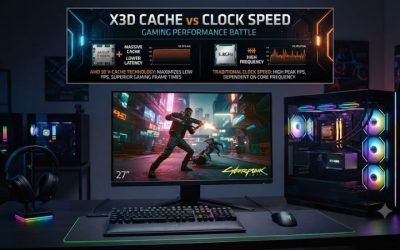
The 7600X3D pairs six cores with AMD’s stacked cache design, which targets gaming rather than rendering. If your machine will mostly run games, it is the most focused processor in this list, and AM5 gives you a platform that supports newer memory and future upgrades.
Two cautions follow from the listing. First, the cooler is not included, so add a tower cooler to your plan. Second, six cores is fewer than the other chips here, so video encoding and heavy background tasks will favour the 24-core and 18-core Intel parts.
- Pros: Gaming-focused cache design; AM5 platform; six cores are enough for most games; low entry for an AM5 gaming chip
- Cons: No cooler in the box; fewer cores for rendering; needs AM5 board and DDR5

AMD RYZEN 5 7600X3D Raphael AM5 4.1GHZ 6-CORE Boxed Processor - HEATSINK NOT Included
Included for 'Best CPUs Under 500 Dollars for Gaming and Creator PCs' as a representative home product in this roundup; selection reflects the product set returned for this topic.
View on Amazon2. Intel Core Ultra 7 270K Plus: Best for multitasking and content creation
Specs per the listing: 24 cores made of 8 performance and 16 efficiency cores, boost up to 5.5 GHz.
With 24 cores, this is the thread-count leader of the list. Performance cores handle games and lightly threaded tasks, while the 16 efficiency cores take on exports, compiles and background apps. That split suits anyone who streams while playing or edits video in the evening.
The listing does not state the socket, rated power or cooler requirement, so check the maker page before choosing a motherboard and cooling. Expect a stronger cooler than the six-core parts need.
- Pros: Highest core count here; up to 5.5 GHz boost; strong for streaming and editing
- Cons: Socket and power draw not listed; needs a capable cooler; overkill for pure gaming

Intel Core Ultra 7 processor 270K Plus, 24 cores (8 P-cores + 16 E-cores) up to 5.5 GHz
Included for 'Best CPUs Under 500 Dollars for Gaming and Creator PCs' as a representative home product in this roundup; selection reflects the product set returned for this topic.
View on Amazon3. AMD Ryzen 7 7700: Best for efficient all-round builds
Specs per the listing: Ryzen 7 7700 processor, 3.8 GHz, 32 MB L3 cache. Core count is not stated in the title.
The Ryzen 7 7700 is the sensible middle ground. Ryzen 7 class parts bring more cores than a Ryzen 5, so they hold up when games, a browser and a recording tool run together, and the 32 MB cache helps game performance.
The title does not list the cooler situation, so confirm whether a box cooler is included on the maker page. It is a good fit if you want one processor for gaming and light creative work without paying for a 24-core chip.
- Pros: Eight-core class Ryzen 7; 32 MB L3 cache; balanced for play and work
- Cons: Cooler inclusion not listed; no stacked-cache gaming edge of the 7600X3D

AMD Ryzen 7 7700 Processor 3.8 GHz 32 MB L3
Included for 'Best CPUs Under 500 Dollars for Gaming and Creator PCs' as a representative home product in this roundup; selection reflects the product set returned for this topic.
View on Amazon4. Intel Core Ultra 5 250K Plus: Best for balanced Intel gaming and work
Specs per the listing: 18 cores made of 6 performance and 12 efficiency cores, boost up to 5.3 GHz.
This is the smaller sibling of the 270K Plus, and it is the better fit if you want an Intel chip without paying for the top core count. Six performance cores cover games, and 12 efficiency cores keep background work from interrupting them.
As with the 270K Plus, socket and power details are not in the title, so check compatibility before buying a board. It is a sound choice for a mixed PC that plays games on weekdays and exports video on weekends.
- Pros: 18 cores for the tier; up to 5.3 GHz boost; good multitasking
- Cons: Socket and rated power not listed; fewer cores than the 270K Plus

Intel Core Ultra 5 processor 250K Plus, 18 cores (6 P-cores + 12 E-cores) up to 5.3 GHz
Included for 'Best CPUs Under 500 Dollars for Gaming and Creator PCs' as a representative home product in this roundup; selection reflects the product set returned for this topic.
View on Amazon5. AMD Ryzen 5 8600G: Best for builds without a graphics card
Specs per the listing: The title names only the model; clocks, cores and graphics are not listed, so read the maker page. The G suffix marks AMD’s integrated-graphics line.
The G in Ryzen 5 8600G marks a processor with built-in Radeon graphics, which makes it the one chip here that can run a PC on its own. That suits a starter gaming build for lighter titles, a home theatre PC, or a machine that waits for a graphics card later.
Do not expect it to match a dedicated card, and note that the listing gives almost no specs. If you already own a discrete GPU, a chip with more cores or stacked cache is a better use of your plan.
- Pros: Integrated graphics; lets you build now and add a card later; AM5-class platform
- Cons: Listing shows no specs; integrated graphics are limited; fewer cores than Intel picks

AMD Ryzen 5 8600G
Included for 'Best CPUs Under 500 Dollars for Gaming and Creator PCs' as a representative home product in this roundup; selection reflects the product set returned for this topic.
View on AmazonHow to Choose
Decide how much the CPU matters for your use
For gaming at 1440p, a good graphics card matters more than a high core count, so a six- or eight-core chip is enough. If you stream, edit video or compile code, the extra cores on the Core Ultra chips pay off. Do not spend the whole plan on the CPU.
Check the socket and platform
AMD chips here use AM5, which requires DDR5 memory. For the Core Ultra Plus chips the socket is not in the listing, so confirm it and the matching motherboard chipset on the maker page. A mismatched socket is the most expensive mistake in a CPU purchase.
Plan for cooling
The 7600X3D ships without a cooler, and the 270K Plus will want a robust one. Budget for a tower air cooler or a 240mm liquid cooler as needed. A good cooler lets any of these chips hold boost clocks longer.
Skip what you do not need
If you have a discrete graphics card, an integrated-graphics chip adds little. If you only play games, the 24-core Intel chip is more than required. Match the processor to the work and keep the savings for the GPU.
Frequently Asked Questions
Which CPU under 500 is best for gaming?
The Ryzen 5 7600X3D is the gaming-focused pick because of its stacked cache design. The Ryzen 7 7700 and Core Ultra 5 250K Plus are strong alternatives if you also multitask.
Do I need a separate cooler?
The 7600X3D is listed without a heatsink, so yes. For the others, confirm what is in the box on the maker page and plan a cooler accordingly.
Can the Ryzen 5 8600G replace a graphics card?
It has integrated graphics, which suit lighter games and everyday use. For demanding titles at 1440p, a dedicated graphics card is still the better route.
Is a 24-core CPU worth it?
Only if you run threaded workloads like rendering, streaming and exports. For gaming alone, the extra cores add little over a six- or eight-core processor.