High-refresh sim racing demands more than a high average FPS. The best CPU for high refresh rate sim racing must handle physics calculations, large multiplayer grids, background applications, and demanding race starts while maintaining consistent frame times. These processors stand out for different budgets and racing setups.
How to Choose a CPU for High Refresh Rate Sim Racing
Choosing a processor for a 144Hz, 165Hz, 240Hz, or faster racing display requires understanding where your PC spends its processing time. A powerful graphics card cannot compensate for every CPU limitation, particularly when a simulator must calculate vehicle physics, opponent behavior, and track conditions simultaneously.
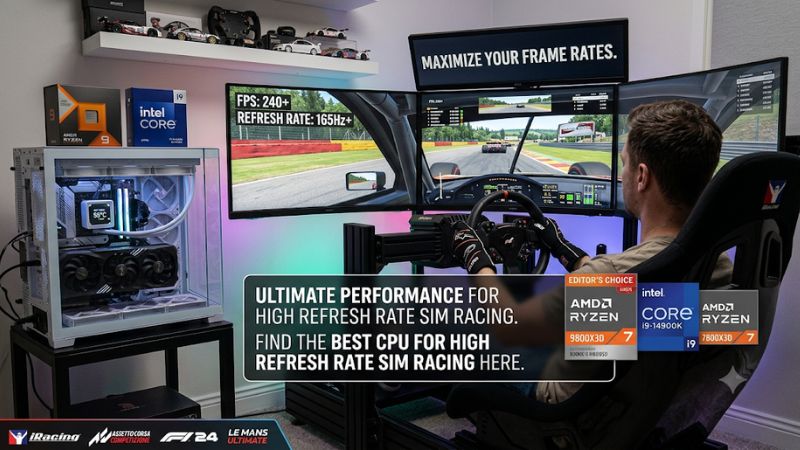
1. Prioritize Single-Core Performance and Cache
Sim racing games often depend heavily on one or a small number of demanding CPU threads. Vehicle physics, collision calculations, AI behavior, and simulation updates can create processing bottlenecks even when overall CPU utilization looks relatively low.
AMD’s 3D V-Cache processors deserve particular attention because their large L3 caches can benefit workloads that repeatedly access simulation data. The Ryzen 7 9800X3D and Ryzen 7 9850X3D are especially attractive for gaming-focused systems. However, cache capacity alone does not determine performance in every racing title.
2. Match the Processor to Your Refresh Rate
A 144Hz monitor requires approximately 144 frames per second to use its full refresh capability, while a 240Hz display needs approximately 240 FPS. These targets become harder to maintain during crowded race starts, heavy weather, and complex track scenes.
The best CPU for high refresh rate sim racing should therefore prioritize consistent frame delivery rather than simply producing impressive average FPS. Pay attention to 1% lows and CPU frame times when comparing processors. A system that maintains stable performance is generally preferable to one with higher averages but frequent dips.
3. Consider Your Simulator and Display Configuration
Different racing simulators place different demands on the processor. iRacing, Assetto Corsa Competizione, Automobilista 2, Le Mans Ultimate, and BeamNG.drive do not necessarily respond identically to additional cache, clock speed, or CPU cores.
Your display configuration matters too:
-
Single 1080p or 1440p: CPU performance can become a major limitation at high refresh rates.
-
Ultrawide: Both CPU and GPU performance matter, particularly at higher resolutions.
-
Triple monitors: Additional rendering workloads can increase GPU requirements while demanding consistent CPU performance.
-
VR: CPU frame times matter, but GPU performance and headset rendering resolution are equally important considerations.
Do not automatically purchase a more expensive processor because you use triple monitors or VR. Determine whether your existing system is CPU-limited before upgrading.
4. Check Platform Compatibility and Upgrade Costs
A processor upgrade involves more than purchasing a CPU. The motherboard socket, chipset, BIOS version, memory generation, and cooling requirements must all match.
The four AMD processors covered below use the AM5 platform and DDR5 memory. This makes them suitable candidates for a new gaming-focused build, although motherboard BIOS compatibility should still be checked before installation.
Also consider the total platform cost. Moving from an older AM4 system to AM5 generally requires a compatible motherboard and DDR5 memory. An inexpensive processor can become a costly upgrade when the rest of the platform needs replacement.
Top CPU Picks for High Refresh Rate Sim Racing
For most dedicated racing builds, AMD’s X3D lineup offers particularly compelling options. The following recommendations separate maximum gaming performance, overall value, multitasking capability, and lower-cost AM5 alternatives. They are buying recommendations based on available specifications and independent racing-focused coverage, not universal performance rankings across every simulator.
| Product | Best For | Key Spec | Compatibility | Watch Out For |
|---|---|---|---|---|
| Ryzen 7 9800X3D | Best Overall | 8 cores, 16 threads, 96MB L3 | AM5, DDR5 | Premium CPU pricing |
| Ryzen 7 9850X3D | Maximum Gaming Clocks | 8 cores, 16 threads, up to 5.6GHz | AM5, DDR5 | Small practical advantage |
| Ryzen 9 9950X3D | Streaming and Multitasking | 16 cores, 32 threads, 128MB L3 | AM5, DDR5 | Expensive for racing alone |
| Ryzen 7 7800X3D | Best Value Alternative | 8 cores, 16 threads, 96MB L3 | AM5, DDR5 | Older Zen 4 architecture |
1. AMD Ryzen 7 9800X3D – Best Overall
The AMD Ryzen 7 9800X3D is the strongest all-around recommendation for a dedicated high-refresh sim-racing PC. Its Zen 5 architecture, eight cores, 16 threads, and 96MB of L3 cache provide a compelling combination for demanding gaming workloads.
Its maximum boost clock reaches 5.2GHz, and its default TDP is 120W. The processor uses AMD’s AM5 socket and supports DDR5 memory. These specifications make it a particularly attractive choice for builders prioritizing gaming performance rather than workstation-level core counts.
An important piece of racing-specific evidence comes from OverTake’s June 2026 comparison of AMD X3D processors. Its sponsored comparison used a 49-inch 5120 × 1440, 240Hz display and Radeon RX 9070 XT. In its iRacing Daytona comparison, the publication reported higher frame rates with the 9800X3D than with the 7800X3D.
The limitation is its premium positioning. It also does not include a bundled cooler, so cooling must be budgeted separately.
Choose it if: You primarily race, want substantial CPU headroom, and are building a new AM5 gaming system.
2. AMD Ryzen 7 9850X3D – Best for Maximum Gaming Clocks
The Ryzen 7 9850X3D targets enthusiasts who want AMD’s faster-clocked eight-core X3D option. It features eight cores, 16 threads, 96MB of L3 cache, and a maximum boost clock of 5.6GHz.
Its 120W default TDP and AM5 compatibility are the same as the 9800X3D. It also supports DDR5 memory, making the two processors straightforward alternatives when planning a new platform.
However, the higher advertised boost clock does not automatically translate into a meaningful improvement in every simulator. The available OverTake comparison found little practical advantage over the 9800X3D in its evaluation. This is an important distinction for buyers who are primarily interested in consistent racing performance.
The main disadvantage is the possibility of paying considerably more for a relatively small gaming improvement. Its higher clock rating should not be treated as evidence of a guaranteed FPS advantage.
Choose it if: You want the faster-clocked X3D option and its actual retail price is close enough to the 9800X3D to justify the difference.
3. AMD Ryzen 9 9950X3D – Best for Streaming and Multitasking
The Ryzen 9 9950X3D is particularly interesting for sim racers who use one computer for everything. It combines 16 cores, 32 threads, a maximum boost clock of 5.7GHz, and 128MB of L3 cache.
Its additional cores make it suitable for workloads running alongside a simulator, including CPU-based video encoding, content creation, recording, and demanding productivity applications. It also uses the AM5 socket and supports DDR5 memory.
The distinction between gaming and multitasking is important. More cores do not automatically produce higher racing FPS. A dedicated racing PC may receive better value from the 9800X3D, especially when the simulator is the primary workload.
The 9950X3D also uses a dual-CCD design, with 3D V-Cache available on one CCD. Application scheduling therefore matters. AMD’s chipset drivers and Windows scheduling help manage workloads, although advanced users may want to investigate application affinity when troubleshooting inconsistent behavior.
Choose it if: You stream, record, edit videos, or run demanding background applications while racing. Otherwise, consider the less expensive eight-core alternatives.
4. AMD Ryzen 7 7800X3D – Best Value Alternative
The Ryzen 7 7800X3D remains a relevant option for sim racers who find it considerably cheaper than newer X3D processors. Its eight cores, 16 threads, and 96MB of L3 cache give it a gaming-focused configuration that remains suitable for demanding racing workloads.
The processor uses AMD’s Zen 4 architecture, supports AM5 motherboards, and has a maximum boost clock of 5GHz. Its default TDP is 120W, and it requires DDR5 memory.
Its biggest advantage is the opportunity to build a capable racing PC without paying for the newest processor generation. It is also worth considering if you already own an AM5 motherboard and want to spend less on a CPU upgrade.
Its limitation is its older architecture and lower advertised boost frequency compared with the 9800X3D. However, replacing a functioning 7800X3D simply because a newer model exists is not necessarily a sensible financial decision.
Choose it if: You find a substantial discount, are building a more affordable AM5 system, or already own the processor and want to avoid unnecessary upgrades.
FAQ
Is an AMD X3D processor better for high-refresh sim racing?
AMD X3D processors are strong choices for high-refresh sim racing because their large L3 caches can benefit simulation workloads. The actual advantage depends on the game engine, race conditions, graphics settings, and hardware configuration. The 9800X3D is a particularly compelling starting point for a dedicated racing build.
How many CPU cores do you need for 240Hz sim racing?
Eight cores are a sensible target for a premium modern sim-racing PC, but core count alone does not determine whether a system can sustain 240 FPS. Clock speed, cache, game optimization, and GPU performance also matter. Some simulators may remain CPU-limited even with high-end processors.
Is the Ryzen 7 9800X3D worth upgrading from the 7800X3D?
The 9800X3D can provide additional performance, but the upgrade is not automatically worthwhile for every existing 7800X3D owner. OverTake reported improvements in its iRacing comparison, while some other racing workloads showed much smaller differences. Compare actual performance in your preferred simulator before spending money.
Does a faster CPU improve sim racing on triple monitors?
A faster CPU can improve triple-monitor performance when the simulator is CPU-limited, particularly during crowded race starts. However, rendering three displays also increases GPU demands. Check CPU and GPU frame times before deciding which component deserves your upgrade budget.
Final Thoughts
The best CPU for high refresh rate sim racing is generally the Ryzen 7 9800X3D because it balances gaming-focused performance, cache, and platform longevity. Choose the 9950X3D for substantial multitasking or the 7800X3D for a discounted build. Before purchasing, compare frame times in your preferred simulator and allocate enough budget for the GPU.