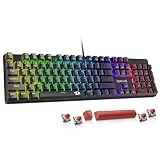
- Top Pick: Building Your Own Gaming PC Made Easy: How to Choose, Build, Overclock and Optimize a High-Performance Gaming Desktop
- Best Value: Digital Defense for Families: How to Keep Your 8 to 18-Year-Old Safe on TikTok, Instagram, and Every Screen in Between
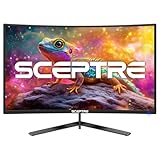
- Premium Choice: Sceptre Curved 24.5-inch Prime Gaming Monitor up to 240Hz 1080p R1500 1ms DisplayPort x2 HDMI x2 Blue Light Shift Build-in Speakers, Machine Black 2025 (C255B-FWT240 Series)
Your monitor is the single component you stare at for every second of play, yet it is often the most overlooked part of a gaming setup. The right panel makes games feel faster, sharper, and more immersive, while the wrong one can bottleneck an otherwise powerful rig.
This guide breaks down everything that actually matters when choosing a gaming monitor in 2026, from refresh rate and resolution to panel type and connectivity. By the end you will know exactly which specs to prioritize for the games you play and the budget you have.
As an Amazon Associate we earn from qualifying purchases at no extra cost to you.






⚡ Save on Your Next PC — Amazon Prime
Prime members get fast free shipping on the systems above, plus early access to Prime Day & Black Friday PC deals. New members get a 30-day free trial.
Watch: How To Choose A Gaming Monitor — Video Review
Refresh Rate and Response Time
Refresh rate, measured in hertz, determines how many frames your monitor can display each second, and higher numbers mean smoother motion. Competitive players chasing every advantage gravitate toward fast panels like the Sceptre Curved 24.5-inch running up to 240Hz, while a 144Hz or 165Hz display such as the LG 24G411A already feels dramatically fluid for most people.
- 60Hz: Fine for casual and single-player gaming, but noticeably less smooth in fast shooters.
- 144Hz to 165Hz: The mainstream sweet spot that balances smoothness and price.
- 200Hz and beyond: Ideal for competitive esports where reaction time is everything.
Pair a high refresh rate with a low response time, ideally 1ms, to minimize ghosting and motion blur during rapid movement.
Resolution and Screen Size
Resolution defines image sharpness, and the right choice depends on your graphics card and screen size. A 24-inch 1080p panel like the SANSUI 24-inch 200Hz keeps demands light so your GPU can push high frame rates, while larger 1440p or 4K screens reward powerful hardware with crisper detail. Match resolution to what your system can actually drive at your target frame rate.
Panel Type: IPS vs VA
Panel technology shapes color, contrast, and viewing angles. IPS panels, seen in options like the Sceptre IPS 24-inch 165Hz, deliver vibrant color and wide viewing angles that suit both gaming and creative work. VA panels offer deeper blacks and higher contrast, making them great for atmospheric single-player titles, though they can smear slightly in fast motion. Curved VA models like the Sceptre Curved 24-inch add immersion for wraparound gameplay.
Adaptive Sync and Connectivity
Adaptive sync technologies such as AMD FreeSync eliminate screen tearing by matching the monitor’s refresh to your GPU’s output, and most modern gaming panels including the Viewedge 24-inch 144Hz support it. Also check the ports: dual DisplayPort and HDMI inputs give you flexibility to connect a PC and console at once, and DisplayPort is generally required to hit the highest refresh rates.
Eye Comfort and Extras
Long sessions demand comfort features like flicker-free backlighting and blue-light reduction, both common on eye-care focused models. Built-in speakers, height-adjustable stands, and slim bezels for multi-monitor setups are nice bonuses, but never let them override the core specs of refresh rate, resolution, and panel quality.
Frequently Asked Questions
Is 1080p or 1440p better for gaming?
1080p lets even midrange GPUs hit very high frame rates and pairs perfectly with fast 24-inch panels, while 1440p offers noticeably sharper detail if your graphics card can drive it, so match the resolution to your hardware.
How many Hz do I really need?
144Hz to 165Hz is the ideal balance for most gamers, delivering silky motion at a reasonable price; jump to 200Hz or more only if you play competitive esports and have the frames to feed it.
Does panel type actually matter?
Yes; IPS panels give vibrant color and wide angles for mixed use, while VA panels provide deeper contrast for cinematic games, so pick based on whether color accuracy or black levels matter more to you.
What is FreeSync and do I need it?
FreeSync is an adaptive sync technology that syncs the monitor’s refresh rate to your GPU to eliminate screen tearing; it is widely supported and well worth enabling for smoother, cleaner gameplay.
Conclusion
Choosing a gaming monitor comes down to matching specs to your play style: prioritize high refresh rate and fast response for competitive shooters, and richer resolution or contrast for immersive single-player worlds. Anchor your decision on refresh rate, resolution, and panel type first, and treat extras as tiebreakers. Get those fundamentals right and your games will look and feel their best.