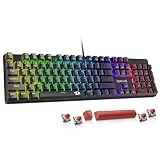
- Top Pick: Redragon Mechanical Gaming Keyboard Wired, 11 Programmable Backlit Modes, Hot-Swappable Red Switch, Anti-Ghosting, Double-Shot PBT Keycaps, Light Up Keyboard for PC Mac
- Best Value: Logitech G413 SE Full-Size Mechanical Gaming Keyboard – Black
- Premium Choice: Redragon K580 Wired RGB Mechanical Gaming Keyboard, Macro Key & Media Wheel
Ask ten gaming setups what sits under their hands and you’ll get one of two answers: a mechanical keyboard with individual mechanical switches under every key, or a membrane keyboard that uses a flexible rubber-dome sheet to register presses. They look nearly identical in product photos, they both light up, and they both plug into the same USB port — but they feel, sound, and age in completely different ways.
In 2026 the decision matters more than it did five years ago, because both sides have moved. Mechanical boards have crashed in price, with hot-swappable sockets and pre-lubed switches now showing up on entry-level models like the AULA F75 Pro and Redragon’s wired hot-swap lineup. Meanwhile, membrane boards haven’t stood still either — the Logitech G213 Prodigy delivers per-zone RGB, dedicated media keys, and spill resistance for the price of a couple of games. The question is no longer “which is better,” but which one matches how you actually play.
As an Amazon Associate we earn from qualifying purchases at no extra cost to you.








⚡ Save on Your Next PC — Amazon Prime
Prime members get fast free shipping on the systems above, plus early access to Prime Day & Black Friday PC deals. New members get a 30-day free trial.
Watch: Mechanical vs Membrane Keyboard: 2026 Guide — Video Review
Quick Verdict
Buy mechanical if you game seriously, type a lot, or want a keyboard that lasts through multiple PC upgrades — the Logitech G413 SE is the safest no-nonsense pick, while the AULA F75 Pro and hot-swappable Redragon boards suit tinkerers. Buy membrane, specifically the Logitech G213 Prodigy, if you want the lowest possible entry price, near-silent operation for a shared room, or a rugged spare board you won’t cry over.
Key Differences
- Actuation and feel: Mechanical switches actuate partway through the travel with a consistent, crisp response; membrane keys require bottoming out against a rubber dome, which feels mushier and less predictable at speed.
- Durability: Mechanical switches are typically rated for 50–100 million presses per key and can often be replaced individually; membrane sheets degrade gradually, and heavily used keys (WASD, spacebar) get soft after a year or two of hard gaming.
- Noise: Membrane boards are inherently quiet. Mechanical noise depends on the switch — linear reds like those in the Redragon hot-swap board are relatively subdued, while the hybrid blue switches in the SteelSeries Apex 5 are deliberately clicky.
- Anti-ghosting and rollover: Nearly all gaming mechanicals offer full N-key rollover, so every simultaneous input registers. Budget membranes usually guarantee anti-ghosting only on a subset of keys — enough for most games, but a real limit in fighting or rhythm titles.
- Customization: Hot-swappable mechanicals let you change switches without soldering and swap keycaps freely. Membrane keycaps are generally fixed to the dome structure and not meant to be replaced.
- Price and repairability: Membrane wins on upfront cost; mechanical wins on cost per year, since a single dead switch or a set of worn keycaps is a cheap fix rather than a new keyboard.
Mechanical Keyboards
The appeal of mechanical is consistency. Because each key has its own spring-loaded switch, the tenth press feels exactly like the first, and the actuation point sits above the bottom of the travel — meaning you can register inputs faster and with less finger fatigue over a long session. The Logitech G413 SE keeps this simple with tactile switches, a brushed aluminium top plate, and white backlighting, skipping RGB to keep the build quality high. If you want features alongside the switches, the Redragon K580 adds dedicated macro keys and a media wheel, and the SteelSeries Apex 5 pairs an aircraft-grade aluminium frame with per-key RGB and a small OLED smart display for volume, discord notifications, and profile switching.
The modern twist is modularity. The AULA F75 Pro is a 75% board with a knob, pre-lubed Reaper switches, side-printed PBT keycaps, and triple connectivity via 2.4GHz, Bluetooth 5.0, and USB-C — a specification sheet that would have cost triple a few years ago. Redragon’s hot-swappable wired model takes a similar approach with 11 backlit modes, double-shot PBT keycaps, and red linear switches you can pull and replace with tweezers. Hot-swap sockets matter because switch preference is personal: if reds feel too light, you can move to tactiles without buying another keyboard.
Membrane Keyboards
Membrane’s reputation suffers from decades of terrible office keyboards bundled with prebuilt PCs, but a purpose-built gaming membrane is a different product. The Logitech G213 Prodigy uses tuned dome switches designed for a faster return than standard office keys, adds five-zone RGB lighting, dedicated media controls, an integrated palm rest, and spill resistance. It’s quiet enough for a shared bedroom or a late-night session on voice comms without anyone complaining about the clatter.
The trade-offs are real, though. You’ll bottom out on every keystroke, which increases fatigue during long sessions and makes rapid double-taps less precise. Anti-ghosting is limited compared to full N-key rollover, and there’s no upgrade path — no switch swaps, no keycap sets, no repairs. For casual play, MMOs, strategy games, or a secondary machine, none of that will bother you. For ranked FPS play where consistency compounds, it eventually will.
Which Should You Buy?
- For competitive FPS: pick mechanical — the Logitech G413 SE or the Redragon hot-swap board with red linear switches give you the fastest, most consistent actuation.
- For the tightest budget: pick the Logitech G213 Prodigy; it’s a genuine gaming keyboard with RGB and media keys rather than a repurposed office board.
- For a quiet shared space: pick membrane, or a mechanical with linear pre-lubed switches like the AULA F75 Pro — avoid clicky blues entirely.
- For customization and small desks: pick the AULA F75 Pro, whose 75% layout, hot-swap sockets, and wireless modes make it the most flexible option here.
- For macros and extra controls: pick the Redragon K580 for its macro keys and media wheel, or the SteelSeries Apex 5 if you want the OLED display and premium aluminium frame.
Frequently Asked Questions
Are mechanical keyboards actually faster for gaming?
Marginally, and mostly through consistency rather than raw latency. Mechanical switches actuate before the key bottoms out and reset predictably, which helps with rapid repeated inputs. The difference is small in absolute terms but noticeable over hours of play.
Do mechanical keyboards really last longer?
Yes. Typical switch ratings run from 50 to 100 million presses, versus roughly 5 to 10 million for a membrane dome. On a hot-swappable board like the Redragon or AULA F75 Pro, a failed switch is a sub-minute fix rather than a replacement purchase.
Is a membrane keyboard bad for gaming?
No. A gaming-tuned membrane such as the G213 Prodigy handles the vast majority of games perfectly well. The limitations show up in games needing many simultaneous keypresses or extremely fast repeated taps.
What is a hybrid mechanical keyboard?
It’s a design that combines mechanical switch components with a membrane or dome element for a softer, quieter feel. The SteelSeries Apex 5 uses hybrid blue switches to deliver a tactile click with a cushioned bottom-out — a middle ground between the two categories.
Final Verdict
For most gamers in 2026, mechanical is the right buy: prices have fallen far enough that a Logitech G413 SE or a hot-swappable Redragon costs little more than a decent membrane, and the durability, rollover, and upgrade path make it the better long-term value. Choose the Logitech G213 Prodigy only if silence, spill resistance, or the absolute lowest price is your deciding factor — and if you want one board that covers everything, the AULA F75 Pro and SteelSeries Apex 5 are the two most feature-complete options on this list.
Top picks from this guide
 SteelSeriesSteelSeries USB Apex 5 Hybrid Mechanical Gaming Keyboard – Per-Key…
 AULAAULA F75 Pro Wireless Mechanical Keyboard,75% Hot Swappable Custom Keyboard…
 RedragonRedragon K580 Wired RGB Mechanical Gaming Keyboard, Macro Key &…
 Logitech GLogitech G213 Prodigy Gaming Keyboard, Wired Keyboard – Black |…