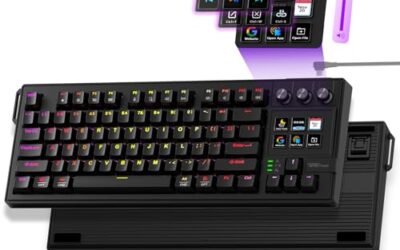
- Top Pick: Kisnt KN85 Wireless Mechanical Keyboard, 75% Layout, Bluetooth/2.4GHz/USB-C, Custom RGB Backlit, Hot-Swappable Linear Switch, Creamy Sound for Gaming/Typing (Retro Beige)
- Best Value: AULA F75 75% Wireless Mechanical Keyboard, Hot Swappable Creamy Keyboard, Pre-lubed Linear Switches, 2.4GHz/Type-C/BT5.0, RGB Backlit Gaming Keyboards(White&Brown)
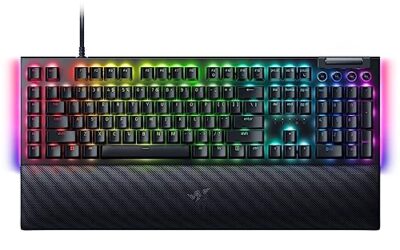
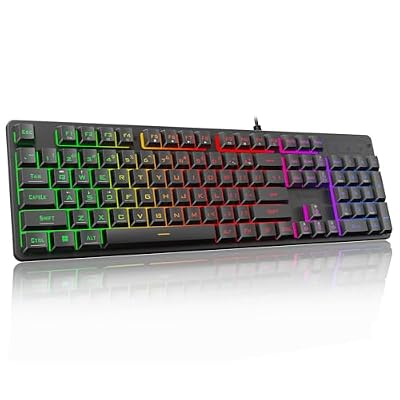
- Premium Choice: Redragon K521 Upgrade Rainbow LED Gaming Keyboard, 104 Keys Wired Mechanical Feeling Keyboard with Multimedia Keys, One-Touch Backlit, Anti-Ghosting, Compatible with PC, Mac, PS4/5, Xbox
You no longer have to spend big to get a satisfying mechanical keyboard. In 2026 the budget segment is packed with boards offering hot-swappable switches, RGB lighting, and even wireless connectivity for prices that used to buy a basic membrane board. The trick is knowing which affordable keyboards deliver a genuinely good typing feel and which cut corners that matter.
- Watch: Best Budget Mechanical Keyboard — Video Review
- How to Choose
- The Best Picks Reviewed
- What to Look For in an Affordable Mechanical Board
- Which One Should You Buy?
- Common Mistakes When Buying a Budget Mechanical Keyboard
- Getting Better Sound and Feel From a Budget Board
- Troubleshooting Common Problems
- Maintaining a Mechanical Keyboard
- Frequently Asked Questions
- Final Thoughts
- Related Articles
- Related Guides
We rounded up the best budget mechanical keyboards across wired and wireless, compact and full-size designs. Each one balances price against build quality, switch feel, and features so you get real mechanical satisfaction without overpaying.
As an Amazon Associate we earn from qualifying purchases at no extra cost to you.




⚡ Save on Your Next PC — Amazon Prime
Prime members get fast free shipping on the systems above, plus early access to Prime Day & Black Friday PC deals. New members get a 30-day free trial.
Watch: Best Budget Mechanical Keyboard — Video Review
How to Choose
- Hot-swap sockets: A hot-swappable board lets you change switches without soldering, hugely extending its life and letting you tune the feel cheaply.
- Switch type: Decide between clicky, tactile, or linear; many budget boards now offer a choice, and some include magnetic Hall-effect switches.
- Size: Full-size adds a numpad, 75% keeps function keys in a compact body, and 60% maximizes desk space.
- Connectivity: Wired is cheapest and most responsive; budget wireless boards now offer Bluetooth and 2.4GHz for a small premium.
- Build feel: Look for gasket mounting or sound-dampening foam, features that used to be premium-only and now appear on value boards.
The Best Picks Reviewed
AULA F75 (75%, Hot-Swap Wireless)
A standout budget board, the F75 offers a gasket-mounted 75% layout, hot-swappable switches, and a creamy, cushioned typing feel that punches well above its price. Wireless and wired modes add flexibility, making it the value enthusiast pick for anyone wanting a premium feel cheaply.
Kisnt KN85 (75%, Triple-Mode Wireless)
With Bluetooth, 2.4GHz, and wired connectivity plus a 75% layout, the KN85 covers every use case on a budget. The triple-mode wireless lets it roam between a laptop, tablet, and desktop, and the compact form keeps your mouse close during gaming.
Redragon K521 (Full-Size Wired)
A dependable full-size wired board with rainbow LED lighting and 104 keys, the K521 is a budget classic for gamers who want a numpad. It delivers solid mechanical switches and reliable performance at a rock-bottom price, ideal for a first mechanical keyboard.
Logitech G413 SE (Full-Size Wired)
For those who value brand reliability, the G413 SE offers Logitech build quality, tactile mechanical switches, and a clean full-size design. Its understated aluminum top plate suits a professional desk, and Logitech’s durability makes it a safe budget bet.
AULA WIN68 HE (60%, Hall-Effect)
Bringing magnetic Hall-effect switches to a budget 60% board, the WIN68 HE offers adjustable actuation and rapid trigger features once reserved for pricey gaming keyboards. It is a compelling pick for competitive players wanting analog-style responsiveness affordably.
What to Look For in an Affordable Mechanical Board
Switch Type Shapes the Feel
Switches come in three broad families. Linear switches press down smoothly with no bump and suit fast, repeated presses. Tactile switches add a small bump at the actuation point, which many typists like because it confirms the keystroke. Clicky switches add an audible click on top of that, which is satisfying but loud in shared spaces. A standard mechanical switch actuates at about 2 mm into a roughly 4 mm total travel, and cheap boards often use proprietary switches with similar specifications. Makers often quote a lifespan of 50 million keystrokes, but treat that as a marketing figure rather than a guarantee.
Layout and Size
Smaller layouts free desk space for mouse movement, but they remove keys. Here is how common sizes compare.
| Layout | Typical key count | What you lose |
|---|---|---|
| Full-size | 104 to 108 | Nothing; includes number pad |
| 75% | About 82 to 84 | Number pad; keeps function row and arrows |
| 60% | 61 | Function row, arrows, and navigation keys, reached through layers |
The AULA F75 and Kisnt KN85 are 75 percent boards that keep arrow keys and a function row, the AULA WIN68 HE is a 60 percent layout, and the Redragon K521 and Logitech G413 SE are full-size.
Hot-Swap Sockets and Typing Quality
Hot-swap sockets let you pull switches out and replace them without soldering, so you can try a different feel later. Look at whether the board accepts three-pin and five-pin switches, because stems differ. Sound and feel also depend on keycap material and internal foam: thicker PBT keycaps usually sound deeper and resist shine, while thin ABS ones can feel lighter and wear glossy. Many budget boards ship with stabilizers that rattle on the space bar, which is fixable with a small amount of lubricant.
Wireless Modes and Latency
Wireless budget boards typically offer Bluetooth, a 2.4 GHz dongle, and a USB cable. For gaming, the 2.4 GHz dongle or a wired connection gives the lowest delay, because Bluetooth is built for compatibility and battery efficiency rather than speed. Battery capacity matters too: backlighting drains a battery quickly, so a board with RGB turned down will last much longer than one with effects at full brightness.
Hall-Effect Switches in Plain Terms
Hall-effect keyboards use magnets and sensors instead of metal contacts, so the key position is measured continuously rather than registered as on or off. That allows adjustable actuation points and rapid-trigger behavior, where a key resets the moment you start lifting your finger. It is a meaningful advantage in fast shooters, but the settings usually live in software or a web configurator, so confirm that the tool works on your operating system.
Which One Should You Buy?
| If you… | Choose… |
|---|---|
| Want a compact wireless board with hot-swap sockets for everyday use | AULA F75 |
| Want a 75 percent layout with Bluetooth, 2.4 GHz, and wired modes | Kisnt KN85 |
| Need a number pad and a simple wired board | Redragon K521 |
| Prefer a known brand and a full-size wired layout | Logitech G413 SE |
| Play fast shooters and want adjustable actuation in a small board | AULA WIN68 HE |
Switch types and included features can change between versions, so confirm them on the listing before ordering.
Common Mistakes When Buying a Budget Mechanical Keyboard
- Picking a layout you cannot live with. If you use the arrow keys or number pad daily, a 60 percent board will frustrate you.
- Assuming hot-swap means any switch fits. Sockets usually accept standard MX-style switches, but confirm compatibility before buying switches separately.
- Buying linear when you want tactile feedback. Switch type is the biggest driver of typing feel, so match it to how you type.
- Relying on Bluetooth for competitive gaming. Use the dongle or a cable where timing matters.
- Ignoring software support. Remapping and lighting tools may be limited on some operating systems.
- Chasing marketing claims. Terms such as “gasket mount” or “gaming grade” describe design intent, not a guaranteed result, so read how the board is actually built.
Getting Better Sound and Feel From a Budget Board
A few inexpensive tweaks make a noticeable difference in how an affordable keyboard sounds and feels.
- Remove the space bar and other long keys, then check that the stabilizer wires sit snugly in their housings.
- Apply a very small amount of dielectric or stabilizer lubricant to the stabilizer wire ends; too much creates a gummy feel.
- Press each key and listen for ping from the switch housing, which is often a sign of dry spring contact.
- Add a thin foam layer or tape under the PCB only if the board’s design allows it, since this lowers hollow echo in some layouts.
- Swap in a thicker keycap set if the original caps sound sharp or feel slippery.
Troubleshooting Common Problems
| Symptom | Likely cause | What to try |
|---|---|---|
| One key not registering | Switch not fully seated in a hot-swap socket | Press it firmly or re-seat the switch |
| Rattling space bar | Dry or loose stabilizer | Lubricate the stabilizer and clip it in again |
| Wireless lag | Interference or low battery | Move the dongle closer or switch to a cable |
| Wrong characters typed | Layout set to another region | Change the keyboard layout in system settings |
| Lighting effects will not change | Software not supported or shortcut mismatch | Check the manual for the lighting keys |
Maintaining a Mechanical Keyboard
A mechanical keyboard lasts longer when you keep it clean. Unplug it, pull off the keycaps with a puller, and brush out crumbs between switches before wiping the plate with a lightly damp cloth. Do not soak a board that has electronics under the keys, and avoid strong solvents on keycaps. If you spill a drink, unplug the board right away and let it dry fully before reconnecting it. Keep wireless boards charged to a moderate level when storing them for long periods, and store them covered to cut down on dust.
Frequently Asked Questions
Are budget mechanical keyboards any good?
Yes. Modern budget boards like the AULA F75 include hot-swap sockets, gasket mounting, and dampening foam, delivering a typing feel that rivals keyboards costing much more a few years ago.
Should I get hot-swappable switches?
If you can, yes. Hot-swap sockets let you change or upgrade switches without soldering, so you can refresh the feel or replace a failed switch cheaply and extend the board’s life.
Is wireless worth it on a budget board?
For a small premium you get flexibility to switch between devices and a cleaner desk. Triple-mode boards like the Kisnt KN85 offer Bluetooth, 2.4GHz, and wired all in one.
What are Hall-effect switches?
Magnetic switches that sense key travel analog-style, allowing adjustable actuation points and rapid-trigger resets. Boards like the AULA WIN68 HE now bring this competitive feature to budget prices.
Final Thoughts
Budget mechanical keyboards in 2026 offer features that used to cost a fortune. The AULA F75 leads on value with its cushioned gasket build, the Kisnt KN85 wins for triple-mode wireless flexibility, and the Redragon K521 covers full-size gaming cheaply. Decide on size, switch type, and connectivity, and you can land a genuinely great board without stretching your wallet.
Top picks from this guide
 KisntKisnt KN85 Wireless Mechanical Keyboard, 75% Layout, Bluetooth/2.4GHz/USB-C, Custom RGB…
 Logitech GLogitech G413 SE Full-Size Mechanical Gaming Keyboard, Black Aluminum |…
 RedragonRedragon K521 Upgrade Rainbow LED Gaming Keyboard, 104 Keys Wired…
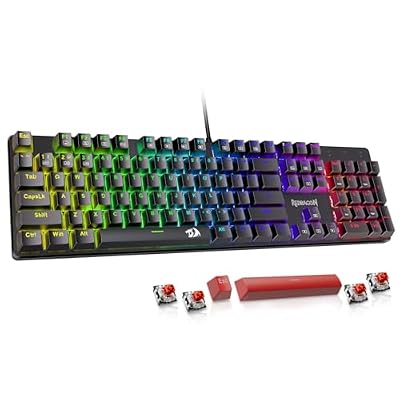 RedragonRedragon Mechanical Gaming Keyboard Wired, 11 Programmable Backlit Modes, Hot-Swappable…