🛒 Best Price Today on Amazon
Prime members get fast, free shipping on everything above, plus member-only deals. New members get a 30-day free trial — cancel anytime.
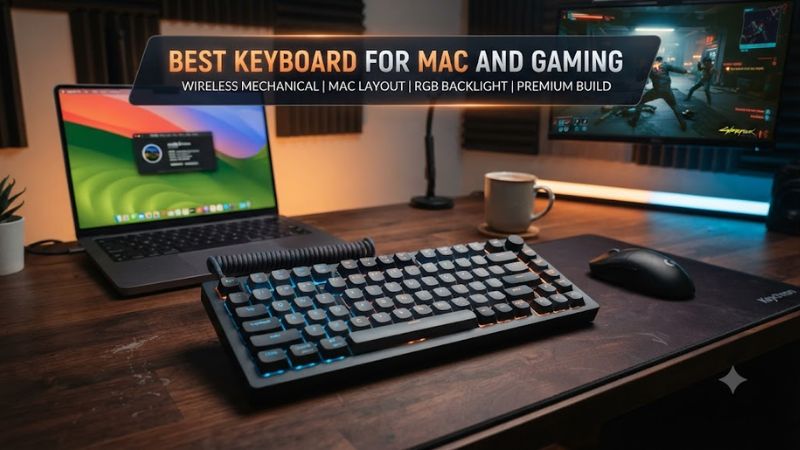
For users who switch between macOS and Windows, the best keyboard for mac and gaming needs more than responsive switches. Mac layout support, reliable connectivity, gaming software, and a practical form factor all matter. These four current models cover compact, full-size, low-profile, wireless, and Hall-effect designs without requiring a Windows-only setup.
How to Choose a Mac Gaming Keyboard
The right board depends on four factors: operating-system support, connection type, layout, and switch behavior. A keyboard should identify macOS compatibility clearly, retain useful Command and Option functions, and provide a wired or 2.4GHz mode when gaming latency matters. Keychron and Lemokey models are particularly flexible because their configuration tools work across macOS and Windows.
Check macOS and Windows compatibility
For the best keyboard for mac and gaming, look for a physical Mac/Windows selector or clearly documented OS support. Keychron’s K2 HE includes Mac and Windows keycaps and supports macOS, Windows, and Linux, while its Launcher web app handles remapping and macros through a compatible browser.
Logitech takes a different approach with the G915 X LIGHTSPEED TKL. Logitech lists macOS 11 or later for Bluetooth and macOS X 10.11 or later for LIGHTSPEED, so it can serve as a cross-platform board without relying on Windows-only hardware compatibility.
Match the connection to gaming
For the best keyboard for mac and gaming, wired USB or 2.4GHz wireless is preferable when low input latency is important. The K2 HE and L1 HE both specify 1000Hz operation over wired and 2.4GHz connections, while Bluetooth is intended more for convenient multi-device use.
Bluetooth remains useful for a MacBook, iPad, or secondary device because it avoids a receiver and supports convenient device switching. It is not automatically unsuitable for games, but the documented 1000Hz modes on the Keychron and Lemokey models give users a clearer gaming-oriented connection choice.
Choose a layout that fits your desk
A 75% board is a strong middle ground for Mac work and gaming because it keeps function and navigation keys while reducing width. The K2 HE has a 75% ANSI layout, while the L1 HE uses a 75% layout with additional macro controls and a volume roller.
A full-size keyboard remains useful if you regularly enter numbers or depend on a dedicated number pad. The Keychron V6 Ultra 8K keeps a 100% layout with a knob, while the G915 X LIGHTSPEED TKL removes the number pad for a narrower gaming-focused footprint.
Decide between mechanical and magnetic switches
Traditional mechanical switches are sufficient for general typing and gaming, but magnetic designs add adjustable actuation and features such as Rapid Trigger. The K2 HE provides adjustable actuation from 0.2 to 3.8mm, while the L1 HE lists the same range and adds Rapid Trigger and dynamic keystrokes.
Magnetic switches are not mandatory for Mac gaming, so conventional mechanical options remain sensible when typing feel, price, or layout matters more. If you want adjustable actuation, analog input, or Rapid Trigger, however, models such as the K2 HE and L1 HE provide those functions without sacrificing macOS support.
Top Picks for Mac and Gaming
The four picks below target different users rather than one identical setup. The Keychron K2 HE combines a compact layout with magnetic switches, the V6 Ultra 8K adds a full-size layout and wireless 8K polling, the L1 HE targets premium construction, and the G915 X TKL favors low-profile keys and Logitech’s ecosystem.
| Product | Best For | Key Spec | Compatibility | Watch Out For |
| Keychron K2 HE | Best Overall | 75%, 1000Hz | macOS, Windows, Linux | No dedicated media controls |
| Keychron V6 Ultra 8K | Best Value | 100%, 8000Hz | macOS, Windows, Linux | Large full-size footprint |
| Lemokey L1 HE | Best For Premium Gaming | 75%, 1000Hz | macOS, Windows, Linux | Heavy, no height adjustment |
| Logitech G915 X LIGHTSPEED TKL | Best For Low-Profile Gaming | 1.3mm actuation | macOS, Windows | Up to 42-hour battery life |
Keychron K2 HE — Best Overall
The Keychron K2 HE suits buyers who want the best keyboard for mac and gaming in a compact 75% format without paying for a premium aluminum enthusiast chassis. It has 2.4GHz, Bluetooth, and wired connectivity, plus Gateron Double-Rail magnetic switches and 1000Hz polling in its gaming-oriented modes.
Its main weakness is the lack of dedicated media controls or a volume knob, which matters if those controls are part of your daily Mac workflow. It also limits hot-swappable switch compatibility to supported magnetic switches, so buyers who frequently experiment with unrelated switch families should consider that restriction before purchasing.
Keychron V6 Ultra 8K — Best Value
The V6 Ultra 8K is aimed at buyers who want a full-size keyboard without moving into premium aluminum pricing. Its $119.99 listed price includes a 100% ANSI layout, knob, hot-swappable Keychron Silk POM switches, Mac and Windows keycaps, and 2.4GHz, Bluetooth, and wired connectivity.
Its real compromise is physical size rather than missing gaming functions. The full-size layout occupies considerably more desk width than a 75% board, so it is less convenient when mouse space is limited. The 8000Hz specification is also a maximum polling rate, not a guarantee of a visible gaming benefit in every system or game.
Lemokey L1 HE — Best For Premium Gaming
The L1 HE targets buyers who want a premium gaming keyboard with a substantial aluminum chassis and magnetic switches. It combines an 86-key layout, 1000Hz wired and 2.4GHz polling, adjustable 0.2–3.8mm actuation, Rapid Trigger, programmable macro keys, and a configurable roller.
Its weakness is weight and ergonomics: the assembled version is about 1.98kg, and independent review coverage notes the lack of height adjustment. It is therefore better suited to a permanent desk than frequent travel, and buyers seeking a light portable keyboard should look elsewhere.
Logitech G915 X LIGHTSPEED TKL — Best For Low-Profile Gaming
The G915 X LIGHTSPEED TKL is for users who prefer low-profile mechanical keys and a familiar mainstream gaming ecosystem. Logitech specifies 1.3mm actuation, 3.2mm total travel, Bluetooth 5.0, USB, and LIGHTSPEED wireless, while macOS support is explicitly listed for both Bluetooth and LIGHTSPEED connectivity.
The main limitation is battery endurance compared with several larger Keychron models: Logitech lists up to 42 hours for this TKL version. Its low-profile design also offers less switch travel than conventional mechanical boards, so buyers who prefer taller keycaps and deeper key presses may find the typing feel less familiar.
FAQ
The most important compatibility question is whether a gaming keyboard can retain useful Mac functions while still providing suitable Windows gaming features. The answer depends less on the Mac brand than on the keyboard’s documented operating-system support, configuration software, connection modes, and physical layout.
Can a gaming keyboard work with both Mac and Windows?
Yes, many current gaming keyboards support both macOS and Windows, with Keychron and Lemokey providing explicit cross-platform support on their current models. The K2 HE, L1 HE, and V6 Ultra 8K all document macOS and Windows compatibility, while the G915 X TKL lists both operating systems for its wireless connections.
The important distinction is between basic keyboard input and advanced customization. A board can type normally on a Mac while some manufacturer-specific features depend on software or a web configurator, so buyers should check whether remapping, macros, RGB controls, and gaming settings are supported on macOS.
Do gaming keyboards work properly on Mac?
Yes, gaming keyboards can work properly on Mac when the manufacturer documents macOS support and provides suitable key mapping or configuration options. Keychron’s K2 HE includes Mac keycaps and a Mac/Windows layout system, while Logitech explicitly lists recent macOS versions for the G915 X LIGHTSPEED TKL.
The remaining consideration is software coverage rather than basic typing. Before buying, check whether the features you actually want, such as macros, actuation adjustment, RGB configuration, or profile management, are available through macOS-compatible software or a browser-based configurator.
Is 2.4GHz better than Bluetooth for gaming?
Yes, 2.4GHz is generally the more appropriate wireless connection for gaming when a keyboard offers a high polling rate in that mode. The K2 HE and L1 HE both specify 1000Hz polling through 2.4GHz, while their Bluetooth modes prioritize convenient multi-device connectivity.
Bluetooth still makes sense for ordinary Mac use, especially when switching among a MacBook, tablet, and phone. For gaming, use the manufacturer’s wired or 2.4GHz mode when available, particularly if the keyboard’s documented gaming specifications depend on that connection.
Do I need a Hall-effect keyboard for Mac gaming?
No, you do not need Hall-effect switches for Mac gaming, because conventional mechanical keyboards can provide responsive input without adjustable magnetic actuation. Hall-effect models are worth considering when you specifically want Rapid Trigger, adjustable actuation, analog input, or other magnetic-switch features.
For ordinary games, typing, and general Mac work, layout and operating-system support can matter more than switch technology. A conventional board with reliable macOS support may therefore be a better match when you do not need adjustable actuation or other advanced gaming controls.
Final Thoughts
The best keyboard for mac and gaming depends on how you divide time between Mac work and games. The K2 HE balances size and magnetic features, the V6 Ultra 8K favors full-size value, the L1 HE targets premium builds, and the G915 X TKL offers a low-profile alternative with established cross-platform support.