Drag clicking is a friction trick: you drag a fingertip across the button so the switch chatters into a rapid string of inputs. Whether it works at all depends on the button surface and the switch firmware, not on sensor quality. A glossy shell lets your finger skate without grip, and a mouse whose debounce filtering is locked down will swallow most of the extra inputs before they reach the game. That is why the shortlist for this technique looks different from a general gaming mouse list.
This guide is for Minecraft players who bridge, clutch and fight in modes like Bed Wars, plus anyone whose current mouse refuses to register a drag. The picks below cover a dedicated drag-click design with optical switches, two ambidextrous and ergonomic honeycomb mice with matte shells, and a compact model for smaller hands. Every specification is taken from the product names and listing details on Amazon, and each mouse was checked as a current listing before inclusion.
Quick Picks
As an Amazon Associate we earn from qualifying purchases
| Product | Best for | Key spec from title |
|---|---|---|
| Bloody A70 | Dedicated drag-click play | Light Strike optical switches |
| Glorious Model O | Drag clicking plus everyday gaming | Matte finish, 67g honeycomb shell |
| Glorious Model D | Palm-grip players | Ergonomic shell, 68g |
| Glorious Model O- | Smaller hands | Compact 58g matte shell |
How to Choose
Button Finish Decides Whether a Drag Registers
Drag clicking needs friction between fingertip and button. Matte coatings grip skin and let a controlled drag build the vibration that produces extra inputs; glossy coatings are polished smooth, so the same motion slides off silently. Every mouse in this guide uses a matte finish for that reason. Texture matters as much as coating: a slightly grained top shell holds the finger through the drag, while wide, flat main buttons give the fingertip room to travel. If a listing does not name the finish, treat that as a warning sign and check the variant carefully before ordering.
Switch Type and Debounce Behaviour
Each drag input still has to survive the switch and its filtering. Mechanical switches bounce as their contacts settle, and firmware debounce time decides how much of that bounce becomes clicks. Mice that let you lower debounce in software, or optical switches that register without metal contact bounce, pass far more of a drag through to the game. The Bloody A70 uses Light Strike optical switches, while the Glorious models pair Omron mechanical switches with software control over click settings. A locked, high debounce setting is the most common reason a capable mouse produces nothing.
Button Width, Shell Size and Grip
A drag runs along the length of the main button, so button width and shell shape decide how repeatable the motion feels. Broad, gently crowned buttons on the Model O and Model D give a fingertip a long, stable track, while the compact Model O- shortens that track for smaller hands that would overreach on a full-size shell. Ergonomic shells tilt the hand and suit palm grips; ambidextrous shells keep both buttons level for fingertip control. Match the shell to your hand first, because a mouse you cannot hold steady will drag unevenly no matter which switch sits under the button.
Weight, Cable and Feet During Fast Play
Drag clicking rarely happens in isolation; it sits inside fast bridging and fights where the mouse is constantly moving. A light shell reduces the effort of those corrections, and all four picks here stay under 70 grams. The cable matters just as much: stiff braided cords push back against small movements, while the flexible Ascended cords on the Glorious models behave closer to a wireless mouse. Pure PTFE feet keep the glide consistent across the pad, so the hand speed you practise is the hand speed you get. Check that replacement feet exist for the model you choose.
The 4 Best Options
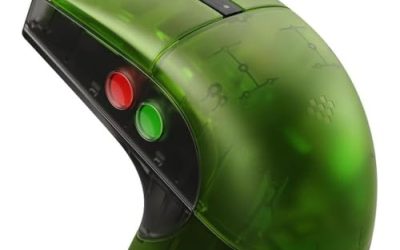
Bloody A70

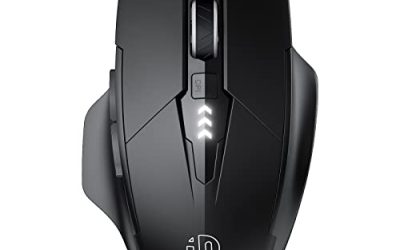
The A70 is the specialist in this group: Bloody built the line around Light Strike optical switches, and the listing leads with click response rather than sensor numbers. Optical actuation registers without the metal contact bounce that firmware usually filters out, which is exactly the behaviour a drag needs. Eight programmable buttons, onboard memory for macros and adjustable report rates make it a committed Minecraft mouse rather than a generalist, and the metal glide feet and infrared scroll wheel suit long sessions of bridging practice on a large pad.
Specs
- Switches: Light Strike (LK) optical switches, listing-stated 0.2 ms click response
- Sensor: BC3332-S optical engine, CPI adjustable in steps
- Buttons: 8, fully programmable, with onboard memory for macros
- Report rate: 125 to 1,000 Hz, adjustable
- Scroll wheel: infrared, listing-rated at over 1 million scrolls
- Feet: Metal X’Glide armor boot
Best for: Players who want a mouse built around drag clicking first.
Watch out for: The listing text mixes an older 4,000 CPI feature list with the upgraded sensor note, so confirm the CPI range on the exact unit before relying on a figure.
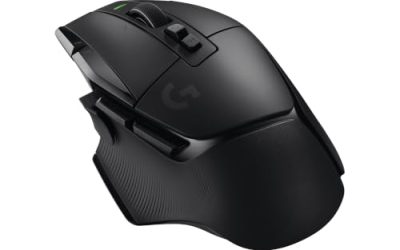
Glorious Model O

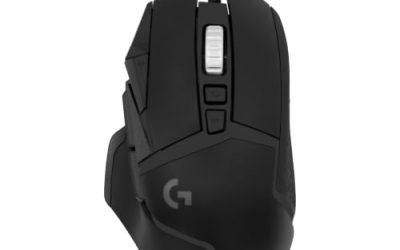
The Model O is the default recommendation for players who drag click and also play everything else. Its matte honeycomb shell gives fingertips the friction the technique needs, the wide ambidextrous buttons leave room for a long drag, and at 67 grams it flicks between bridging, aiming and inventory work without feeling like a specialist tool. Omron mechanical switches and Glorious software control over DPI steps, polling rate, lift-off distance and click settings let you tune how much of a drag the firmware passes through.
Specs
- Weight: 67g in the matte finish
- Sensor: Pixart PMW-3360, up to 12,000 DPI
- Switches: Omron mechanical, rated for 20 million clicks
- Polling rate: 1,000 Hz
- Buttons: 6, programmable
- Cable: Ascended cord, ultra-flexible
- Feet: G-Skates premium PTFE feet
- Finish: Matte Black
Best for: Most players who want one mouse for drag clicking and general gaming.
Watch out for: The Model O family splits into many color, finish and size variants under different listings, so confirm the matte wired version, and avoid the glossy variant, whose smooth shell fights the technique.
Glorious Model D

Players who rest their whole hand on the mouse should start with the Model D. The ergonomic shell fills the palm and keeps the wrist at a natural angle during long sessions, while the matte finish and broad right-hand buttons still give a fingertip the grip and travel a drag needs. It shares the Model O’s sensor, switches and PTFE feet, so nothing about the click hardware changes; what changes is the posture. At 68 grams it stays easy to lift and reset between fights, bridging runs and building.
Specs
- Weight: 68g in the matte finish
- Shape: Ergonomic, right-handed
- Sensor: Pixart PMW-3360, up to 12,000 DPI
- Switches: Omron mechanical, rated for 20 million clicks
- Buttons: 6, programmable
- Cable: Ascended cord, ultra-flexible
- Feet: G-Skates premium PTFE feet
- Finish: Matte Black
Best for: Palm-grip players who drag click during long Minecraft sessions.
Watch out for: It is right-handed only, and renewed units circulate under separate listings, so check that the listing is the new wired Model D.
Glorious Model O-
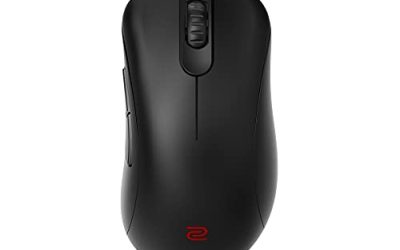
The Model O- shrinks the Model O formula into a compact shell for smaller hands. At 58 grams with a shorter body, it lets younger players and anyone with a fingertip grip keep the mouse steady while a finger works the button, instead of stretching across a full-size frame. The matte finish, Omron switches and Pixart 3360 sensor carry over unchanged, so the drag behaviour matches its bigger sibling; only the fit changes. It suits claw and fingertip grips best, and it doubles as a light travel mouse for a laptop bag.
Specs
- Weight: 58g in the matte finish
- Shape: Ambidextrous, compact
- Sensor: Pixart PMW-3360, up to 12,000 DPI
- Switches: Omron mechanical
- Buttons: 6, programmable
- Cable: Ascended cord, ultra-flexible
- Feet: G-Skates premium PTFE feet
- Finish: Matte Black
Best for: Smaller hands and fingertip-grip players learning the technique.
Watch out for: The shorter buttons give a shorter drag track, so players with large hands will register more consistent drags on the full-size Model O.
Which One Fits Your Situation
Competing in Bed Wars and PvP Modes
Choose the Bloody A70. Its optical switches and click-first design exist for exactly this job, and the programmable buttons and onboard memory let you carry your bindings and macros between computers at a LAN or a friend’s house. Accept that it is a wired specialist with a busy shell design; in ranked modes where inputs decide fights, that trade is the point of the mouse.
One Mouse for Minecraft and Everything Else
Choose the Glorious Model O. The same matte shell and mechanical switches that register drags also behave normally for shooters, browsing and school or work, and the software lets you store different DPI steps for different games. It is the safest pick if this purchase has to cover your whole setup rather than one game’s technique.
Long Sessions With a Full Palm Grip
Choose the Glorious Model D. Drag clicking with a palm grip puts hours of repetitive finger motion on top of a static hand position, and the ergonomic shell spreads that load better than a flat ambidextrous shape. The click hardware matches the Model O, so you give up nothing in drag behaviour while gaining support for marathon building and bridging sessions.
Smaller Hands or a Second Travel Mouse
Choose the Glorious Model O-. Its compact shell keeps the buttons within easy reach, the 58 gram weight is simple to control during fast corrections, and it takes up little room in a bag. Players who already own a full-size mouse often keep the O- as the dedicated practice mouse for learning drag timing without changing their main setup.
Common Mistakes
- Buying the glossy variant of a mouse because it looks cleaner; the smooth coating is the single most common reason a drag produces nothing.
- Assuming a high maximum DPI makes a mouse better at drag clicking; the sensor is not the part that registers the technique.
- Leaving debounce at a high default in the mouse software, then blaming the switches when drags are filtered out.
- Adding thick grip tape over the whole button, which can muffle the switch travel instead of adding controlled friction.
- Practising on a worn, dusty pad where the glide changes mid-drag; a consistent surface makes the motion repeatable.
Frequently Asked Questions
Why does my current mouse not register drag clicks?
Most likely the firmware is filtering them out. Debounce logic exists to stop one press becoming two, and at higher settings it treats the rapid bounce of a drag as noise. A glossy button surface causes the other common failure: the finger slides without gripping, so the switch never chatters in the first place. Check the finish first, then look for a debounce setting in the mouse software.
Does drag clicking wear out a mouse faster?
It adds wear, because one drag can equal dozens of ordinary presses and the fingertip also scuffs the button coating over time. Switches in this guide carry listing-stated lifespans in the tens of millions of clicks, and optical switches avoid metal contact wear entirely. Expect the button finish to age before the switch fails, and treat a drag-click mouse as a consumable part of a competitive setup.
Do I need grip tape to drag click?
No. Tape is an optional add-on that raises friction on a button that feels too smooth. The matte finishes in this guide are chosen so tape is unnecessary for most players, and many prefer the bare button because tape thickness changes how the switch feels. If you experiment, use a thin strip on the main buttons only and replace it when the edges start to lift.
Is drag clicking allowed in every game mode?
Rules differ by server and mode, and some competitive environments restrict techniques that produce very high input rates or treat them as an unfair advantage. Nothing about the hardware guarantees a technique is permitted where you play. Check the rules of your server before building a playstyle around drag clicking, and keep a normal clicking method practised for modes that ban it.